Direct answer
What is Arc Browser?
Arc is a Chromium-based desktop and mobile browser from The Browser Company designed around vertical Spaces, Split View, and built-in Arc Max AI utilities for web research.
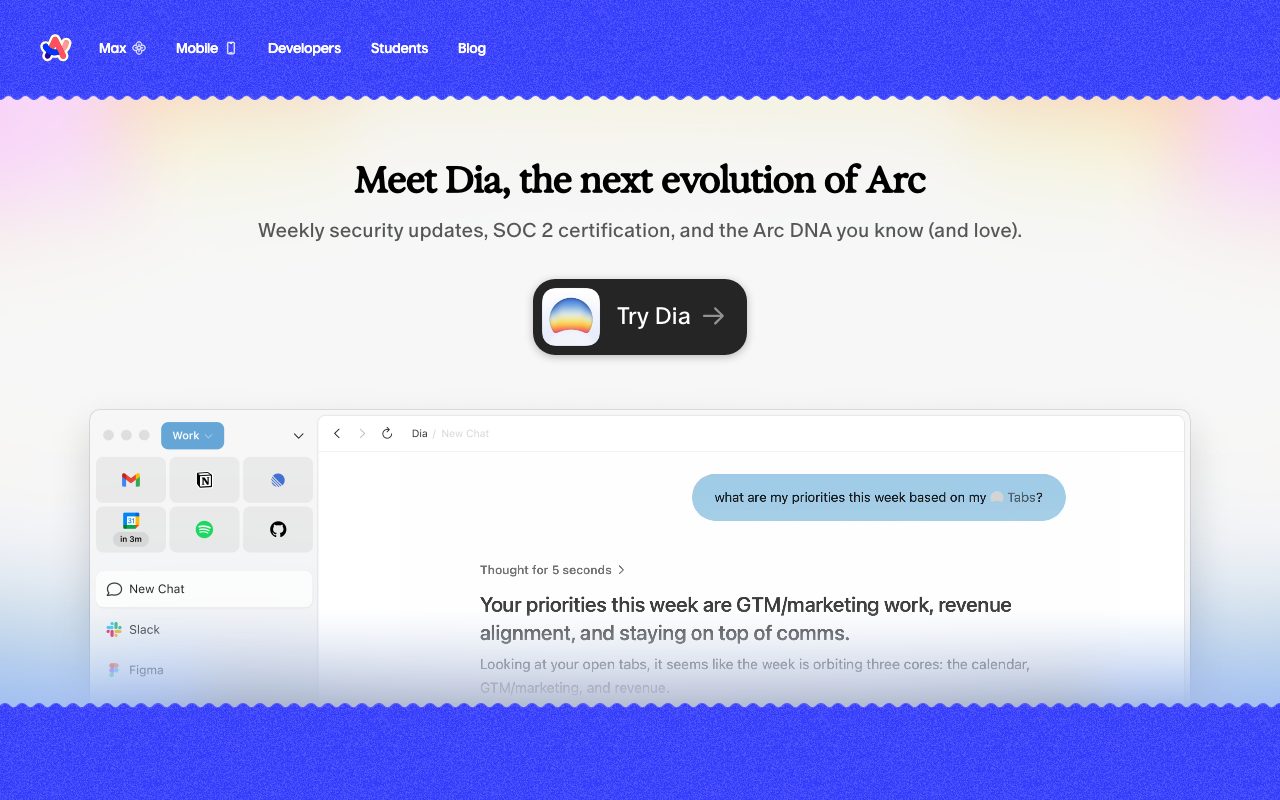
Arc Browser is an alternative web browser developed by The Browser Company of New York, built on the open-source Chromium engine. Rather than using conventional horizontal tab strips, Arc arranges workspaces into vertical sidebars featuring Spaces and Profiles, allowing users to separate work, personal browsing, and project contexts within a single window. Under its Arc Max feature suite, the browser incorporates AI integrations powered by models from OpenAI and Anthropic. These include 'Ask on Page' to query the text of an open website, '5-Second Previews' that summarize hovered links before opening them, and 'Browse for Me' to generate synthesized reading summaries across search results. Productivity aids also include 'Tidy Tabs' for grouping and renaming pinned tabs, 'Tidy Downloads' for automatic file renaming, and direct ChatGPT prompting from the command bar. Arc provides native workspace customization via Split View, collaborative Easels, and Boosts, which let users modify site styling or remove unwanted interface elements. While the browser includes pre-installed ad-blocking via uBlock Origin and strips default Google telemetry and session fingerprinting, the vendor notes on its homepage that Arc now receives Chromium updates only, while active feature evolution moves to its sibling product, Dia.
Combines vertical multi-profile tab architecture with native Arc Max AI features like Browse for Me and 5-Second Previews directly inside the Chromium engine, stripping standard Google tracking.
Product capabilities
Key features
Spaces and Profiles
Organize tabs, links, and browsing sessions into segmented vertical sidebars for work, personal, and project contexts.
Browse for Me and 5-Second Previews
Generate AI-assisted summaries of search queries and preview summary cards for links upon hover without navigating away.
Ask on Page
Submit natural-language questions grounded in the contents of the currently active webpage using integrated AI models.
Tidy Tabs and Tidy Downloads
Automatically clean, group, and rename pinned tabs and organize downloaded files with descriptive file titles.
Boosts and Site Customization
Modify webpage appearances locally by altering colors, fonts, and hiding or removing unwanted page components.
Split View and Easels
View multiple tabs simultaneously in a tiled interface and collect notes, links, and media on shareable visual canvases.
Chromium Privacy Hardening
Strips GAIA Google accounts integration, UMA metrics reporting, crash telemetry, and session fingerprinting from the base engine.
Practical fit
Who should use Arc Browser?
Consolidating Research Reading
Use 5-Second Previews and Ask on Page to screen dense documentation and extract targeted answers without opening dozens of full tabs.
Context Switching Between Work and Life
Maintain separate logins, cookie sessions, and bookmarks side-by-side using Profiles and Spaces in one browser window.
Command-Bar Prompting
Trigger quick AI queries and execute searches directly from the unified command bar into ChatGPT or default search engines.
Editorial assessment
Pros and limitations
Where it is strong
- Pre-installs uBlock Origin and removes default Chromium telemetry and Google session tracking
- End-to-end encrypted sidebar syncing via Arc Sync
- Native AI utilities for tab tidying, hover previews, and on-page question answering
- Flexible Split View and page customization via Boosts
Where to be careful
- The vendor explicitly states Arc receives Chromium updates only, steering active patches to Dia
- Mandatory account registration is required to use the browser
- Multi-factor authentication (MFA) is not currently supported for Arc accounts
- Not SOC 2 or ISO 27001 certified
Commercial context
Arc Browser pricing
At the review date, Arc Browser is free to download for desktop and mobile without published subscription tiers. Users should verify current plans on the official site.
Pricing, limits, taxes, model access, and regional availability can change. Verify the purchase-critical details on the official pricing page linked under Sources.
Transparent ranking
Why Arc Browser scores 66
Each factor is scored on a 100-point scale, then combined using the public ToolsRank weights. Engagement and momentum stay at a neutral baseline until measured signals exist, so no tool can gain or lose position from numbers nobody recorded.
Compatibility
Languages, platforms, and integrations
Languages
- English
Integrations & surfaces
- Google Calendar
- Microsoft Outlook
- OpenAI ChatGPT
- Anthropic Claude
- Google Translate
- Chrome Web Store Extensions
Community
Reviews and questions
No approved member reviews yet. Editorial factors above are the only rating on this page.
Reviews and questions come from Google-signed members and are checked by an editor before they appear.
Frequently asked
Arc Browser FAQ
Is Arc Browser free to use?+
Yes. Arc is available as a free download for supported desktop and mobile operating systems. The vendor indicates no subscription fees on its official download pages.
What is the maintenance status of Arc?+
The vendor notes on its homepage that Arc receives Chromium updates only. For active security patches and enterprise protection, the vendor refers users to its newer product, Dia.
Which AI models power Arc Max features?+
Arc Max features connect with OpenAI and Anthropic APIs to run tools such as Tidy Tabs, Ask on Page, 5-Second Previews, and Browse for Me.
Does Arc Browser collect browsing activity or search terms?+
According to the official privacy and security policies, Arc does not log visited URLs, browsing history, user searches, or the contents of user-generated notes and Easels.
Can I use Chrome extensions in Arc?+
Yes. Because Arc is built upon the Chromium open-source engine, extensions and tools available in the Chrome Web Store are compatible.