
Direct answer
What is Botika?
Botika transforms apparel photos—including flat lays, supplier shots, and ghost mannequin images—into professional on-model catalog and editorial photography using generative AI.
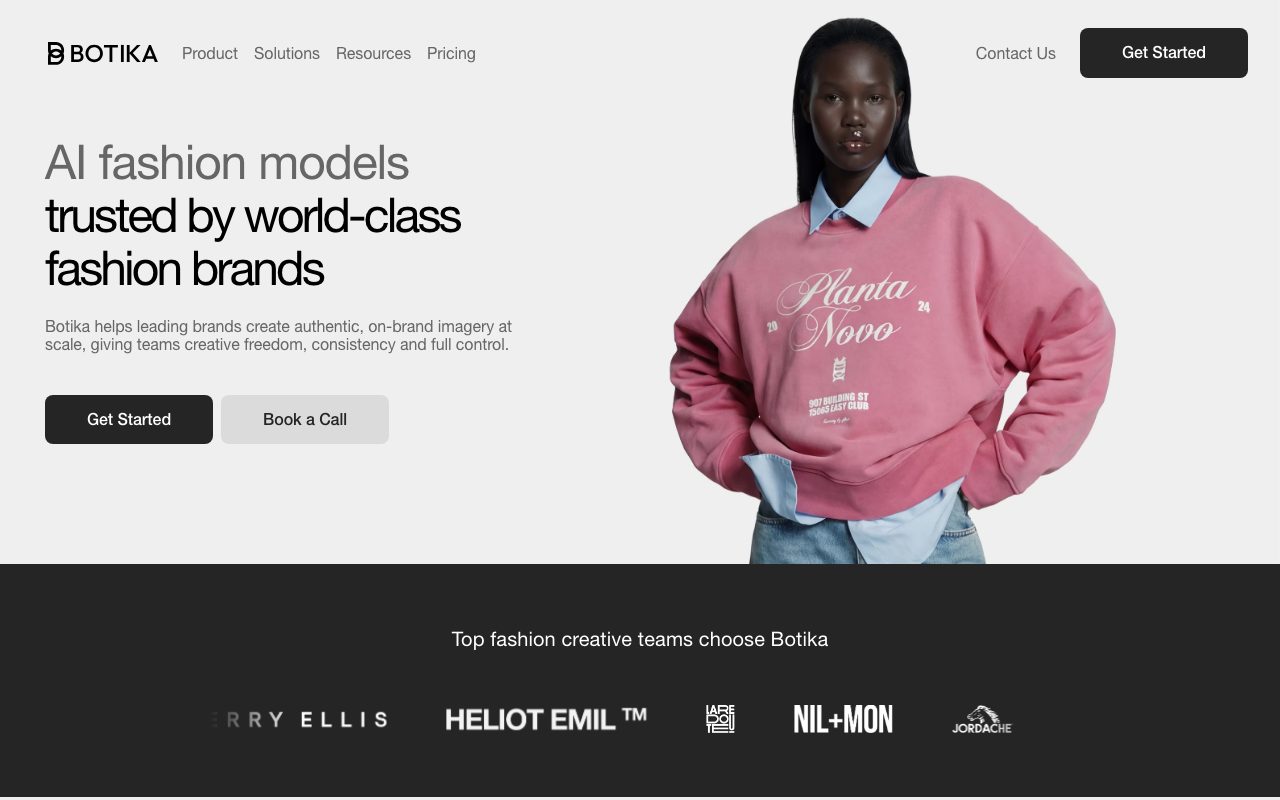
Botika is a generative AI fashion photography platform developed to produce commercial-grade on-model imagery from raw product inputs. Rather than arranging physical photoshoots with hired talent, studio lighting, and post-production crews, fashion brands can upload images taken from smartphones, suppliers, flat lays, or mannequins. The system applies clothing items onto synthetic fashion models spanning diverse skin tones, body types, and styles. The platform provides access to pre-built model and background libraries, with output resolutions ranging from 2K on starter tiers to 4K on higher tiers. In addition to still imagery, Botika can generate short animated motion clips from still renders. To ensure commercial viability, Botika integrates human-assisted retouching workflows. Users can submit change requests—such as adjusting model hair or garment fit—with turnarounds between 24 and 48 hours depending on subscription level. For enterprise accounts, Botika supports custom model development, tailored AI background scenes, and white-glove quality control teams.
Unlike generic image generators, Botika is tuned specifically for apparel merchandising, combining automated garment-on-model rendering with guaranteed human retouching workflows and credit rollovers.
Product capabilities
Key features
Flat Lay & Mannequin Transformation
Transforms flat lay photos, ghost mannequin shots, supplier photos, or smartphone captures into rendered on-model product shots.
Diverse AI Model Catalog
Offers synthetic models spanning diverse ethnicities, body types, skin tones, and styles, with custom models available for enterprise brands.
Built-In Retouching Service
Allows teams to submit specific adjustment requests, delivering corrected renders within 24 to 48 hours depending on plan tier.
Short Video Clip Generation
Converts static apparel images into short motion video clips for dynamic merchandising and social content.
Custom Footwear and Color Matching
Allows advanced users to upload custom footwear to complete flat lay outfits and customize studio background colors.
High-Resolution Output
Generates catalog-ready visuals in 2K or 4K resolution without Botika watermarks on paid tiers.
Workflow
How Botika works
- Upload apparel photos sourced from flat lays, ghost mannequins, or mobile phone shots.
- Select desired AI fashion models, body types, poses, and background scenes.
- Process renders in approximately 15 minutes to receive 2K or 4K on-model images.
- Request targeted retouches for fit or hair adjustments, completed within 24 to 48 hours.
Practical fit
Who should use Botika?
E-Commerce Catalog Production
Converting basic supplier or smartphone garment photos into studio-grade on-model catalog imagery in roughly 15 minutes.
Model Diversity Expansion
Presenting identical apparel collections across diverse model demographics and backgrounds to improve shopper resonance.
Motion Clip Creation
Generating short product videos from static apparel renders for social ad campaigns and product detail pages.
Editorial assessment
Pros and limitations
Where it is strong
- Specialized exclusively for apparel fit, drape, and fashion merchandising.
- Human retouching rounds included directly within the platform subscription.
- Unused credits roll over indefinitely as long as an active subscription is maintained.
- Generates both 4K stills and short motion video clips.
Where to be careful
- Generation turnaround is approximately 15 minutes rather than instantaneous.
- Pro plan limits background choices and restricts image resolution to 2K.
- Credit allocation is consumption-heavy (1 credit per photo, 5 credits per video).
Commercial context
Botika pricing
At the review date (September 2026), Botika offers tiered annual plans from $46/month for Pro and $40/month for Advanced (promotional rate), alongside custom Enterprise packages and a free trial. Check the official pricing page for live billing terms.
| Plan | Price | What it includes |
|---|---|---|
| Pro | $46 / month (billed annually at $552/year, down from $55/mo regular rate; 600 credits/yr entry tier listed with 240+ photos option via sales team consultation). Note: verify current credit allotment and promotional pricing with vendor directly before purchase. | |
| Advanced | $40 / month (billed annually at $480/year, down from $100/mo regular rate; 1000 credits/yr entry tier listed). Note: verify current credit allotment and promotional pricing with vendor directly before purchase. | |
| Enterprise | Custom / custom |
Pricing, limits, taxes, model access, and regional availability can change. Verify the purchase-critical details on the official pricing page linked under Sources.
Transparent ranking
Why Botika scores 74.1
Each factor is scored on a 100-point scale, then combined using the public ToolsRank weights. Engagement and momentum stay at a neutral baseline until measured signals exist, so no tool can gain or lose position from numbers nobody recorded.
Compatibility
Languages, platforms, and integrations
Languages
- English
Platforms
- Web
- Shopify
- iOS
Integrations & surfaces
- Shopify
- Google Accounts
- iOS
Community
Reviews and questions
No approved member reviews yet. Editorial factors above are the only rating on this page.
Reviews and questions come from Google-signed members and are checked by an editor before they appear.
Frequently asked
Botika FAQ
What kind of source photos can be uploaded to Botika?+
Botika accepts smartphone photos, supplier images, ghost mannequin images, and flat lay photos. Professional studio equipment is not required.
How do credits work on Botika?+
Generating one photo consumes 1 credit, while generating one video clip consumes 5 credits. Unused credits roll over as long as the subscription remains active, but expire immediately upon plan cancellation.
How long does it take Botika to generate an image?+
The AI model processing takes approximately 15 minutes per batch. If manual retouching is requested, adjustments take between 24 and 48 hours depending on your plan tier.
Does Botika train on uploaded customer photos?+
According to Botika's Privacy Policy, the platform processes customer uploaded images on the customer's behalf under contract instructions and does not extract biometric identifiers from uploaded photos.