Direct answer
What is Firebase Studio?
Firebase Studio is a browser-based development workspace equipped with Gemini AI agents to prototype, code, emulate, and deploy web and mobile applications.
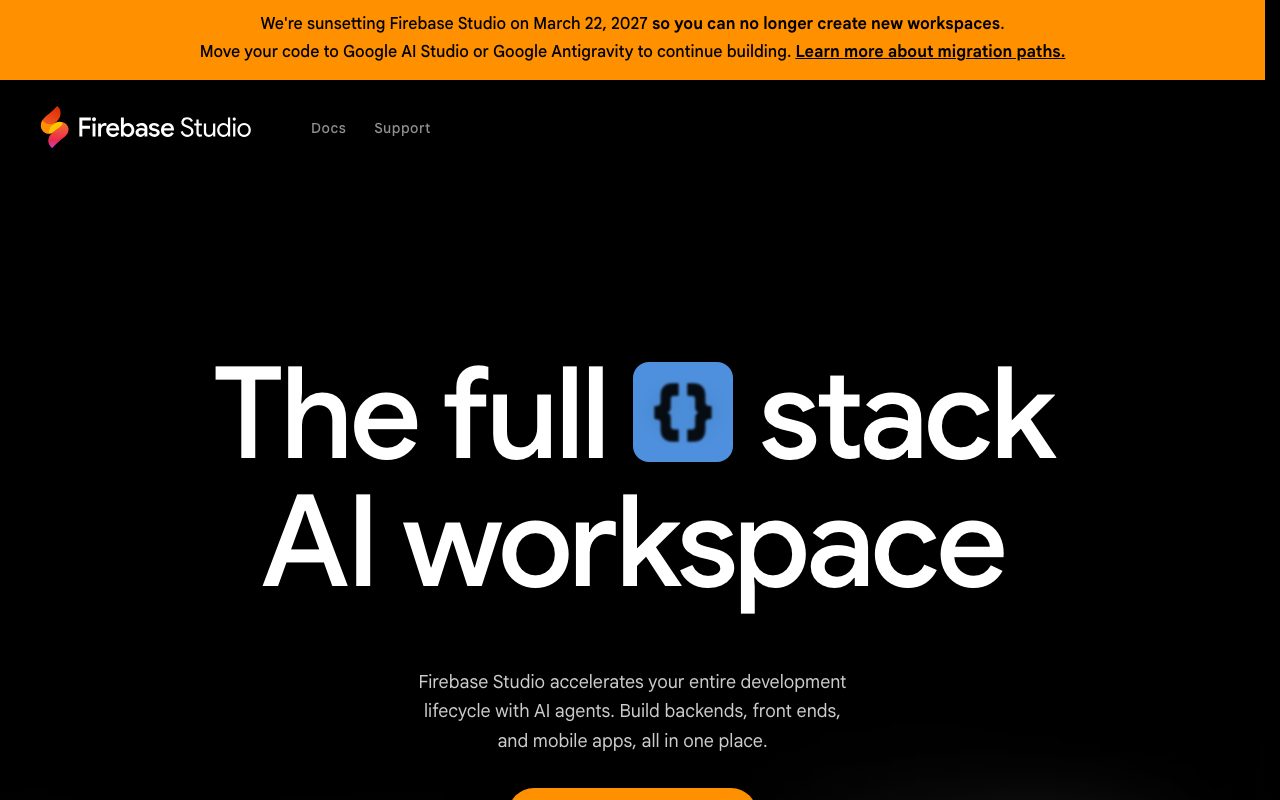
Firebase Studio is a cloud development workspace designed to accelerate the software lifecycle using AI agents and managed infrastructure. The environment lets developers import repositories from GitHub, GitLab, Bitbucket, or local storage, supporting standard tech stacks and environment customization using Nix. The platform integrates Gemini in Firebase to help developers write, explain, debug, test, and refactor code directly against repository contents. For greenfield work, an App Prototyping agent creates applications from natural language prompts, UI mockups, drawings, screenshots, or pre-built language and framework templates. Testing and preview tools include built-in web previews and Android emulators, alongside support for development extensions from the Open VSX Registry. Teams can collaborate simultaneously in shared workspaces or generate preview URLs for testers. Finished applications can be deployed directly to Firebase App Hosting, Firebase Hosting, Google Cloud Run, or custom infrastructure. Please note: Google has announced that Firebase Studio will be sunset on March 22, 2027. New workspace creation has been disabled, and users are instructed to migrate projects to Google AI Studio or Google Antigravity.
Combines full-stack cloud editing and Gemini-driven codebase actions with integrated Android emulation and native deployment to Firebase App Hosting and Cloud Run.
Product capabilities
Key features
Gemini in Firebase
Integrated AI assistant that interacts directly with the codebase to write, refactor, debug, test, explain, and document code on the user's behalf.
App Prototyping Agent
Generates new application scaffolds and interfaces from natural language prompts, design mockups, drawing tools, and uploaded screenshots.
Integrated Android Emulators & Web Previews
In-browser live previews and Android emulators allow testing and verification of mobile and web applications without local device setups.
Open VSX Registry Support
Provides access to thousands of IDE extensions from the Open VSX Registry for backend optimization, linting, and API testing.
Nix Environment Customization
Allows developers to define and customize dependencies, tech stacks, and tools across the workspace using Nix configurations.
Multi-Cloud & Firebase Deployment
Supports deployment directly to Firebase App Hosting, Firebase Hosting, Google Cloud Run, or custom infrastructure with built-in monitoring.
Simultaneous Team Collaboration
Enables multiple contributors to work within the same cloud workspace concurrently and share preview URLs with early testers.
Practical fit
Who should use Firebase Studio?
Multimodal Application Prototyping
Converting UI wireframes, hand-drawn mockups, and text prompts into working web or mobile prototypes using the Prototyping agent.
Cross-Platform Full-Stack Testing
Validating frontend interfaces and backend endpoints in one browser session using integrated web previews and Android emulators.
Cloud-Based Code Refactoring
Leveraging Gemini in Firebase to explain unfamiliar code, write unit tests, and diagnose runtime bugs across imported repositories.
Editorial assessment
Pros and limitations
Where it is strong
- Native in-browser Android emulation alongside web previews.
- Broad repository integration covering GitHub, GitLab, Bitbucket, and local files.
- Integrated Nix environment support and Open VSX extension compatibility.
Where to be careful
- Sunsetting on March 22, 2027, with new workspace creation already turned off.
- Requires migration to Google AI Studio or Google Antigravity for ongoing work.
Commercial context
Firebase Studio pricing
At the review date (September 2026), Firebase Studio is in preview and offers up to 3 workspaces at no cost (or up to 30 for Google Developer Program members). However, Google has announced the product is sunsetting on March 22, 2027, and new workspace creation is disabled.
Pricing, limits, taxes, model access, and regional availability can change. Verify the purchase-critical details on the official pricing page linked under Sources.
Transparent ranking
Why Firebase Studio scores 59
Each factor is scored on a 100-point scale, then combined using the public ToolsRank weights. Engagement and momentum stay at a neutral baseline until measured signals exist, so no tool can gain or lose position from numbers nobody recorded.
Compatibility
Languages, platforms, and integrations
Languages
- en
Platforms
- Web
Integrations & surfaces
- GitHub
- GitLab
- Bitbucket
- Firebase App Hosting
- Firebase Hosting
- Google Cloud Run
- Open VSX Registry
- Android
Community
Reviews and questions
No approved member reviews yet. Editorial factors above are the only rating on this page.
Reviews and questions come from Google-signed members and are checked by an editor before they appear.
Frequently asked
Firebase Studio FAQ
Why is new workspace creation disabled in Firebase Studio?+
Google has scheduled Firebase Studio to be sunset on March 22, 2027. As part of this deprecation, creation of new workspaces has been permanently disabled on the platform.
Where should Firebase Studio users migrate their code?+
Google recommends that developers move their code to Google AI Studio or Google Antigravity to continue building and prototyping.
What were the workspace limits during the preview period?+
During the preview, Firebase Studio provided 3 workspaces at no cost, while members of the Google Developer Program were eligible for up to 30 workspaces.
Which git providers and deployment targets does Firebase Studio support?+
Firebase Studio supports importing repositories from GitHub, GitLab, Bitbucket, or local machines. For deployment, it connects to Firebase App Hosting, Firebase Hosting, Google Cloud Run, or custom infrastructure.