Direct answer
What is FlutterFlow?
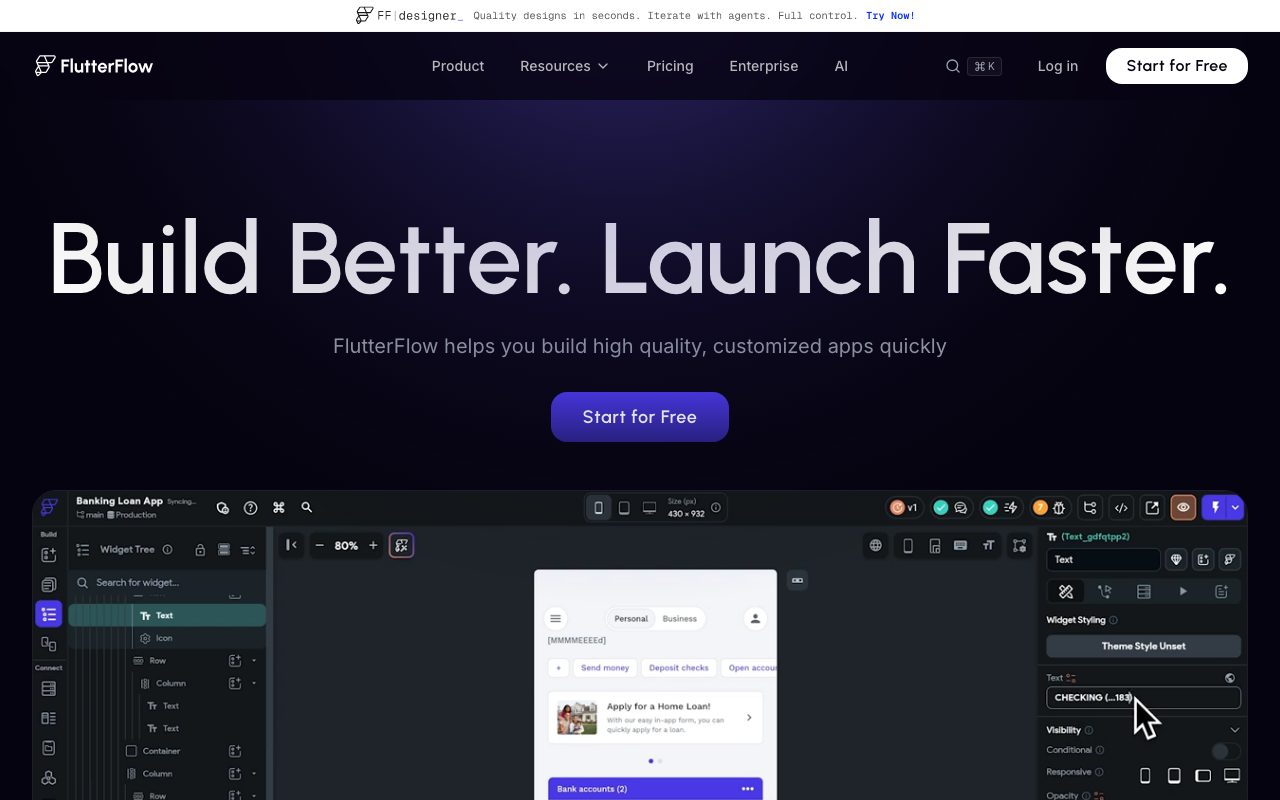
FlutterFlow is a visual development platform that lets builders create native mobile, web, and desktop applications using Flutter, complete with backend integrations, AI assistance, and full source code export.
FlutterFlow provides a visual interface for constructing responsive applications across iOS, Android, web, and desktop using Google's Flutter framework. Builders can compose interfaces with more than 200 pre-designed UI elements or build custom widgets and actions. The platform includes a visual Action Flow Editor for client-side application logic, state management, and API calls. Applications built in FlutterFlow connect to backend infrastructure including native integrations with Firebase and Supabase, as well as arbitrary REST APIs and Swagger/OpenAPI specs. Advanced features include one-click multi-language localization, automated snapshot backups, native push notifications, payment handling, and Figma theme or frame imports. Unlike visual builders that trap assets in proprietary runtimes, FlutterFlow permits source code and APK downloads on paid plans, two-way push to GitHub, and local development via a VS Code extension and CLI. Teams can collaborate in real time with branch-based version control, native project commenting, and automated testing.
FlutterFlow combines a visual canvas and action editor with true Flutter code export and GitHub sync, allowing teams to avoid vendor lock-in by downloading and self-hosting production-grade Dart code at any time.
Product capabilities
Key features
Visual UI & Logic Builder
Assemble interfaces using 200+ pre-designed UI elements and map complex behaviors through the visual Action Flow Editor.
Backend & Database Integrations
Directly configure and bind data using built-in Firebase and Supabase connectors, or query any REST API and OpenAPI specification.
Code Export & No Lock-In
Export standard Flutter source code, download compiled APKs, or synchronize project files directly to GitHub repositories on paid plans.
Branching & Collaboration
Work simultaneously with teammates using open branches, project comments, task assignments, and snapshot backup restoration.
Design System & Figma Imports
Create custom design tokens or import Figma themes and frames directly into project layouts.
Multi-Platform Deployment
Deploy applications directly to the Apple App Store, Google Play Store, custom web domains, or free subdomains.
Testing & Debugging
Evaluate app behavior in Test Mode, utilize Test Pilot automated testing features, and test directly on local devices.
Workflow
How FlutterFlow works
- Design user interfaces using pre-built widgets or import themes and frames from Figma.
- Configure application logic visually using the Action Flow Editor, custom code expressions, and state variables.
- Connect to databases like Firebase or Supabase, or bind data through REST API endpoints.
- Test on local devices or run automated tests using Test Pilot.
- Deploy directly to web domains and app stores, or export clean Flutter source code to GitHub.
Practical fit
Who should use FlutterFlow?
MVP Product Launches
Quickly build, preview, and deploy cross-platform minimum viable products to mobile app stores and web domains.
Design-to-App Prototyping
Convert Figma frames and design systems into interactive native applications backed by real databases.
Enterprise Internal Tools & Demos
Connect internal REST APIs to create employee tools, customer portals, or rapid functional concept demos.
Editorial assessment
Pros and limitations
Where it is strong
- Exports standard Flutter source code to prevent vendor lock-in
- Direct integrations with Firebase, Supabase, and custom REST APIs
- One-click deployment pathways to Apple App Store and Google Play
- Branching and real-time collaboration features for team workflows
Where to be careful
- Source code download and APK generation require a paid subscription
- Free plan is restricted to two projects and view-only collaborator roles
- Figma frame import and CLI access are reserved for the Business tier
Commercial context
FlutterFlow pricing
Pricing snapshot as of September 2026. Paid individual and team tiers start at $39/month (Basic) up to $150/month (Business), with annual billing discounts of approximately 25%. Enterprise and Education pricing are also available. Verify current pricing and usage quotas directly on the FlutterFlow pricing page.
| Plan | Price | What it includes |
|---|---|---|
| Free | $0 / forever free tier limit 2 projects | |
| Basic | $39 / per month (billed monthly) or ~$29/mo billed annually | |
| Growth | $80 / first seat/month ($55 second seat) | |
| Business | $150 / first seat/month ($85 seats 2-5) |
Pricing, limits, taxes, model access, and regional availability can change. Verify the purchase-critical details on the official pricing page linked under Sources.
Transparent ranking
Why FlutterFlow scores 76.8
Each factor is scored on a 100-point scale, then combined using the public ToolsRank weights. Engagement and momentum stay at a neutral baseline until measured signals exist, so no tool can gain or lose position from numbers nobody recorded.
Compatibility
Languages, platforms, and integrations
Languages
- English
Platforms
- Web
- macOS
- Windows
- iOS
- Android
Integrations & surfaces
- Firebase
- Supabase
- GitHub
- Figma
- Stripe
- Codemagic
- Google Analytics
Community
Reviews and questions
No approved member reviews yet. Editorial factors above are the only rating on this page.
Reviews and questions come from Google-signed members and are checked by an editor before they appear.
Frequently asked
FlutterFlow FAQ
Can I export my code from FlutterFlow?+
Yes. On paid plans (starting with the Basic plan), you can download the complete Flutter source code or APK files at any time, eliminating vendor lock-in.
What backend services work with FlutterFlow?+
FlutterFlow provides native integrations for Firebase and Supabase, and allows you to connect to any external database or third-party service via RESTful APIs and Swagger/OpenAPI specifications.
What is included in FlutterFlow's Free plan?+
The Free plan provides access to the visual development environment, over 1,000 prebuilt templates, web publishing, API integrations, up to two projects, 5 lifetime AI generation requests, and 10 Lite credits.
Which platforms can I target with my FlutterFlow app?+
Because it is built on Flutter, you can target iOS, Android, web, and desktop environments from a unified visual codebase.
Does FlutterFlow support version control and branching?+
Yes. The Growth tier supports up to 2 open branches per project, while the Business tier supports up to 5 open branches. Paid plans also offer GitHub synchronization and automated snapshot backups.