Direct answer
What is folk?
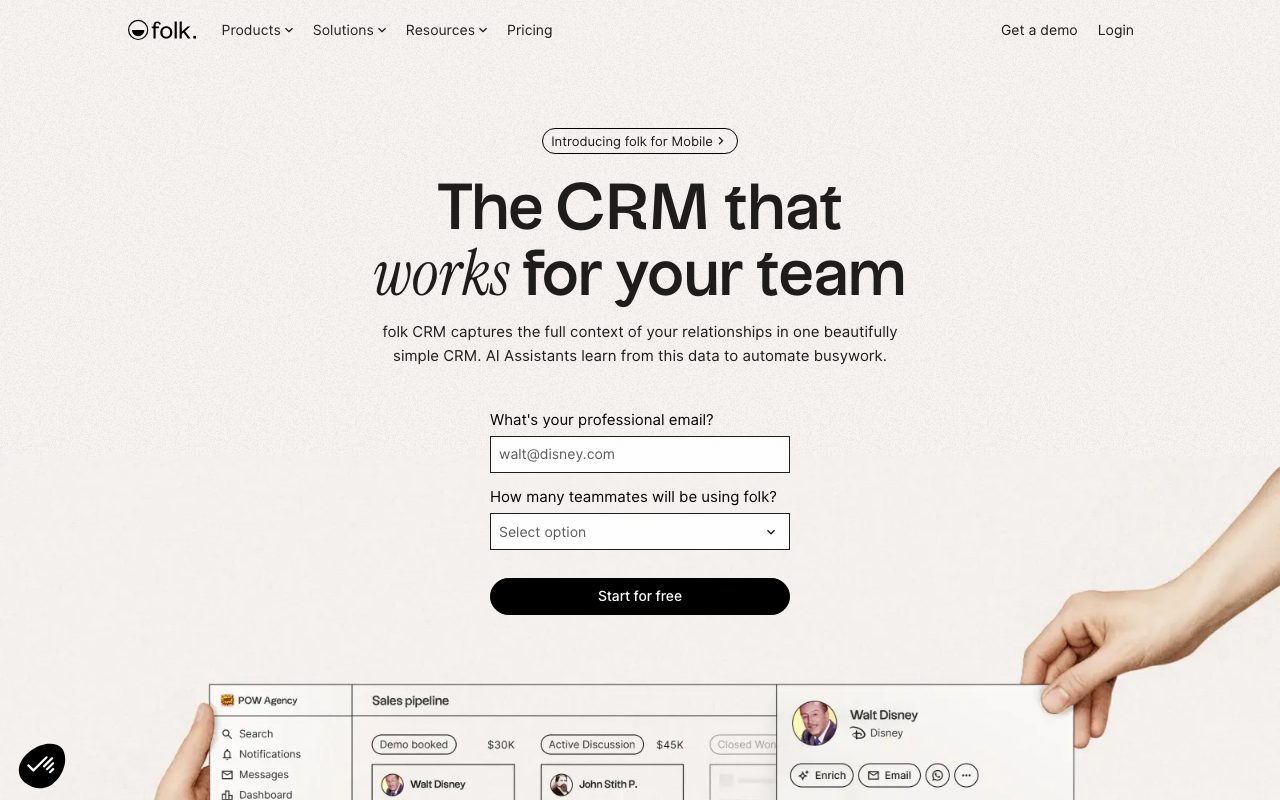
folk is a lightweight, customizable CRM combining pipeline management, LinkedIn lead capture, email sequences, contact enrichment, and AI sales assistants to streamline outreach and relationship tracking.
folk positions itself as an intuitive CRM designed to minimize administrative friction for modern go-to-market teams. Built around contact groups, deal pipelines, and custom objects, the platform automatically synchronizes communication histories across connected Gmail, Microsoft Outlook, Google Calendar, and WhatsApp accounts. Prospecting and pipeline maintenance are accelerated through native intelligence tools. The folkX browser extension enables users to capture contacts and company details directly from LinkedIn and other supported web platforms. Once captured, folk leverages data providers such as People Data Labs and Perplexity to enrich profiles with company size, funding data, verified email addresses, and contextual research summaries. To automate deal management, folk provides four specialized AI assistants: the Follow-up Assistant flags inactive conversations across email and WhatsApp to suggest pre-drafted follow-ups; the Recap Assistant generates structured relationship briefs adapted to methodologies like MEDDIC or BANT; the Research Assistant uncovers company insights; and the Workflow Assistant executes event-driven outreach sequences using CRM data and personalization variables. With mobile apps for iOS and Android, desktop availability, REST API access, and integrations via Zapier and Make, folk serves as a unified workspace for teams that find legacy enterprise CRMs overly complex.
folk blends relational database flexibility with purpose-built AI assistants for follow-ups, account summaries, and waterfall contact enrichment, avoiding the bloat and setup overhead of traditional enterprise CRMs.
Product capabilities
Key features
folkX Browser Extension
Captures leads directly from LinkedIn and other supported platforms into folk with one-click data extraction and enrichment.
AI Follow-up Assistant
Monitors email and WhatsApp message threads to detect inactive discussions with unresolved actions, generating pre-drafted follow-ups in the user's tone.
Recap Assistant
Compiles structured briefs of past interactions, emails, notes, and LinkedIn activities, with support for sales frameworks like MEDDIC and BANT.
Research Assistant & 1-Click Enrichment
Enriches contact and company records with funding, headcounts, verified emails, and web research powered by providers like People Data Labs and Perplexity.
Workflow Assistant & Email Sequences
Automates personalized outreach and multi-step email campaigns based on record triggers, custom field changes, and lead status updates.
Multi-Channel Communication Sync
Connects with Gmail, Microsoft 365, Google Calendar, and WhatsApp to centralize relationship history and track interactions across channels.
Collaborative Deal Pipelines
Offers customizable Kanban pipelines, table views, custom deal objects, workspace roles, and sales dashboard analytics.
Practical fit
Who should use folk?
Social Selling & Prospecting
Sourcing candidate leads from LinkedIn using the folkX extension, enriching phone numbers and emails, and adding prospects directly into pipeline stages.
Deal Execution & Meeting Preparation
Generating instant relationship summaries via the Recap Assistant before customer calls to review previous commitments and outstanding action items.
Automated Re-engagement
Identifying stale deals and missing replies across email and WhatsApp using the Follow-up Assistant to re-engage prospects.
Agency & Partnership Management
Organizing client rosters, tracking multi-party introductions, and running targeted email campaigns with dynamic CRM variables.
Editorial assessment
Pros and limitations
Where it is strong
- Native AI assistants handle repetitive tasks like researching accounts, summarizing threads, and drafting follow-ups.
- Integrated multi-channel tracking captures communications across Gmail, Outlook, and WhatsApp.
- folkX extension enables seamless prospect extraction from LinkedIn directly into pipelines.
- Modern, spreadsheet-like interface requires minimal administrative setup compared to legacy CRMs.
- Clear security commitments including SOC 2 Type I certification and explicit policy against training AI on customer data.
Where to be careful
- Monthly allowances for email enrichment, AI fields, and workflow automations are capped by tier.
- Accounts are blocked at the end of the 14-day trial unless upgraded or downgraded.
- Advanced CRM features like custom objects and workspace roles require the Premium or Enterprise tiers.
Commercial context
folk pricing
Prices reflect vendor website data as of September 2026. Subscriptions start at $24/member/month billed annually ($30 billed monthly) for Standard and $48/member/month billed annually ($60 billed monthly) for Premium, backed by a 14-day free trial without credit card requirement. Check the official pricing page for updates.
| Plan | Price | What it includes |
|---|---|---|
| Standard | $24 / member/month (billed annually) or $30 monthly billing | |
| Premium | $48 / member/month (billed annually) or $60 monthly billing | |
| Enterprise | From $80 / member/month (billed annually) or $100 monthly billing |
Pricing, limits, taxes, model access, and regional availability can change. Verify the purchase-critical details on the official pricing page linked under Sources.
Transparent ranking
Why folk scores 72.9
Each factor is scored on a 100-point scale, then combined using the public ToolsRank weights. Engagement and momentum stay at a neutral baseline until measured signals exist, so no tool can gain or lose position from numbers nobody recorded.
Compatibility
Languages, platforms, and integrations
Languages
- en
Platforms
- Web
- Chrome extension
- iOS
- Android
- macOS
Integrations & surfaces
- Gmail
- Microsoft Outlook
- Google Calendar
- Zapier
- Make
- People Data Labs
- Perplexity
- Stripe
Community
Reviews and questions
No approved member reviews yet. Editorial factors above are the only rating on this page.
Reviews and questions come from Google-signed members and are checked by an editor before they appear.
Frequently asked
folk FAQ
Does folk offer a free trial, and is a credit card required?+
folk provides a 14-day free trial on signup with access to premium features. No credit card is required to begin the trial. If an account is not upgraded at the end of the trial period, workspace access is paused until updated, though data is retained temporarily.
What is the folkX extension?+
folkX is a browser extension primarily designed for Google Chrome that allows users to capture lead details from LinkedIn and other web platforms directly into folk lists and pipelines without manual data entry.
Does folk train AI models on user data?+
No. According to folk's published Privacy Policy, the vendor does not sell customer personal data and explicitly states that customer personal data is not used to train AI models or generalized language models.
How do the AI Sales Assistants work?+
folk includes specialized AI assistants: the Follow-up Assistant monitors communication gaps in email and WhatsApp to suggest responses; the Recap Assistant generates summaries of past deal interactions; the Research Assistant populates company profiles; and the Workflow Assistant automates triggered email outreach.
What happens if a workspace adds or removes members mid-cycle?+
Pricing is calculated per workspace member. When members are added or removed, folk calculates a prorated charge or credit that is reflected on the subsequent billing statement.