
Direct answer
What is Fotor?
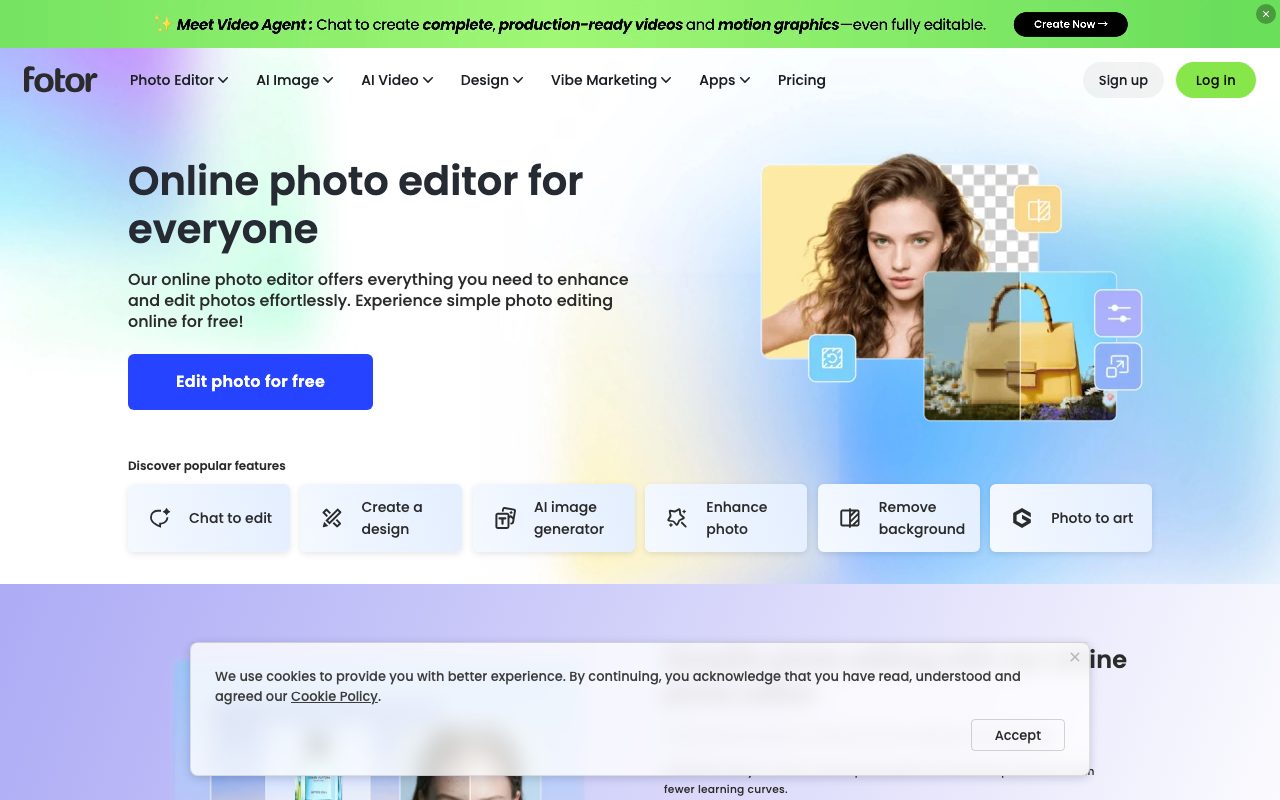
Fotor is an online photo editing and design platform combining traditional retouching tools with AI-driven restoration, background removal, upscaling, and generative image creation.
Fotor, developed by Everimaging, is an image editing and graphic design suite accessible across web browsers, desktop operating systems (Windows and macOS), and mobile platforms (iOS and Android). The service is designed to deliver photo enhancements and visual assets without the steep learning curve of desktop editing suites. The application centers around a collection of one-click AI restoration utilities. These include an automatic blur remover trained on deep neural networks to correct motion blur, camera shake, and compression artifacts, as well as an HD converter capable of upscaling images up to 4K or 8x resolution. Additional core editing features include automated background removal, object erasure, portrait retouching, colorization of vintage black-and-white photos, and batch editing for up to 50 images simultaneously on paid tiers. Beyond correction, Fotor integrates multi-model generative AI. Users can generate images and video clips or extend borders through outpainting, utilizing proprietary models alongside third-party engines like Flux AI, Nano Banana, Gemini, GPT Image, Kling, and Seedance. The platform also provides an asset library containing graphic design templates, stock photos, fonts, and collage layouts for producing marketing collateral, posters, flyers, and social media posts.
Fotor unifies targeted neural photo repair—such as dedicated text deblurring, super-resolution upscaling, and batch processing—with graphic design templates and access to multi-provider generative image and video models under one account.
Product capabilities
Key features
AI Image Deblurring
Detects camera shake, focal errors, and compression blur to reconstruct lost pixel data across portraits, scans, and text-heavy screenshots.
HD Photo Converter & Upscaling
Increases image resolution from 1x up to 8x across multiple conversion modes (Standard, Advanced, Model T, Model TG) to prepare files for HD printing and web displays.
Background & Object Removal
Extracts subjects in seconds, creates transparent PNG cutouts, inserts studio-style backgrounds, and erases unwanted people, text, or watermarks.
Generative Fill & Image Extender
Swaps elements using brush-based text prompts and outpaints canvas borders to adjust image aspect ratios seamlessly.
Multi-Model Generative Studio
Provides text-to-image and image-to-video generation using models including Flux AI, Nano Banana, Gemini, Kling, and Google Veo.
Batch Photo Processing
Applies automated enhancements, deblurring, and background removals to batches of up to 50 images in a single session on Pro plans.
Graphic Design & Collages
Offers pre-made templates, stickers, stock assets, and grid layouts for assembling social posts, flyers, logos, and custom cards.
Practical fit
Who should use Fotor?
E-Commerce Visual Optimization
Sharpening product photographs, clearing compression artifacts, and replacing distracting backgrounds with clean studio backdrops.
Social Media Asset Production
Cropping images, applying artistic filters, generating AI imagery, and arranging graphics into templated banners or collages.
Vintage Photo Restoration
Deblurring faded physical prints, repairing facial details, and colorizing black-and-white historical images.
Professional Profile Retouching
Softening blemishes, adjusting portrait lighting, and generating AI business headshots for LinkedIn and CVs.
Editorial assessment
Pros and limitations
Where it is strong
- Cross-platform support spanning web browsers, Windows, macOS, iOS, and Android.
- Targeted AI restoration features, including specialized handling for blurry text and facial features.
- Integrated batch processing of up to 50 images per session for high-volume editing.
- Uploaded user files are processed via SSL and automatically deleted within 24 hours without being used for AI training.
Where to be careful
- Detailed subscription pricing tiers are omitted from the static pricing page and require checking live checkout options.
- Heavily corrupted images or illegibly small text cannot be fully reconstructed by AI upscaling models.
- Batch processing and high-tier HD upscaling models require paid credits or a Pro subscription.
Commercial context
Fotor pricing
At the review date of 2026-09-08, Fotor provides a free Basic tier with 512MB cloud storage and standard editing tools. Paid tiers (Fotor Pro and Pro+) add credit allowances, batch processing, watermark-free HD downloads, and 100GB storage, though exact recurring subscription fees are dynamic in the vendor interface and should be verified on the official pricing page.
Pricing, limits, taxes, model access, and regional availability can change. Verify the purchase-critical details on the official pricing page linked under Sources.
Transparent ranking
Why Fotor scores 73
Each factor is scored on a 100-point scale, then combined using the public ToolsRank weights. Engagement and momentum stay at a neutral baseline until measured signals exist, so no tool can gain or lose position from numbers nobody recorded.
Compatibility
Languages, platforms, and integrations
Languages
- English
- Spanish
- Portuguese
- French
- German
- Japanese
Platforms
- Web
- Windows
- macOS
- iOS
- Android
Integrations & surfaces
- Web Browser
- Windows
- macOS
- iOS
- Android
Community
Reviews and questions
No approved member reviews yet. Editorial factors above are the only rating on this page.
Reviews and questions come from Google-signed members and are checked by an editor before they appear.
Frequently asked
Fotor FAQ
Is Fotor free to use?+
Fotor provides a Basic free tier that allows users to use basic editing tools, standard templates, and standard 1x HD conversion with 512MB cloud storage. Advanced tools like batch processing, high-resolution upscaling, and exclusive AI models require paid plans or credits.
What file formats does Fotor support?+
For inputs, Fotor supports JPG, JPEG, PNG, WebP, HEIC, and HEIF. For output exports, users can download files in JPG, PNG, and PDF formats.
Does Fotor use user uploads for AI training?+
According to the official site documentation, uploaded images are not used to train AI models. Files are transmitted over SSL-encrypted connections and automatically removed from the servers within 24 hours.
Can I process multiple images at once?+
Yes. Fotor includes a batch processing tool that allows users on paid Pro plans to upload and enhance, deblur, or remove backgrounds from up to 50 images simultaneously.