Direct answer
What is Grok?
Grok is a web-based AI assistant offering general conversational queries, an 'Imagine' generation tool, and a specialized 'Build Mode' designed to create applications quickly.
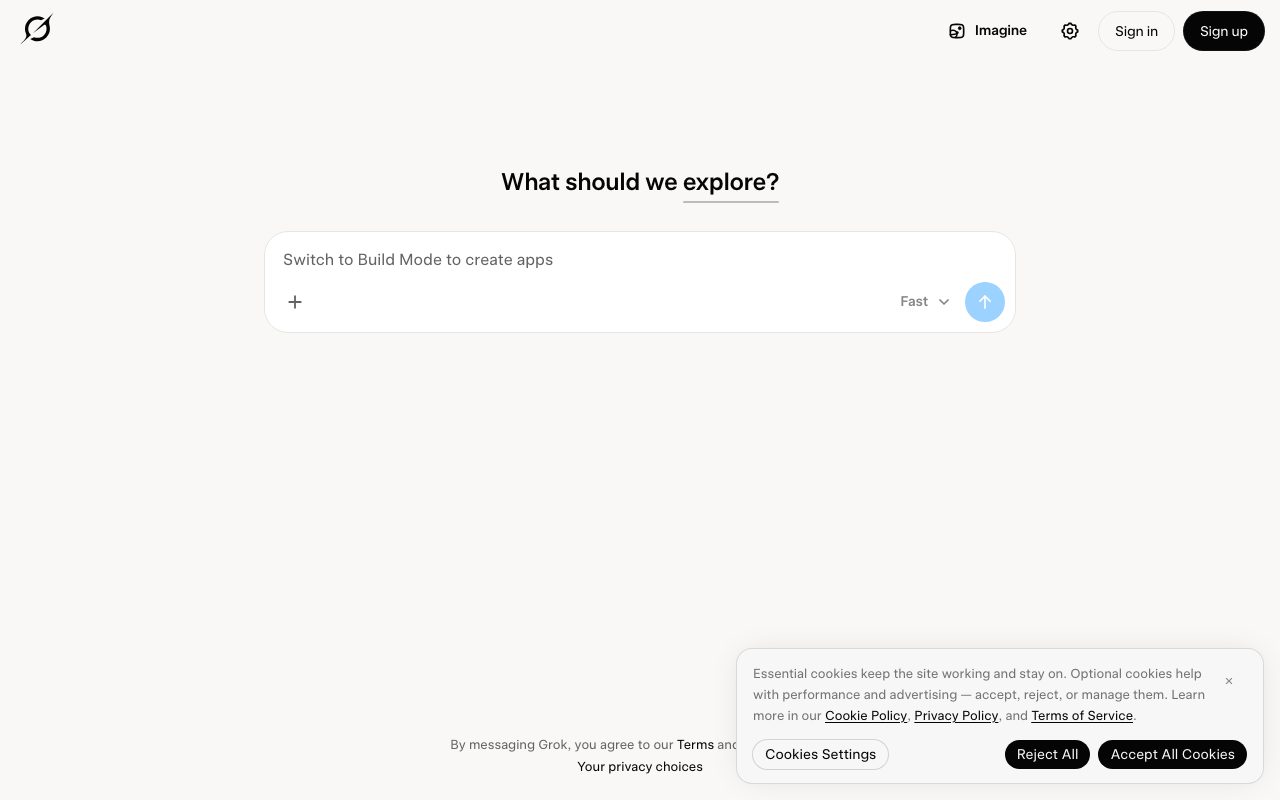
Grok serves as an interactive conversational platform accessible directly via web browser. The interface prompts users to explore topics across knowledge domains, offering a minimal query bar alongside dedicated functional shortcuts. Within the interface, Grok highlights specialized capabilities including 'Imagine' for creative generation and a dedicated 'Build Mode' configured to assist users in building applications quickly. The portal provides options for instant messaging alongside standard account creation and login controls.
Grok integrates an exploratory conversational interface with a dedicated 'Build Mode' focused on rapid application creation and an 'Imagine' generation mode directly from the primary navigation.
Product capabilities
Key features
Build Mode
A dedicated mode configured to help users build applications quickly from within the assistant interface.
Imagine Tool
A dedicated navigation option designed for creative image or concept generation.
Exploratory Query Interface
A conversational chat bar inviting users to explore questions, topics, and ideas with low latency.
Fast Execution Option
A speed-focused workflow option highlighted in the navigation for rapid response generation.
Practical fit
Who should use Grok?
Prototyping Software
Switching to Build Mode to generate application boilerplates and functional prototypes quickly.
Creative Asset Generation
Using the Imagine module to conceptualize visual or textual ideas.
General Research and Exploration
Asking open-ended conversational questions to gather information across diverse subjects.
Editorial assessment
Pros and limitations
Where it is strong
- Direct web interface with minimal clutter and instant input bar
- Dedicated Build Mode specifically oriented toward building apps quickly
- Integrated Imagine feature accessible directly from main navigation
Where to be careful
- Pricing tiers and quota caps are not published on the landing page
- Detailed model architecture and benchmark documentation are omitted from the main portal
Commercial context
Grok pricing
At the review date (2026-09-08), specific subscription pricing, usage limits, and tier structures are not displayed on the grok.com landing page. Prospective users should verify current account requirements and rates directly on the site.
Pricing, limits, taxes, model access, and regional availability can change. Verify the purchase-critical details on the official pricing page linked under Sources.
Transparent ranking
Why Grok scores 65.8
Each factor is scored on a 100-point scale, then combined using the public ToolsRank weights. Engagement and momentum stay at a neutral baseline until measured signals exist, so no tool can gain or lose position from numbers nobody recorded.
Compatibility
Languages, platforms, and integrations
Languages
- English
Integrations & surfaces
- Web browsers
Community
Reviews and questions
No approved member reviews yet. Editorial factors above are the only rating on this page.
Reviews and questions come from Google-signed members and are checked by an editor before they appear.
Frequently asked
Grok FAQ
What is Grok Build Mode?+
Build Mode is a dedicated operational mode on grok.com highlighted for helping users build applications quickly.
What is the Imagine feature on Grok?+
Imagine is an interface mode accessible from the top navigation on grok.com, intended for creative generation.
How much does Grok cost?+
Specific subscription prices, usage limits, and tier names are not stated on the grok.com landing page as of the review date. Users must check the site directly after signing up.
Is an account required to use Grok?+
The landing page includes 'Sign in' and 'Sign up' options, alongside an interactive message prompt that references the site's Terms and Privacy Policy.