Direct answer
What is Krea?
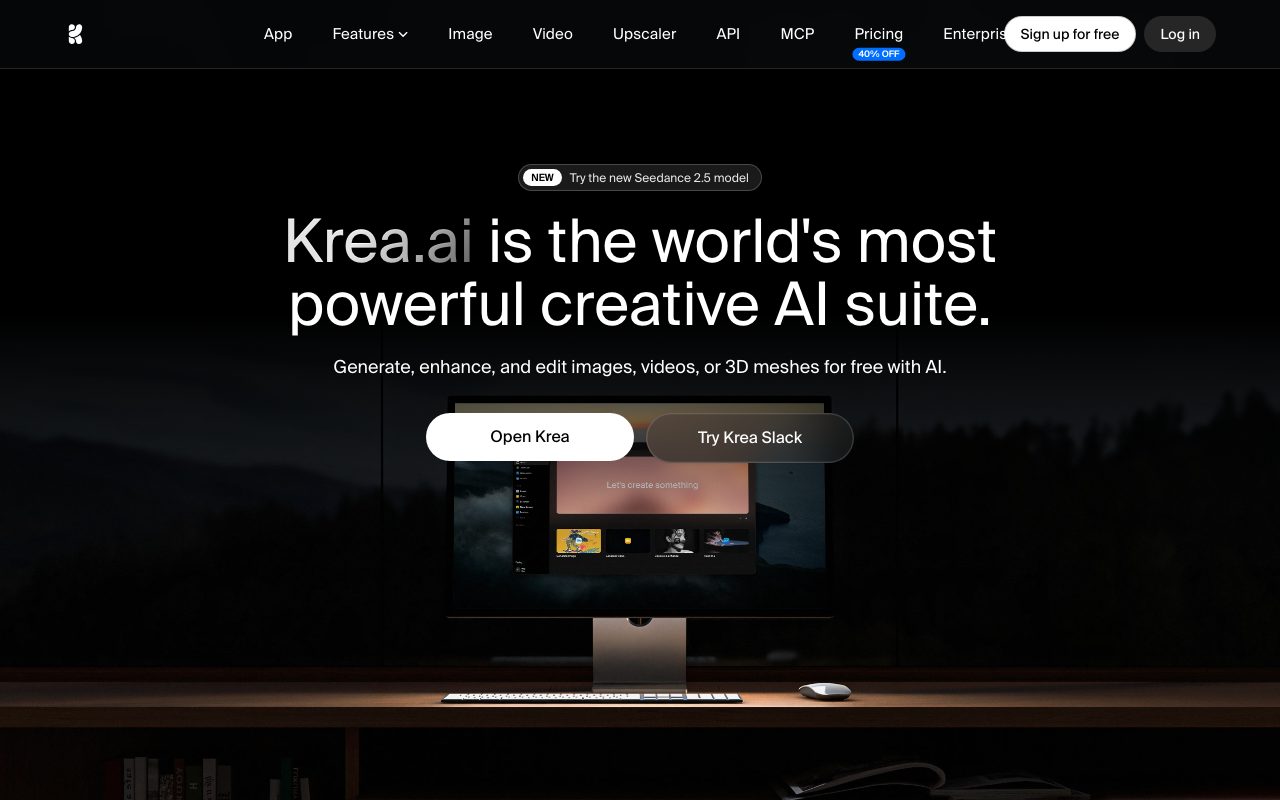
Krea is a browser-based creative suite that brings multiple proprietary and third-party image, video, 3D, and upscaling models together into a real-time visual canvas and node-based workflow.
Krea serves as a unified workspace for visual generative media. Rather than limiting users to a single foundation model, it aggregates over 60 image and video models—including its proprietary Krea 2 engine, open-source derivatives, Flux, Seedance 2.5, Google Veo 3.1, OpenAI Sora 2, Kling 3.0, Wan 2.6/3.0, and Runway Gen-4.5. Users can test prompts across models simultaneously and compare results side-by-side. The core differentiator within Krea's toolset is real-time generation and editing. The Realtime Canvas converts interactive brush strokes, shapes, and text prompts into photorealistic imagery in under 50 milliseconds. Beyond real-time canvas tools, the platform features a generative image editor, background remover, object replacer, motion transfer, and lipsync capabilities. For production finishing, Krea incorporates high-resolution upscaling up to 22K pixels for images (integrating Topaz Photo and Topaz Gigapixel models) and up to 8K resolution with 120 fps frame interpolation for video. It also supports LoRA model training, enabling creators to fine-tune custom characters, brand aesthetics, or products from uploaded image sets. Team and enterprise tiers extend functionality through node workflows, role-based controls, and a dedicated Slack integration.
Krea combines ultra-low-latency real-time canvas rendering with side-by-side multi-model switching (integrating engines like Krea 2, Flux, Seedance, Veo, Sora, Kling, and Topaz) and up to 22K image upscaling within a single subscription.
Product capabilities
Key features
Realtime Canvas Rendering
Transforms shapes, primitives, and rough brushstrokes into rendered photorealistic or stylized imagery with sub-50ms latency as you draw.
Multi-Model Image & Video Workspace
Generates visuals across proprietary engines like Krea 2 and external foundations like Flux, Veo 3.1, Sora 2, Seedance 2.5, Kling 3.0, Wan, and Runway.
Extreme-Resolution Upscaling
Upscales still images up to 22K resolution using seven integrated models (including Topaz Photo and Gigapixel) and video up to 8K at 120 fps.
Custom LoRA Fine-Tuning
Allows creators to train custom image or video LoRA models on their own datasets, ranging from 50 source images on Basic up to 20,000 on Business plans.
Generative Image & Video Editing
Features localized inpainting, object removal, background clearing, video style transfer, motion transfer, and lipsync generation.
Node Automation & Workflows
Enables Pro and higher tiers to chain generation, transformation, and upscaling tasks using visual node apps and automated agents.
Workflow
How Krea works
- Choose a workflow tool: Realtime Canvas, Text-to-Image, AI Video Generator, or Upscaler.
- Select your preferred model from proprietary options (like Krea 2) or integrated third-party engines (like Flux, Veo 3.1, Kling, or Seedance).
- Enter a text prompt, upload reference images, or interactively sketch primitives on the live canvas.
- Compare parallel model variations, refine specific sections using generative editing or node automation, and upscale up to 22K resolution.
Practical fit
Who should use Krea?
Real-Time Visual Ideation
Art directors and concept artists sketch basic compositions on the canvas to see immediate, high-fidelity scene variations without standard generation wait times.
Commercial Asset Upscaling
Photographers and e-commerce teams upscale compressed or low-res product photography to 4K, 8K, or 22K for web catalogs, zoomable views, and print displays.
Short-Form Video & Concept Generation
Filmmakers and marketers generate video shots from text prompts or keyframe images, extending clips and matching synced audio across models like Veo and Kling.
Brand-Specific Style Fine-Tuning
Design teams train LoRAs on branded product imagery to enforce visual consistency across new marketing campaign generations.
Editorial assessment
Pros and limitations
Where it is strong
- Sub-50ms real-time image rendering enables intuitive live art direction and composition adjustments
- Consolidates leading generative video and image models into one platform and subscription
- Native support for 22K image upscaling and Topaz models directly in the browser
- LoRA training capabilities directly integrated for custom visual subjects and styles
Where to be careful
- Outputs generated under the Free plan cannot be used for commercial purposes
- Platform relies on compute units, which can deplete rapidly when generating video or high-tier upscales
- Cannot recover detail completely if source photos are severely degraded or heavily motion-blurred
Commercial context
Krea pricing
As of September 2026, Krea provides a free tier with 100 daily compute units (no commercial license). Paid subscriptions start at $9/month billed monthly ($5.40/month on annual billing with a 40% discount) for Basic, $35/month for Pro, $105/month for Max, and $200/month for Business. Features and allowances should be verified on the official pricing page.
| Plan | Price | What it includes |
|---|---|---|
| Free | $0 / month visual quota (100 compute units / day reset daily, no credit card required, personal use only, limited upscaling and video access) | |
| Basic | $9 / month ($5.40/mo billed annually) with 5,000 monthly compute units, commercial license, up to 22K upscaling, and LoRA training up to 50 images | |
| Pro | $35 / month ($21/mo billed annually) with 20,000 monthly compute units, all video models, visual node workflow automation, and AI nodes agent | |
| Max | $105 / month ($63/mo billed annually) with 60,000 monthly compute units, unlimited LoRAs (up to 2,000 images), unlimited relaxed generations, and expanded concurrency | |
| Business | $200 / month ($120/mo billed annually) with 80,000 monthly compute units, up to 50 seats included, shared private node apps, and team permissions | |
| Enterprise | Custom / custom terms, priority SLA support, Slack connect, per-member spend limits, custom compute packages, and audit logs |
Pricing, limits, taxes, model access, and regional availability can change. Verify the purchase-critical details on the official pricing page linked under Sources.
Transparent ranking
Why Krea scores 76.3
Each factor is scored on a 100-point scale, then combined using the public ToolsRank weights. Engagement and momentum stay at a neutral baseline until measured signals exist, so no tool can gain or lose position from numbers nobody recorded.
Compatibility
Languages, platforms, and integrations
Languages
- English
Platforms
- Web
- iOS
Integrations & surfaces
- Slack
Community
Reviews and questions
No approved member reviews yet. Editorial factors above are the only rating on this page.
Reviews and questions come from Google-signed members and are checked by an editor before they appear.
Frequently asked
Krea FAQ
Can I use images generated or upscaled on Krea commercially?+
Commercial rights are included for outputs created by users on any paid subscription plan (Basic, Pro, Max, Business, Enterprise), provided you hold rights to any uploaded input materials. Outputs generated on the Free tier are not licensed for commercial use.
Which models are available on Krea?+
Krea provides its proprietary Krea 1 and Krea 2 models alongside external models such as Flux, Nano Banana, ChatGPT Image, Wan, Veo 3.1, Seedance 2.5, Sora 2, Kling 3.0, Runway Gen-4.5, MiniMax H3, and Topaz upscalers.
How does Krea's compute unit system work?+
Free plans provide 100 compute units per day. Paid subscriptions provide monthly pools: Basic includes 5,000 units/month, Pro includes 20,000 units/month, and Max includes 60,000 units/month. Higher plans also include relaxed generation queues and concurrency upgrades.
What is the maximum resolution for upscaling in Krea?+
Krea supports image upscaling up to 22K pixels (depending on the selected model) with scaling multipliers of 2x, 4x, 8x, and 16x. Video upscaling is supported up to 8K resolution with up to 120 fps interpolation.