
Direct answer
What is Layer AI?
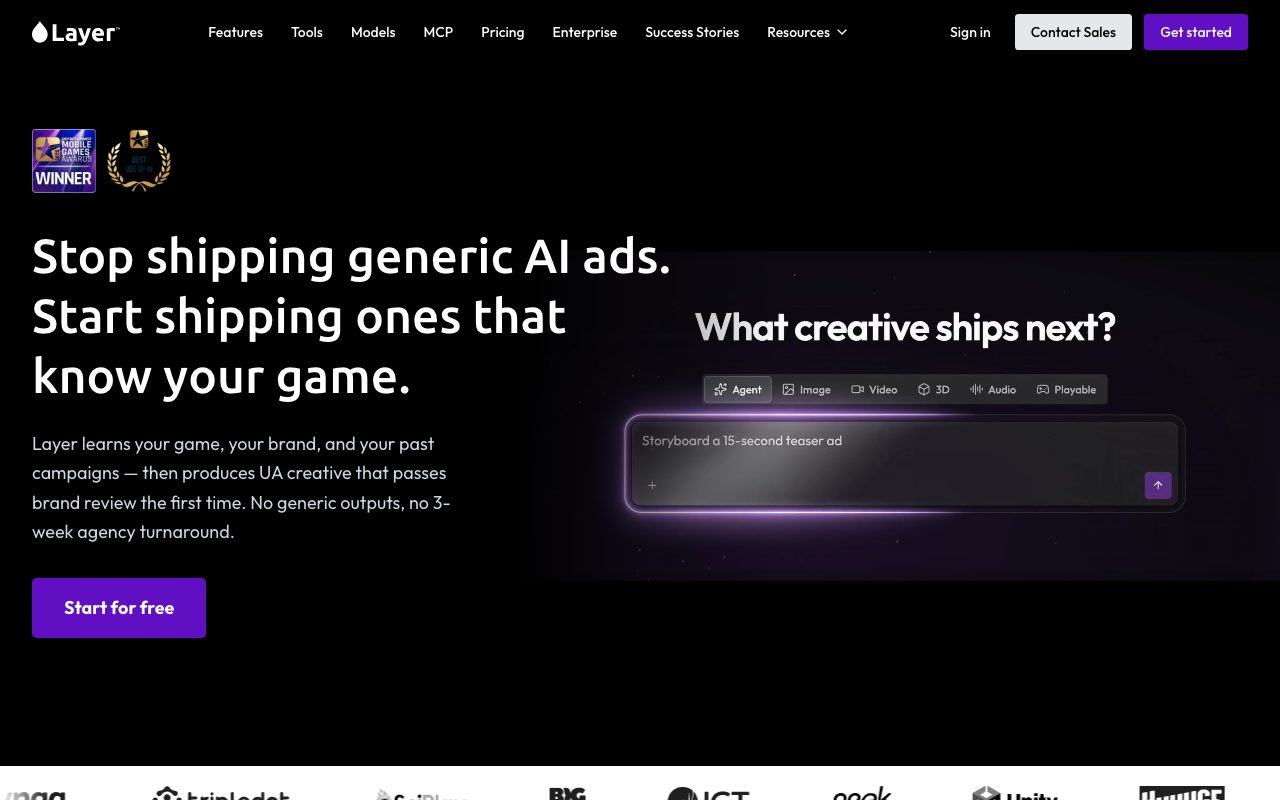
Layer AI is a multimodal production workspace and API that connects game art and UA marketing teams to 500+ AI models for 2D, 3D, video, and audio generation with custom style training.
Layer AI operates as a unified creative operating system designed specifically for entertainment brands and gaming studios. Rather than locking teams into a single proprietary model, Layer acts as a model-agnostic hub providing access to more than 500 foundation and specialized models across 2D images (such as FLUX, SDXL, Recraft, and Midjourney alternatives), 3D assets (including Tripo, Meshy, and Rodin), video generation (Veo, Kling, Runway, Seedance), and audio synthesis (ElevenLabs, Sonilo). The platform combines an interactive canvas (Infinite Board) with a node-based workflow editor, custom model and LoRA style training, reference sets, and an autonomous Creative Agent. Studio teams can brief the agent to research UA trends, generate multiple asset variants, run automated QA against the creative brief, and export assets directly to game engines and digital content creation software. Pricing is usage-based through Creative Units without per-seat licensing, allowing cross-functional art, UA, and LiveOps teams to collaborate in shared workspaces.
Layer unifies multi-modality generation (2D, 3D, video, audio) with studio-specific custom style training, node-based pipeline blueprints, and zero-seat-fee pooling across more than 500 external and fine-tuned models.
Product capabilities
Key features
Multimodal Model Access
Programmatic and interface access to 500+ AI models covering 2D illustration, 3D mesh and texture generation, video, voice cloning, and audio effects.
Custom Style Training
Enables studios to train custom models, LoRAs, and reference sets on existing game IP to generate on-brand assets without style drift.
Creative Agent
An agentic copilot that interprets creative briefs, analyzes ad trends, triggers production workflows, and automatically reviews outputs to reduce wasted compute.
Node-Based Workflows
Visual Blueprint editor to chain multi-step generation tasks such as generation, upscaling, background removal, and format conversion into repeatable pipelines.
Spatial Canvas (Infinite Board)
Shared workspace canvas to organize assets, compare variations side-by-side, add text instructions, and collaborate with team members and agents.
Ad and Growth Connectors
Direct connections to AppLovin, Meta, Google, and TikTok to feed campaign performance data back into creative generation loops.
Enterprise Security and Governance
SOC 2 Type II compliance, GDPR readiness, isolated workspace memory that does not train base foundation models, SSO/SCIM, and exportable audit logs.
Workflow
How Layer AI works
- Create a shared workspace and connect your creative tools (Photoshop, Blender, Unreal, Unity).
- Upload existing game assets to train custom visual styles or build reusable Reference Sets.
- Issue a brief directly to the Creative Agent or use node-based Blueprint workflows.
- Generate, edit, and refine 2D, 3D, video, or audio assets across 500+ integrated foundation models.
- Review variants on the Infinite Board canvas, let Agent QA refine prompts, and export directly to game pipelines or ad networks.
Practical fit
Who should use Layer AI?
High-Velocity UA Ad Creative
Generating hundreds of localized variations and video hooks for user acquisition campaigns across TikTok, Meta, and AppLovin.
Game Art and Concepting
Rapidly creating character concept sheets, props, backgrounds, and 3D base meshes in locked art styles for game development pipelines.
LiveOps Event Content
Producing recurring seasonal event banners, asset reskins, and audio effects for live operations without overloading core art staff.
Editorial assessment
Pros and limitations
Where it is strong
- No per-seat fees; unlimited team members can share pooled Creative Units.
- Model-agnostic library containing 500+ commercial generative engines across all asset modalities.
- Proprietary training on custom game styles prevents visual drift across external artists.
- Native export workflows and integration compatibility with Blender, Maya, Unreal Engine, and Unity.
Where to be careful
- The Creative Agent feature is currently in preview and scheduled to transition to a paid add-on.
- Credit-based pricing requires monitoring consumption, as individual 3D and high-resolution video runs cost substantially more CUs than 2D images.
- Playable HTML5 ad generation is still listed as in-development rather than generally available.
Commercial context
Layer AI pricing
At the review date (2026-09-08), Layer offers a free sign-up and tiered credit subscriptions starting at $10 per month for 300 Creative Units (CUs), increasing by $60 per 1,000 CUs, with no per-seat charges and a 10% credit rollover. Verify current plans on the official pricing page.
| Plan | Price | What it includes |
|---|---|---|
| Small Studio | $10/month / monthly or annual billing options available at review date; check official site for up-to-date pricing. | |
| Mid-Sized Studio | Usage-scaled / monthly or annual billing options available at review date; check official site for up-to-date pricing. | |
| Enterprise | Custom / custom annual invoicing, volume discounts, dedicated support SLA; check official site for up-to-date pricing. |
Pricing, limits, taxes, model access, and regional availability can change. Verify the purchase-critical details on the official pricing page linked under Sources.
Transparent ranking
Why Layer AI scores 78.9
Each factor is scored on a 100-point scale, then combined using the public ToolsRank weights. Engagement and momentum stay at a neutral baseline until measured signals exist, so no tool can gain or lose position from numbers nobody recorded.
Compatibility
Languages, platforms, and integrations
Languages
- English
Platforms
- Web
- API
- Chrome Extension
Integrations & surfaces
- Photoshop
- Illustrator
- Premiere Pro
- Blender
- Maya
- Unreal Engine
- Unity
- Figma
- Chrome
- Meta
- TikTok
- AppLovin
Community
Reviews and questions
No approved member reviews yet. Editorial factors above are the only rating on this page.
Reviews and questions come from Google-signed members and are checked by an editor before they appear.
Frequently asked
Layer AI FAQ
How does pricing and seat licensing work on Layer AI?+
Layer operates on a consumption model using Creative Units (CUs) without per-seat licensing. Teams can invite unlimited workspace members for free, paying subscription tiers that start at $10 per month for 300 CUs, with additional blocks costing $60 per 1,000 CUs. Ten percent of unused CUs roll over each cycle.
Does Layer AI train foundation models on customer studio data?+
No. Layer explicitly states that customer data is not used to train or fine-tune public foundation models. Workspace memory and style reference data remain isolated to the client workspace.
What 3D and game engine formats does Layer support?+
Layer provides 3D generation from text and 2D images—including T/A poses, segmentations, and PBR texturing—with direct exports and compatibility for Blender, Maya, Unreal Engine, and Unity.
What is the Layer Creative Agent and is it free?+
The Creative Agent is an AI assistant that takes user briefs, creates plans, executes generation workflows, and performs automated QA against instructions. It is currently available as a free preview feature, with plans to make it a paid capability in the future.