
Direct answer
What is LogoAI?
LogoAI is an automated branding platform that produces logo marks, cohesive color schemes, font pairings, and social collateral from business prompts.
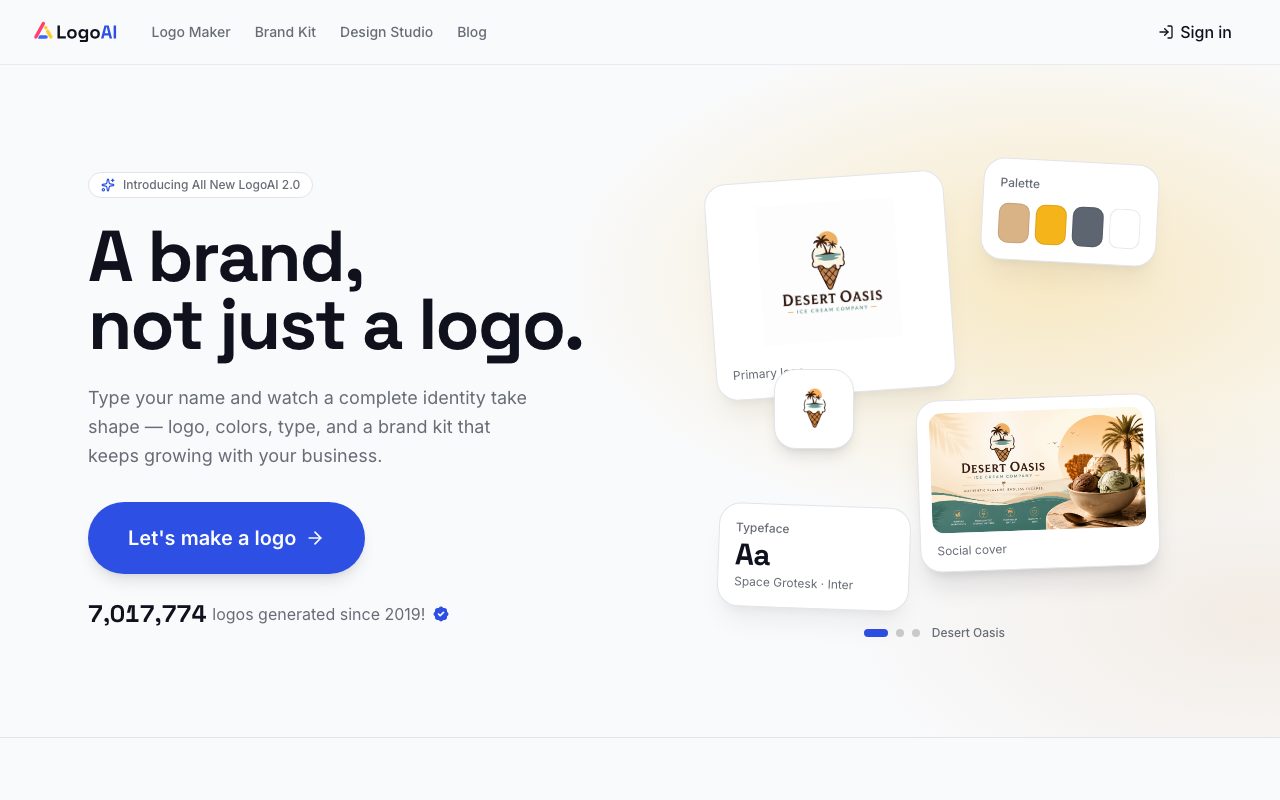
LogoAI is a branding and design system powered by a multi-model AI engine. Rather than outputting standalone graphic icons in isolation, the platform analyzes business names, industries, and stylistic intent to assemble complete visual identity kits. The system runs parallel AI models to generate logo concepts matched to specific aesthetic rules. Alongside the primary mark, it produces functional brand assets including accessible color systems with tints and shades, complementary display and body font pairings with live type scales, and animated logo intro videos designed for video launches and social channels. Beyond basic icon generation, LogoAI includes a Design Studio that loads the created brand kit directly into external image and video generation workflows, supporting third-party foundation models such as Flux, Kling, Runway, and Veo. Output files can be exported in web and print-ready formats, including vector SVGs, transparent PNGs, and PDFs.
LogoAI couples automated logo generation with an integrated Design Studio that pre-loads your generated palette, fonts, and assets directly into third-party AI image and video models like Flux and Runway.
Product capabilities
Key features
Logo Generator 2.0
Multi-model AI architecture that extracts brand DNA from business names and industries to produce style-matched logo concepts.
Automated Brand Kit
Generates a cohesive design system including accessible palettes, tints, shades, and paired display and body fonts.
Multi-Format Vector Export
Enables one-click file downloads across SVG, transparent PNG, and PDF formats suitable for web and print applications.
Logo Animation & Intros
Creates motion-enabled logo videos formatted for social reels, advertisement spots, and brand launch announcements.
LogoAI Design Studio
Workspace connecting third-party AI image and video models (including Flux, Kling, and Runway) pre-loaded with active brand assets.
Collateral and Social Templates
Automatically sizes and formats brand avatars, platform banners, and post templates for social media channels.
Workflow
How LogoAI works
- Input your business name, industry classification, and visual preferences into the generator.
- Review parallel AI-generated logo concepts and select or tweak the preferred variation.
- Inspect the automatically assembled brand kit, including color palettes, font pairings, and social templates.
- Export assets in SVG, PNG, or PDF formats, or create animated intros and campaign imagery inside the Design Studio.
Practical fit
Who should use LogoAI?
Launching Startup Identity Kits
Generate an initial brand package comprising a logo, color rules, and font hierarchy directly from a project name and industry description.
Producing Social Media Assets
Batch generate platform-ready profile covers, channel avatars, and intro animation videos aligned with the primary brand aesthetic.
AI Image & Video Generation in Brand Voice
Use the integrated Design Studio to generate marketing images and clips using external AI models while maintaining consistent brand color and style constraints.
Editorial assessment
Pros and limitations
Where it is strong
- Delivers a complete visual system (colors, typography, and motion) rather than isolated icon files.
- Exports high-resolution print and web formats including vector SVG and PDF files.
- Integrated Design Studio provides access to leading generative models pre-configured with brand assets.
- Requires zero design or illustration experience to generate initial brand identity concepts.
Where to be careful
- Specific pricing plans, download licenses, and package tiers are omitted from the main product overview.
- Automated logo outputs cannot replace bespoke trademark searches and tailored agency brand development.
Commercial context
LogoAI pricing
At the review date (September 2026), LogoAI offers a free generation flow ('Start free'), but exact commercial download tiers, one-time fees, or recurring subscription prices are not detailed on the homepage. Check the official pricing page for up-to-date rates.
Pricing, limits, taxes, model access, and regional availability can change. Verify the purchase-critical details on the official pricing page linked under Sources.
Transparent ranking
Why LogoAI scores 65.7
Each factor is scored on a 100-point scale, then combined using the public ToolsRank weights. Engagement and momentum stay at a neutral baseline until measured signals exist, so no tool can gain or lose position from numbers nobody recorded.
Compatibility
Languages, platforms, and integrations
Languages
- English
Platforms
- Web
Integrations & surfaces
- Flux
- Runway
- Kling
- Veo
- ChatGPT
Community
Reviews and questions
No approved member reviews yet. Editorial factors above are the only rating on this page.
Reviews and questions come from Google-signed members and are checked by an editor before they appear.
Frequently asked
LogoAI FAQ
What file formats does LogoAI provide for download?+
LogoAI supports exports in SVG, PNG, and PDF formats, allowing users to obtain assets formatted for both digital displays and print production.
Does LogoAI only generate logos or full brand kits?+
LogoAI generates a broader brand identity system alongside the logo, including color palettes with usage rules, font pairings, social media banners, animated intro videos, and live brand previews.
Can I use external AI models with my LogoAI brand identity?+
Yes. The LogoAI Design Studio connects with third-party generative models such as Flux, Kling, Runway, and Veo, pre-loading your brand palette and styling rules into the generation environment.
Is LogoAI free to use?+
The vendor offers a 'Start free' entry point for generating logos and previews. However, download pricing, licensing rights, and premium asset packages are handled via their commercial tiers on the official pricing page.