Direct answer
What is Ludo.ai?
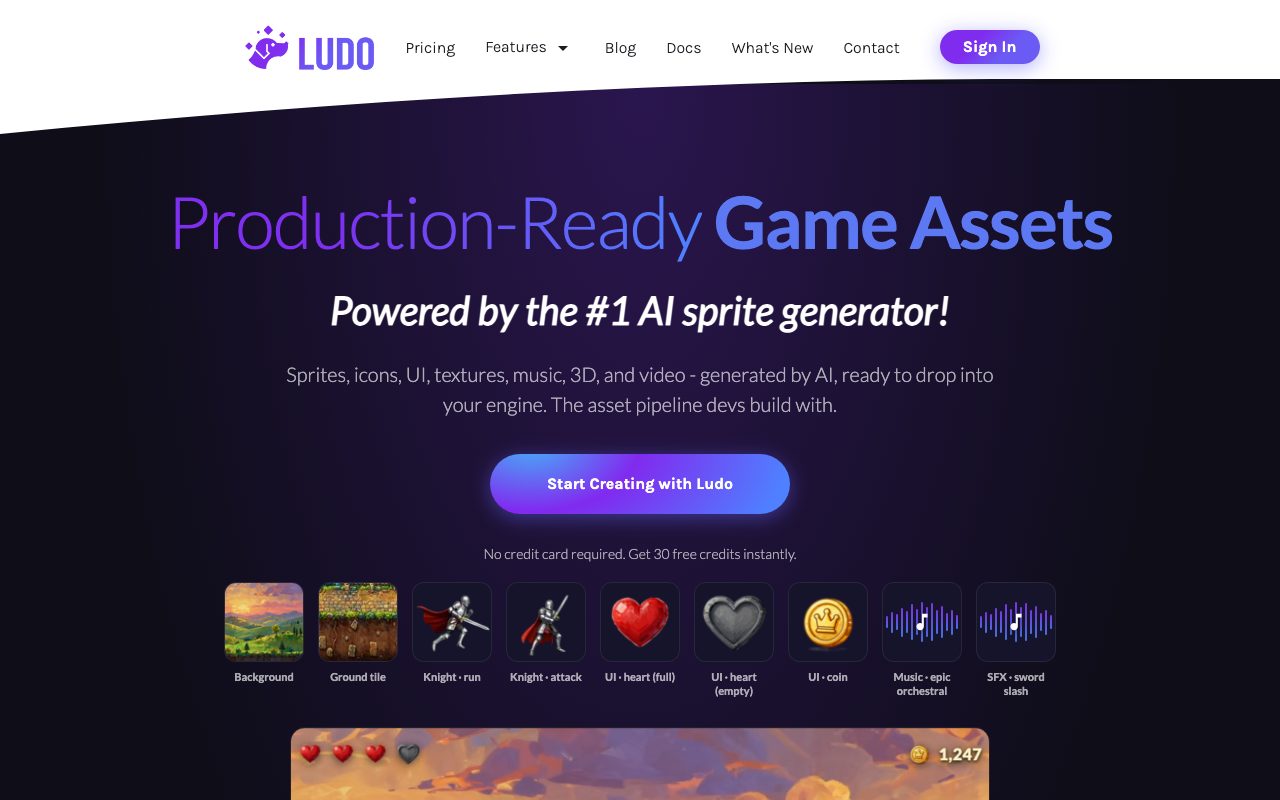
Ludo.ai is a specialized game asset and ideation platform that generates animated sprite sheets, 2D art, auto-rigged 3D models, audio, and video for video game engines.
Ludo.ai is an integrated creative platform built specifically for the game development workflow. Rather than acting as a standalone text-to-image generator, it serves the game pre-production lifecycle through a collection of game-ready asset generators, concept ideators, and development aids. Developers can generate 2D sprites and animated sprite sheets with 641 motion presets across 34 categories, exporting directly as PNG grids, JSON metadata, GIFs, or MP4s. In addition to 2D sprites, textures, and UI elements, the platform offers a 3D asset generator that converts text or 2D images into textured GLB meshes with polycount control, automated humanoid rigging, and pre-baked animations. The suite also provides sound effect and music generation, character voice generation, gameplay video ideation clips, game concept structuring tools, and Unity code scaffolding. For pipeline automation, Ludo.ai provides a Model Context Protocol (MCP) server, a REST API, and a native Unity editor plugin.
Unlike generic image or 3D generators, Ludo.ai provides a complete end-to-end game pre-production pipeline that outputs engine-ready animated sprite sheets with metadata, auto-rigged GLB models, sound, and Unity integration.
Product capabilities
Key features
Sprite Sheet Generator
Turns prompts or reference images into animated sprite sheets, offering 641 motion presets across 34 categories and exports in PNG, JSON metadata, GIF, and MP4 formats.
3D Asset Generation and Auto-Rigging
Transforms text prompts or 2D images into textured GLB 3D models with controllable polygon counts (1k to 200k triangles), automated humanoid rigging, and 640+ animation presets.
2D Game Art and Style Locking
Produces UI icons, textures, backgrounds, and map tiles across 30+ pre-defined styles with style reference image matching to ensure visual consistency.
Audio and SFX Generator
Generates mood-specific background music tracks, combat and UI sound effects, character voices with consistency, and seamless audio loops.
Iterative Image Editor
Edits existing sprites and concepts with follow-up text prompts while retaining the original art style, pose, and identity.
Game Ideator and Project Workspace
Facilitates game research and documentation by generating game concepts, game mechanics, story outlines, and market-informed blueprints.
Engine Integration and MCP Support
Connects directly to AI developer tools such as Claude and Cursor via Model Context Protocol, offers a REST API, and provides an in-editor Unity plugin.
Practical fit
Who should use Ludo.ai?
Rapid 2D Sprite Animation
Solo developers can upload character concept art and generate walk, run, attack, and idle animation sprite sheets with JSON metadata in minutes.
3D Prototyping and Rigging
Technical artists can turn 2D character designs into low-poly or mid-poly GLTF/GLB models, rig them automatically, and import them directly into Godot, Unity, or Unreal.
Game Audio and SFX Production
Teams with zero audio budget can produce customized sound effects, seamless background loops, and character dialogue tracks from descriptive prompts.
Game Ideation and GDD Creation
Designers can brainstorm themes, analyze market trends, generate foundation Unity C# scripts, and structure comprehensive game design documents.
Editorial assessment
Pros and limitations
Where it is strong
- All-in-one game pre-production pipeline covering sprites, 3D models, textures, audio, and ideation
- Export formats designed specifically for game engines like Unity, Godot, and Unreal
- Integrates into coding tools like Claude and Cursor via Model Context Protocol (MCP)
- Offers automated rigging and 640+ motion presets for humanoid 3D models
- Generates sprite sheets with matching JSON frame metadata
Where to be careful
- Sprite sheet downloads on the free plan include watermarks on every frame
- API and Model Context Protocol access is restricted to Pro, Studio, and Enterprise tiers
- Does not generate playable prototypes or full game applications
Commercial context
Ludo.ai pricing
At the review date of 2026-09-08, Ludo offers 30 free starter credits with watermarked sprite sheets, alongside annual plans starting at $15 per month ($180 per year) up to $300 per month for Studio teams. Credit usage varies by generator type. Check the official pricing page for current rates.
| Plan | Price | What it includes |
|---|---|---|
| Free Trial | $0 / trial credit pack (30 credits free on signup, no credit card required, watermarked sprite sheets) | |
| Indie | $15 / per month, billed annually ($180/year) | |
| Pro | $35 / per month, billed annually ($420/year) | |
| Studio | $300 / per month, billed annually ($3,600/year) | |
| Enterprise | Custom / custom billing period |
Pricing, limits, taxes, model access, and regional availability can change. Verify the purchase-critical details on the official pricing page linked under Sources.
Transparent ranking
Why Ludo.ai scores 76.1
Each factor is scored on a 100-point scale, then combined using the public ToolsRank weights. Engagement and momentum stay at a neutral baseline until measured signals exist, so no tool can gain or lose position from numbers nobody recorded.
Compatibility
Languages, platforms, and integrations
Languages
- English
Platforms
- Web
- Unity
Integrations & surfaces
- Unity
- Cursor
- Claude
- REST API
Community
Reviews and questions
No approved member reviews yet. Editorial factors above are the only rating on this page.
Reviews and questions come from Google-signed members and are checked by an editor before they appear.
Frequently asked
Ludo.ai FAQ
Does Ludo.ai create playable games or finished prototypes?+
No. Ludo.ai assists with the pre-production stage, ideation, and asset generation. It generates concept art, sprites, 3D models, audio, and foundational Unity C# scripts, but it does not output fully built playable games.
Are downloads watermarked on Ludo.ai?+
On the free plan, sprite sheet downloads contain a Ludo watermark on each frame. Video previews and other asset types do not have watermarks. Subscribing to any paid plan removes the watermark retroactively without needing regeneration.
Who owns the intellectual property and assets generated on Ludo.ai?+
The user who initiates the generation owns full commercial rights to the output media, including images, text, 3D models, and audio, and may monetize them freely.
Can I connect Ludo.ai to external developer tools?+
Yes. Ludo.ai provides Model Context Protocol (MCP) support to connect asset generation workflows to Claude or Cursor, as well as a dedicated Unity Editor plugin and a REST API on Pro, Studio, and Enterprise plans.
Does Ludo.ai train models on user data or proprietary game concepts?+
No. The vendor states that private game concepts, inputs, and interactions are kept confidential and are not used to train AI models.