
Direct answer
What is Microsoft Designer?
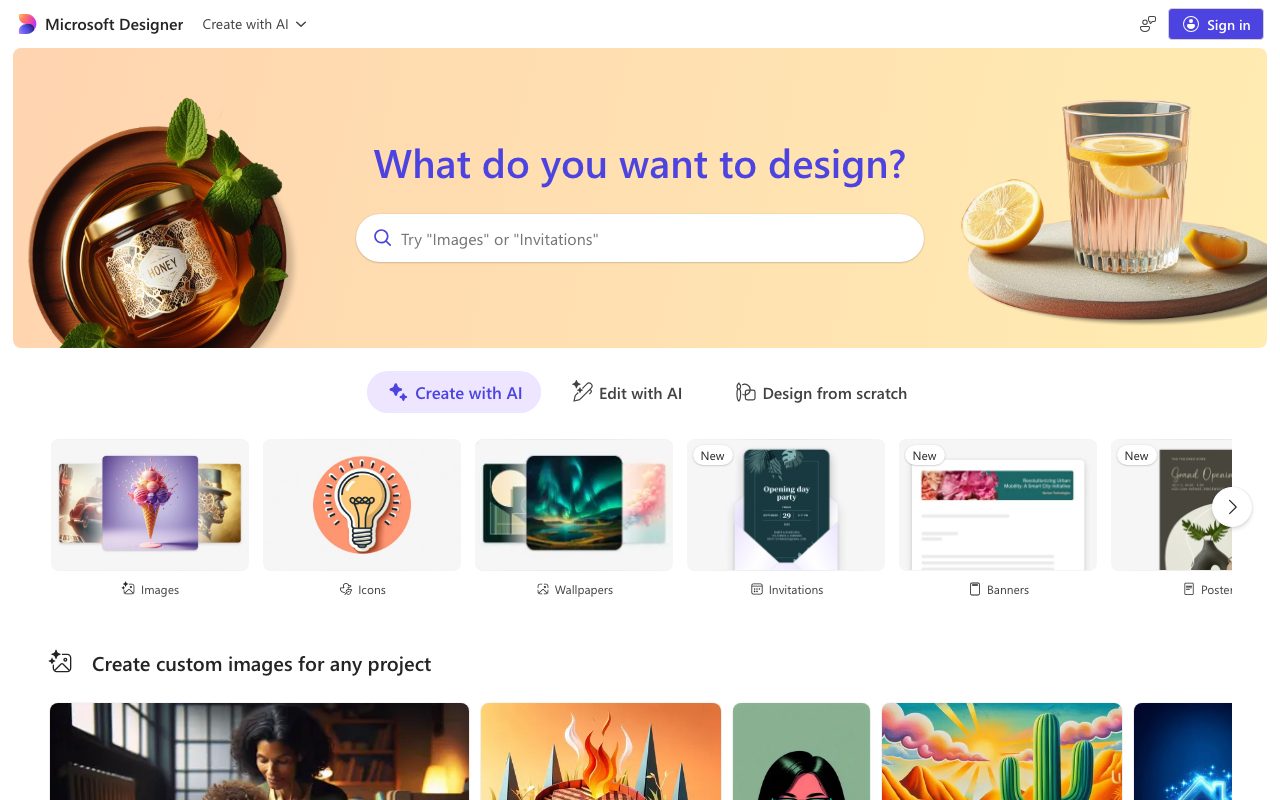
Microsoft Designer is a cloud-based visual design web app that turns text prompts into custom images, social posts, greeting cards, banners, wallpapers, and printable coloring pages.
Microsoft Designer is Microsoft's AI-assisted design tool built to generate graphics, standalone images, and personalized media directly from natural language prompts. It provides pre-configured creative pathways covering everyday communication and marketing needs, including social posts, banners, invitations, posters, greeting cards, wallpapers, avatars, and stickers. The tool lets users begin either by generating visuals with prompts ('Create with AI'), refining existing creations ('Edit with AI'), or assembling layouts ('Design from scratch'). Users can explore a wide variety of visual styles illustrated across its gallery prompts—including 3D rendering, claymation, papercraft, watercolors, photorealism, pop art, risograph, and minimalist line art. In addition to digital graphic generation, the interface features specialized outputs like coloring book pages with clear, unshaded line art, personalized avatar creators, customized monograms, and digital emojis. Accessible through a Microsoft account, it simplifies visual asset production for users who need quick creative graphics without operating complex design suites.
Unlike generic image generators focused solely on square artwork, Microsoft Designer organizes prompting directly around specific design outputs like printable cards, banners, invitations, and coloring pages with customizable prompt templates.
Product capabilities
Key features
Prompt-to-Design Creation
Generates graphics, illustrations, and photorealistic imagery from detailed text descriptions with structured prompt remixing.
Template-Free Design Workflows
Offers distinct creation paths allowing users to create with AI, modify existing prompts with AI, or design compositions from scratch.
Collateral and Format Variety
Supports dedicated outputs for social posts, banners, invitations, posters, wallpapers, backgrounds, and collages.
Bespoke Personalization Formats
Produces tailored assets including personalized greeting cards with custom copy, avatars, monograms, emojis, and stickers.
Coloring Book Page Generator
Generates clean, unshaded black-and-white line art illustrations engineered specifically for hand coloring.
Diverse Aesthetic Styles
Supports diverse rendering styles including 3D caricature, papercraft, risograph, pop art, cubism, watercolor, and photorealism.
Practical fit
Who should use Microsoft Designer?
Personalized Greeting Cards
Draft custom celebration, holiday, and thank-you cards combining integrated text greetings with generated illustrations.
Social Graphics and Banners
Generate on-demand promotional graphics, announcement banners, and social posts tailored to specific dimensions.
Custom Avatars and Icons
Build stylized character portraits, professional business avatars, and custom interface icons from stylistic prompts.
Printable Educational & Craft Materials
Generate themed line-art coloring pages for children, classrooms, or relaxation activities.
Editorial assessment
Pros and limitations
Where it is strong
- Broad selection of practical asset formats including cards, wallpapers, and banners
- Prompt examples can be inspected and edited directly to learn prompt structure
- Specialized prompts for difficult visual formats like printable line-art coloring pages
- Supports multiple visual aesthetics from photorealism to papercraft and 3D modeling
Where to be careful
- Specific credit limits and export resolution details are not detailed on the homepage
- Requires a Microsoft account sign-in to generate and edit creations
Commercial context
Microsoft Designer pricing
At the review date, the official website displays prompt creation and editing tools accessible via sign-in, without publishing standalone pricing tiers or credit costs on the main landing page. Users should check Microsoft's official pages for any Microsoft 365 licensing or generation quota requirements.
Pricing, limits, taxes, model access, and regional availability can change. Verify the purchase-critical details on the official pricing page linked under Sources.
Transparent ranking
Why Microsoft Designer scores 71.7
Each factor is scored on a 100-point scale, then combined using the public ToolsRank weights. Engagement and momentum stay at a neutral baseline until measured signals exist, so no tool can gain or lose position from numbers nobody recorded.
Compatibility
Languages, platforms, and integrations
Languages
- English
Integrations & surfaces
- Microsoft account
Community
Reviews and questions
No approved member reviews yet. Editorial factors above are the only rating on this page.
Reviews and questions come from Google-signed members and are checked by an editor before they appear.
Frequently asked
Microsoft Designer FAQ
What types of designs can I create with Microsoft Designer?+
The platform lists support for custom images, icons, wallpapers, invitations, banners, posters, social posts, greeting cards, stickers, monograms, coloring book pages, backgrounds, avatars, collages, emojis, and clip art.
Can I edit the generated designs and prompts?+
Yes. Microsoft Designer includes an 'Edit prompt' workflow on its prompt examples, alongside functional modes for 'Create with AI', 'Edit with AI', and 'Design from scratch'.
How does the coloring book page feature work?+
The coloring page mode produces unshaded, black-and-white minimal line art illustrations with open space between lines, allowing users to print and hand color them.
Does Microsoft Designer require an account to use?+
Yes, access to the creation interface and prompt generation tools requires signing in with a Microsoft account.
