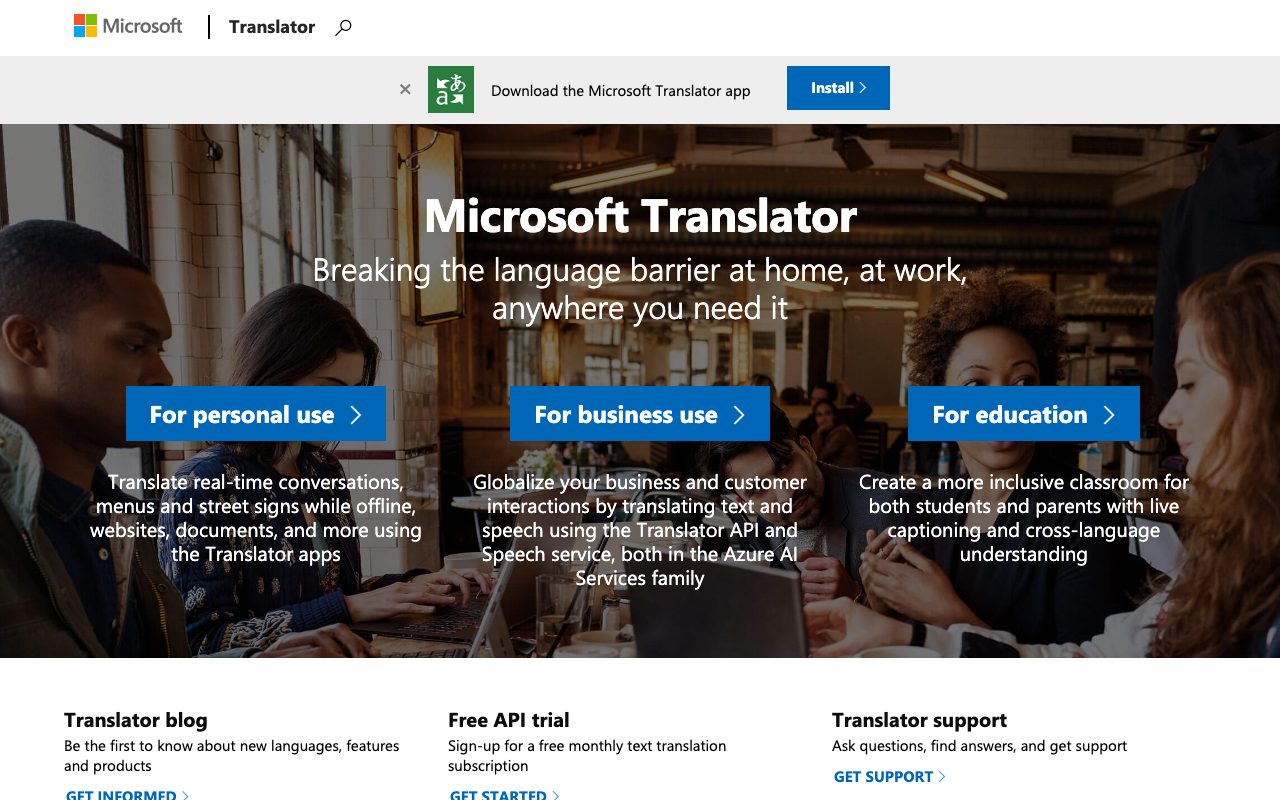
Direct answer
What is Microsoft Translator?
Microsoft Translator provides text, voice, camera, and multi-device live conversation translation online and offline across mobile devices, web browsers, and Azure developer APIs.
Microsoft Translator is a machine translation service supporting multilingual communication across personal, educational, and business settings. The application ecosystem includes dedicated apps for mobile devices, web browsers, and desktop tools such as an Outlook add-in. Users can translate plain text, look up word definitions and alternate translations, translate text inside camera views or saved photos, and engage in real-time voice translation. For in-person interactions, the service provides a split-screen mode that allows two participants to speak different languages into a single device. In larger group settings, its multi-device conversation mode lets participants host or join live translated sessions using either the mobile app or any web browser, captioning speech across each user's chosen language. When traveling or working in areas without internet connectivity, downloadable offline language packs enable text and photo translation, supported by an offline phrasebook containing over 200 verified phrases for travel, dining, and lodging. At the enterprise level, Microsoft Translator operates as an API under Azure AI Services alongside the Speech service. This allows organizations to incorporate automated text and speech translation into their own software, customer support workflows, documents, and web properties.
Microsoft Translator uniquely pairs downloadable offline language packs for text and camera translation with a multi-device live conversation feature that lets multiple people join and read translated captions in their own language via mobile or browser.
Product capabilities
Key features
Multi-Device Live Conversations
Host or join real-time conversations across mobile apps or desktop web browsers, displaying live translated captions for every participant in their preferred language.
Split-Screen Voice Translation
Speak two different languages into a single microphone on one device for seamless two-way, in-person discussions.
Camera and Photo Translation
Translate menus, signs, and documents by aiming the built-in camera viewer or uploading saved images from your photo gallery.
Offline Language Packs
Download language packs directly to your device to perform text and camera-based translations without an active internet connection.
Offline Phrasebook and Pronunciation Guides
Access more than 200 verified translations for travel, dining, and lodging with pronunciation guides and playback audio available at three different speeds.
Alternate Translations and Dictionary
Search alternate translations and meanings of individual words to find the most accurate expression, and pin frequent translations for quick access.
Practical fit
Who should use Microsoft Translator?
International Travel and Wayfinding
Translating street signs, restaurant menus, and essential phrases offline without incurring mobile roaming charges.
Bilingual In-Person Meetings
Using split-screen microphone mode on a phone to conduct two-way interviews or discussions across language barriers.
Inclusive Classroom Presentations
Providing live cross-language captioning during school meetings and lectures so students and parents can follow along in their native languages.
Enterprise App Localization
Integrating automated text and speech translation into business apps, internal websites, and support tools via Azure AI Services.
Editorial assessment
Pros and limitations
Where it is strong
- Consumer applications on iOS, Android, and web are free to use.
- Supports both text and camera translation offline via downloadable language packs.
- Multi-device conversation feature enables web and mobile group participation.
- Adjustable translation audio playback speeds (three speeds) and offline travel phrasebooks.
Where to be careful
- Lacks specialized translation memory and localization project management tools.
- Accessing the developer API requires creating and configuring an Azure account.
Commercial context
Microsoft Translator pricing
At the review date in September 2026, the consumer mobile and web applications are free to use. Microsoft also offers a free monthly text translation subscription tier through Azure AI Services, with scalable paid plans managed via Azure.
Pricing, limits, taxes, model access, and regional availability can change. Verify the purchase-critical details on the official pricing page linked under Sources.
Transparent ranking
Why Microsoft Translator scores 78.5
Each factor is scored on a 100-point scale, then combined using the public ToolsRank weights. Engagement and momentum stay at a neutral baseline until measured signals exist, so no tool can gain or lose position from numbers nobody recorded.
Compatibility
Languages, platforms, and integrations
Languages
- English
- Spanish
- French
- German
- Japanese
- Chinese (Simplified)
Integrations & surfaces
- Azure AI Services
- Outlook
- Bing
- Android
- iOS
- Windows
Community
Reviews and questions
No approved member reviews yet. Editorial factors above are the only rating on this page.
Reviews and questions come from Google-signed members and are checked by an editor before they appear.
Frequently asked
Microsoft Translator FAQ
Can I use Microsoft Translator without an internet connection?+
Yes. Microsoft Translator allows you to download offline language packs to translate text and camera photos, such as street signs and menus. The built-in phrasebook with over 200 phrases is also permanently available offline.
How does the multi-device conversation feature work?+
The multi-device conversation feature lets you host or join a live conversation using either the Translator mobile app or a standard web browser on a phone or PC. Participants speak or type in their language, and speech is transcribed and translated as live captions in each attendee's selected language.
Does Microsoft Translator offer audio pronunciation controls?+
Yes. When listening to translated speech or phrasebook entries, the application provides three different playback speed settings to help you understand and learn pronunciation.
Is there a developer API available for Microsoft Translator?+
Yes. The Translator API and Speech service are offered as part of Azure AI Services. Microsoft provides a free monthly text translation subscription tier to get started, with paid usage scaling on Azure.