Direct answer
What is OpenArt?
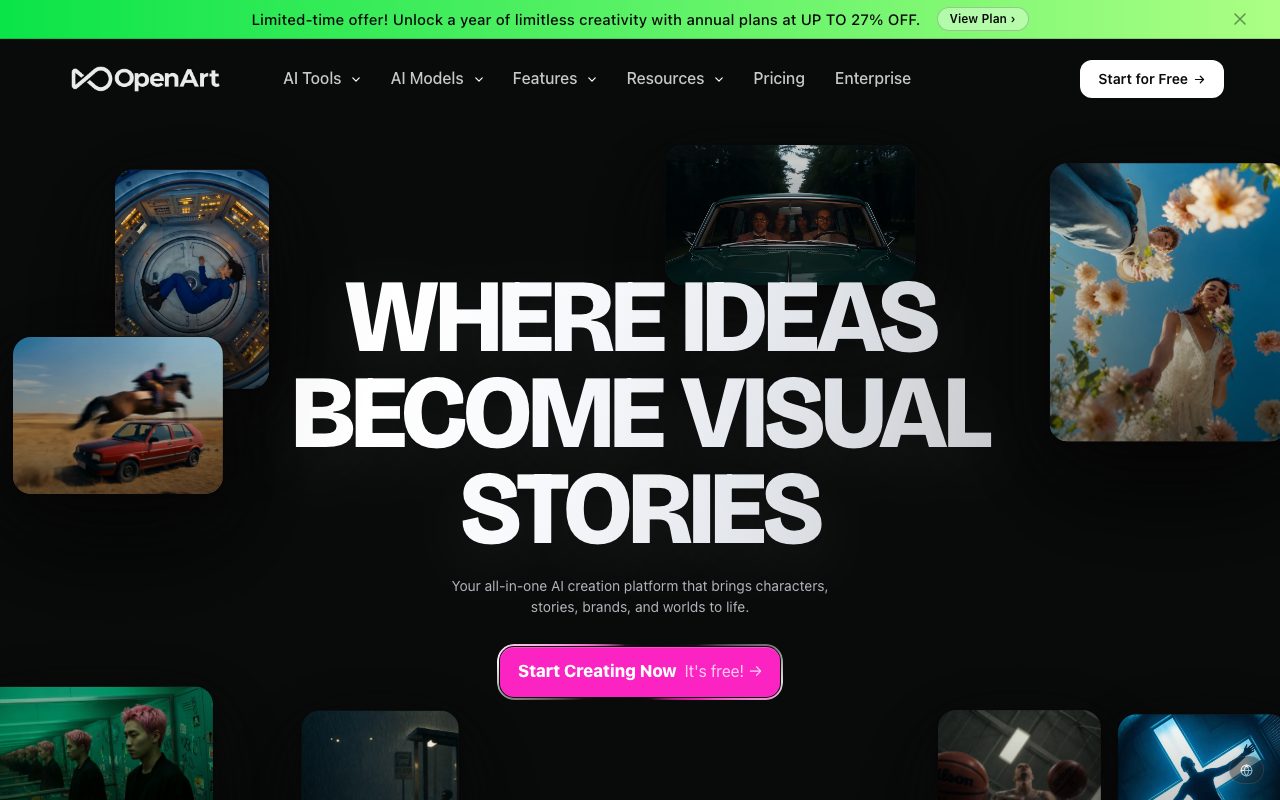
OpenArt is an AI generation and editing suite that consolidates dozens of leading image, video, and audio models—such as GPT Image, Sora, Kling, and Veo—into a unified creative canvas with character consistency and video editing controls.
OpenArt functions as a unified generative media studio, reducing the need for individual subscriptions to multiple frontier image and video engines. By integrating foundation models from OpenAI, Google, ByteDance, Kuaishou, MiniMax, and xAI, creators can switch seamlessly between distinct render styles without moving files across fragmented apps. The platform combines text-to-image generation with comprehensive post-generation manipulation. Users can perform inpainting, outpainting (expansion up to 4K), object removal, upscaling, and camera angle adjustments. Its dedicated character builder allows creators to define consistent facial structures and styles from reference imagery, enabling recurring appearances across varied scenes, storyboards, and short videos. Beyond still graphics, OpenArt provides full video and audio creation workflows. Features like OpenArt Director enable conversational video direction and storyboarding, while the VFX suite (powered by Beeble's SwitchX) provides subject isolation, scene relighting, and localized frame-level masking. With audio tools supporting synthetic voiceovers in over 30 languages, lip-syncing, and background scoring, OpenArt serves as an end-to-end studio for rapid multi-format visual production.
Rather than confining creators to a single proprietary AI model, OpenArt combines more than 100 top-tier image, video, and audio models—including Sora 2, Kling 3.0, Veo 3, Seedream 5.0, and GPT Image 2—alongside persistent multi-scene character consistency and native canvas editing tools.
Product capabilities
Key features
Multi-Model Generation Engine
Access leading text-to-image and text-to-video models—including Seedream 5.0, GPT Image 2, Google Veo 3, Sora 2, Kling 3.0, and Grok Imagine—under a single subscription credit pool.
Character Consistency Builder
Create, store, and reuse digital characters using reference images or descriptive prompts to preserve facial identity and style across different scenes, outfits, and video sequences.
OpenArt Director
Direct and refine video storyboards through conversational prompting, adjusting shot compositions, camera pacing, and multi-scene cinematic sequences.
OpenArt VFX (SwitchX)
Transform existing MP4 or MOV footage using three targeted modes: subject-preserving background replacement, full-frame cinematic relighting, and frame-level masked region edits.
Image Editing & Canvas Suite
Edit generated graphics directly in canvas through object removal, AI outpainting up to 4K, precise skin and portrait enhancement, face swapping, and camera perspective control.
Integrated Audio & Lip-Sync
Generate voiceovers in over 30 languages with synchronized character mouth movements, produce original background music, and layer synchronized ambient sound effects.
OpenArt Worlds & 3D Tools
Generate persistent, navigable spatial 3D environments from text prompts or images, allowing virtual object placement, character staging, and export to external 3D software.
OpenArt Model Context Protocol (MCP)
Connect OpenArt's image and video generation features directly into autonomous agents and external workflows through MCP integration.
Workflow
How OpenArt works
- Select an AI model or specialized workflow (such as Character Builder, Director, or OpenArt VFX).
- Input a detailed text prompt, upload reference artwork, or drop in video footage.
- Refine parameters including aspect ratio, lighting style, camera perspectives, or subject masking.
- Generate, inpaint, upscale to 4K, or export directly to MP4, PNG, or WEBP.
Practical fit
Who should use OpenArt?
E-Commerce & UGC Video Ad Creation
Generate product lifestyle photos, swap backgrounds on studio catalog shots, and direct conversational UGC-style video ads formatted for Instagram Reels and TikTok.
Cinematic Storyboards & Short Films
Draft episodic video content and trailers by maintaining the same protagonist's likeness across varied shots using Character Builder and OpenArt Director.
Post-Production Video Relighting
Import webcam or home-studio footage into OpenArt VFX to replace bedroom backdrops with commercial sets or change daylight balance into moody cinematic tones.
Marketing Asset Localization
Dub marketing clips across multiple global languages while matching character lip movements and adapting campaign visuals to multiple social aspect ratios.
Editorial assessment
Pros and limitations
Where it is strong
- Aggregates top third-party models (Sora 2, Kling 3.0, Veo 3, GPT Image 2) into one unified subscription.
- Integrated character builder maintains facial likeness across distinct scene prompts.
- VFX suite allows green-screen-free background swaps and lighting adjustments on uploaded video.
- Canvas features extensive editing controls including inpainting, outpainting, and upscaling up to 4K.
Where to be careful
- OpenArt VFX exports are capped at 720p or 1080p, with 2K and 4K not currently supported for that tool.
- Credit burn rates vary significantly across different high-tier video models and features.
- Steep initial learning curve due to the sheer density of specialized filters, tools, and sub-modes.
Commercial context
OpenArt pricing
At the review date (September 2026), OpenArt offers a free tier with daily credits (no credit card required) and four paid tiers ranging from $14/month ($13/month annually) to $240/month ($175/month annually). Verify current pricing and credit exchange rates on the official OpenArt website.
| Plan | Price | What it includes |
|---|---|---|
| Starter | $14/month ($13/seat/mo billed annually) / monthly |
Suitable for casual experimenting. |
| Plus | $34/month ($27/seat/mo billed annually) / monthly |
Designed for regular creators requiring commercial licensing. |
| Pro | $56/month ($44/seat/mo billed annually) / monthly |
Most popular plan for high-volume visual creation. |
| Wonder | $240/month ($175/seat/mo billed annually) / monthly |
Best value for production teams and studios. |
Pricing, limits, taxes, model access, and regional availability can change. Verify the purchase-critical details on the official pricing page linked under Sources.
Transparent ranking
Why OpenArt scores 74.1
Each factor is scored on a 100-point scale, then combined using the public ToolsRank weights. Engagement and momentum stay at a neutral baseline until measured signals exist, so no tool can gain or lose position from numbers nobody recorded.
Compatibility
Languages, platforms, and integrations
Languages
- English
Platforms
- Web
Integrations & surfaces
- Model Context Protocol (MCP)
Community
Reviews and questions
No approved member reviews yet. Editorial factors above are the only rating on this page.
Reviews and questions come from Google-signed members and are checked by an editor before they appear.
Frequently asked
OpenArt FAQ
Can I use assets generated on OpenArt for commercial projects?+
Yes. According to OpenArt's documentation, users retain ownership of what they create and can deploy generations in advertising, social media campaigns, client deliverables, and commercial merchandise without royalties or required attribution, subject to plan terms.
Which foundation AI models are available on OpenArt?+
OpenArt incorporates a wide selection of third-party and proprietary models. Video engines include Seedance 2.0/2.5, Google Veo 3, OpenAI Sora 2, Kling 3.0, MiniMax Hailuo, HappyHorse, and Beeble SwitchX. Image models include GPT Image 2, Seedream 5.0, Nano Banana Pro, and Grok Imagine.
How does OpenArt achieve character consistency across images?+
OpenArt's Character Builder enables users to train or save an identity using reference photos or a defined character brief. Once saved to the library, creators can tag that character in subsequent prompts to retain facial proportions and styling across different environments.
What video file formats and resolutions does OpenArt VFX support?+
OpenArt VFX accepts MP4 and MOV video uploads encoded in H.264 or HEVC. Render outputs can be downloaded in 720p or 1080p resolution; 2K and 4K outputs are not supported within the VFX suite.
Is OpenArt free to use?+
Yes, OpenArt provides a free trial tier offering daily credits without requiring a credit card. Upgrading to paid subscription tiers increases monthly credit allowances, provides faster parallel generations, unlocks advanced video models, and removes watermarks.