Direct answer
What is Pencil?
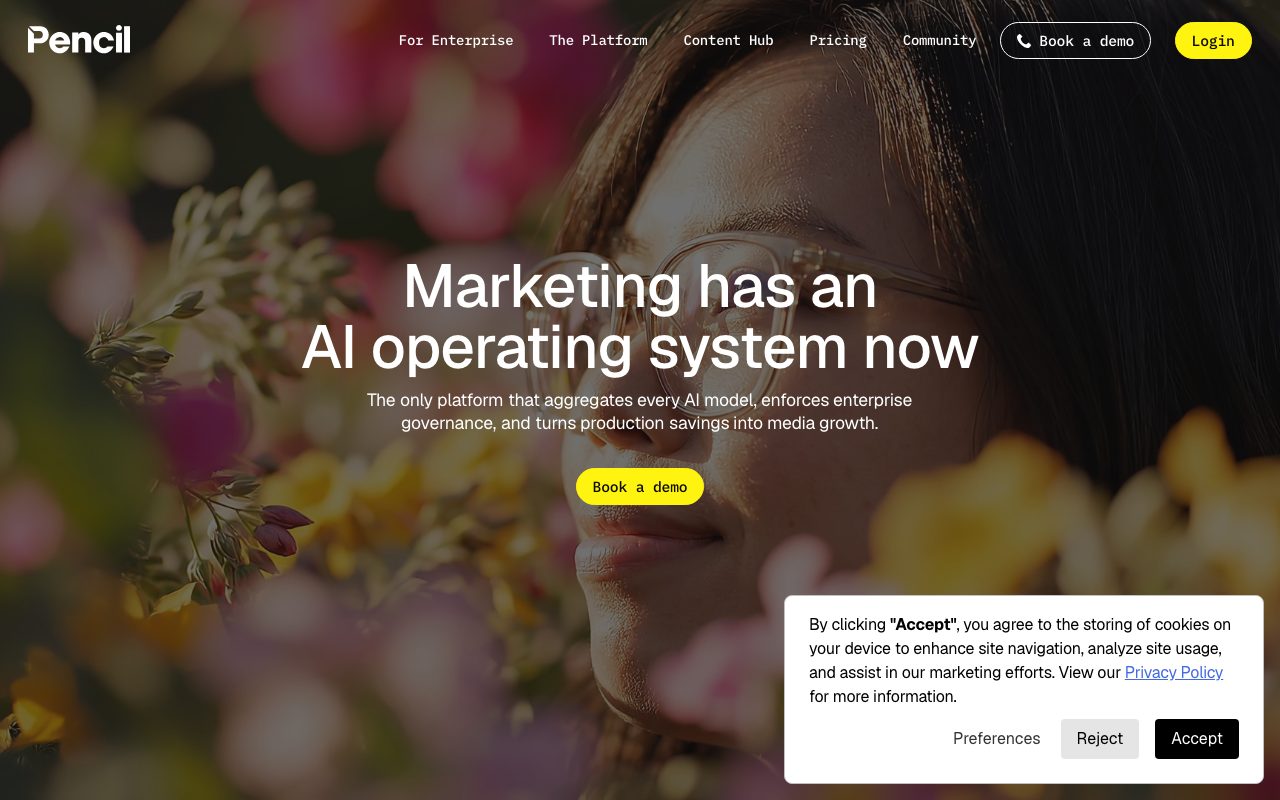
Pencil is an AI marketing creative platform that orchestrates multiple foundation models to generate, resize, and predict performance for social and display ad campaigns.
Pencil functions as an AI production workspace built for paid advertising, combining models from providers such as OpenAI, Google, Runway, Adobe, and Bria into a single orchestration layer. Designed to turn brand kits and reference assets into ready-to-launch ad units, the platform produces copy, static imagery, and video assets formatted for major digital advertising channels. Users upload logos, color palettes, fonts, product photography, and video footage to create a brand library that guides generative AI agents in assembling on-brand creatives. The platform incorporates creative performance predictions and results dashboards by connecting directly with ad networks like Meta, TikTok, YouTube, Google Display, DV360, and LinkedIn. For larger organizations, Pro contracts add enterprise governance features, including SOC 2 Type II certification, role-based access, IP indemnification, data ring-fencing, and feed-driven bulk generation.
Pencil aggregates multimodal models from OpenAI, Google, Runway, and Bria under a single interface with direct ad account integration and predictive performance scoring.
Product capabilities
Key features
Multi-Model Orchestration
Access text, image, and video models from OpenAI, Google, Anthropic, Runway, Bria, and Kling within one unified production workflow.
Predictive Performance Scoring
Evaluate ad variants before launch with automated AI predictions derived from historical creative benchmarks and connected ad accounts.
AI Auto Resize
Convert creatives across standard aspect ratios like 1:1, 9:16, 4:5, 16:9, and 1.91:1, preserving design layers and transparency.
Brand Asset Hub
Centralize brand guidelines, color palettes, typography, packshots, and video assets to maintain visual standards across AI generation.
Ad Channel Publishing
Deploy creatives and view performance metrics directly through integrations with Facebook, Instagram, TikTok, YouTube, and Google DV360.
Enterprise Governance
Enforce SOC 2 Type II standards, data ring-fencing, IP indemnification, role-based access controls, and strict no-training data policies.
Workflow
How Pencil works
- Upload brand assets including logos, typography, product packshots, and video footage into the brand library.
- Prompt or select pre-built AI agents to generate copy, image layouts, and video concepts across multiple AI foundation models.
- Use AI Auto Resize to format ad variations into standard ratios (1:1, 9:16, 16:9, and custom dimensions).
- Review predictive performance scores and connect ad accounts on Facebook, TikTok, and Google to publish and measure results.
Practical fit
Who should use Pencil?
Scaling Social Ad Iterations
Generate varied copy, image layouts, and short video concepts to prevent creative fatigue on Meta and TikTok.
Multi-Channel Format Adaptation
Automatically resize horizontal campaign creative into vertical feeds, stories, and display placements with preserved asset layers.
Seasonal Campaign Asset Creation
Produce localized visual assets and product staging across multiple global markets simultaneously from standard packshots.
Performance-Driven Creative Audits
Track connected ad performance data alongside AI prediction scores to identify high-performing creative attributes.
Editorial assessment
Pros and limitations
Where it is strong
- Aggregates top third-party models across text, image, and video without requiring separate subscriptions.
- Integrates directly with key advertising platforms including Meta, TikTok, and Google Display Network.
- Provides predictive ad performance scoring directly inside the creative generation workspace.
Where to be careful
- Monthly generation credits do not roll over to subsequent billing cycles on self-serve plans.
- Automatic format resizing consumes generation credits and sometimes requires manual layout adjustments.
Commercial context
Pencil pricing
At the review date, Pencil offers Core ($14/month or $11/month annually for 50 generations) and Growth ($55/month or $44/month annually for 250 generations), plus custom enterprise Pro tiers. A 6-ad trial is offered. Check the official pricing page for updates.
| Plan | Price | What it includes |
|---|---|---|
| Core | $14 / month (billed monthly) or $11/month billed annually | |
| Growth | $55 / month (billed monthly) or $44/month billed annually | |
| Pro | Custom / annual contact |
Pricing, limits, taxes, model access, and regional availability can change. Verify the purchase-critical details on the official pricing page linked under Sources.
Transparent ranking
Why Pencil scores 74.6
Each factor is scored on a 100-point scale, then combined using the public ToolsRank weights. Engagement and momentum stay at a neutral baseline until measured signals exist, so no tool can gain or lose position from numbers nobody recorded.
Compatibility
Languages, platforms, and integrations
Languages
- English
- Spanish
- French
- German
- Japanese
- Simplified Chinese
Platforms
- Web
Integrations & surfaces
- TikTok
- YouTube
- Google Display Network
- Google DV360
Community
Reviews and questions
No approved member reviews yet. Editorial factors above are the only rating on this page.
Reviews and questions come from Google-signed members and are checked by an editor before they appear.
Frequently asked
Pencil FAQ
How do generation credits work in Pencil?+
A generation is counted each time you interact with an AI model to produce an asset. Core plans include 50 generations per month, while Growth plans provide 250. Unused generations expire at the end of each billing cycle and do not roll over.
What inputs are required to get started with Pencil?+
Pencil requires a brand kit containing logos, fonts, colors, and a brand description. For optimal output quality, the vendor recommends providing 3 to 5 high-resolution product photos with even lighting along with 3 to 5 reference videos.
Does Pencil train its models on customer data?+
No. Pencil operates under a strict no-train policy ensuring customer proprietary data and uploaded assets are not used to train AI models. Enterprise Pro subscriptions include dedicated data ring-fencing and governance protections.
Can I try Pencil before subscribing?+
Pencil provides a guided onboarding experience that lets new users create up to six ads for free. Continued access to the platform, workspace tools, and export features requires upgrading to a paid tier.