
Direct answer
What is Picsart?
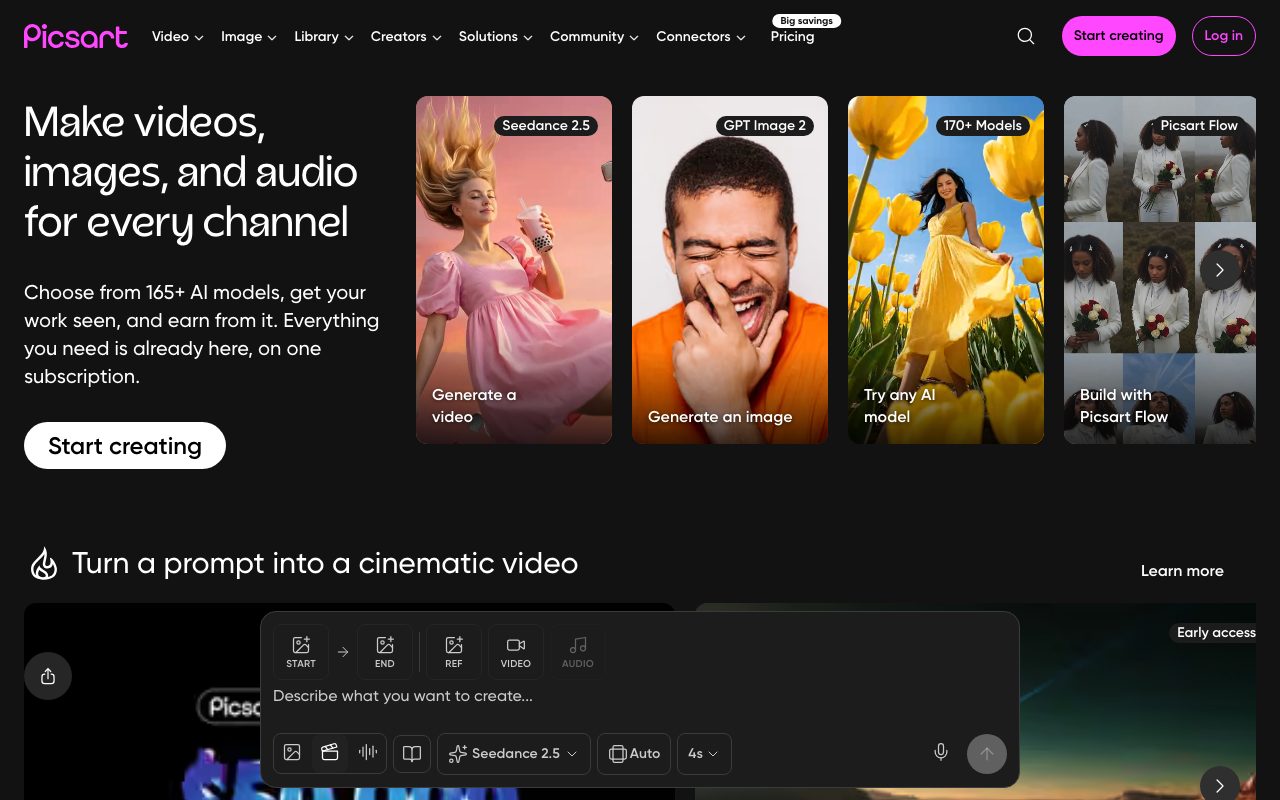
Picsart is an all-in-one AI creative platform combining photo retouching, video generation, and design templates with unified access to over 140 external and native AI models.
Picsart delivers an end-to-end design and media editing suite for digital creators, marketers, and commercial brands. The platform bridges conventional visual editing—including background removal, object cleanup, collages, and multi-layer layouts—with a generative AI ecosystem. Through its AI Playground, users can experiment with leading generative models for text-to-image, image-to-video, and audio production (including Seedance, Sora 2, Kling, Flux 2, Nano Banana, and Ideogram) without purchasing separate subscriptions for each service. Beyond basic asset generation, Picsart includes Flow for assembling multi-step visual workflows, specialized AI agents for directing campaigns and content repurposing, batch processing tools for up to 100 images at once, and brand asset management. In addition to web and mobile apps, Picsart provides developer and power-user tooling, including a command-line interface (CLI) and upcoming Model Context Protocol (MCP) servers for developer environments.
Picsart aggregates over 140 top-tier third-party and proprietary generative image, video, and audio models alongside complete graphic editing tools and workflow automation under a single subscription.
Product capabilities
Key features
Multi-Model AI Playground
Access more than 140 image, video, and audio AI models including Flux 2, Seedance 2.5, Kling 3.0, Veo 3.1, Nano Banana, and Sora 2 within one unified interface.
Photo and Video Editing Suite
Edit visual media with one-tap background erasing, object removal, face retouching, filter styles, beat syncing, and timeline video trimming.
Picsart Flow and Workflow Templates
Chain multiple AI models, design filters, and asset modifications into reusable single-click automated generation pipelines.
Creative AI Agents
Deploy specialized AI agents to plan and execute specific creative outputs like video reels, brand designs, listing optimization, and content localization.
Batch Editing
Process and resize up to 50 to 100 images simultaneously to quickly format assets for Reels, TikTok, Shorts, and product marketplaces.
Picsart CLI and Developer Connectors
Generate media directly from terminal shells, CI pipelines, or AI workspaces, with planned Model Context Protocol (MCP) support for Claude Code and Cursor.
Workflow
How Picsart works
- Select a design template, start with a blank canvas, or open AI Playground.
- Choose from over 140 image, video, and audio AI models or enter prompts into prebuilt workflow automations.
- Refine the generated output with photo retouching, background removal, layer styling, or video sequencing.
- Batch resize and export final creations formatted for web, print, or social media channels.
Practical fit
Who should use Picsart?
E-Commerce Product Photos
Remove backgrounds from raw merchandise shots, generate realistic studio scenes, and bulk export catalog-ready assets.
Social Media Video and Graphics
Generate text-to-video clips, convert photos into animated sequences, and auto-format vertical video for TikTok, Reels, and YouTube Shorts.
Marketing and Brand Campaigns
Produce brand logo variations, ad mockups, sticker assets, and marketing collateral using consistent brand color kits and fonts.
Content Repurposing and Localization
Extract content from multi-page PDFs, translate text overlays, and generate localized ad variations across target markets.
Editorial assessment
Pros and limitations
Where it is strong
- Unifies dozens of prominent AI image, video, and audio models under one billing plan
- Combines generative AI creation with mature photo, video, and collage editing tools
- Offers batch editing capabilities for handling up to 100 images at once
- Provides a command-line interface (CLI) for terminal-based generation and automation
Where to be careful
- Generative AI usage relies on monthly credit allocations that expire at billing cycle ends
- Real-time team collaboration features are still marked as coming soon on official pages
Commercial context
Picsart pricing
At the review date, Picsart provides a free app alongside paid Pro ($10.50 per month billed annually or $15 monthly) and Ultra ($37.50 per month billed annually or $47 monthly) subscriptions, plus custom Enterprise options. Pricing and model allowances may fluctuate, so verify on the official pricing page.
| Plan | Price | What it includes |
|---|---|---|
| Free | $0 / month |
Free access via web and mobile apps with basic editing features. |
| Pro | $10.50 / month |
Price reflects annual billing at $10.50/month ($126 billed yearly); monthly billing is $15/month. |
| Ultra | $37.50 / month |
Price reflects annual billing at $37.50/month per seat; monthly billing is $47/month. |
| Enterprise | Custom / custom |
Contact sales for custom team deployments and SDK licensing. |
Pricing, limits, taxes, model access, and regional availability can change. Verify the purchase-critical details on the official pricing page linked under Sources.
Transparent ranking
Why Picsart scores 76
Each factor is scored on a 100-point scale, then combined using the public ToolsRank weights. Engagement and momentum stay at a neutral baseline until measured signals exist, so no tool can gain or lose position from numbers nobody recorded.
Compatibility
Languages, platforms, and integrations
Languages
- English
Platforms
- Web
- iOS
- Android
- macOS
- Windows
- CLI
Integrations & surfaces
- ChatGPT
- Claude
- Cursor
- Google Drive
- Shopify
- Snapchat
Community
Reviews and questions
No approved member reviews yet. Editorial factors above are the only rating on this page.
Reviews and questions come from Google-signed members and are checked by an editor before they appear.
Frequently asked
Picsart FAQ
What is Picsart?+
Picsart is an AI creative platform offering photo and video editing, graphic design templates, workflow automations, and unified access to over 140 third-party and native generative AI models.
Which AI models can be used within Picsart?+
Picsart provides access to frontier models including Flux 2, Seedance 2.5, Kling 3.0, Veo 3.1, Nano Banana, Ideogram V3, Sora 2, and others for generating images, video, and audio.
Do unused AI credits roll over each month?+
According to Picsart's pricing FAQ, monthly subscription credits expire at the end of each billing cycle and do not roll over, though option add-on credits that never expire are offered on select tiers.
What happens if an AI generation fails?+
Picsart states that if a generation attempt is unsuccessful, any consumed credits will be automatically returned to your account balance.
Can I use my Picsart subscription across multiple devices?+
Yes. Subscriptions can be accessed seamlessly across iOS, Android, web browsers, and desktop installations, supporting up to 10 devices.

