Direct answer
What is Recraft?
Recraft is a generative design platform and API built for production workflows, offering editable vector generation, raster images, and instant reference-based style matching.
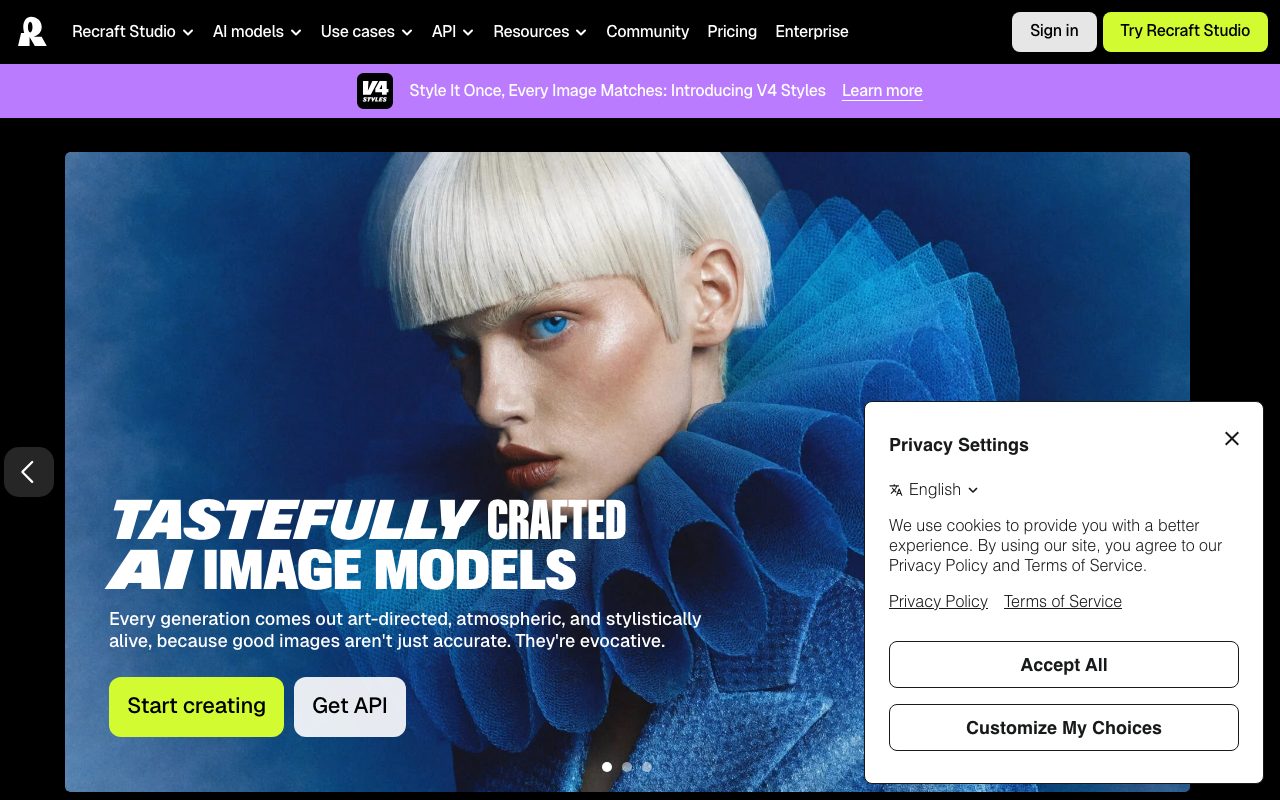
Recraft is a visual creation platform engineered specifically for designers, illustrators, and creative teams. Unlike general-purpose image models tuned strictly for raster photography or digital art, Recraft provides purpose-built models—spanning V2 through V4, V4.1, and the V4 Styles family—capable of generating native vector graphics alongside high-resolution raster illustrations and photorealistic scenes. A core emphasis of the studio is visual control and brand consistency. Its V4 Styles architecture allows users to supply between one and ten reference images to lock in palette, rendering technique, and composition without training custom checkpoints or fine-tuning models. Users can toggle between Precise matching for strict brand adherence and Flexible matching for looser concept exploration. Beyond net-new generation, Recraft Studio integrates editing tools including inpainting, outpainting, background removal and generation, creative and crisp upscaling, vectorization of raster inputs, and mockup generation. For engineering teams, Recraft exposes its capabilities over a REST API compatible with OpenAI client libraries, billed per request via non-expiring prepaid API units.
Native editable vector generation paired with instant style-matching models that replicate rendering techniques and brand color palettes from reference images without custom model fine-tuning.
Product capabilities
Key features
Native Vector Generation
Produces production-grade, editable vector graphics and icons directly from text prompts without requiring manual tracing.
V4 Styles System
Generates imagery matching a user-defined style from 1 to 10 reference images without training, offering Precise and Flexible adherence modes.
Raster Image Generation
Supports art-directed photography, 3D renderings, and complex illustrations across multiple model tiers up to 4-megapixel Pro outputs.
Inpainting & Outpainting
Enables visual editing directly on canvas by regenerating masked regions or extending canvas borders with contextual prompt guidance.
Image Vectorizer & Upscaling
Converts uploaded raster artwork into vector format and offers both crisp resolution scaling and creative upscaling with synthetic detail.
Background Replacement & Removal
Isolates subjects with transparent cutouts or synthesizes contextual new backdrops tailored to lighting and composition.
Developer REST API
Provides programmatic access to all model generations, vectorization, upscaling, and batch jobs, with OpenAI Python library compatibility.
Workflow
How Recraft works
- Choose a model tier (such as V4, V4.1, or V4 Styles) and specify raster or vector output format.
- Define an aesthetic by inputting prompts, picking pre-set styles, or uploading 1 to 10 reference images to create a reusable custom style.
- Generate on canvas, then refine using built-in inpainting, background modification, region erasing, or upscaling.
- Export production-ready files in raster or vector formats, or integrate the workflow programmatically using the Recraft REST API.
Practical fit
Who should use Recraft?
Scalable Icon and Asset Creation
Generate clean, editable vector icons and graphic elements directly suited for web and application design systems.
Brand-Consistent Marketing Campaigns
Lock brand colors, textures, and illustration styles across dozens of ad creatives using reference image style controls.
Product Mockups and Commercial Graphics
Create photorealistic scenes and sharp mockups for packaging, apparel, and merchandise visuals.
Automated Visual Pipelines
Automate asset background replacement, raster vectorization, and variant generation via API integration.
Editorial assessment
Pros and limitations
Where it is strong
- Native generation of complex, editable vector graphics
- Zero-training custom style creation using uploaded reference files
- Full commercial ownership and private storage on paid subscription tiers
- Comprehensive REST API compatible with standard OpenAI SDK structures
- Integrated canvas tools for inpainting, outpainting, and vector conversion
Where to be careful
- Free plan outputs are publicly visible in the community gallery without commercial rights
- Model catalog contains numerous variants (V2 through V4.1 Pro/Utility) that can complicate model selection
- Prepaid API units are strictly non-refundable and separate from studio subscription credits
Commercial context
Recraft pricing
As of September 2026, Recraft offers a free tier alongside Basic, Pro, and Teams subscriptions and standalone API credit packages. Paid plans grant private generations and full commercial ownership; free tier generations are public and owned by Recraft without commercial rights. Always verify exact plan prices and credit allowances on the official pricing page.
Pricing, limits, taxes, model access, and regional availability can change. Verify the purchase-critical details on the official pricing page linked under Sources.
Transparent ranking
Why Recraft scores 79.6
Each factor is scored on a 100-point scale, then combined using the public ToolsRank weights. Engagement and momentum stay at a neutral baseline until measured signals exist, so no tool can gain or lose position from numbers nobody recorded.
Compatibility
Languages, platforms, and integrations
Languages
- en
Platforms
- Web
- Mobile
- API
Integrations & surfaces
- REST API
- OpenAI Python Library
- Swagger UI
- Stripe
Community
Reviews and questions
No approved member reviews yet. Editorial factors above are the only rating on this page.
Reviews and questions come from Google-signed members and are checked by an editor before they appear.
Frequently asked
Recraft FAQ
Can I use images generated on Recraft commercially?+
Commercial rights and asset privacy depend on your plan. Paid plans grant full ownership and commercial rights for images generated while subscribed. Images generated on the Free tier remain owned by Recraft, are displayed publicly in the community gallery, and do not carry a commercial license.
What formats can Recraft generate?+
Recraft generates both raster images (such as standard and high-resolution 4MP renders) and native scalable vector graphics (SVG). It also includes a dedicated tool to convert existing raster images into editable vectors.
How does style matching work in Recraft without fine-tuning?+
Using the V4 Styles family, users can upload from one to ten reference images. The model extracts rendering technique, palette, texture, and composition to apply to new prompt generations instantly, using either Precise or Flexible mode.
What is the difference between subscription credits and top-up credits?+
Subscription credits come bundled with monthly or annual plans and reset at each billing cycle without rolling over. Top-up credits are purchased separately, do not expire, and are consumed automatically when monthly subscription balances are exhausted.
How is the Recraft API billed?+
The API is billed independently from web subscriptions using prepaid API units consumed per request based on the model and operation type. API unit packages are non-cancellable and non-refundable, and purchased units do not expire.
Does Recraft train its models on user uploads?+
According to the Recraft privacy policy, third-party model providers are prohibited from training on user inputs or outputs. Recraft may use data to train its own proprietary models, but users can opt out directly in their profile settings.