Direct answer
What is Retool?
Retool is a low-code and AI-native platform designed to assemble, automate, and deploy internal business software, mobile applications, and autonomous agents directly against production databases and APIs.
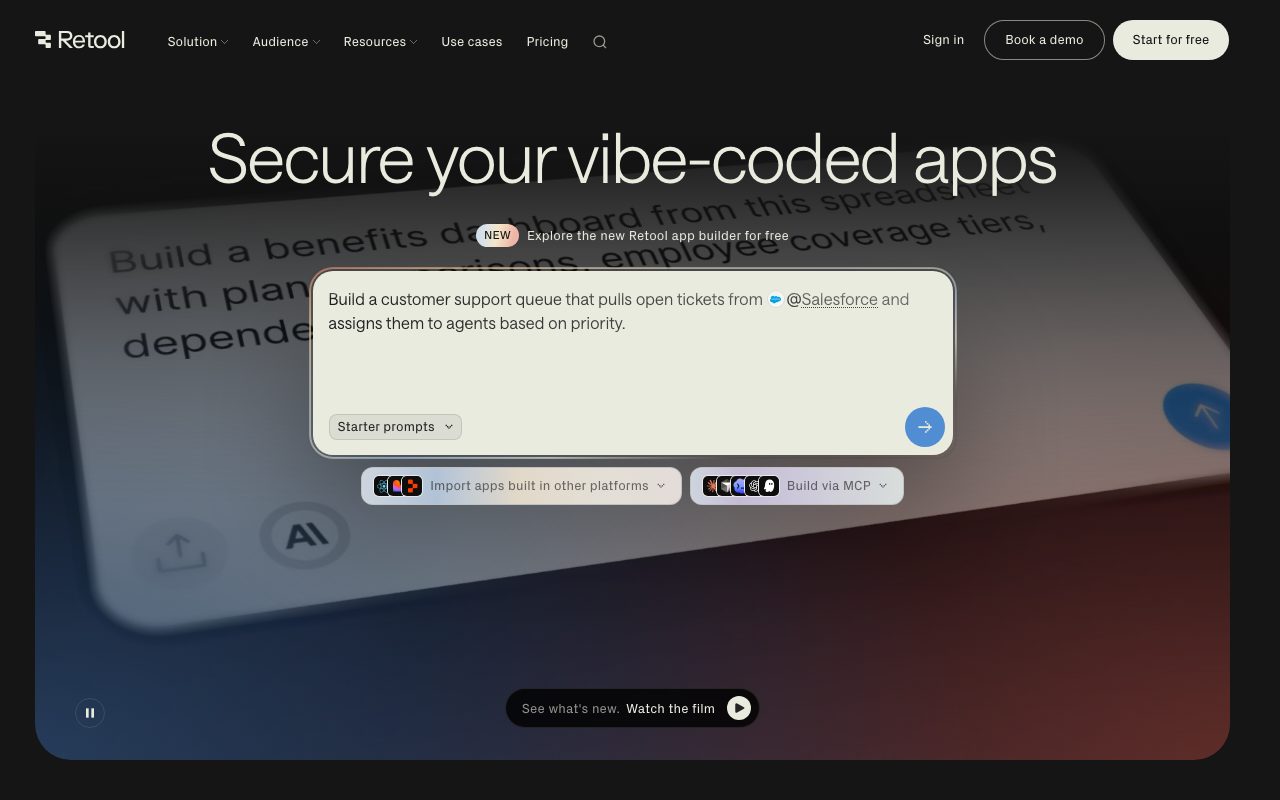
Retool allows teams to construct internal tools, operational dashboards, and database interfaces without building frontends from scratch. The platform features an AI-native app builder where users describe what they need in natural language or reference data with '@' mentions to generate production-ready interfaces. Developers can refine generated software with custom JavaScript, React code, SQL queries, reusable UI modules, and custom branding. Beyond visual interfaces, the platform provides Retool Workflows for scheduled or webhook-driven backend automations, an integrated PostgreSQL database with a visual schema editor, native mobile app creation for iOS and Android with offline mode and push notifications, and autonomous AI Agents that run multi-step operational tasks. Applications can be connected to internal databases and APIs or imported from code repositories and other platforms using Git sync, ZIP uploads, or Model Context Protocol (MCP) servers. Retool supports both cloud hosting and self-hosting inside a customer's VPC via Docker. Enterprise infrastructure includes granular role-based access controls (RBAC), SAML/OpenID Single Sign-On (SSO), audit logging with streaming, source control integration, and environment segregation across dev, staging, and production tiers.
Unlike consumer prompt-to-app tools, Retool combines prompt-driven AI app generation with direct connections to live production data, native RBAC, self-hosting options, and strict enterprise security controls that avoid IT vetoes.
Product capabilities
Key features
AI-Native App Builder
Generate working web interfaces and data tables from natural language prompts, using '@' to ground applications in connected data sources.
Retool Workflows
Automate backend tasks using visual canvas steps triggered by schedules or incoming webhooks, complete with custom error handling and automatic retry policies.
Autonomous AI Agents
Deploy AI agents to carry out multi-step actions such as ticket triage and research, billed by productive wall-clock runtime rather than token counts.
Managed PostgreSQL Database
Store and structure business data with an integrated PostgreSQL database, complete with a visual UI editor, direct connection strings, and multi-environment schema migrations.
Mobile App Deployment
Build native iOS, Android, and progressive web apps with built-in push notifications, visual themes, and offline data reading and writing.
MCP Server & External Code Import
Build apps directly via Model Context Protocol (MCP) from preferred AI coding agents, or deploy React code imported from Lovable, Replit, or GitHub repositories.
Enterprise Security and Access Control
Manage user access with fine-grained role-based permissions, SAML/OpenID SSO, SCIM provisioning, audit logs, and environment-level isolation.
Practical fit
Who should use Retool?
Custom Operations Dashboards
Build operational portals that let internal teams view, search, and update customer or fulfillment records across live SQL databases and third-party APIs.
Automated Incident and Alert Triage
Set up autonomous Retool Agents and scheduled Workflows to classify support tickets, inspect alert logs, and coordinate incident responses.
Field Operations and Warehouse Tools
Deploy mobile applications for inventory workers and logistics operators that function offline and sync changes when reconnected.
Customer-Facing Secure Portals
Provide external partners and clients with authenticated, branded portals governed by granular permissions and isolated resource environments.
Editorial assessment
Pros and limitations
Where it is strong
- Generates working, database-connected software from prompts while retaining code-level developer control.
- Bypasses frontend boilerplate while providing enterprise governance like audit logs, RBAC, and SSO.
- Supports VPC self-hosting via Docker for strict data privacy requirements where queries execute against local infrastructure.
- Differentiates pricing between active builders and passive internal end users.
Where to be careful
- Advanced enterprise governance, Git source control, and custom SSO are gated behind the custom Enterprise tier.
- Complex permissions and full platform orchestration still require technical proficiency with SQL, APIs, or JavaScript.
Commercial context
Retool pricing
Pricing snapshot at the review date (September 2026). Retool offers a Free tier for up to 5 users, Team at $10/builder plus $5/internal user per month, and Business at $50/builder plus $15/internal user per month. Annual billing includes a 20% discount. Enterprise plans require custom pricing. Verify current terms and credit limits on Retool's pricing page.
Pricing, limits, taxes, model access, and regional availability can change. Verify the purchase-critical details on the official pricing page linked under Sources.
Transparent ranking
Why Retool scores 80.8
Each factor is scored on a 100-point scale, then combined using the public ToolsRank weights. Engagement and momentum stay at a neutral baseline until measured signals exist, so no tool can gain or lose position from numbers nobody recorded.
Compatibility
Languages, platforms, and integrations
Languages
- English
Integrations & surfaces
- PostgreSQL
- Docker
- Git
- Terraform
- Okta
- Active Directory
- Segment
- Google Analytics
- Lovable
- Replit
Community
Reviews and questions
No approved member reviews yet. Editorial factors above are the only rating on this page.
Reviews and questions come from Google-signed members and are checked by an editor before they appear.
Frequently asked
Retool FAQ
Can Retool be self-hosted on private infrastructure?+
Yes. Retool can be self-hosted in your own virtual private cloud (VPC) via Docker, which takes approximately 15 minutes to set up according to vendor documentation. Self-hosted options are supported across paid and Enterprise tiers.
Does Retool store underlying business data?+
No. When connecting to external APIs and databases, queries execute directly against your data sources, and Retool does not store your external database records. Retool also provides an optional built-in PostgreSQL database for internal storage if needed.
What is the distinction between a builder and an internal user?+
A builder is an enabled user who creates, edits, or deploys applications, workflows, or agents during a billing cycle. An internal user is an employee who only uses published apps for daily operational work without editing or publishing changes.
How are Retool AI credits and Agent hours billed?+
Every plan includes a monthly pool of AI credits used for app building prompts and AI Actions. Agents are billed separately on an hourly basis based on active runtime wall-clock time, excluding idle periods waiting for human feedback.
Can teams bring their own LLM API keys to Retool?+
Yes. Customers can connect their own provider API keys (BYOK). When active, AI calls route through your key and do not consume Retool AI credits, with model usage paid directly to the model provider.