
Direct answer
What is Stable Audio?
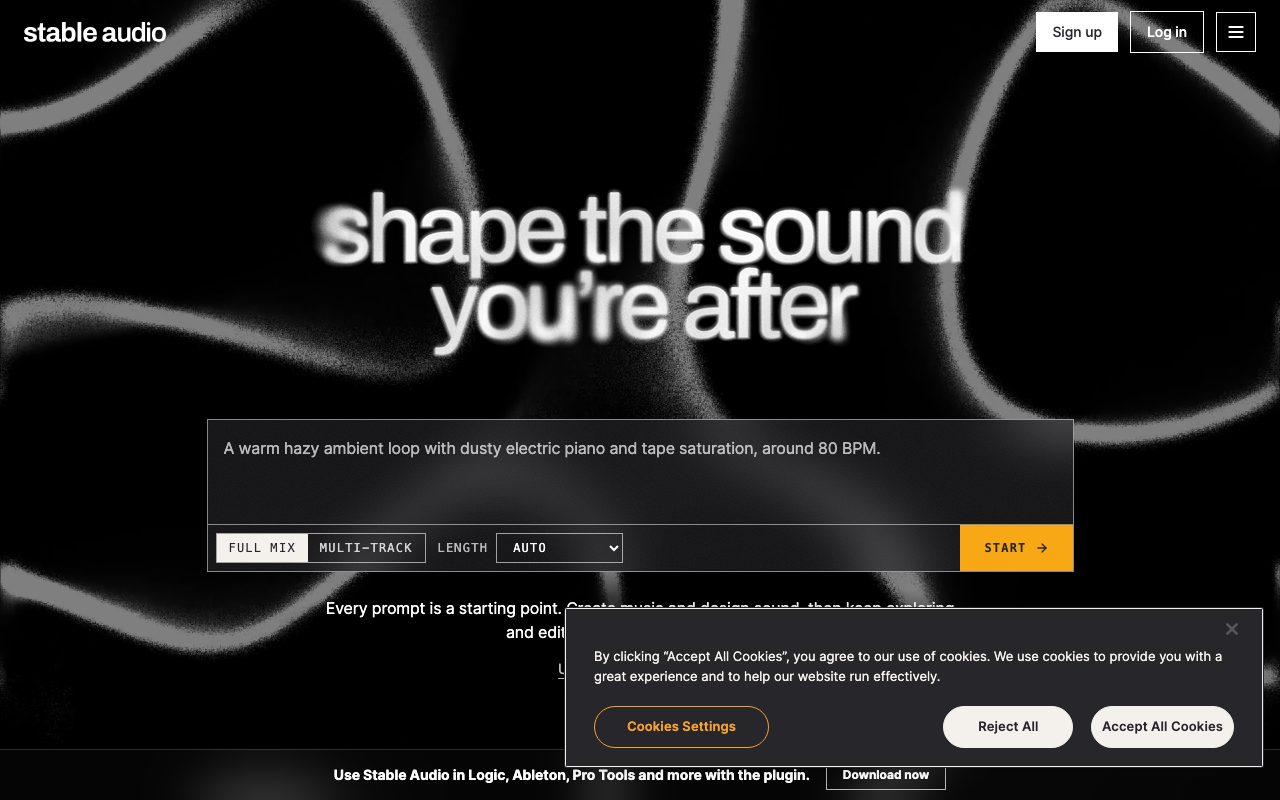
Stable Audio by Stability AI generates original music, ambient soundscapes, and sound effects from text prompts or reference audio, offering both a browser interface and a native DAW plugin.
Developed by Stability AI, Stable Audio is a generative audio platform designed to produce music, musical cues, and sound effects. Rather than treating AI audio as purely a finished one-shot output, the platform provides workflow-oriented creation tools. Users can direct generations through text prompts or audio-to-audio references, working across durations ranging from one-second snippets to six-minute compositions. The environment includes editing mechanisms such as inpainting, which lets creators highlight and swap out specific sections of a track without having to re-roll the entire piece. Additionally, the web app offers experimental stem generation and export, enabling multi-track separation for granular arrangement and mixing. Alongside its web application, Stable Audio offers a dedicated DAW plugin compatible with major digital audio workstations including Ableton Live, Apple Logic Pro, and Avid Pro Tools. This enables producers to audition prompts, build sample libraries, and generate song starters directly inside their primary production environment. An API platform is also available for programmatic, pay-per-generation integration, while custom fine-tuning and self-hosted model deployments are offered for commercial enterprise teams.
Unlike consumer text-to-song toys, Stable Audio pairs variable track lengths up to six minutes with inpainting and a native DAW plugin for Ableton, Logic, and Pro Tools.
Product capabilities
Key features
Flexible Duration Controls
Generate audio outputs at customized lengths ranging from one-second loops, intros, and cues up to six-minute compositions.
Audio Inpainting & Iteration
Regenerate or swap out specific sections of a track using inpainting controls instead of regenerating the entire composition.
DAW Plugin Integration
Run Stable Audio directly within major production suites including Ableton Live, Logic Pro, and Pro Tools to build samples and song starters.
Audio-to-Audio Variations
Supply existing audio recordings or musical sketches as starting inputs to produce stylistic variations and complementary layers.
Experimental Stem Export
Generate and isolate individual musical elements across multi-track stems for detailed mixing and sequencing.
Sound Design & FX Generation
Create specialized sound effects, ambient beds, and synthetic Foley using descriptive text prompts.
Developer API & Enterprise Licensing
Integrate low-latency audio generation into custom software, or access self-hosted model deployment and fine-tuning for enterprises.
Workflow
How Stable Audio works
- Enter a detailed descriptive prompt or provide an initial audio clip via audio-to-audio.
- Select your target duration, ranging from short loops to full compositions up to six minutes.
- Generate the initial audio track directly in the web app or inside a compatible DAW plugin.
- Refine the result by inpainting specific sections or exporting experimental stems for external arrangement.
Practical fit
Who should use Stable Audio?
DAW Sample Library Creation
Producers use the plugin inside Logic or Ableton to generate unique instrumental textures, loops, and song starters for electronic and acoustic productions.
Iterative Track Arranging
Composers replace weak transitions or awkward bars by inpainting specific audio sections while preserving the rest of the generated track.
Soundtrack and Cue Scoring
Video and game sound designers create exact-duration background soundscapes, intro stingers, and ambient audio beds from text prompts.
Developer Audio Features
Engineering teams integrate the Stable Audio API to power dynamic background music or procedural sound effects inside external applications.
Editorial assessment
Pros and limitations
Where it is strong
- Native DAW plugin brings generative audio straight into Ableton, Logic, and Pro Tools
- Audio inpainting allows partial section regeneration without restarting the entire track
- Supports outputs up to six minutes in length as well as one-second loops and cues
- Experimental multi-track stem export supports hands-on mixing
- Audio-to-audio prompting enables variation on pre-existing musical ideas
Where to be careful
- No free monthly plan listed on official pricing pages
- Monthly credit allowances reset each cycle and do not roll over to the next month
- Self-hosted model deployment requires an enterprise license restricted to companies with over $1M revenue
Commercial context
Stable Audio pricing
At the review date, Stable Audio starts at $12 per month for the Solo plan. All plans include web and DAW plugin access; monthly credit allocations do not roll over. Verify current terms on the official pricing page.
| Plan | Price | What it includes |
|---|---|---|
| Solo | $12 / month-to-month (billed monthly at $12/mo, 660 credits/mo, resets monthly) | |
| Session | $30 / month-to-month (billed monthly at $30/mo, 1,800 credits/mo, resets monthly) | |
| Producer | $90 / month-to-month (billed monthly at $90/mo, 6,000 credits/mo, resets monthly) | |
| Studio | $199 / month-to-month (billed monthly at $199/mo, 14,000 credits/mo, resets monthly) | |
| Enterprise | Custom / custom agreement (annual revenue over $1M required for self-hosted infrastructure deployment) |
Pricing, limits, taxes, model access, and regional availability can change. Verify the purchase-critical details on the official pricing page linked under Sources.
Transparent ranking
Why Stable Audio scores 74.1
Each factor is scored on a 100-point scale, then combined using the public ToolsRank weights. Engagement and momentum stay at a neutral baseline until measured signals exist, so no tool can gain or lose position from numbers nobody recorded.
Compatibility
Languages, platforms, and integrations
Languages
- en
Platforms
- Web
- Mac
- Windows
Integrations & surfaces
- Ableton Live
- Logic Pro
- Pro Tools
Community
Reviews and questions
No approved member reviews yet. Editorial factors above are the only rating on this page.
Reviews and questions come from Google-signed members and are checked by an editor before they appear.
Frequently asked
Stable Audio FAQ
What digital audio workstations (DAWs) work with the Stable Audio plugin?+
The vendor states that the Stable Audio plugin works with most major DAWs, explicitly listing Ableton Live, Apple Logic Pro, and Avid Pro Tools.
How long can generated audio tracks be?+
Users can generate audio files at custom lengths ranging from as short as one second up to six-minute compositions.
Do unused monthly generation credits roll over?+
No. The official pricing documentation specifies that the credit amount resets to the monthly allocated tier amount every month.
Can I use Stable Audio to edit specific parts of a track?+
Yes. Stable Audio includes an audio inpainting feature that allows you to swap out or regenerate specific sections without re-generating the rest of the composition.
Are stems available for download?+
The web application includes an experimental feature allowing creators to generate and export audio stems for separate processing.
What deployment options exist for high-volume enterprises?+
Enterprises with annual revenue exceeding $1M can contact Stability AI for commercial licensing to deploy models on their own infrastructure, fine-tune models with the Audio Research team, and receive dedicated support.