Direct answer
What is Trinka?
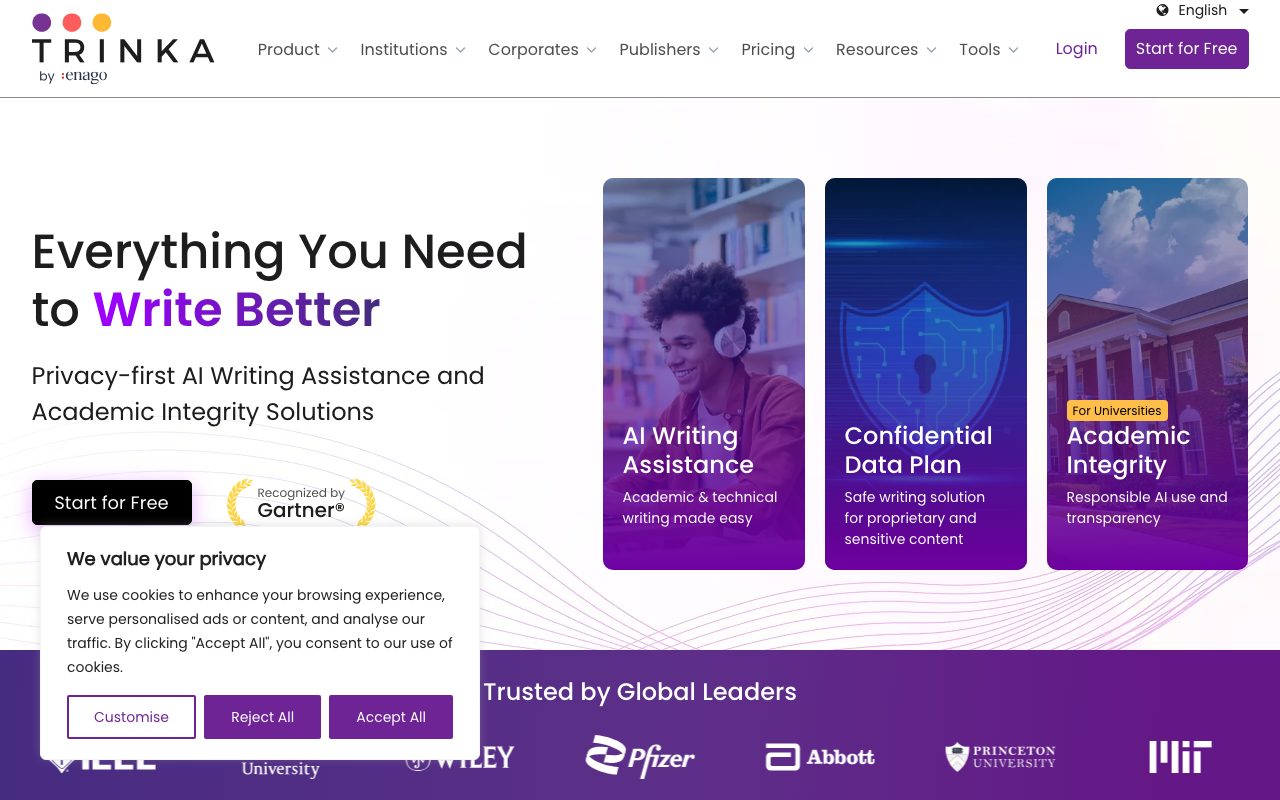
Trinka is an AI writing assistant built specifically for academic and technical writing. It checks grammar, proofreads Word and LaTeX documents, enforces style guides, and paraphrases formal text.
Developed by Crimson AI and powered by Enago, Trinka is an AI-driven grammar checker and language enhancement tool tailored to academic, medical, and technical authors. Unlike general-purpose proofreading assistants, Trinka focuses on formal tone, publication standards, discipline-specific vocabulary, and academic style guides such as AMA 11th and AGU 2017. The platform supports in-browser writing, standalone desktop applications, and integrations with Microsoft Word and web browsers. Beyond real-time editing, Trinka offers automated file proofreading for Microsoft Word and LaTeX documents, delivering tracked changes and detailed revision breakdowns without disrupting formatting. Additional integrated utilities include an academic paraphraser with multiple tone modes, an AI detector, plagiarism screening, and citation checking.
Trinka is specifically trained on scholarly and technical literature, offering native support for LaTeX and MS Word tracked changes, style guide alignment (AMA and AGU), and a Confidential Data Plan that ensures zero AI training and immediate data purging.
Product capabilities
Key features
Academic Grammar and Language Correction
Detects complex grammar, spelling, punctuation, and structural errors with contextual suggestions designed for scholarly and technical tone.
File Proofreading with Tracked Changes
Automatically proofreads MS Word (.docx) and LaTeX files in one pass, returning a downloadable document with tracked changes and explanatory comments.
Style Guide Compliance
Allows writers to align terminology and grammar with published academic style guidelines, including AMA 11th and AGU 2017.
Academic Paraphrasing
Rephrases text across multiple modes (Standard, Academic, Formal, Concise, and Simple) to refine sentence flow and clarity without losing subject-matter accuracy.
Confidential Data Plan
Provides enterprise-grade privacy controls with instant data deletion, zero AI training on user text, and compliance alignment with HIPAA, GDPR, SOC 2 Type II, and ISO 27001.
Dual Editing Modes
Offers Lite Mode for foundational corrections and Power Mode for advanced vocabulary enhancements and stylistic improvements.
Practical fit
Who should use Trinka?
Manuscript Preparation for Peer Review
Authors can upload completed papers to detect technical language issues, maintain formatting, and review suggested edits in tracked changes before submitting to journals.
ESL Academic Writing Support
Non-native English scholars can refine sentence structure, vocabulary precision, and academic register with explanations for recommended changes.
Regulated and Sensitive Research Drafting
Medical and corporate researchers handling proprietary or patient data can edit text under a Confidential Data Plan with zero model retention.
Editorial assessment
Pros and limitations
Where it is strong
- Specialized focus on academic, technical, and scientific prose
- Generates downloadable Word and LaTeX files containing tracked changes
- Offers a dedicated zero-training, instant-deletion privacy option
- Includes pre-configured academic style guide options like AMA 11th
Where to be careful
- Full-document proofreading consumes monthly credits rather than being unlimited
- Does not integrate directly inside Overleaf workspaces
- Free Basic tier limits monthly grammar checks and paraphrasing to 5,000 words
Commercial context
Trinka pricing
At the review date in September 2026, Trinka offers a free Basic tier (including 5,000 words per month for grammar checking and paraphrasing, plus 4 monthly credits). Paid tiers include Premium, Premium Plus, and a Confidential Data Plan, with credit packs sold separately. Specific dollar amounts are not detailed on the reviewed feature pages; verify current pricing on the official site.
Pricing, limits, taxes, model access, and regional availability can change. Verify the purchase-critical details on the official pricing page linked under Sources.
Transparent ranking
Why Trinka scores 74.8
Each factor is scored on a 100-point scale, then combined using the public ToolsRank weights. Engagement and momentum stay at a neutral baseline until measured signals exist, so no tool can gain or lose position from numbers nobody recorded.
Compatibility
Languages, platforms, and integrations
Languages
- English
- Spanish
Platforms
- Web
- Windows
- macOS
Integrations & surfaces
- Microsoft Word
- Google Chrome
- Mozilla Firefox
- Microsoft Edge
- Google Drive
- Dropbox
Community
Reviews and questions
No approved member reviews yet. Editorial factors above are the only rating on this page.
Reviews and questions come from Google-signed members and are checked by an editor before they appear.
Frequently asked
Trinka FAQ
Does Trinka offer a free plan?+
Yes. The vendor offers a free Basic plan that includes basic grammar checks and a monthly limit of 5,000 words for paraphrasing and grammar checks, along with 4 monthly proofreading credits.
How does Proofread File work with Word and LaTeX documents?+
Users upload their Word or LaTeX file directly. Trinka processes the document and outputs an edited version with tracked changes and comments, keeping formatting intact and providing a language score report.
Does Trinka integrate directly with Overleaf?+
No. The vendor notes that Trinka is not directly integrated with Overleaf; users must export their LaTeX file from Overleaf and upload it to Trinka for proofreading.
Is user text used to train AI models?+
Under the Confidential Data Plan, the vendor states that content is processed securely, deleted immediately after use, and never used to train models or improve AI systems.