
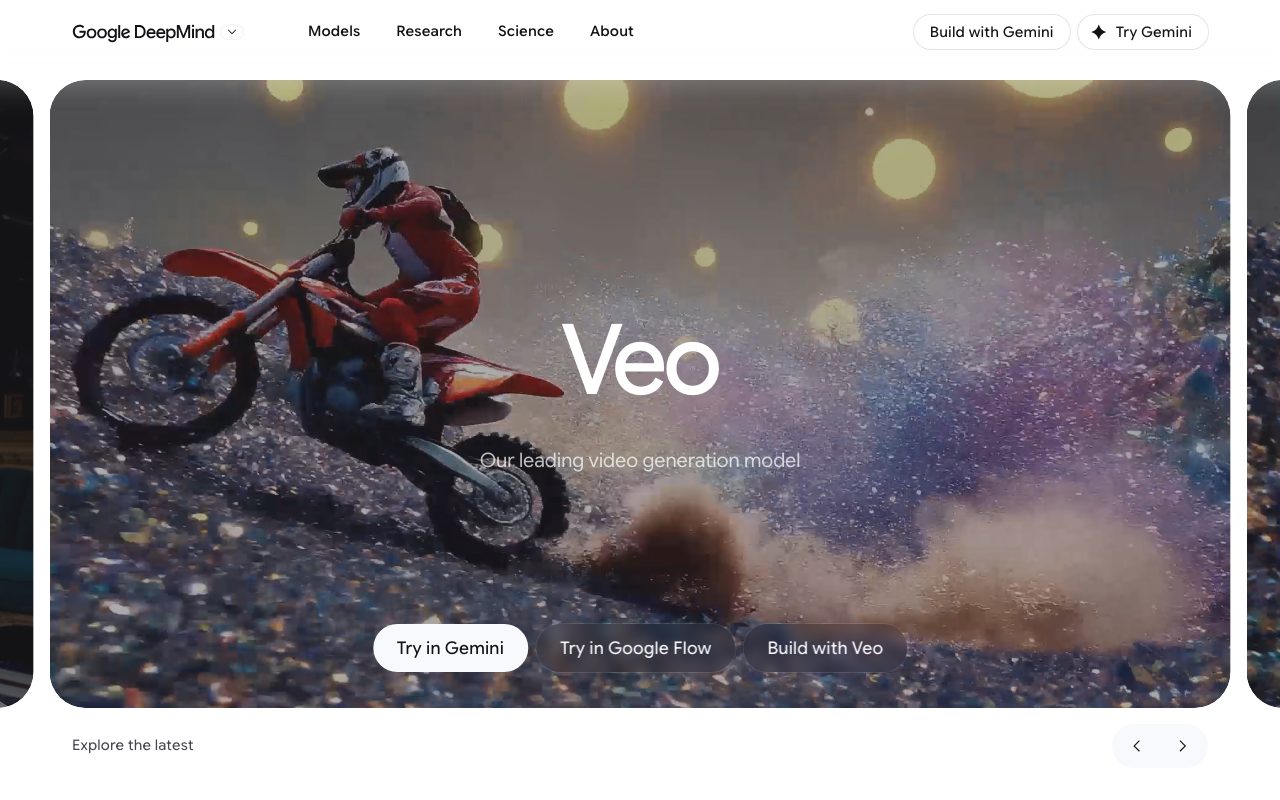
Direct answer
What is Veo by Google?
Veo is Google DeepMind's generative video model, engineered to synthesize high-fidelity cinematic video footage alongside native sound effects, ambient audio, and spoken dialogue from text or reference imagery.
Veo (currently spanning Veo 3 and Veo 3.1) represents Google DeepMind's flagship video generation model designed specifically for filmmakers, creators, and visual storytellers. The model transforms natural language instructions and visual references into detailed video clips, adhering closely to camera movements, complex physical interactions, and specified cinematic styles. A core capability introduced in the Veo 3 architecture is native audio generation: the system generates synchronized soundscapes—including dialogue, ambient environmental noise, and distinct Foley sound effects—directly as part of the video synthesis rather than requiring separate audio production. Creators can steer compositions using textual prompts specifying lenses, lighting, and pacing, or provide reference images of characters, scenes, and objects to maintain visual consistency across generations. Veo is made accessible across various Google tools and workflows, including Gemini, Google Flow, and Google AI Studio developer environments.
Veo generates synchronized audio—including ambient noise, Foley effects, and dialogue—natively alongside video generation, rather than relying on separate post-production audio models.
Product capabilities
Key features
Native Audio Generation
Generates ambient background noise, synchronized Foley sound effects, and spoken dialogue natively alongside the video output.
Cinematic Prompt Adherence
Interprets detailed instructions for camera direction, lens focal lengths, lighting setups, and specific pacing requirements.
Reference Image Conditioning
Allows creators to supply reference images of characters, objects, or scene environments to guide visual coherence.
Real-World Physics and Fidelity
Simulates fluid dynamics, motion inertia, and environmental interactions to create convincing physical movements.
Multi-Surface Access
Supports multiple creative entry points across Google platforms, including Gemini, Google Flow, and developer interfaces.
Practical fit
Who should use Veo by Google?
Cinematic Scene Prototyping
Visualizing complex camera shots, pacing, and mood boards with matching ambient audio before principal photography.
Visual Effects and Concept Testing
Generating stylized sequences, stop-motion looks, or impossible physical scenarios for animation and commercial pitches.
Storytelling with Native Dialogue
Drafting multi-character vignettes with synchronized character speech, Foley effects, and atmospheric background sound.
Editorial assessment
Pros and limitations
Where it is strong
- Native generation of ambient audio, sound effects, and dialogue eliminates the need for separate audio alignment.
- Reference image inputs assist in maintaining character and object consistency across generations.
- Demonstrates strong adherence to technical camera terms and complex physical interactions.
Where to be careful
- Specific commercial pricing, compute token costs, and rate limits are not stated on the model overview page.
- Requires access through Google product ecosystems such as Gemini, Google Flow, or Google AI Studio.
Commercial context
Veo by Google pricing
At the review date in September 2026, standalone pricing for Veo is not listed on the DeepMind product page. Access is distributed through Google surfaces including Gemini, Google Flow, and developer platforms; users should verify pricing directly with Google.
Pricing, limits, taxes, model access, and regional availability can change. Verify the purchase-critical details on the official pricing page linked under Sources.
Transparent ranking
Why Veo by Google scores 75.2
Each factor is scored on a 100-point scale, then combined using the public ToolsRank weights. Engagement and momentum stay at a neutral baseline until measured signals exist, so no tool can gain or lose position from numbers nobody recorded.
Compatibility
Languages, platforms, and integrations
Languages
- English
Integrations & surfaces
- Google Gemini
- Google AI Studio
- Google Flow
Community
Reviews and questions
No approved member reviews yet. Editorial factors above are the only rating on this page.
Reviews and questions come from Google-signed members and are checked by an editor before they appear.
Frequently asked
Veo by Google FAQ
What is Veo by Google?+
Veo is Google DeepMind's generative video model built to produce high-fidelity video footage from descriptive text prompts and visual references.
Does Veo generate audio alongside video?+
Yes. Veo 3 and Veo 3.1 include native audio synthesis, generating ambient sounds, specific sound effects, and spoken dialogue directly in the video.
Can I use images to guide video generation in Veo?+
Yes. Veo allows users to supply reference images of scenes, characters, or objects to help guide visual generation and maintain creative alignment.
Where can I access Veo?+
Google DeepMind surfaces Veo through consumer and developer environments, including the Gemini app, Google Flow, and Google AI Studio.


