
Direct answer
What is ChatPDF?
ChatPDF turns static PDFs and documents into interactive conversations, offering page-level citations, multi-document folders, side-by-side viewing, and programmatic API access.
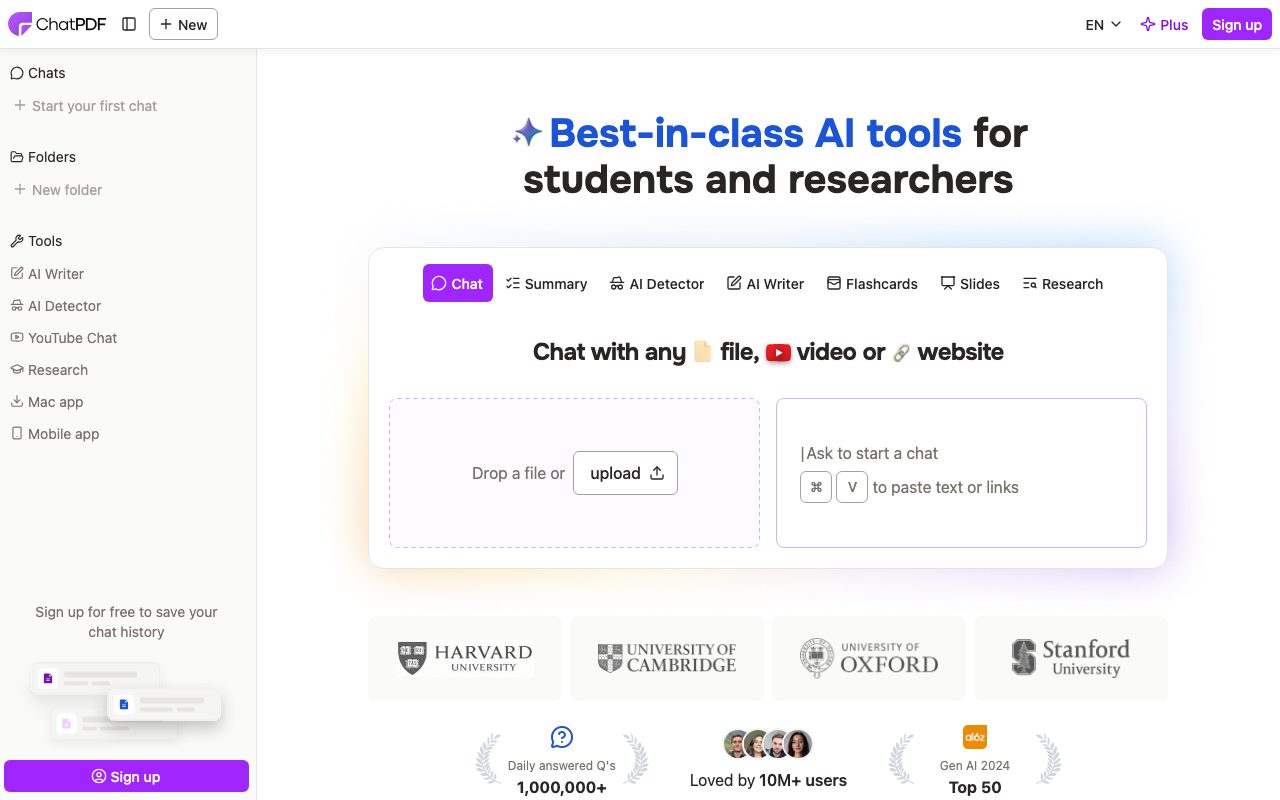
ChatPDF is an AI assistant built specifically for interacting with and extracting insights from documents. Users can upload files or paste web links to ask questions, request summaries, compare sections, or translate content across languages. The system parses inputs using dynamic query routing between GPT-4o and GPT-4o-mini models to balance speed, response quality, and computational cost. Unlike general chatbot interfaces, ChatPDF pairs responses with an interactive side-by-side viewer where answers are directly anchored to source citations. Clicking a citation jumps immediately to the relevant page in the source document, making verification straightforward for academic or compliance tasks. In addition to single-document chats, users can organize files into folders to converse across multiple documents simultaneously. Beyond basic PDF interaction, the platform supports Word (.doc, .docx), PowerPoint (.ppt, .pptx), Markdown (.md), and plain text (.txt) files. It also offers adjacent utilities such as YouTube chatting, automated slide generation, flashcards, an AI writer, and a dedicated backend REST API for developers seeking to programmatically upload files and query document corpora.
ChatPDF specializes in document reading with a side-by-side interface that pairs AI-generated answers directly with clickable page citations, alongside multi-document folder querying and a stateless developer API.
Product capabilities
Key features
Interactive Side-by-Side Document View
Displays conversational AI answers alongside the original document, letting users verify claims instantly.
Clickable Page Citations
Anchors responses to specific page references in the uploaded file, jumping to the source upon clicking.
Multi-File Folder Chats
Enables querying across multiple uploaded PDFs and documents in a single unified conversation.
Dynamic Model Routing
Automatically routes queries between GPT-4o and GPT-4o-mini to balance latency, reasoning quality, and efficiency.
Multilingual Translation & Chat
Accepts documents in any language and permits asking questions and receiving answers in any preferred language.
Multi-Format Document Support
Processes PDF (.pdf), Word (.doc, .docx), PowerPoint (.ppt, .pptx), Markdown (.md), and text (.txt) files.
Stateless Backend API
Provides REST endpoints to upload files up to 32 MB or 2,000 pages, send chat prompts, and receive streamed responses with page numbers.
Practical fit
Who should use ChatPDF?
Academic Research & Literature Review
Extract methodologies, synthesize findings across multiple journal articles, and verify source claims via direct page links.
Exam Preparation & Study Material
Upload textbooks and lecture slide decks to generate explanations, summaries, and flashcards for coursework.
Corporate & Legal Document Review
Interrogate compliance manuals, training guides, and contracts to pinpoint specific clauses without manual skimming.
Custom Document Bot Integration
Integrate PDF querying into internal applications using the ChatPDF REST API with source ID referencing.
Editorial assessment
Pros and limitations
Where it is strong
- No registration or sign-up required to test core document querying features
- Every answer references specific pages in the PDF for fast factual verification
- Supports multiple document formats including Word, PowerPoint, Markdown, and TXT
- Allows querying across multi-file folders in a single conversation thread
- Provides a functional developer REST API with streaming and page citation parameters
Where to be careful
- Free plan is restricted to analyzing 2 documents per day
- API limits files to 2,000 pages and 32 MB per file, with chat context capped at 6 messages and 2,500 tokens
- Specific subscription pricing for the Plus tier is not detailed on the primary landing page
Commercial context
ChatPDF pricing
At the review date (September 2026), the vendor offers a free tier supporting analysis of two documents per day without requiring an account. An upgraded 'ChatPDF Plus' plan is available for unlimited document analysis and advanced features, though specific pricing figures are not published on the reviewed home page and should be verified on their official site.
Pricing, limits, taxes, model access, and regional availability can change. Verify the purchase-critical details on the official pricing page linked under Sources.
Transparent ranking
Why ChatPDF scores 72.9
Each factor is scored on a 100-point scale, then combined using the public ToolsRank weights. Engagement and momentum stay at a neutral baseline until measured signals exist, so no tool can gain or lose position from numbers nobody recorded.
Compatibility
Languages, platforms, and integrations
Languages
- Multilingual (accepts and answers in any language)
Integrations & surfaces
- REST API
- Web Browser
- YouTube
Community
Reviews and questions
No approved member reviews yet. Editorial factors above are the only rating on this page.
Reviews and questions come from Google-signed members and are checked by an editor before they appear.
Frequently asked
ChatPDF FAQ
Is ChatPDF free to use?+
Yes. ChatPDF provides a free plan allowing users to analyze up to 2 documents each day without creating an account. For power users needing higher volume, a ChatPDF Plus plan is available.
Do I have to create an account to use ChatPDF?+
No. You can drop a file or paste a link and begin chatting immediately without an account. However, creating a free account allows you to save your chat history and manage multi-file folders.
What file formats does ChatPDF support?+
ChatPDF supports PDF (.pdf), Microsoft Word (.doc, .docx), PowerPoint (.ppt, .pptx), Markdown (.md), and plain text (.txt) files, along with chat capabilities for YouTube links.
What are the file size and page limits?+
According to the official API documentation, uploaded PDF files are limited to a maximum of 2,000 pages or 32 MB per file.
What AI models power ChatPDF?+
ChatPDF employs dynamic routing between OpenAI's GPT-4o and GPT-4o-mini models to balance quality, response speed, and efficiency depending on the request.
How is document security and privacy handled?+
Data is encrypted in transit using SSL and stored in encrypted form with a SOC2 Type II certified storage provider. Users can delete documents from the platform at any time.