Direct answer
What is Circleback?
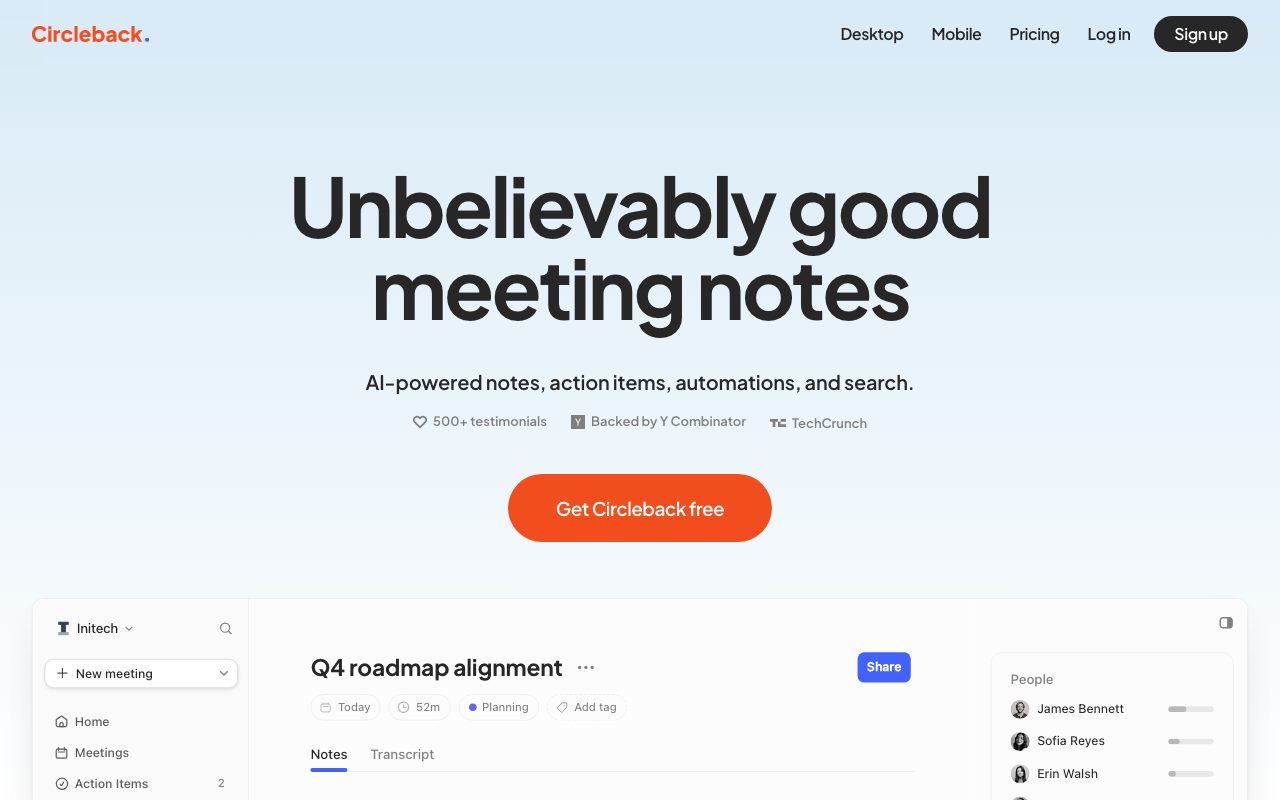
Circleback captures, transcribes, and summarizes meetings across online platforms and in-person discussions, automatically assigning action items and exposing conversation context via integrations, webhooks, CLI, and MCP.
Circleback is an AI meeting assistant designed to capture, organize, and automate information from conversations. It handles online meetings via a joining bot or a bot-free desktop app, and in-person meetings through mobile and Apple Watch apps. During meetings, it produces speaker-labeled transcripts with technical-term and accent recognition in over 100 languages, followed by organized notes and automatically identified action items. Beyond basic summaries, the platform functions as a conversation knowledge base. Users can search and ask questions across all previous meetings, connected Gmail or Outlook accounts, and calendar events. Circleback connects with core productivity tools like Notion, Slack, Linear, Asana, HubSpot, Salesforce, and Attio, enabling users to automatically populate CRM records, create issue tracker tickets, and sync tasks. Circleback provides deep developer and AI assistant extensibility. It includes a REST API, webhooks, a command-line interface (CLI), and a Model Context Protocol (MCP) server. The MCP server allows external AI tools—such as Claude, ChatGPT, Cursor, Claude Code, and Raycast—to query meeting notes, search transcripts by keyword or attendee, retrieve action items, and look up company and attendee profiles without manual data copying.
Unlike many meeting notetakers that restrict data to a web portal, Circleback offers extensive developer and agent interfaces—including a native Model Context Protocol (MCP) server, REST API, and CLI—allowing LLMs like Claude, ChatGPT, and Cursor to search transcripts and meeting context directly.
Product capabilities
Key features
Automated Notes and Action Items
Captures and structures meeting notes automatically while detecting, assigning, and organizing action items after every call.
Bot and Bot-Free Recording
Supports virtual calls via an online bot or a bot-free desktop app, alongside mobile and Apple Watch apps for in-person conversations.
Speaker-Labeled Transcription
Transcribes speech in over 100 languages, offering technical-term accuracy and speaker recognition.
Unified Meeting Search
Enables plain-language querying across meeting notes, transcripts, attendees, and linked email interactions.
Model Context Protocol (MCP) Support
Centrally hosted MCP server enabling AI clients like Claude, ChatGPT, Raycast, and Cursor to read transcripts, notes, and action items.
REST API and Webhooks
Provides authenticated JSON endpoints and webhooks to programmatically query and export meetings, people, companies, and tags.
Workflow Integrations
Direct integrations to sync meeting outputs to Notion, Linear, HubSpot, Salesforce, Attio, Asana, Monday, and Zapier.
Workflow
How Circleback works
- Connect your Google or Outlook calendar to schedule automatic recording, or launch recording via the desktop, mobile, or Apple Watch apps.
- Circleback records the audio, identifies speakers, and generates a transcript supporting technical terminology in over 100 languages.
- The AI synthesizes formatted meeting notes, outlines key decisions, and captures action items with assignees.
- Outputs automatically sync to third-party tools like Notion, Linear, or CRMs, and become searchable via the app, REST API, CLI, or MCP server.
Practical fit
Who should use Circleback?
Automating CRM Updates
Automatically update customer and opportunity records in HubSpot, Salesforce, or Attio immediately following client calls.
Engineering Issue Creation
Extract bugs and roadmap requirements discussed during sprint planning directly into Linear or Asana tasks.
Cross-Meeting Knowledge Retrieval
Query company-wide conversations to locate specific decisions, topics, or timestamps across past calls.
Coding Copilot Context Grounding
Connect Circleback's MCP server to Cursor or Claude Code to provide engineering AI agents with real meeting context and decisions.
Editorial assessment
Pros and limitations
Where it is strong
- Flexible capture options including bot, bot-free desktop client, and mobile/watch apps for in-person audio
- First-class developer tooling with a documented REST API, webhooks, CLI, and native MCP server
- Free plan includes unlimited meetings, transcripts, and basic API/MCP access
- Broad integrations across CRMs (HubSpot, Salesforce, Attio) and project management apps (Notion, Linear, Asana)
- Support for over 100 languages with speaker diarization
Where to be careful
- Free tier is restricted to a 30-day meeting and recording history retention window
- API and MCP request throughput is rate-limited to 3 requests/second and 20 requests/minute on the Free tier
- Automations with advanced integrations (Notion, Salesforce, HubSpot) require a paid Pro tier or higher
Commercial context
Circleback pricing
At the review date (September 2026), Circleback offers a Free plan ($0/user/month) with unlimited meetings and a 30-day history limit. Paid tiers are Pro ($15/user/month), Business ($25/user/month), and Enterprise ($35/user/month). Annual discounts may apply. Always verify current pricing on the official pricing page.
| Plan | Price | What it includes |
|---|---|---|
| Free | $0 / user/month | |
| Pro | $15 / user/month | |
| Business | $25 / user/month | |
| Enterprise | $35 / user/month |
Pricing, limits, taxes, model access, and regional availability can change. Verify the purchase-critical details on the official pricing page linked under Sources.
Transparent ranking
Why Circleback scores 71
Each factor is scored on a 100-point scale, then combined using the public ToolsRank weights. Engagement and momentum stay at a neutral baseline until measured signals exist, so no tool can gain or lose position from numbers nobody recorded.
Compatibility
Languages, platforms, and integrations
Languages
- English
Platforms
- Web
- macOS / Windows Desktop
- iOS / Mobile
- Apple Watch
- CLI
Integrations & surfaces
- Google Calendar
- Gmail
- Outlook
- Notion
- Linear
- HubSpot
- Salesforce
- Attio
- Asana
- Slack
- Zapier
- Make
Community
Reviews and questions
No approved member reviews yet. Editorial factors above are the only rating on this page.
Reviews and questions come from Google-signed members and are checked by an editor before they appear.
Frequently asked
Circleback FAQ
Does Circleback work for in-person meetings?+
Yes. Circleback supports in-person recording through its mobile applications and Apple Watch app, alongside desktop recording options.
Can I record online meetings without an automated bot joining the call?+
Yes. Circleback provides a bot-free desktop app option for recording online meetings in addition to its standard meeting bot.
What is the Model Context Protocol (MCP) server in Circleback?+
Circleback's MCP server is an authenticated remote endpoint conforming to the MCP specification. It allows compatible AI clients—such as Claude, ChatGPT, Cursor, Claude Code, and Raycast—to search and retrieve meeting notes, transcripts, action items, calendar events, and email threads directly.
What are the API rate limits on Circleback?+
On the Free plan, API and MCP requests are limited to 3 requests per second and 20 requests per minute. Paid tiers (Pro, Business, and Enterprise) allow up to 20 requests per second and 300 requests per minute.
What languages are supported by Circleback?+
Circleback supports over 100 languages for transcription, with speaker identification and technical-term recognition.