Direct answer
What is Clean Email?
Clean Email is an inbox management and cleaning tool that groups messages into Smart Folders, automates routine actions, and unsubscribes from unwanted mailing lists without downloading email bodies.
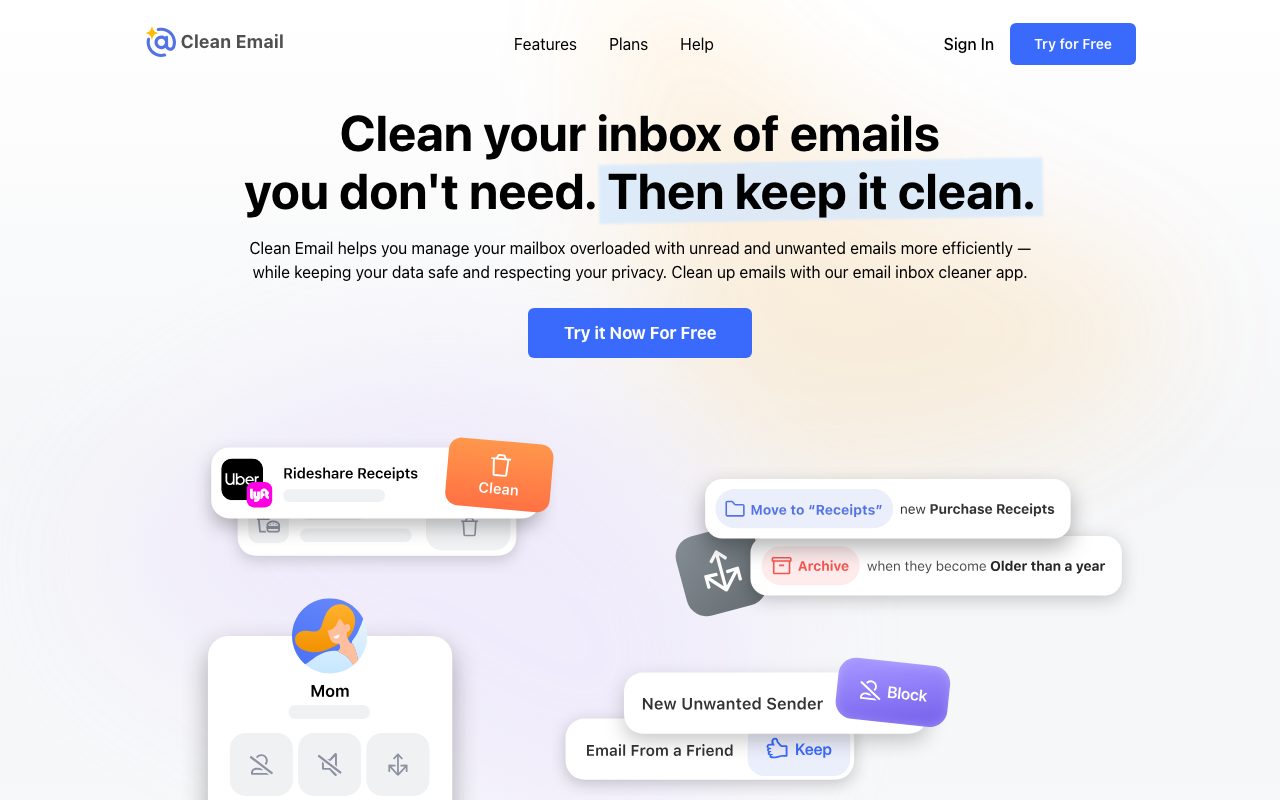
Clean Email is an inbox management utility designed to help users sort, clean, and organise overloaded mailboxes. Rather than requiring users to handle messages one by one, the platform groups emails into Smart Folders and Cleaning Suggestions based on patterns, age, and metadata. Users can execute bulk actions—such as archiving, moving, labelling, or deleting thousands of messages at once. The system includes an Unsubscriber tool that sends unsubscribe requests on the user's behalf and blocks senders or lists that ignore those requests. It also provides options to pause subscriptions, read them later, or keep only the newest message from a specific sender. For recurring clutter, Auto Clean rules allow users to automate ongoing triage, such as automatically archiving social notifications or emails over a certain age. From a data security and privacy standpoint, Clean Email operates on email headers and metadata (such as subject, sender, date, and size) rather than downloading message bodies or attachments. Metadata is retained for 45 days, and account access relies on OAuth2 (for Gmail) or app-specific passwords (for iCloud and other IMAP providers). The tool works across major providers including Gmail, Yahoo, Outlook, and AOL, and offers native apps for web, macOS, iOS, and Android.
Unlike free email cleaning services that monetize through ad networks or inbox scanning, Clean Email inspects only email headers without reading message bodies, retains metadata for 45 days, and supports automated rules across any IMAP provider.
Product capabilities
Key features
Smart Folders and Cleaning Suggestions
Automatically categorises messages into review bundles like old emails or social network notifications, enabling bulk labelling, archiving, or deletion.
Unsubscriber
Submits unsubscribe requests on your behalf, handles lists without unsubscribe links, and offers controls like Pause, Read Later, or Keep Newest.
Auto Clean Automation
Applies predefined rules to incoming mail automatically, such as archiving aged emails or bundling social notifications with daily digest reports.
Privacy-First Header Analysis
Analyzes email headers and metadata (sender, date, size, subject) without downloading email bodies or attachments, storing metadata for up to 45 days.
Screener and Sender Blocking
Blocks unwanted mailing lists and individual senders directly, preventing unsolicited mail from reaching your primary inbox.
Cross-Platform and Provider Support
Connects to Gmail, Yahoo, Outlook, AOL, iCloud, and custom company IMAP accounts, with native apps on iOS, Android, macOS, and the web.
Workflow
How Clean Email works
- Connect your email account via OAuth2 (Gmail) or app-specific credentials (iCloud, IMAP).
- Clean Email scans your mailbox headers and aggregates emails into Smart Folders and Cleaning Suggestions.
- Review bundles to bulk unsubscribe, archive, delete, or label existing backlogs.
- Enable Auto Clean rules to automatically sort, archive, or mute future incoming mail.
Practical fit
Who should use Clean Email?
Clearing an Out-of-Control Backlog
Rapidly triage and delete or archive thousands of historical unread emails grouped by sender, date, or category.
Stopping Unwanted Mailing Lists
Unsubscribe from marketing blasts and newsletters in bulk, or block senders that ignore unsubscribe directives.
Automating Inbox Maintenance
Set up continuous background rules to archive receipts or newsletters after a specified number of days.
Multi-Account Inbox Hygiene
Standardise cleanup routines and unsubscribe workflows across multiple personal, academic, and business email accounts.
Editorial assessment
Pros and limitations
Where it is strong
- Processes email headers and metadata only, without downloading email bodies or attachments
- Works with all major email services including Gmail, Yahoo, Outlook, iCloud, and custom IMAP accounts
- Offers granular newsletter handling like Keep Newest, Read Later, and Pause
- Auto Clean rules run continuously in the background to prevent clutter from returning
- Available across web, macOS, iOS, and Android
Where to be careful
- Ongoing automation and multi-account cleaning require a paid subscription after the trial
- Does not include generative AI reply drafting or smart composing features
- Requires app-specific passwords or OAuth access permissions for third-party mailbox access
Commercial context
Clean Email pricing
Clean Email offers a free trial to scan and clean an initial batch of emails. Ongoing use across one or multiple accounts requires a paid plan, though exact pricing tiers were not published on the home page as of September 2026 and should be verified directly.
Pricing, limits, taxes, model access, and regional availability can change. Verify the purchase-critical details on the official pricing page linked under Sources.
Transparent ranking
Why Clean Email scores 75.5
Each factor is scored on a 100-point scale, then combined using the public ToolsRank weights. Engagement and momentum stay at a neutral baseline until measured signals exist, so no tool can gain or lose position from numbers nobody recorded.
Compatibility
Languages, platforms, and integrations
Languages
- English
- German
- Spanish
- French
- Portuguese
- Japanese
Platforms
- Web
- macOS
- iOS
- Android
Integrations & surfaces
- Gmail
- Google Workspace
- Outlook
- Office 365
- Yahoo Mail
- AOL Mail
- iCloud Mail
- Apple Mail
- IMAP
Community
Reviews and questions
No approved member reviews yet. Editorial factors above are the only rating on this page.
Reviews and questions come from Google-signed members and are checked by an editor before they appear.
Frequently asked
Clean Email FAQ
Does Clean Email read the contents of my emails?+
No. Clean Email only analyzes email headers containing metadata such as the sender, recipient, subject line, date, and message size. The vendor does not download email bodies or attachments, and does not sell or analyze personal data for advertising.
Which email providers are supported?+
Clean Email supports all standard email providers, including Gmail, Yahoo, Outlook, Hotmail, AOL, iCloud, and custom IMAP accounts for work or school.
How does the Unsubscriber feature handle senders without an unsubscribe link?+
Clean Email sends unsubscribe requests on your behalf and blocks senders and mailing lists that fail to respect those requests, ensuring unwanted messages stay out of your inbox.
What is the Auto Clean feature?+
Auto Clean lets you establish rules that run automatically on incoming messages. For example, it can archive social network notifications as they arrive or automatically archive messages once they reach a certain age.
How long does Clean Email store my email data?+
Header and metadata used for sorting and managing your mailbox are retained by Clean Email for 45 days, after which they are removed.