
Direct answer
What is Colossyan?
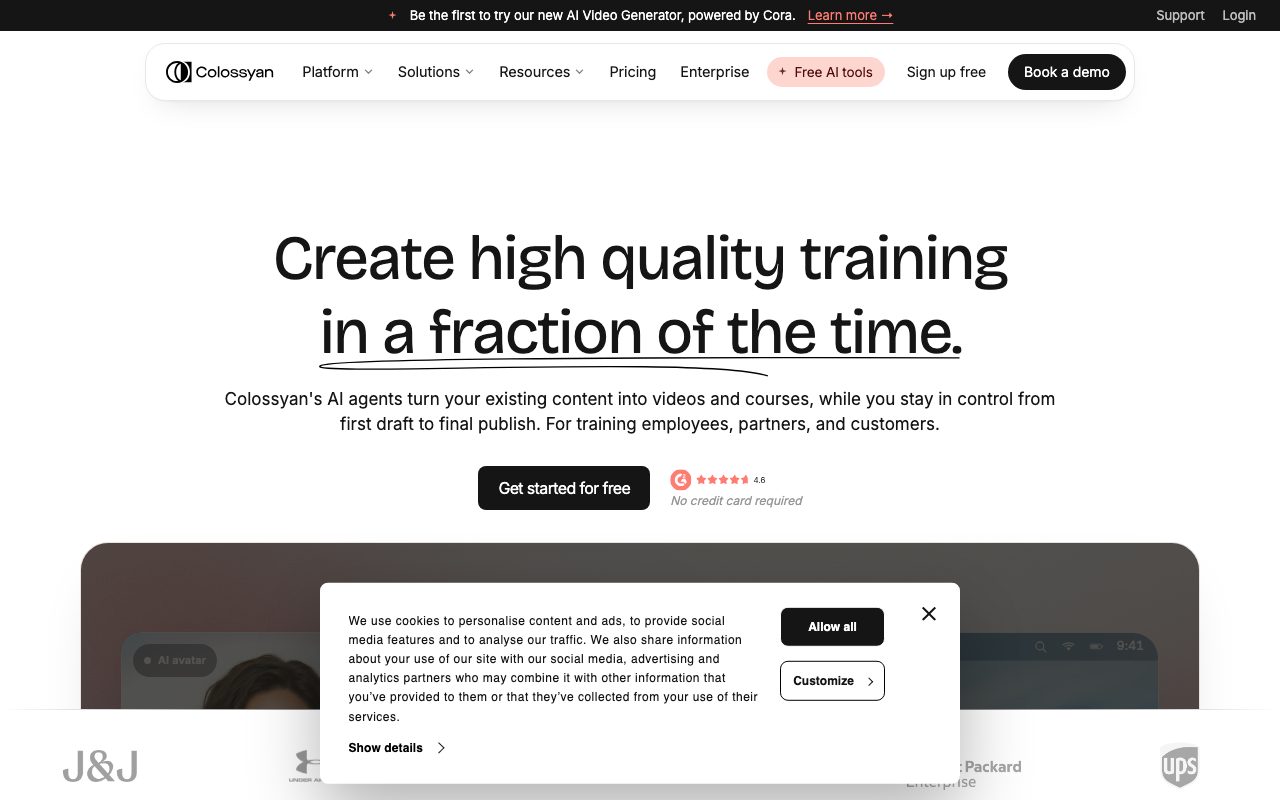
Colossyan is an AI video and course creation platform designed for training, onboarding, and enablement. It converts documents, slides, and scripts into avatar-led lessons with SCORM LMS export.
Colossyan is an AI-native production platform tailored for corporate training, sales enablement, and instructional design. Rather than focusing exclusively on short social clips, it positions itself as an end-to-end authoring environment where instructional teams can turn raw source materials into modular learning experiences. The platform accepts multiple source formats—including PDFs, Microsoft Word files, PowerPoint presentations with speaker notes, URLs, and text prompts. Driven by an AI agent named Cora, Colossyan extracts core points and drafts a scene-by-scene storyboard. Instructional designers and authors can review the script, layout, and pacing before committing render minutes. Visual delivery is powered by over 300 stock avatars built on the NEO 2 engine, offering lifelike gestures and lip syncing across more than 100 supported languages and accents. Organizations can also deploy custom studio avatars, instant webcam avatars, or cloned voices. In addition to single-presenter clips, Colossyan supports multi-avatar dialogue, allowing authors to simulate realistic workplace scenarios, interviews, and roleplay exercises for sales or compliance. Beyond standalone MP4 video generation, Colossyan Learn provides a structured course creator. Users can combine AI video scenes with interactive assessments, branching choices, and knowledge checks, exporting the complete module as a SCORM package directly compatible with learning management systems such as SAP SuccessFactors and Cornerstone.
Unlike generic AI video generators that stop at video rendering, Colossyan focuses specifically on the training lifecycle: it offers course authoring, multi-avatar roleplay scenarios, interactive quizzes, and direct SCORM export to enterprise LMS platforms, alongside single-scene editing that prevents re-recording whole projects.
Product capabilities
Key features
Cora AI Generation Agent
Analyzes source documents, slide decks, PDFs, or web links to structure an editable scene-by-scene training video plan before rendering.
300+ NEO 2 AI Presenters
Provides realistic stock avatars with context-aware expressions and lip syncing, with support for instant webcam avatars and custom studio replicas.
Colossyan Learn Course Creator
Combines AI video scenes, rich text, media, and knowledge checks into multi-lesson structured micro-courses.
Interactive Quizzes and Branching
Embeds scenario-based branching, decision points, and scored knowledge assessments directly inside interactive video lessons.
SCORM LMS Export
Packages finished courses and interactive videos as standard SCORM files compatible with enterprise learning management systems.
Multi-Avatar Scenarios
Places multiple AI presenters into a single scene to conduct realistic conversations, interviews, and conversational roleplays.
100+ Language Localization
Translates on-screen text, avatar narration, and audio tracks in one workflow with automatic lip syncing to the target language.
Granular Content Maintenance
Allows authors to update individual sentences, slides, or questions without re-rendering entire courses or re-recording video.
Practical fit
Who should use Colossyan?
Employee Onboarding
Transform static HR policies and welcome decks into standardized, multi-lesson video courses that new hires can complete globally.
Compliance & InfoSec Training
Deliver mandatory security and regulatory courses with interactive knowledge checks and SCORM completion tracking.
Sales Enablement & Roleplay
Build multi-avatar scenario simulations and quick talk-track walkthroughs to update sales representatives on products without live meetings.
Customer Education
Convert software documentation and product walkthroughs into clear, multi-language instructional videos without re-shooting.
Editorial assessment
Pros and limitations
Where it is strong
- Native SCORM export for direct deployment to enterprise LMS platforms
- Ability to place multiple avatars in a single scene for dialogue and roleplay
- Generates structured courses, branching scenarios, and quizzes inside one authoring interface
- Single-scene editing avoids re-rendering entire video courses when policies change
- Free drafts and previews before spending video rendering minutes
Where to be careful
- SCORM export is gated to paid plans (Professional tier and above)
- Automated quiz generation by Cora is still on the product roadmap and currently requires manual insertion
- Direct migration and import of course files from older authoring platforms like Articulate is not yet supported
Commercial context
Colossyan pricing
At the review date (September 2026), Colossyan offers a free Starter tier (including 20 video minutes per month, no credit card required) along with paid tiers starting from $27/month (Starter) and $59/month (Professional). Enterprise plans require contacting sales. SCORM export is included starting on the Professional plan. Check the official pricing page for up-to-date minute allocations and terms.
Pricing, limits, taxes, model access, and regional availability can change. Verify the purchase-critical details on the official pricing page linked under Sources.
Transparent ranking
Why Colossyan scores 76.4
Each factor is scored on a 100-point scale, then combined using the public ToolsRank weights. Engagement and momentum stay at a neutral baseline until measured signals exist, so no tool can gain or lose position from numbers nobody recorded.
Compatibility
Languages, platforms, and integrations
Languages
- English
- Spanish
- French
- German
- Japanese
- 100+ languages supported
Platforms
- Web
- Mobile Web
Integrations & surfaces
- SCORM-compliant LMSs
- Cornerstone
- SAP SuccessFactors
- SAML SSO
Community
Reviews and questions
No approved member reviews yet. Editorial factors above are the only rating on this page.
Reviews and questions come from Google-signed members and are checked by an editor before they appear.
Frequently asked
Colossyan FAQ
Can I test Colossyan before purchasing?+
Yes. Colossyan provides a free Starter plan that includes 20 video minutes per month without requiring a credit card, as well as a 14-day free trial of its core authoring capabilities.
Does Colossyan replace my Learning Management System (LMS)?+
No. Colossyan replaces course authoring tools and manual video production stacks, not the LMS itself. It exports courses and interactive videos as SCORM packages that load directly into systems like Cornerstone or SAP SuccessFactors.
What source files can I use to generate video?+
The AI Video Generator accepts plain text scripts, Microsoft Word documents, PowerPoint presentations (including speaker notes), PDFs, and web URLs. Connectors for SharePoint and Confluence are listed as coming soon.
How does updating existing content work?+
You can open the original project, edit the changed line of text, replace a slide, or adjust a quiz question, and re-render only the affected scene or lesson without rebuilding the entire video or course.
Is company data used to train AI models?+
According to the vendor, customer inputs and uploaded content are never used to train foundational AI models, and data is protected under SOC 2 Type II and GDPR standards.
Can I include multiple AI presenters in one scene?+
Yes. Colossyan supports multi-avatar conversations, allowing users to place two or more characters in a single scene to roleplay workplace interactions, compliance disputes, or sales dialogues.