
Direct answer
What is ContentStudio?
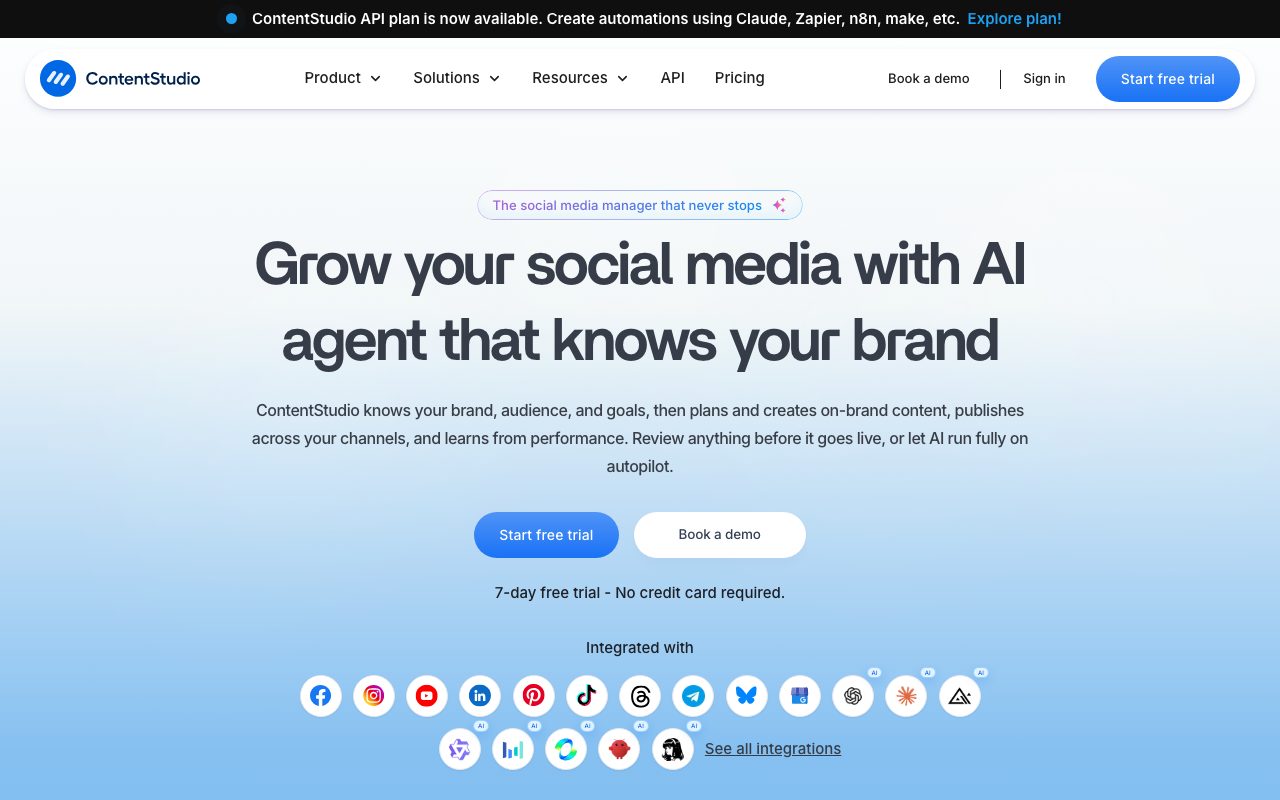
ContentStudio is a multi-network social media management system that combines post scheduling, client approval workflows, social listening, competitor tracking, and a unified inbox with multi-model AI generation for text, images, and video clips.
ContentStudio provides a unified operations dashboard for planning, producing, scheduling, and analyzing social media campaigns across major networks, including Facebook, Instagram, X (Twitter), LinkedIn, YouTube, TikTok, Pinterest, Bluesky, Meta Threads, Telegram, and Google Business Profile. The platform's AI Studio integrates more than 35 language, image, and video models (including Claude, GPT Image, Google Imagen, Flux, and Google Veo) directly into the post composer. Teams can generate channel-tailored copy, create AI images or video scenes, extract short clips from long-form videos, and identify relevant hashtags without toggling between separate standalone AI tools. Beyond drafting and queuing posts, ContentStudio supports operational agency workflows. It includes dedicated, isolated workspaces for client segregation, external shareable approval links that do not require client logins, automated RSS feed autoposting, evergreen post recycling, and white-label reporting. For community engagement, the platform provides a unified inbox that aggregates DMs, comments, and mentions across accounts, paired with competitor benchmarking and analytics exportable to PDF, CSV, or Google Looker Studio.
Unlike standalone social schedulers or generic AI writers, ContentStudio pairs multi-model AI generation across text, image, and video directly inside a unified publisher alongside client workspaces, external approval portals requiring no login, and white-label reseller options.
Product capabilities
Key features
Multi-Channel Planner and Smart Scheduler
Visualize and publish posts across platforms using calendar, grid, and feed views, with bulk CSV uploads, network-tailored formatting, and optimal posting time recommendations.
Integrated AI Studio
Access 35+ AI models directly in the composer to draft captions, research hashtags, generate visuals via DALL-E, Flux, or Google Imagen, and produce short-form video clips.
Agency Workspaces and Client Approvals
Isolate client assets, permissions, and schedules in dedicated workspaces, with shareable browser links that allow external stakeholders to review and approve posts without logging in.
Unified Social Inbox
Manage incoming direct messages, post comments, and mentions from connected networks in a single feed with internal notes, team assignments, and AI auto-replies.
Social Listening and Sentiment Analysis
Track brand mentions, keywords, and hashtags across channels with AI sentiment scoring and competitive brand benchmarking.
Competitor and Campaign Analytics
Evaluate social KPIs, Facebook and Instagram competitor trends, and ad analytics, with options to export branded PDF reports or connect to Google Looker Studio.
Automation and API Engine
Automate publishing from RSS feeds, recycle evergreen content queues, and connect programmatic workflows via Zapier, Make, n8n, Claude, or direct REST API endpoints.
Workflow
How ContentStudio works
- Connect your social accounts across networks including Facebook, Instagram, LinkedIn, X, TikTok, and Bluesky via secure OAuth links.
- Draft posts in the unified composer or use the integrated AI Studio to create tailored captions, image visuals, and short video clips.
- Preview posts per network standard, assign approval workflows to team members or external clients via no-login review links, and schedule them into the calendar.
- Monitor incoming conversations in the unified social inbox and track reach, engagement, and competitor metrics from the analytics dashboard.
Practical fit
Who should use ContentStudio?
Agency Client Management
Managing social channels across dozens of brands using segregated workspaces, branded reporting, and login-free client approval links.
Cross-Platform Campaign Publishing
Composing a core message once, customizing it to individual platform standards, and scheduling it across networks like LinkedIn, Instagram, and X.
Video Repurposing and Social Clipping
Turning long-form video assets into short, captioned vertical clips directly inside the management platform to maintain a consistent posting schedule.
Centralized Social Customer Care
Consolidating customer inquiries, DMs, and comments across Facebook, Instagram, and other networks into a unified inbox with team assignment rules.
Editorial assessment
Pros and limitations
Where it is strong
- Supports a wide array of networks including Bluesky, Threads, Telegram, and Google Business Profile
- External client approval system allows stakeholders to review content without creating an account
- Embedded AI Studio allows switching between text, image, and video generation models without external subscriptions
- Agency Unlimited plan includes unlimited team members and client workspaces
Where to be careful
- No free forever tier is offered; access requires a paid subscription following the 7-day trial
- Unified social inbox and approval workflows are excluded from the entry-level Standard plan
- Social listening, white-label branding, and SAML SSO require additional monthly add-on fees
Commercial context
ContentStudio pricing
At the review date (September 2026), ContentStudio offers a 7-day free trial with no permanent free tier. Entry pricing starts at $19 per month billed annually ($29 monthly) for 1 user and 5 social accounts, while higher agency tiers provide unlimited users and workspaces. Check the official pricing page for updates.
| Plan | Price | What it includes |
|---|---|---|
| Standard | $19 / per month (billed annually, or $29/mo monthly) | |
| Advanced | $49 / per month (billed annually, or $69/mo monthly) | |
| Agency Unlimited | $99 / per month (billed annually, or $139/mo monthly) | |
| Enterprise | Custom / billed annually | |
| Dedicated API | $15 / per month (billed annually, or $180/yr) |
Pricing, limits, taxes, model access, and regional availability can change. Verify the purchase-critical details on the official pricing page linked under Sources.
Transparent ranking
Why ContentStudio scores 75.6
Each factor is scored on a 100-point scale, then combined using the public ToolsRank weights. Engagement and momentum stay at a neutral baseline until measured signals exist, so no tool can gain or lose position from numbers nobody recorded.
Compatibility
Languages, platforms, and integrations
Languages
- English
Platforms
- Web
- iOS
- Android
- Chrome Extension
Integrations & surfaces
- X (Twitter)
- YouTube
- TikTok
- Bluesky
- Threads
- Telegram
- Google Business Profile
- Zapier
Community
Reviews and questions
No approved member reviews yet. Editorial factors above are the only rating on this page.
Reviews and questions come from Google-signed members and are checked by an editor before they appear.
Frequently asked
ContentStudio FAQ
Does ContentStudio offer a free plan?+
No. ContentStudio does not offer a free-forever tier or lifetime deals. It provides a 7-day free trial that requires no credit card, after which users must choose a paid plan to keep scheduled posts and connected accounts active.
Can clients review and approve posts without signing up for ContentStudio?+
Yes. ContentStudio generates a secure review link that external approvers can open in any web browser. Clients can leave comments, request edits, or give final sign-off directly without registering an account or logging in.
Is the unified social inbox included in all plans?+
No. The unified social inbox is available on the Advanced and Agency Unlimited plans. It is not included in the entry-level Standard plan.
Which social networks can ContentStudio schedule to?+
ContentStudio supports scheduling to Facebook, Instagram, X (Twitter), LinkedIn, YouTube, TikTok, Pinterest, Bluesky, Meta Threads, Telegram, and Google Business Profile.
How are AI credits handled across text, images, and video?+
AI generation credits are metered separately for text words, image generation, video generation, and video clipping because each task relies on different underlying AI models and external service providers.
Can ContentStudio be white-labeled for agencies?+
Yes. White-labeling is available as an add-on or within enterprise agreements, allowing agencies to configure their custom domain, logo, favicon, email identity, and client dashboards.