
Direct answer
What is Cora?
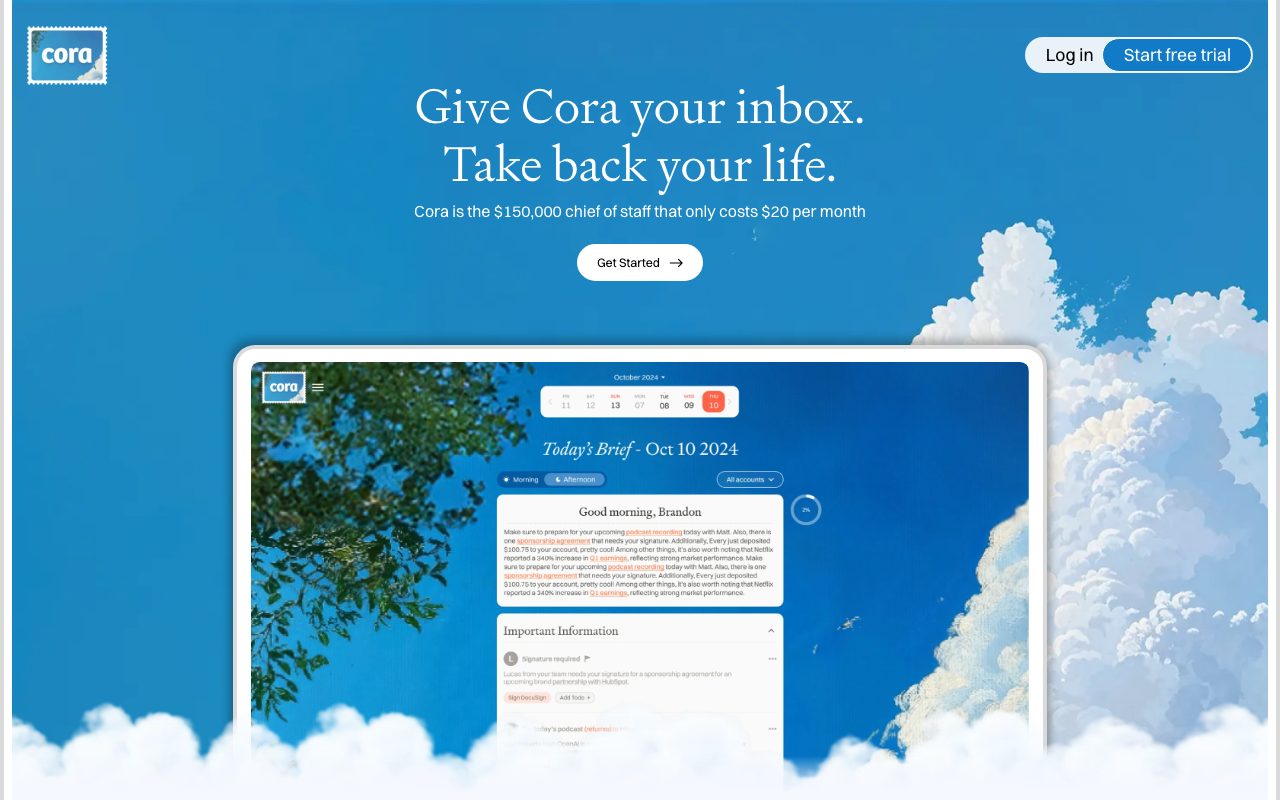
Cora is an AI email assistant built for Gmail that prioritizes urgent messages, prepares drafted replies in your voice, and summarizes non-urgent newsletters and notifications into twice-daily Briefs.
Cora acts as an executive assistant for your inbox, operating directly inside your existing Gmail or Google Workspace setup without requiring a dedicated third-party mail client. Created by media and software company Every Media, Inc., it analyzes your historical communication patterns to identify key senders and urgent messages, ensuring actionable emails remain front and center in your inbox. Non-critical emails—including newsletters, routine notifications, automated receipts, and informational messages—are archived and aggregated into a scannable "Brief" delivered twice a day (morning and afternoon). Users can read their non-urgent email batch on the web or directly in their inbox in under a minute, with archived items safely cataloged under a "Next Brief" label for easy retrieval. When Cora recognizes sufficient context from previous conversations, it generates response drafts in your tone and style. To prevent accidental outreach, it operates strictly within drafts and does not possess permissions to send or delete emails. Users can converse with Cora via chat or email to refine sorting logic, instruct it on handling specific contacts, and fine-tune its memory over time.
Unlike standalone email clients requiring complete workspace migration, Cora connects directly to existing Gmail accounts, never asks for send or delete permissions, and packages non-urgent mail into structured, twice-daily digest Briefs.
Product capabilities
Key features
Intelligent Email Screening
Evaluates email history and response patterns to keep critical messages from key contacts and clients visible in your main inbox.
Twice-Daily Email Briefs
Summarizes non-urgent notifications, newsletters, and calendar invites into scannable morning and afternoon digests that can be read in 30 seconds.
Pre-Drafted Responses
Generates proposed replies in your natural writing style based on contextual email threads, placing them directly into your drafts folder for review.
Conversational Configuration
Allows users to instruct the assistant via chat or email on how to categorize specific senders, adjust priority rules, and handle unique situations.
Safe Permissions Architecture
Does not retain access or permissions to send or delete emails, ensuring users maintain final review and authority over outgoing messages.
Next Brief Safety Label
Automatically tags archived items under a dedicated label so users can easily verify, locate, or re-categorize screened communications.
Workflow
How Cora works
- Connect your Gmail or Google Workspace account to Cora during onboarding.
- Cora scans recent email history to learn communication tone, active contacts, and responsiveness patterns.
- Incoming emails are screened: urgent messages stay in your inbox with draft replies prepared automatically.
- Non-urgent notifications and newsletters are archived to a 'Next Brief' folder and delivered as twice-daily summaries.
Practical fit
Who should use Cora?
Newsletter and Notification Triage
Consolidates dozens of daily marketing updates, industry newsletters, and routine notifications into scannable digest summaries.
Rapid Inbox Zero Maintenance
Maintains an uncluttered inbox by screening non-urgent mail while keeping actionable correspondence front and center.
Reviewing and Approving Routine Replies
Speeds up correspondence by reviewing and approving context-aware reply drafts generated directly in your Gmail drafts folder.
Custom Inbox Rules via Conversation
Directs how incoming projects, vendor inquiries, and specific contacts are handled by simply emailing or chatting instructions to Cora.
Editorial assessment
Pros and limitations
Where it is strong
- Operates seamlessly inside Gmail without requiring a separate email application
- Cannot send or delete emails, ensuring human-in-the-loop safety for all outbound communication
- Twice-daily Briefs turn lengthy newsletters and routine updates into rapid reads
- Does not use personal email data to train artificial intelligence models
- Compliant with CASA Tier 2, ISO 27001, GDPR, and verified by Google
Where to be careful
- Strictly limited to Gmail and Google Workspace accounts with no Outlook support
- Does not process historic backlog emails upon setup, only managing incoming mail after activation
- Requires annual prepayment to access the advertised $20/month rate
Commercial context
Cora pricing
At the review date in September 2026, Cora offers a 7-day free trial followed by paid subscriptions starting at $20 per month billed annually ($240/year), an Unlimited plan at $39 per month billed annually ($470/year), or via the Every bundle at $20 per month. Monthly billing options are referenced, but users should verify current rates on the official site.
| Plan | Price | What it includes |
|---|---|---|
| Professional | $20/month / billed annually as $240/year | |
| Unlimited | $39/month / billed annually as $470/year | |
| Every Bundle | $20/month / monthly |
Pricing, limits, taxes, model access, and regional availability can change. Verify the purchase-critical details on the official pricing page linked under Sources.
Transparent ranking
Why Cora scores 69.3
Each factor is scored on a 100-point scale, then combined using the public ToolsRank weights. Engagement and momentum stay at a neutral baseline until measured signals exist, so no tool can gain or lose position from numbers nobody recorded.
Compatibility
Languages, platforms, and integrations
Languages
- English
Platforms
- Web
- Gmail
Integrations & surfaces
- Gmail
- Google Workspace
- OpenAI
- Anthropic
- Google Gemini
Community
Reviews and questions
No approved member reviews yet. Editorial factors above are the only rating on this page.
Reviews and questions come from Google-signed members and are checked by an editor before they appear.
Frequently asked
Cora FAQ
Does Cora send emails on your behalf?+
No. Cora does not have permissions to send or delete emails. It prepares draft replies in your voice and stores them in your drafts folder for your manual review and approval.
Which email providers are supported?+
Cora currently supports Gmail and Google Workspace accounts. Microsoft Outlook and other IMAP email providers are not supported at this time.
What is included in a Cora Brief?+
A Brief is a scannable summary delivered twice a day (morning and afternoon) containing summaries of non-urgent emails like newsletters, FYIs, calendar invites, and automated notifications.
How does Cora protect sensitive email data?+
Cora is Google Verified and CASA Tier 2 compliant. It accesses third-party LLMs from Google, Anthropic, and OpenAI under zero-data-retention terms where user email data is deleted after task completion and never used for model training.
Can Cora clean up my existing unread emails?+
No. Cora only processes incoming emails received after the service is activated. The vendor notes an inbox backlog cleaner is in development.
What is the duration of the free trial?+
Cora provides a 7-day free trial allowing users to evaluate email screening, response drafting, and summary Briefs before choosing a paid plan.