Direct answer
What is Craft?
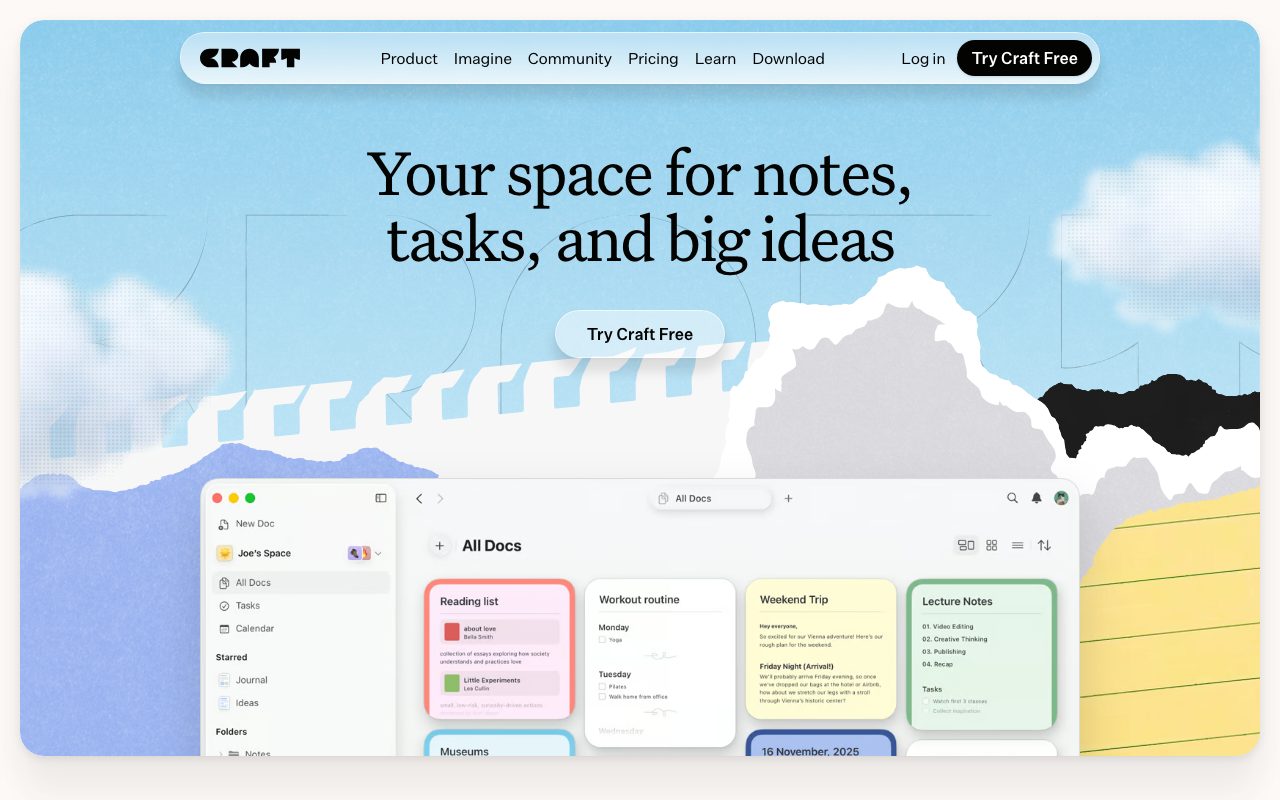
Craft is an integrated workspace for notes, documents, whiteboards, and task management. It blends structured block editing, native cross-device apps, and AI writing tools with external developer integrations via MCP and APIs.
Craft provides an all-in-one digital workspace that bridges personal note-taking, project documentation, and daily task tracking. Users can organize thoughts through nested folders, tags, dedicated spaces, and structured databases called collections. The platform combines block-based text authoring with daily notes, calendar views, task tracking, and interactive whiteboards. Craft includes built-in AI writing assistance powered by multiple tiers of models (Core, Fast, and Max) to assist with drafting, structuring, and refining content. In addition to standard link sharing and web publishing capabilities, Craft supports Model Context Protocol (MCP) connections and REST APIs, enabling external development environments and assistants like Claude, Cursor, and Windsurf to query or update notes directly. The vendor maintains native applications across Apple ecosystems (iOS, iPadOS, macOS, visionOS) as well as Windows and Android.
Craft balances high visual design standards and native client performance with modern connectivity, offering built-in Model Context Protocol (MCP) support alongside block-based document editing and daily task planning.
Product capabilities
Key features
Block-Based Document Editing
Create and structure content with flexible blocks, nested sub-pages, cards, templates, and rich typography.
Daily Notes and Calendar Sync
Maintain an observational daily journal with integrated task lists, reminders, and calendar day views.
Built-In AI Assistant
Draft, edit, and ideate using tiered AI models (Core, Fast, and Max) with monthly credit allocations.
Model Context Protocol (MCP) Connections
Connect workspace content to external developer and AI tools including Claude Code, Cursor, Windsurf, and Raycast.
Collections and Structured Spaces
Organize work with separate personal and team spaces, traditional tag/folder hierarchies, and structured tracking databases.
Web Publishing and Link Sharing
Publish formatted documents directly to the web or collaborate privately using permissioned link sharing.
Workflow
How Craft works
- Create documents using modular blocks, headings, checklists, and visual cards.
- Organize content via separate spaces, folders, tags, or database collections.
- Track daily workflows by embedding tasks into calendar-integrated daily notes.
- Use built-in AI tools for drafting, or connect via MCP to query notes from external AI coding tools.
Practical fit
Who should use Craft?
Personal Second Brain and Journaling
Capture daily reflections, reading logs, and recurring tasks in a unified calendar-linked journal.
Product Documentation and Roadmaps
Draft product specifications, sprint boards, and project wikis that integrate checklists and whiteboards.
Content and Script Outlining
Organize video scripts, podcast show notes, and newsletter drafts from initial spark to final published web page.
AI-Assisted Knowledge Retrieval via MCP
Expose personal documentation to AI coding assistants and MCP clients to query project context while writing software.
Editorial assessment
Pros and limitations
Where it is strong
- Available natively across iOS, iPadOS, macOS, visionOS, Windows, Android, and web
- Model Context Protocol (MCP) and API support for AI agent integrations
- Explicit privacy policy confirming user data is not used to train machine learning models
- Smooth visual interface combining whiteboards, docs, and embedded tasks
Where to be careful
- Free plan is constrained by a 1,500-block total content limit and 1 GB storage
- AI assistant credits are metered per month (15 on Free, 50 on Plus)
- Prices vary depending on geographic region and currency
Commercial context
Craft pricing
Pricing snapshot recorded on September 8, 2026. Official pages display geo-located pricing in Egyptian Pounds (EGP), starting at EGP 129.9/month for Plus billed annually (or EGP 162.4/month billed monthly). Team and family bundles are also offered. Check the official pricing page for your local currency.
| Plan | Price | What it includes |
|---|---|---|
| Free / Starter | 0 / month | |
| Plus | EGP 129.9 / month | |
| Family | EGP 223.3 / month | |
| Team | EGP 958.3 / month |
Pricing, limits, taxes, model access, and regional availability can change. Verify the purchase-critical details on the official pricing page linked under Sources.
Transparent ranking
Why Craft scores 78.3
Each factor is scored on a 100-point scale, then combined using the public ToolsRank weights. Engagement and momentum stay at a neutral baseline until measured signals exist, so no tool can gain or lose position from numbers nobody recorded.
Compatibility
Languages, platforms, and integrations
Languages
- English
Platforms
- Web
- Mac
- iOS
- iPadOS
- Windows
- Android
- visionOS
Integrations & surfaces
- Claude
- ChatGPT
- Claude Code
- Cursor
- Windsurf
- Visual Studio Code
- Raycast
- Lovable
- Replit
- Apple Shortcuts
- Bolt
- v0
Community
Reviews and questions
No approved member reviews yet. Editorial factors above are the only rating on this page.
Reviews and questions come from Google-signed members and are checked by an editor before they appear.
Frequently asked
Craft FAQ
What is included in the free tier of Craft?+
The Starter (Free) plan provides access to Craft's core features with a cap of 1,500 blocks across all documents, 1 GB of file storage, a 25 MB media upload limit, 7 days of version history, and 15 AI assistant credits using Core and Fast models.
Does Craft use my notes to train AI models?+
No. Craft's privacy policy explicitly states that it does not use your personal information or user content to train, fine-tune, or improve any artificial intelligence or machine learning model.
What is Craft's MCP support?+
Craft supports Model Context Protocol (MCP) connections, allowing external developer tools and AI clients such as Claude, Cursor, Windsurf, Claude Code, and Raycast to interact directly with your Craft workspace.
Which operating systems and devices are supported?+
Craft provides native applications for iPhone, iPad, Mac, Windows (x64 and ARM64), Apple Vision Pro, and Android, as well as a full web application.