Direct answer
What is Deepnote?
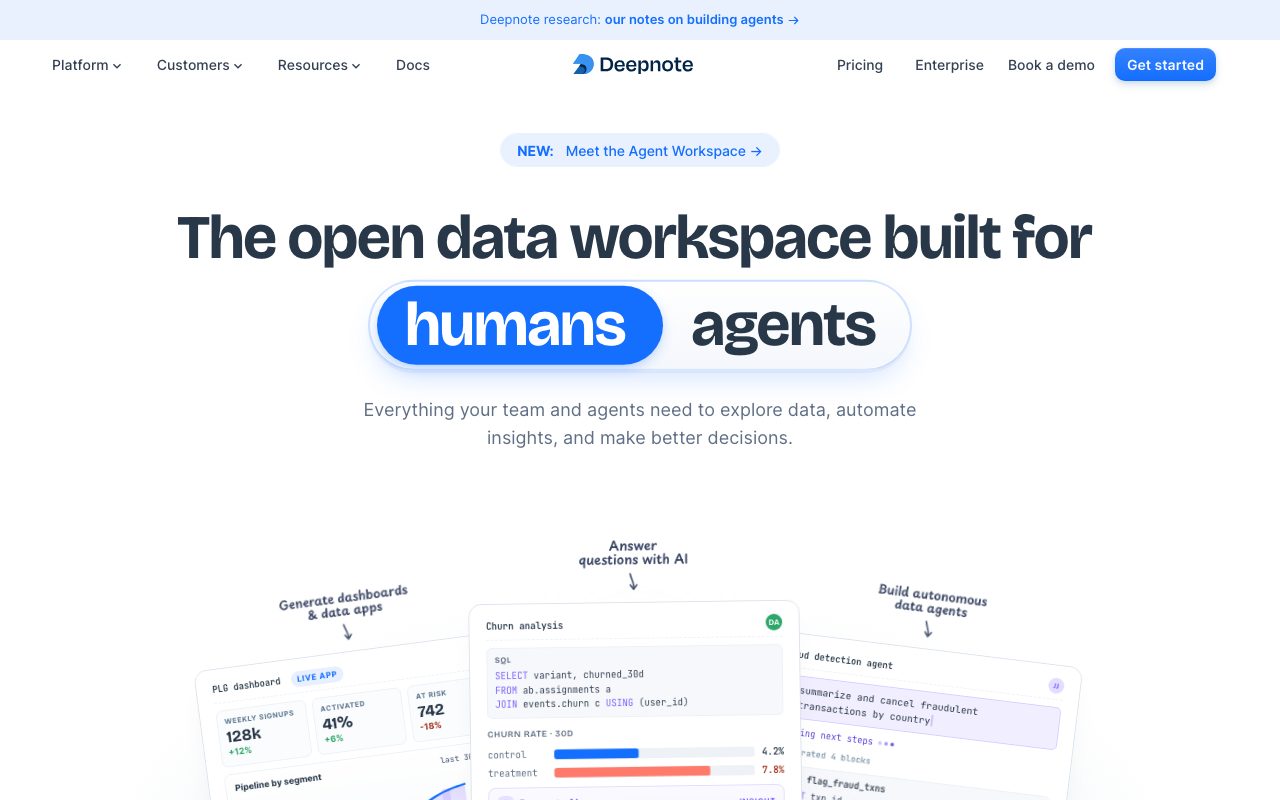
Deepnote is a collaborative cloud data notebook that blends SQL, Python, visual charts, and multi-provider AI agents into shareable data apps and scheduled pipelines.
Deepnote is a cloud-based analytics workspace designed for interactive data exploration, reporting, and model development. Combining computational notebooks with spreadsheet-like data tables and no-code charting blocks, it allows analysts and engineers to write native Python or query databases and warehouses directly in SQL without manual driver setups. Notebooks support granular block types, including SQL blocks that query DataFrames or warehouses, no-code chart blocks, big number callouts, pivot tables, and input blocks for interactive parameters. The platform integrates generative AI capabilities through Deepnote AI and Agent blocks. Powered by multi-provider language models including Anthropic Claude and OpenAI GPT families, the AI assistant generates, edits, fixes, and explains code and SQL queries. Deepnote also supports the Model Context Protocol (MCP) and headless API execution, allowing external coding agents like Claude Code or Cursor to spin up projects, invoke canonical analysis skills, and return reproducible notebook traces. For stakeholder delivery, Deepnote converts exploratory notebooks into interactive data apps and dashboards with independent layouts, reactivity based on Python abstract syntax tree (AST) dependency tracking, and iframe embedding into tools like Notion or Confluence. The platform runs on managed cloud infrastructure with configurable CPU and GPU hardware, scheduled runs, real-time multiplayer editing, code reviews, and enterprise compliance including SOC 2 and HIPAA.
Unlike standard local Jupyter environments, Deepnote combines native multiplayer collaboration and first-class SQL blocks with reactive data apps and headless agent integration via MCP, allowing AI coding tools to run and publish notebooks programmatically.
Product capabilities
Key features
Collaborative Cloud Notebooks
Combines Python code blocks, first-class SQL queries against warehouses and DataFrames, rich text, and no-code pivot tables with real-time multiplayer editing and commenting.
Deepnote AI & Multi-Provider Models
Provides natural language code generation, SQL synthesis, code editing, debugging, and explanation using Anthropic Claude, OpenAI GPT, or automated model selection.
Interactive Data Apps & Dashboards
Publishes projects into consumer-facing applications with drag-and-drop column layouts, hidden code cells, interactive inputs, and AST-driven reactive updates.
Deepnote Agent & MCP Integration
Enables agent blocks within notebooks and headless control from external tools like Cursor and Claude Code to execute projects, run skills, and return traceable notebooks.
Extensive Data Stack Integrations
Native connectors to data warehouses, lakes, and stores including Snowflake, Google BigQuery, Amazon Redshift, ClickHouse, Databricks, PostgreSQL, and dbt semantic metadata.
Scheduled Runs & API Serving
Automates notebooks on hourly, daily, weekly, or monthly cadences, sends alerts, and deploys notebooks or machine learning models as live REST APIs.
Enterprise Governance & Security
Maintains SOC 2 and HIPAA compliance, role-based access control, SAML and OIDC single sign-on, directory sync, and audit logs.
Practical fit
Who should use Deepnote?
Cross-Functional Analytics Reporting
Data analysts query production warehouses in SQL, join results in Python, and publish interactive dashboards with input filters for revenue and product teams.
Autonomous Data Agent Investigations
Engineers trigger canonical analytics skills from Claude Code or Cursor via the Deepnote API, generating complete notebook investigations automatically.
Machine Learning Prototyping and Serving
Data scientists train models on cloud CPUs or GPUs, track runs, and expose endpoints directly from notebook files for downstream consumption.
Embedded Documentation and Dashboards
Teams embed reactive Deepnote charts and parameterized apps directly into internal wikis like Notion and Confluence using iframe URLs.
Editorial assessment
Pros and limitations
Where it is strong
- Native support for mixing SQL and Python in the same notebook without boilerplate connection code.
- Fast conversion of computational notebooks into polished, reactive data apps with hidden code.
- Broad connectivity with over 100 integrations covering cloud warehouses, databases, and file stores.
- Multi-provider AI model selection spanning Anthropic and OpenAI models.
- Real-time Google Docs-style collaboration and comment threads on individual blocks.
Where to be careful
- Deepnote AI assistance is restricted to paid plans (Pro, Team, Enterprise).
- First-time execution of published data apps can encounter cold-start latency when waking inactive compute machines.
- App reactivity requires an active kernel session and otherwise runs all blocks from top to bottom.
Commercial context
Deepnote pricing
As of September 2026, Deepnote provides a free entry tier alongside paid Pro, Team, and Enterprise plans, as well as an Education plan. Official pages indicate Deepnote AI features are restricted to Pro, Team, and Enterprise workspaces. Readers should check the official pricing page for current seat rates and compute limits.
Pricing, limits, taxes, model access, and regional availability can change. Verify the purchase-critical details on the official pricing page linked under Sources.
Transparent ranking
Why Deepnote scores 76.8
Each factor is scored on a 100-point scale, then combined using the public ToolsRank weights. Engagement and momentum stay at a neutral baseline until measured signals exist, so no tool can gain or lose position from numbers nobody recorded.
Compatibility
Languages, platforms, and integrations
Languages
- English
Integrations & surfaces
- Snowflake
- Google BigQuery
- Amazon Redshift
- Databricks
- PostgreSQL
- ClickHouse
- dbt
- Amazon S3
- Google Cloud Storage
- Notion
- Slack
- Visual Studio Code
Community
Reviews and questions
No approved member reviews yet. Editorial factors above are the only rating on this page.
Reviews and questions come from Google-signed members and are checked by an editor before they appear.
Frequently asked
Deepnote FAQ
What is Deepnote AI?+
Deepnote AI is an in-notebook assistant that generates, edits, fixes, and explains code and SQL queries from plain language prompts. It supports multiple LLM providers, including OpenAI GPT and Anthropic Claude families, as well as an Automatic mode that selects the appropriate model.
Which plans include Deepnote AI?+
According to the official documentation, Deepnote AI is available on Pro, Team, and Enterprise plans. It must be toggled on by workspace admins under Settings & Members in the AI tab.
How do Data Apps work in Deepnote?+
A Data App is published from a notebook project with a single click. Authors can hide code cells, rearrange visual outputs into responsive column layouts, and add input widgets like dropdowns or sliders. Viewers can interact with the app, which uses the project's cloud compute to run stateless sessions.
What is Reactivity in Deepnote data apps?+
Reactivity analyzes the Abstract Syntax Tree (AST) of the Python code in your notebook. When an app user changes an input parameter, Deepnote only re-executes the blocks that depend on that parameter instead of running the entire notebook, speeding up interactive updates when an active kernel exists.
Can I use Deepnote with external coding assistants like Cursor or Claude Code?+
Yes. Deepnote provides command-line, API, and Model Context Protocol (MCP) capabilities that allow tools like Cursor or Claude Code to trigger project runs, execute parameterized skills, and receive complete reproducible notebook artifacts.
Is Deepnote compliant with data security standards?+
The vendor states that Deepnote is SOC 2 and HIPAA compliant, conforms with GDPR, and supports single sign-on (SSO) via SAML and OIDC, directory synchronization, and role-based access control.