Direct answer
What is Ellie?
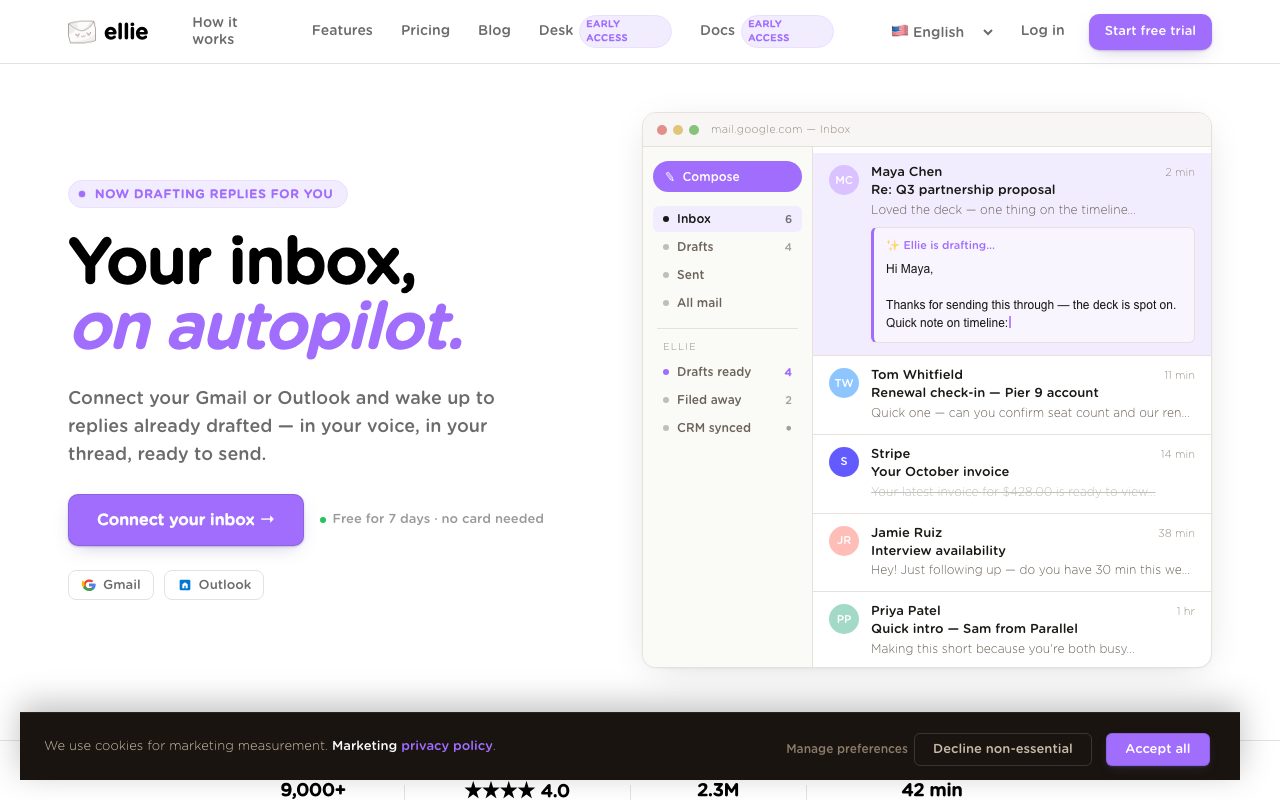
Ellie is an AI inbox assistant for Gmail and Outlook that automatically drafts contextual email replies in your personal writing style. Operating directly inside your existing mail client, it leverages sent-mail patterns, website crawls, and uploaded reference materials to prepare ready-to-review responses without sending messages automatically.
Ellie connects directly to Gmail, Google Workspace, Outlook, and Microsoft 365 to automate email response drafting. Rather than requiring users to open a standalone dashboard or write explicit prompts, Ellie operates in the background. It reviews incoming threads overnight or on demand, determines which emails require replies, and generates completed response drafts directly into your client's Drafts folder. The system learns your specific writing style by analyzing previously sent emails, mimicking your customary greetings, sign-offs, sentence structures, and typical message length. Users can configure plain-language categories (such as sales inquiries, billing, or general support) and assign distinct reply voices or personas to each, ensuring that financial matters receive a direct tone while sales inquiries remain warm. For factual accuracy, Ellie incorporates knowledge base training. Users can point the assistant to public URLs—such as help centres and pricing pages—or upload documentation including PDF, TXT, and DOCX files. Ellie references this data when assembling replies and is programmed to avoid fabricating facts when information is absent. Structured data lookups can also pull dynamic records like renewal dates or ticket statuses. Ellie strictly generates drafts; it does not send outgoing emails without manual user review and approval.
Unlike standalone generative AI writing tools that require copy-pasting prompts, Ellie works directly within native Gmail and Outlook Drafts folders overnight, mimicking your observed sent-mail habits and switching distinct tone profiles across custom plain-text categories.
Product capabilities
Key features
Background Auto-Drafting
Connects directly to Gmail or Outlook to draft responses overnight, placing finished messages directly into your native Drafts folder ready for review.
Voice and Style Learning
Analyzes sent mail to identify and match your natural writing habits, including typical opener phrasing, punctuation, length, and sign-offs.
Category and Role-Based Voices
Organizes incoming emails using plain-language rules and automatically applies distinct tone roles, such as finance or support, to corresponding drafts.
Knowledge Base Integration
Scrapes website URLs and ingests uploaded documents (PDF, DOCX, TXT) to accurately cite policies, product details, and team documentation in drafts.
Structured Data Lookups
References structured customer data such as renewal dates, plan tiers, or order numbers to integrate accurate operational facts into replies.
Browser Extension and Outlook Add-in
Offers on-demand reply generation through browser extensions for Chrome, Edge, and Firefox, alongside an Outlook desktop add-in on Microsoft AppSource.
Workflow
How Ellie works
- Connect your Gmail, Google Workspace, or Microsoft Outlook account, or install the browser extension.
- Ellie reads sent mail history to learn your tone, preferred sign-offs, and typical reply length.
- Configure custom category rules and connect knowledge base sources like URLs or PDFs.
- Ellie processes incoming threads and creates drafted responses directly in your Drafts folder for review.
Practical fit
Who should use Ellie?
Morning Inbox Triage
Wake up to pre-drafted responses for routine incoming emails across client and vendor threads, needing only a brief review before sending.
Multi-Hat Role Communication
Switch automatically between different tones and information sets, such as professional sales answers versus structured billing notices.
Non-Native Language Communication
Assist professionals, dyslexic users, or non-native English speakers in generating polished, grammatically sound replies in multiple languages.
Editorial assessment
Pros and limitations
Where it is strong
- Integrates directly into native Gmail and Outlook workflows without requiring a separate webmail app.
- Drafts wait in the native Drafts folder; emails are never sent automatically without human review.
- Can crawl public websites and ingest files to ground answers in company facts.
- Offers multi-language support and custom personas tailored per category.
Where to be careful
- Explicitly does not support outbound cold-email generation.
- Daily reply volume is capped according to plan limits.
Commercial context
Ellie pricing
At the review date, Ellie offers a 7-day free trial without requiring a credit card, followed by tiered paid plans named Casual, Business, and Professional. Additional team members are available starting at $5 per user, with purchases also supported through Microsoft AppSource. Exact base tier fees are not published on the reviewed page and should be verified on the official pricing page.
| Plan | Price | What it includes |
|---|---|---|
| Casual | Contact vendor / monthly |
Auto-drafts not included |
| Business | Contact vendor / monthly |
7-day free trial available without credit card |
| Professional | Contact vendor / monthly |
7-day free trial available without credit card |
Pricing, limits, taxes, model access, and regional availability can change. Verify the purchase-critical details on the official pricing page linked under Sources.
Transparent ranking
Why Ellie scores 72.4
Each factor is scored on a 100-point scale, then combined using the public ToolsRank weights. Engagement and momentum stay at a neutral baseline until measured signals exist, so no tool can gain or lose position from numbers nobody recorded.
Compatibility
Languages, platforms, and integrations
Languages
- English
- French
- Spanish
- German
- Chinese
- Russian
Platforms
- Web
- Chrome
- Edge
- Firefox
- Windows
Integrations & surfaces
- Gmail
- Google Workspace
- Microsoft Outlook
- Microsoft 365
- Exchange Online
- Fastmail
Community
Reviews and questions
No approved member reviews yet. Editorial factors above are the only rating on this page.
Reviews and questions come from Google-signed members and are checked by an editor before they appear.
Frequently asked
Ellie FAQ
Does Ellie send emails automatically?+
No. Ellie only generates drafts inside your Drafts folder or extension interface. It never sends messages without your manual review and approval.
Can Ellie write outbound cold emails?+
No. Ellie is strictly designed to write replies to incoming emails and does not support creating cold email campaigns.
Does Ellie store or train AI models on my email data?+
According to the vendor, Ellie does not store email content on its servers or train general AI models on user emails. Threads are processed at drafting time to produce the response.
Which email platforms and clients are supported?+
Ellie supports automatic drafting via connected mailboxes for Gmail, Google Workspace, Outlook.com, Microsoft 365, and Exchange Online. Extensions are available for Chrome, Edge, and Firefox, plus a native Outlook desktop add-in on Microsoft AppSource.