
Direct answer
What is FeedHive?
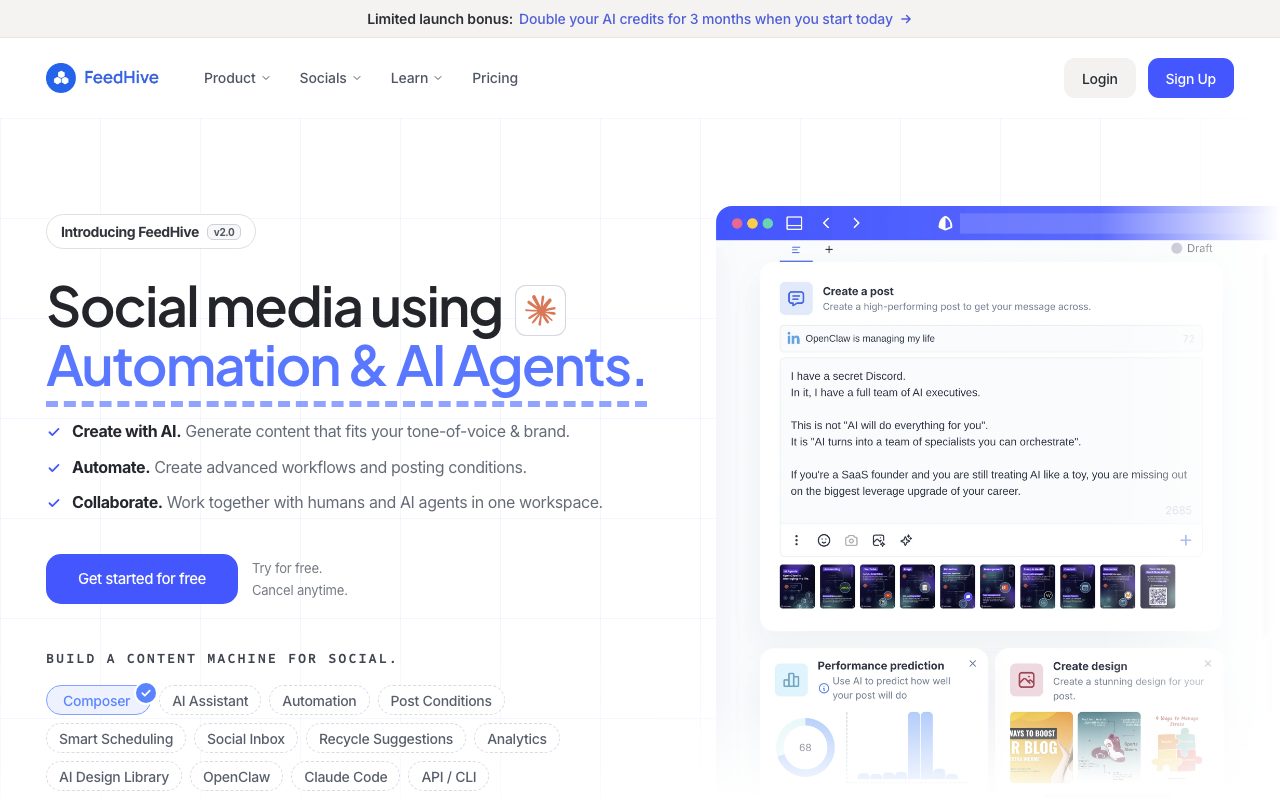
FeedHive is a social media management platform that combines visual post scheduling, automated recycling, and content generation with AI agent workflows, webhooks, and developer integrations.
FeedHive operates as a centralized command center for social media planning, cross-posting, and engagement. Designed around version 2.0, it integrates traditional social publishing features with agentic automation to assist marketing teams and creators. The platform supports publishing across major networks, including Facebook, Instagram, YouTube, X, TikTok, LinkedIn, Pinterest, Google Business, and Threads. Users can draft content in a visual composer, tailor variations for individual channels, and queue posts using a visual calendar. For ongoing queue maintenance, FeedHive provides smart scheduling, evergreen post recycling, and post conditions that trigger automated follow-ups or promotional plugs. Beyond basic scheduling, FeedHive provides AI-assisted content tools, such as an AI writing assistant, performance prediction, hashtag generation, and visual creation using Flux Pro and Nano Banana 2. For teams and agencies, multi-workspace support, approval workflows, custom labels, and a social inbox streamline collaborative review. Developer and agent-focused capabilities include a visual drag-and-drop workflow builder, OpenClaw agent skills, Claude Code setup, an official MCP server, CLI access, and a public REST API.
Unlike standard social schedulers, FeedHive incorporates agentic workflow tooling, offering integrations with OpenClaw skills, Claude Code, an official MCP server, and a visual automation builder for conditional posting rules.
Product capabilities
Key features
Visual Scheduling and Cross-Posting
Plan, organize, and preview weekly and monthly posts across supported networks including Instagram, LinkedIn, X, YouTube, and Threads without manually recreating them per platform.
Visual Workflow Builder and Post Conditions
Construct automated pipelines with drag-and-drop logic to auto-attach promotional plugs, trigger follow-up comments, or run workflows via webhooks.
AI Assistant and Image Generation
Draft copy, generate ideas, predict post performance, and render visuals directly in the composer using integrated models like Flux Pro and Nano Banana 2.
Smart Scheduling and Post Recycling
Automate recurring queues based on optimal posting plans and automatically surface evergreen posts to recycle with a single click.
Agentic and Developer Integrations
Connect external agents and terminal workflows using official OpenClaw skills, Claude Code workspace integration, an MCP server, CLI access, and a public REST API.
Collaboration and Approval Workflows
Manage multi-client or multi-brand operations with dedicated workspaces, role-based team permissions, draft review flows, and shareable client links.
Social Inbox and Link Management
Manage social interactions from a single inbox and shorten or track shared URLs through native LinkDrip integration.
Workflow
How FeedHive works
- Connect your social accounts across platforms such as LinkedIn, Instagram, X, Facebook, and YouTube.
- Draft posts manually or generate copy and visuals with AI tools like Flux Pro and Nano Banana 2.
- Set posting times on the visual calendar or let smart scheduling assign queues automatically.
- Add post conditions for automated comment plugs or trigger external actions using webhooks, Zapier, or Make.
- Collaborate with team members through shared workspaces and review drafts via approval workflows.
Practical fit
Who should use FeedHive?
Multi-Channel Social Scheduling
Drafting a single piece of content and scheduling platform-specific variants across X, LinkedIn, Instagram, and YouTube.
Evergreen Queue Maintenance
Using post recycling rules and smart posting plans to keep queues filled with high-performing historical content.
Automated Comment Plugs and Follow-ups
Triggering automatic follow-up replies or promotional links conditionally after a post goes live.
Agency Client Management
Separating client accounts across isolated workspaces with custom review steps and external preview links.
Agentic Content Operations
Directly generating and scheduling social posts from coding environments or automated agents via Claude Code, OpenClaw, or the MCP server.
Editorial assessment
Pros and limitations
Where it is strong
- Supports developer and agent integrations including OpenClaw skills, Claude Code, and an official MCP server.
- Built-in post conditioning allows automated follow-ups and comment plugs.
- Comprehensive platform support spanning LinkedIn, Instagram, YouTube, X, TikTok, Threads, and Google Business.
- Native visual generation using Flux Pro and Nano Banana 2 within the post composer.
- Integrated LinkDrip shortener eliminates the need for separate URL management utilities.
Where to be careful
- Entry-level Creator tier limits future scheduling to 14 days and stores only 20 days of history.
- Workspaces and approval workflows are excluded on the entry-level Creator plan.
- AI usage is governed by monthly credit caps across all tiers.
Commercial context
FeedHive pricing
At the review date (September 2026), FeedHive offers four tiers billed monthly or annually (showing up to 30% savings): Creator (€15/mo billed €180/yr), Brand (€22/mo billed €264/yr), Business (€69/mo billed €828/yr), and Agency (€239/mo billed €2868/yr). A 7-day free trial is available. Verify current euro/dollar rates and credit limits on the official pricing page.
| Plan | Price | What it includes |
|---|---|---|
| Creator | €15 / month (billed €180 annually, or monthly equivalent without annual discount option not stated on page snippet beyond yearly billing display indicator of €15/month billed €180 annually) | |
| Brand | €22 / month (billed €264 annually) | |
| Business | €69 / month (billed €828 annually) | |
| Agency | €239 / month (billed €2868 annually) |
Pricing, limits, taxes, model access, and regional availability can change. Verify the purchase-critical details on the official pricing page linked under Sources.
Transparent ranking
Why FeedHive scores 71.9
Each factor is scored on a 100-point scale, then combined using the public ToolsRank weights. Engagement and momentum stay at a neutral baseline until measured signals exist, so no tool can gain or lose position from numbers nobody recorded.
Compatibility
Languages, platforms, and integrations
Languages
- English
Platforms
- Web
Integrations & surfaces
- YouTube
- X
- TikTok
- Google Business
- Threads
- Zapier
- Make
- Discord
Community
Reviews and questions
No approved member reviews yet. Editorial factors above are the only rating on this page.
Reviews and questions come from Google-signed members and are checked by an editor before they appear.
Frequently asked
FeedHive FAQ
Which social platforms does FeedHive support?+
FeedHive officially supports Facebook, Instagram, YouTube, X (formerly Twitter), TikTok, LinkedIn, Pinterest, Google Business, and Threads.
Does FeedHive offer a free plan?+
FeedHive does not offer a permanent free tier, but it provides a 7-day free trial on its paid plans so users can evaluate the platform.
What developer and AI agent features are available?+
FeedHive includes OpenClaw skills, a Claude Code setup, an official MCP server, a visual workflow builder, CLI access, webhooks, and a public REST API.
How do AI credits work on FeedHive?+
Each subscription tier includes a monthly quota of AI credits (from 2.5K on Creator up to 100K on Agency, with temporary launch bonuses doubling these allocations) used for AI writing, image generation, performance prediction, and hashtag recommendations.
Can I use FeedHive to manage multiple clients or brands?+
Yes. The Brand plan supports 5 workspaces, the Business plan supports 50 workspaces, and the Agency plan supports 100 workspaces, complete with team roles, approval flows, and client sharing links.