
Direct answer
What is Framer?
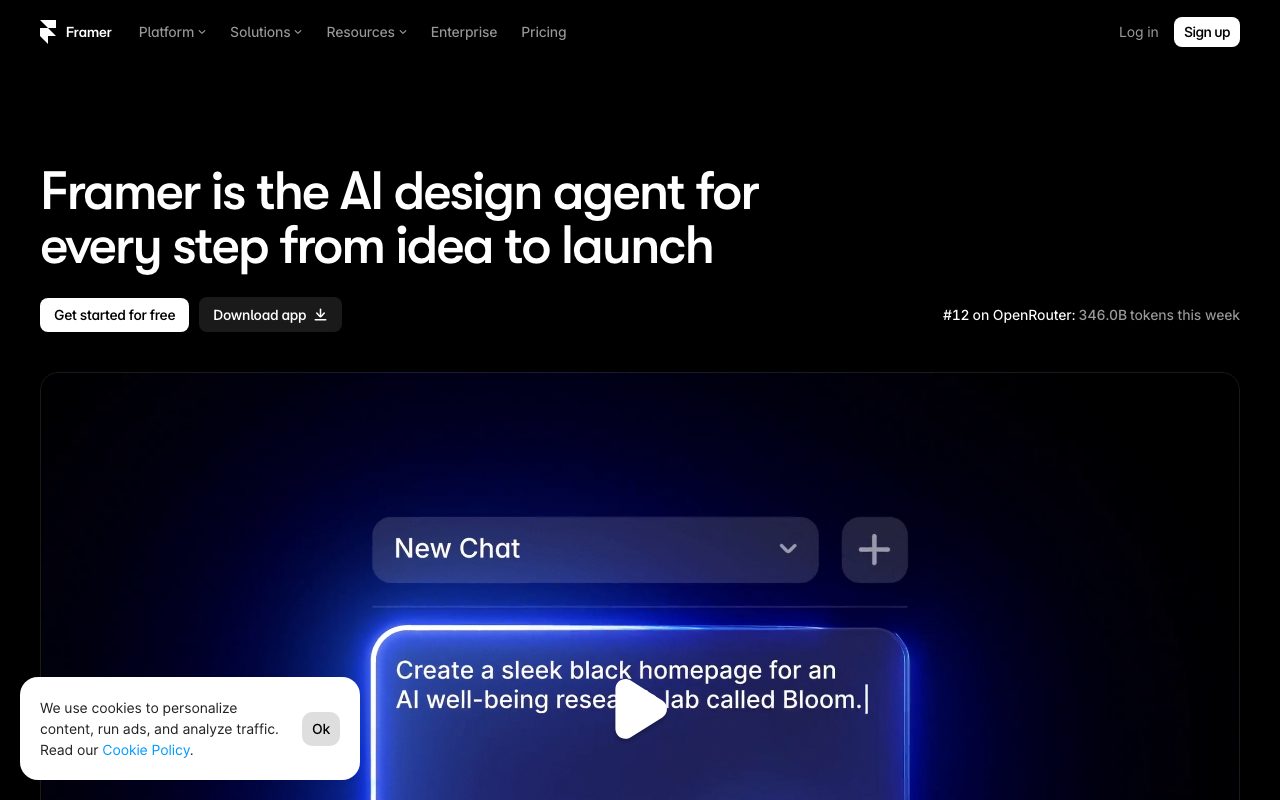
Framer combines an on-canvas design editor, managed CMS, and interactive website builder with integrated AI agents that generate layouts, automate content workflows, and write custom interaction code.
Framer is a visual website design and publishing platform that integrates AI agents directly into the design canvas and content management workflow. Rather than treating AI as a disconnected text prompt or code export tool, Framer operates agents in-place on the live canvas. The native design agent generates and iterates on page layouts, section compositions, and responsive visual treatments while keeping every element fully inspectable and editable by human designers. Beyond visual layouts, Framer extends agentic automation to content and interaction code. A dedicated CMS agent creates, structures, and synchronises content collections directly with design templates. For advanced technical requirements, coding agents turn interaction concepts into production code, including custom effects and overrides. External agents can interface with Framer via terminals or connected developer environments such as Claude Code, Cursor, Codex, and Slack, enabling automated content imports, headless updates, and deployment pipelines. Publishing on Framer is backed by a global content delivery network on AWS infrastructure, complete with built-in SEO controls, Core Web Vitals optimisation, multi-locale localization, staged environments, and branching workflows. Teams can collaborate in real time with granular roles, run A/B conversion tests, and manage traffic at scale without external hosting configuration.
Framer embeds design, CMS, and coding agents directly onto an editable visual canvas, allowing users to drive layout variations, content schemas, and production code both visually and externally via developer tools like Claude Code and Cursor.
Product capabilities
Key features
In-Canvas AI Design Agent
Generates and refines responsive design variations directly on the visual canvas, maintaining editable layers, typography, and styling controls.
AI CMS Agent
Sets up, organizes, and populates CMS collections automatically, keeping structured content linked directly to canvas templates.
Interactive Code Generation
Transforms interaction ideas into custom code components and property overrides for complex visual effects on live pages.
External Agent & CLI Connectivity
Connects external tools such as Claude Code, Cursor, Codex, terminal commands, or Slack to update copy, trigger CMS imports, and deploy sites.
Staging & Branching
Enables teams to branch designs, share preview URLs, and review updates safely in staging environments prior to production release.
Integrated SEO & Localization
Provides native metadata settings, social previews, Core Web Vitals performance tuning, and AI-assisted multi-language translation locales.
Enterprise Cloud Infrastructure
Deploys on AWS infrastructure across 300+ edge locations with SOC 2, ISO 27001, CCPA, and GDPR compliance, along with SSO and RBAC.
Practical fit
Who should use Framer?
Marketing & Landing Page Creation
Marketing teams create responsive promotional pages, test visual variants, and publish instantly with built-in analytics and A/B testing.
Portfolio & Agency Client Sites
Freelancers and agencies design custom client websites visually, collaborating with clients through role-based access and staging environments.
Automated Content Publishing via External Agents
Developers hook Claude Code or terminal scripts to Framer's CMS to automatically migrate WordPress archives or push programmatic content updates.
Multilingual Global Site Rollout
Companies localize international marketing pages into dozens of target languages using AI translation add-ons on the global CDN.
Editorial assessment
Pros and limitations
Where it is strong
- Native visual canvas keeps every AI-generated element directly editable and animatable
- Support for external developer toolchains including Claude Code, Cursor, terminal scripts, and GitHub
- Strong performance and security credentials, including SOC 2 Type 2, ISO 27001, and global AWS hosting
- Built-in staging, branching, CMS, and SEO tools eliminate the need for separate hosting plugins
Where to be careful
- AI agents and translation locales consume monthly credits that must be reloaded or upgraded once exhausted
- Not intended for complex full-stack web applications requiring native mobile output or arbitrary custom backend logic
- Additional workspace editors and advanced add-ons (such as A/B testing and extra locales) introduce incremental monthly costs
Commercial context
Framer pricing
Pricing snapshot taken in September 2026. Billed monthly (with annual discounts). Paid site plans start at $10/month for Basic and $30/month for Pro; additional editor seats cost $20/month each. Always verify the current tier limits and add-on rates directly on Framer's official pricing page.
Pricing, limits, taxes, model access, and regional availability can change. Verify the purchase-critical details on the official pricing page linked under Sources.
Transparent ranking
Why Framer scores 78.7
Each factor is scored on a 100-point scale, then combined using the public ToolsRank weights. Engagement and momentum stay at a neutral baseline until measured signals exist, so no tool can gain or lose position from numbers nobody recorded.
Compatibility
Languages, platforms, and integrations
Languages
- English
Integrations & surfaces
- Claude Code
- Cursor
- GitHub
- Slack
- WordPress
- Amazon Web Services (AWS)
Community
Reviews and questions
No approved member reviews yet. Editorial factors above are the only rating on this page.
Reviews and questions come from Google-signed members and are checked by an editor before they appear.
Frequently asked
Framer FAQ
What are Framer AI credits?+
Every paid plan includes a monthly allocation of credits that power Agents, Localization, and other AI features across your workspace and its editors. Free accounts receive 500 trial credits. If your workspace runs out, you can upgrade your plan or purchase credit add-ons.
Can I connect external developer tools to Framer?+
Yes. Framer supports external agents and developer workflows, allowing you to trigger CMS updates, import content, or publish changes via Terminal, Codex, Claude Code, Cursor, and GitHub pull requests.
Can I use a custom domain on the Free plan?+
No. The Free plan includes a free Framer-branded domain. To connect your own custom domain, you must upgrade to a paid subscription such as the Basic ($10/month) or Pro ($30/month) plan.
How does Framer handle enterprise security and compliance?+
Framer hosts customer data in Amazon Web Services (AWS) facilities in the United States across physically isolated availability zones. The platform maintains ISO 27001 compliance, SOC 2 Type 1 and Type 2 reports, and complies with GDPR and CCPA requirements. Enterprise plans also support SAML SSO, SCIM, and role-based access controls.
How are additional team members billed in Framer?+
Workspace owners and viewers are free. Additional design and publishing editors are billed at $20 per month each, while content-only editors (CMS, on-page editing, and localization) are billed at $10 per month each.


