
Direct answer
What is GPT for Work?
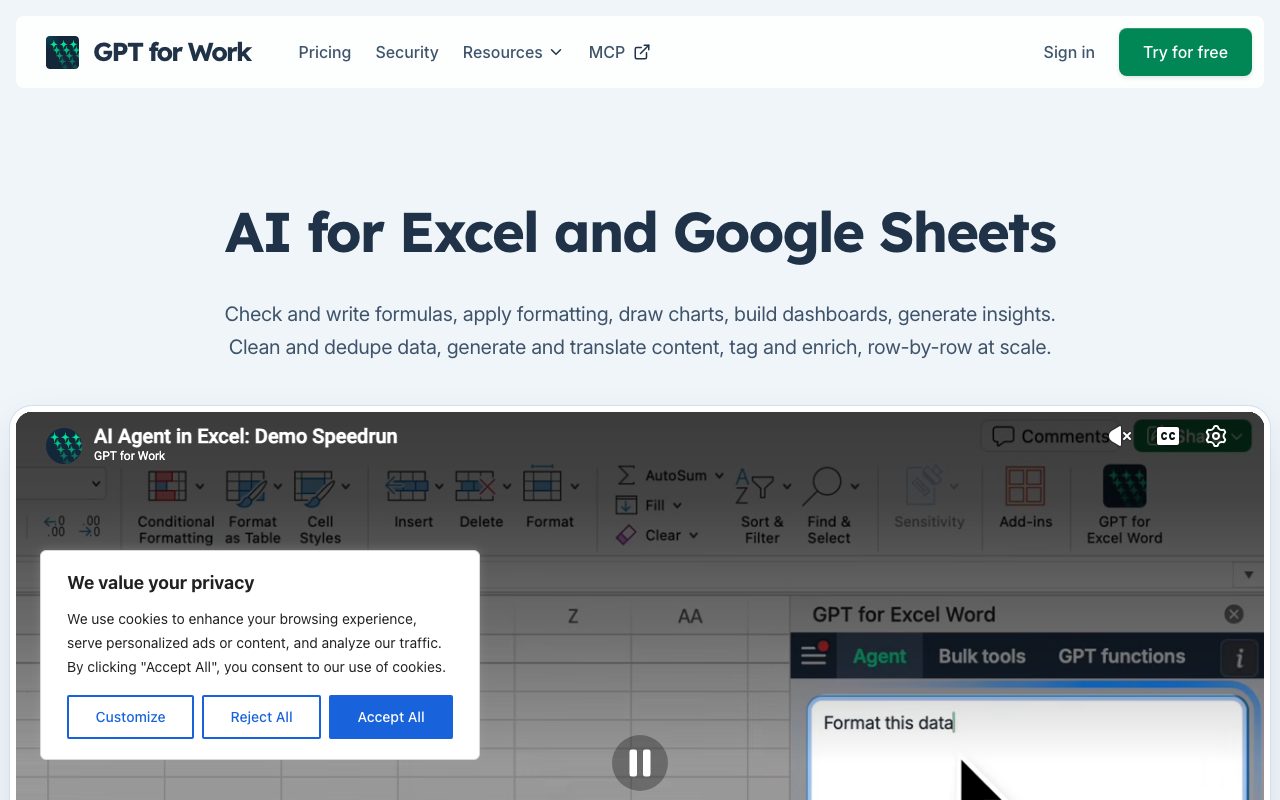
GPT for Work embeds AI models into Microsoft Excel and Google Sheets to write formulas, clean messy tables, and run bulk row-by-row prompts across large datasets.
GPT for Work, developed by Talarian, is a spreadsheet extension that integrates large language models directly into Microsoft Excel, Google Sheets, Microsoft Word, and Google Docs. The tool combines an interactive spreadsheet agent with native cell formulas like =GPT(), enabling users to trigger completions, classifications, translations, and data extractions directly from spreadsheet cells. Its core differentiator is high-volume parallel batch processing. Rather than querying single cells interactively, the platform uses subagents to apply user-defined prompt templates across thousands of rows simultaneously, achieving processing speeds of up to 1,000 answers per minute depending on the selected model and task complexity. Workflows handle up to hundreds of thousands of rows per run on Google Sheets and up to one million on Excel. To prevent vendor lock-in, GPT for Work supports multiple AI providers including OpenAI, Anthropic, Google, and Perplexity. Users can leverage managed access or connect their own provider API keys and custom inference endpoints (such as on-premise Ollama or Azure deployments). It also provides Autosheet, an MCP (Model Context Protocol) connector and HTTP API that allows external agents like Claude, ChatGPT, or Cursor to inspect and manipulate Google Sheets programmatically.
Unlike native single-model spreadsheet copilots, GPT for Work provides vendor-neutral model selection (OpenAI, Anthropic, Google, Perplexity, or custom endpoints), native bulk row-by-row parallel execution up to 1M rows, dynamic =GPT() formula functions, and MCP integration via Autosheet.
Product capabilities
Key features
Row-by-Row Bulk Processing
Applies prompt templates across hundreds of thousands of rows in Google Sheets or up to one million in Excel, handling parallel execution at rates up to 1,000 answers per minute.
Specialized =GPT() Cell Functions
Provides native spreadsheet formulas that reference adjacent cells and ranges, allowing dynamic prompts that update automatically and drag across columns.
Spreadsheet Copilot Agent
Conversational in-sheet assistant that writes formulas, detects errors, formats cells, creates charts, builds pivot tables, and analyzes trends.
Multi-Provider and Custom Endpoints
Allows selection across OpenAI, Anthropic, Google, and Perplexity models, alongside BYOK (bring your own key) support and custom endpoint connections like Azure and Ollama.
Autosheet MCP and HTTP API
Connects Google Sheets to external MCP clients like Claude, ChatGPT, or Cursor, and exposes an HTTP API for developer automation.
Team Spend and Admin Controls
Pools usage credits across team members with configurable monthly caps per user or workspace and real-time usage pausing.
Workflow
How GPT for Work works
- Install the GPT for Work add-on into Microsoft Excel or Google Sheets from their respective marketplaces.
- Select your preferred AI model from OpenAI, Anthropic, Google, or configure custom API keys and endpoints.
- Use standard prompt commands in the sidebar agent or write =GPT() functions directly in spreadsheet cells.
- Run bulk jobs across selected columns to classify, clean, translate, or extract data in parallel across rows.
Practical fit
Who should use GPT for Work?
Bulk E-Commerce Catalog Enrichment
Generate product descriptions, extract technical specifications into distinct columns, and translate product catalogs into multiple languages row by row.
Sales Pipeline and Lead Scoring
Standardize company names, categorize lead industries, enrich missing attributes, and score inbound prospects against defined qualification rules.
Data Deduplication and Cleaning
Identify duplicate entries, parse inconsistent address fields, normalize unstructured text exports, and validate complex spreadsheet formulas.
Editorial assessment
Pros and limitations
Where it is strong
- High-speed parallel row execution handling up to 1M rows in Excel
- Model flexibility with OpenAI, Anthropic, Google, and self-hosted custom endpoints
- No mandatory per-seat subscription; team credit balances are pooled
- Certified security standards including ISO 27001 and CASA Tier 3
Where to be careful
- Google Sheets bulk tool requires broad workspace permissions to edit spreadsheets
- Complex bulk jobs can consume usage credits rapidly if prompt sizing is unmonitored
- Agent mode is currently limited in model selection compared to standard cell formulas
Commercial context
GPT for Work pricing
At the review date (September 2026), GPT for Work offers free trial credits without requiring a credit card, after which usage is billed via pay-as-you-go credit packs starting at $29. Credits are shared across team members and expire 12 months after the latest purchase. Bringing your own API key incurs a $1 per 1M token platform fee. Monthly subscriptions are rolling out. Check the official pricing page for updates.
| Plan | Price | What it includes |
|---|---|---|
| Starter | $29 / one-time |
Minimum credit pack |
| Essential | $79 / one-time |
Mid-tier credit pack |
| Pro | $139 / one-time |
Most popular pack |
| Scale | $299+ / one-time |
Scale pack for high volume |
Pricing, limits, taxes, model access, and regional availability can change. Verify the purchase-critical details on the official pricing page linked under Sources.
Transparent ranking
Why GPT for Work scores 77.1
Each factor is scored on a 100-point scale, then combined using the public ToolsRank weights. Engagement and momentum stay at a neutral baseline until measured signals exist, so no tool can gain or lose position from numbers nobody recorded.
Compatibility
Languages, platforms, and integrations
Languages
- English
Platforms
- Web
- Microsoft Excel Add-in
- Google Sheets Add-on
- Microsoft Word Add-in
- Google Docs Add-on
Integrations & surfaces
- Microsoft Excel
- Google Sheets
- Google Docs
- Microsoft Word
- OpenAI
- Anthropic
- Google Cloud
- Perplexity
- Cursor
- Stripe
Community
Reviews and questions
No approved member reviews yet. Editorial factors above are the only rating on this page.
Reviews and questions come from Google-signed members and are checked by an editor before they appear.
Frequently asked
GPT for Work FAQ
Do I need an existing ChatGPT or Claude subscription to use GPT for Work?+
No. GPT for Work provides its own AI access and credit packs. You do not need an external ChatGPT, Microsoft Copilot, or Claude subscription, though you can optionally supply your own API keys.
Can I bring my own API keys or custom models?+
Yes. You can input API keys from supported providers or connect custom inference endpoints like Azure or Ollama. When using your own API key, GPT for Work charges a platform fee of $1 per 1 million tokens.
Do credits purchased under pay-as-you-go expire?+
Credits remain valid for 12 months following your most recent purchase. Making a new purchase resets the 12-month expiration window for all remaining credits in the workspace balance.
Is my spreadsheet data used to train AI models?+
No. Talarian states that customer inputs and outputs are never used to train language models, whether you use their pooled API access or your own provider keys.
What permissions are required when installing the add-on?+
In Google Sheets, the add-on requests permission to view and manage spreadsheets where it is installed. Enabling the bulk processing tool requires permission to edit sheets so the system can asynchronously write back AI generation results.