Direct answer
What is Granola?
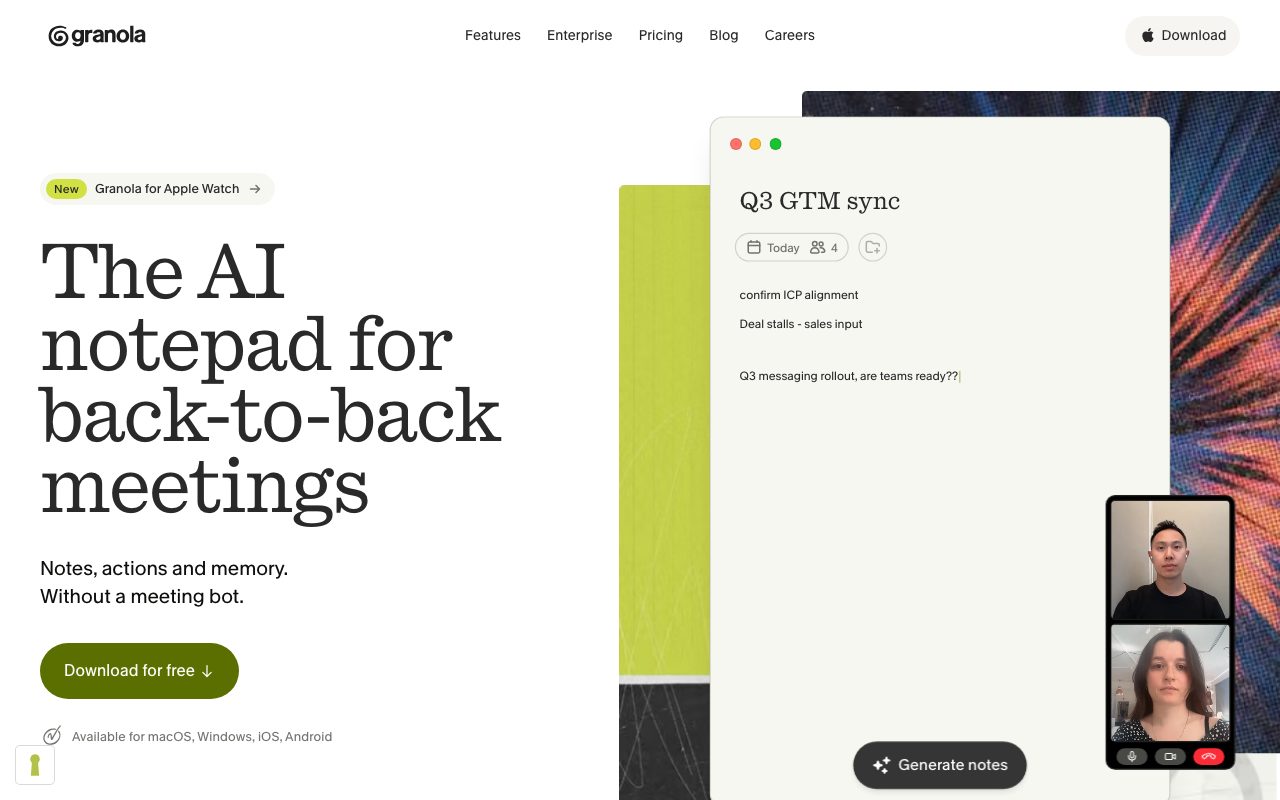
Granola is an AI notepad for desktop and mobile that captures system audio to generate notes and summaries without dispatching a bot into your calls.
Granola is an AI meeting notepad designed for back-to-back meetings across remote conferencing software and in-person discussions. Unlike conventional meeting recorders that send virtual bots into calls, Granola captures audio directly from your computer or mobile device. Users can jot down high-level bullet points during a discussion, which Granola automatically blends with real-time audio transcripts from providers like Deepgram and Assembly, structured using models from OpenAI and Anthropic. Beyond basic call notes, Granola assists before, during, and after meetings. It synchronises with Google and Microsoft calendars to assemble pre-meeting briefs with context from past conversations. After calls, it synthesises structured summaries, follow-up emails, and action items. Its Granola Chat feature enables cross-meeting search and recall, while Model Context Protocol (MCP) support and standard integrations (such as Notion, Slack, HubSpot, and Attio) let teams surface meeting intelligence across their wider workspace.
Granola captures audio directly via your computer or mobile microphone without sending an external bot into the call, enhancing your own rough notes rather than just dumping an unedited transcript.
Product capabilities
Key features
Bot-Free Audio Transcription
Captures system and microphone audio directly from your desktop or mobile device, eliminating the need to invite an external bot to your calls.
Note Enhancement
Combines your shorthand notes with speech-to-text transcripts to produce clear, structured meeting summaries and action items.
Pre-Meeting Briefs
Integrates with your calendar to prepare background notes on attendees and previous discussion points before external meetings.
Cross-Meeting Chat & Memory
Allows you to query an AI chat assistant across historical notes to recall commitments, decisions, and action items.
Model Context Protocol (MCP) & API
Enables integration with external AI workflows and developer tools via MCP and standard API access.
Privacy Controls & No Stored Audio
Transcribes real-time audio without persisting raw recordings, keeping transcripts private by default with user-controlled sharing.
Workflow
How Granola works
- Launch Granola on your desktop or mobile device and start recording when your meeting begins.
- Type brief notes or talking points while Granola transcribes system and microphone audio in the background without a bot.
- Review AI-enhanced summaries, structured action items, and drafts generated right after the meeting concludes.
- Query past discussions using Granola Chat or connect your notes to other AI tools via the MCP connector.
Practical fit
Who should use Granola?
Internal Team Syncs
Generate shared action items, decisions, and summaries from standing sprint or project syncs.
Client & Sales Calls
Prepare pre-call briefs, capture customer feedback, and sync details to CRMs like HubSpot and Attio.
In-Person & Walking Meetings
Capture mobile audio and generate clean notes on iOS and Android devices without needing a laptop.
Cross-Workspace AI Context
Expose meeting context to other AI applications using Granola's MCP connector.
Editorial assessment
Pros and limitations
Where it is strong
- Runs locally via system audio so no intrusive bot joins the meeting
- Combines personal scratchpad notes with AI transcripts rather than replacing human note-taking
- No persistent audio recordings stored in the cloud; only transcripts and text notes are kept
- Includes pre-meeting context briefs synced from your calendar
Where to be careful
- Requires manual start for each meeting rather than automatic bot joining
- Free Basic plan restricts visible history to recent meetings
- Advanced integrations, MCP, and API access require the $14/month Business tier or above
Commercial context
Granola pricing
At the review date (September 2026), Granola offers a free Basic plan with limited note history, a Business tier at $14 per user per month, and an Enterprise tier at $35 per user per month. Verify current pricing and terms on Granola's official website.
| Plan | Price | What it includes |
|---|---|---|
| Basic | $0 / month / user | |
| Business | $14 / month / user | |
| Enterprise | $35 / month / user |
Pricing, limits, taxes, model access, and regional availability can change. Verify the purchase-critical details on the official pricing page linked under Sources.
Transparent ranking
Why Granola scores 75.7
Each factor is scored on a 100-point scale, then combined using the public ToolsRank weights. Engagement and momentum stay at a neutral baseline until measured signals exist, so no tool can gain or lose position from numbers nobody recorded.
Compatibility
Languages, platforms, and integrations
Languages
- English
- Multi-language support
Platforms
- macOS
- Windows
- iOS
- Android
- Apple Watch
Integrations & surfaces
- Zoom
- Google Meet
- Microsoft Teams
- Slack
- Notion
- HubSpot
- Attio
- Affinity
- Zapier
- Google Workspace
- Microsoft 365
Community
Reviews and questions
No approved member reviews yet. Editorial factors above are the only rating on this page.
Reviews and questions come from Google-signed members and are checked by an editor before they appear.
Frequently asked
Granola FAQ
Does Granola join my meeting as a visible bot?+
No. Granola captures your computer's audio and microphone directly on desktop and mobile, so no bot ever joins the video call.
Does Granola save meeting audio recordings?+
Granola does not store raw audio recordings. It transcribes audio in real time on desktop or via temporary caching on mobile, retaining only the text transcript and your notes.
Are user transcripts used to train AI models?+
Third-party model providers like OpenAI and Anthropic are not permitted to train on your data. Granola uses anonymized data to improve its product unless you opt out in Settings. Enterprise plans have model training disabled for all users by default.
What platforms are supported by Granola?+
Granola is available on macOS, Windows, iOS, and Android, and includes support for Apple Watch.
What is the Granola MCP Connector?+
Granola provides a Model Context Protocol (MCP) connector that lets external AI tools access your meeting notes directly without copying and pasting transcripts.