
Direct answer
What is Jenni AI?
Jenni AI is a dedicated research and academic writing workspace that pairs sentence-level AI autocompletion with grounded citations from uploaded PDFs and academic indexes.
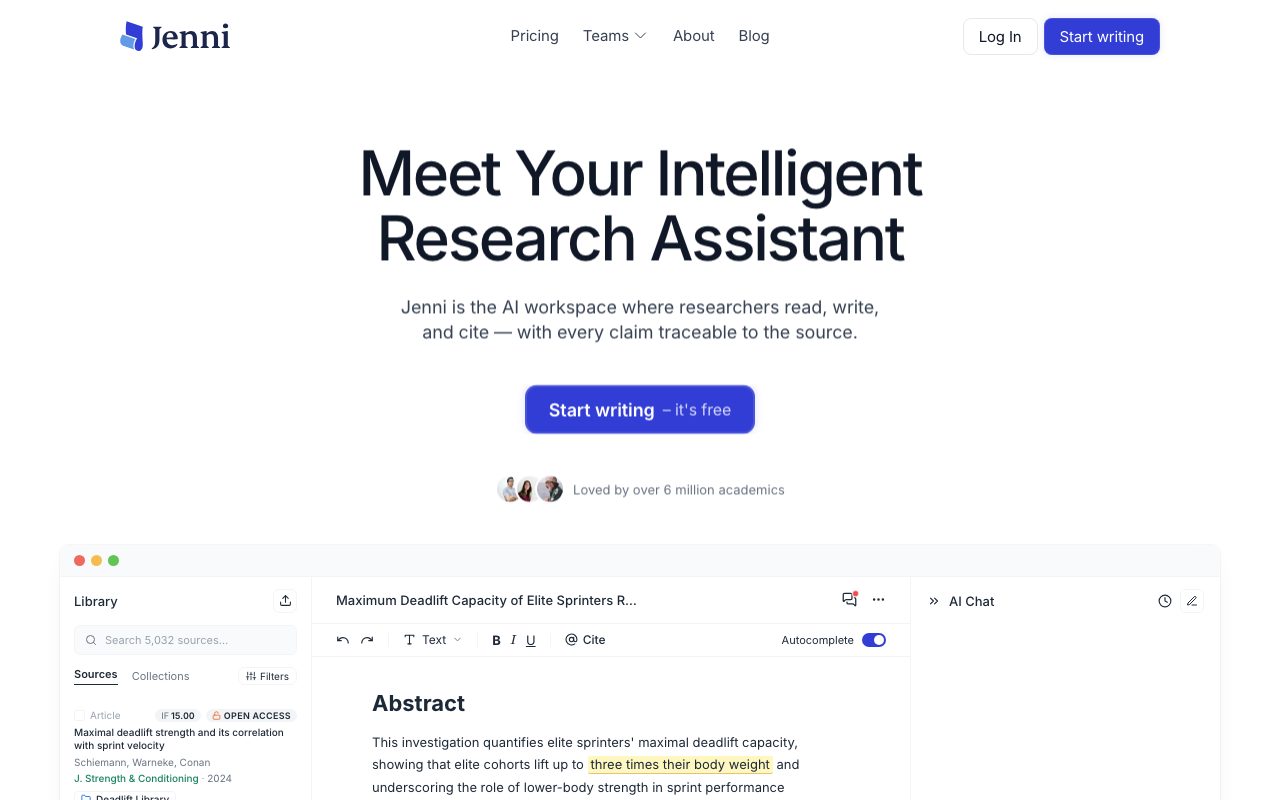
Jenni AI provides an editor tailored specifically for academic and technical composition rather than open-ended conversational drafting. The platform combines text editing, literature indexing, and inline reference management into a single interface. Writers can build personal libraries by uploading PDF papers, importing from reference managers like Zotero and Mendeley, or searching across an integrated index of over 200 million papers through Semantic Scholar, PubMed, arXiv, and CrossRef. While drafting, users can engage an autocomplete engine that suggests sentences grounded directly in their uploaded or selected references. The editor links AI-generated assertions to specific source texts and pages, supporting over 10,000 citation styles including APA 7th, Harvard, IEEE, Chicago, and Vancouver. The platform also provides an AI Chat side panel that accepts document mentions (@PDF) to interrogate research papers, compare findings, and inspect methodologies. To safeguard academic rigor, the platform includes a Reviews module that scans drafts to identify unsupported assertions, misrepresented studies, contradictory statements, and grammatical issues before submission. Real-time collaboration allows multi-author editing, inline commentary, and direct export to Word (.docx), LaTeX, HTML, and bibliographic file formats (.bib, .ris, .csv).
Unlike general-purpose conversational LLMs, Jenni AI anchors autocomplete suggestions and chat responses directly to imported PDF documents and peer-reviewed indexes, attaching traceable citations linked to exact paragraphs.
Product capabilities
Key features
Source-Grounded Autocomplete
Suggests sentences and paragraphs derived specifically from selected reference papers rather than generic internet training data.
Traceable Citations
Connects AI-suggested statements to specific pages and paragraphs in uploaded PDFs, supporting more than 10,000 citation formats.
Academic Search Index
Provides in-editor semantic search across 200M+ research papers indexed via PubMed, Semantic Scholar, arXiv, and CrossRef.
Document & Library AI Chat
Allows writers to query single PDFs or an entire reference collection with @-mentions to extract methods, data, and comparative findings.
Reviews & Claim Verification
Scans drafts across multiple criteria to flag unsupported claims, contradicted statements, overstated conclusions, and proofreading issues.
Reference Manager Imports
Connects directly with Zotero and Mendeley libraries, and supports bibliographic export in .bib, .ris, and .csv formats.
Real-Time Collaboration
Supports multi-user document sharing, inline comments, suggestion tracking, and version history.
Workflow
How Jenni AI works
- Import literature by uploading PDFs, connecting Zotero or Mendeley, or searching 200M+ academic sources directly inside the workspace.
- Write in the editor while AI autocomplete provides text suggestions grounded directly in your uploaded papers.
- Manage and format inline references automatically across 10,000+ citation formats like APA, Harvard, and IEEE.
- Interrogate sources with the AI Chat assistant to summarize methodology or compare evidence across documents.
- Run the Reviews tool to check for overstated or unsupported claims, then export the paper to Word (.docx), LaTeX, or HTML.
Practical fit
Who should use Jenni AI?
Literature Review Drafting
Synthesizing research across dozens of uploaded papers while ensuring every conceptual link is supported by an inline citation.
Pre-Submission Paper Audit
Using the Reviews engine to identify weak or overstated claims, incorrect citations, and grammar issues prior to peer review.
Interrogating Complex Methodologies
Asking questions against difficult sections of uploaded PDFs using the integrated library chat interface.
Collaborative Co-Authoring
Writing academic manuscripts alongside lab members and supervisors using live editing and comment threads.
Editorial assessment
Pros and limitations
Where it is strong
- Inline suggestions trace directly to uploaded PDF sources and specific paragraphs.
- Integrated access to academic databases including PubMed, Semantic Scholar, arXiv, and CrossRef.
- Broad support for more than 10,000 reference formats and export to .docx, LaTeX, and .bib.
- Dedicated claim review engine catches contradicted, overstated, or unsupported assertions.
Where to be careful
- The free tier is heavily restricted (10 autocompletes per day and 10 PDF uploads).
- Editor session recordings and content-level analytics are captured by default unless manually opted out via cookie settings.
- Full document export is restricted to paid subscriptions.
Commercial context
Jenni AI pricing
At the review date (September 2026), Jenni AI offers a limited free tier alongside Plus ($12/month) and Pro ($29/month) subscriptions, with annual billing discounts available. Check the official pricing page for current rates.
| Plan | Price | What it includes |
|---|---|---|
| Free | $0 / month-to-month limited usage without credit card required (annual billing discount option displays 60% savings on paid plans). Note: Free tier caps uploads at 10 and autocompletes at 10/day. | |
| Plus | $12 / per month (billed monthly, or discounted if billed annually) | |
| Pro | $29 / per month (billed monthly, or discounted if billed annually) |
Pricing, limits, taxes, model access, and regional availability can change. Verify the purchase-critical details on the official pricing page linked under Sources.
Transparent ranking
Why Jenni AI scores 74.5
Each factor is scored on a 100-point scale, then combined using the public ToolsRank weights. Engagement and momentum stay at a neutral baseline until measured signals exist, so no tool can gain or lose position from numbers nobody recorded.
Compatibility
Languages, platforms, and integrations
Languages
- English
Platforms
- Web
- Google Chrome Extension
Integrations & surfaces
- Zotero
- Mendeley
- Semantic Scholar
- PubMed
- arXiv
- CrossRef
- Google Docs
Community
Reviews and questions
No approved member reviews yet. Editorial factors above are the only rating on this page.
Reviews and questions come from Google-signed members and are checked by an editor before they appear.
Frequently asked
Jenni AI FAQ
What reference managers does Jenni AI integrate with?+
Jenni AI allows users to import collections directly from Zotero and Mendeley, in addition to importing references via its browser extension, manual PDF uploads, and RIS, BibTeX, or CSV file exports.
How does Jenni AI handle citations?+
The platform links AI autocomplete suggestions and claims to specific pages and paragraphs within uploaded PDFs. It supports more than 10,000 citation styles, including APA 7th, Chicago, Harvard, IEEE, and Vancouver.
What are the limitations of the free plan?+
The free plan is capped at 10 AI autocompletes per day, 10 PDF uploads (up to 25 MB and 150 pages), 3 AI edits, 5 AI chat messages, and 3 review scans. It also restricts document export to body content only.
Does Jenni AI share or record user drafts?+
According to its privacy policy, session replays and content-level analytics run by default in the web editor via PostHog to diagnose issues and study feature use. Users who do not want draft text or chat messages logged must manually deny analytics cookies under Settings.
Record history
What changed in this dossier
- Aug 26, 2026 — Introduced Smart Prompt Guidance that learns document context to refine suggestions.
- Aug 12, 2026 — Added citation filters in AI Chat covering publication year, impact factor, citation count, and preprint status.
- Jul 29, 2026 — Added capability in AI Chat to visualize concepts and frameworks.
- Jul 15, 2026 — Released Source Quality Review to flag retracted, outdated, or journal-skewed citations.
- Jul 1, 2026 — Moved paper search to a dedicated sidebar within the research editor.