
Direct answer
What is Khoj?
Khoj is an open, transparent personal AI assistant ecosystem featuring the Khoj second brain app, the Pipali desktop co-worker, and the Open Paper research workbench.
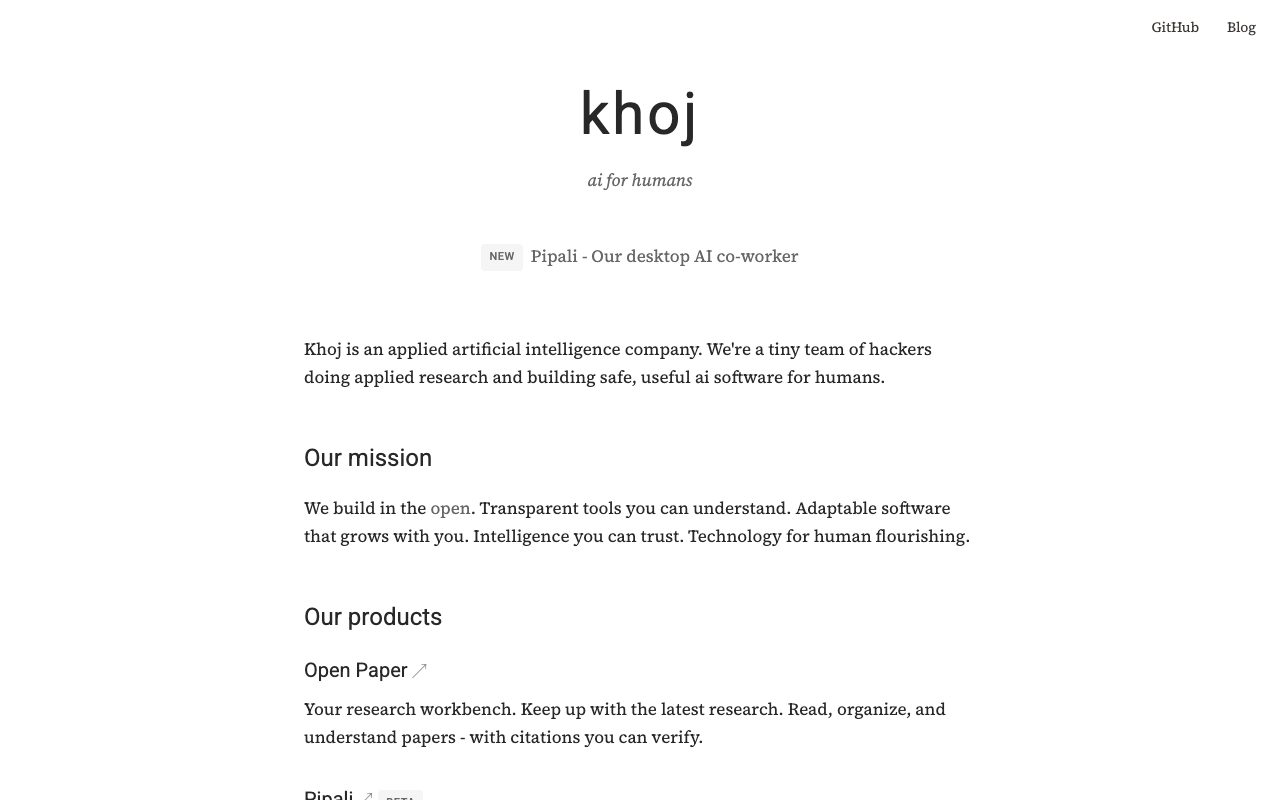
Khoj is developed by Khoj Inc., an applied artificial intelligence studio focused on building transparent, human-centric software in the open. The company offers a suite of focused AI tools designed to adapt to individual workflows while maintaining trust and verifiable outputs. The core offering includes three primary tools. The Khoj app functions as an AI second brain, allowing users to build custom agents, schedule repetitive automations, and research information across personal documents and the web with configurable AI models. Pipali operates as a local desktop AI co-worker in beta, designed to manage tasks, track progress, and generate deliverables directly on the user's computer. Open Paper serves as a research workbench for reading, organizing, and synthesizing research papers with verifiable citations. According to its official documentation, Khoj supports desktop, cloud, and WhatsApp interfaces, giving users flexibility in how they interact with their knowledge base and assistants.
Khoj focuses on building in the open with transparent architecture, offering dedicated local desktop workflows like Pipali alongside its research workbench and agent-driven second brain.
Product capabilities
Key features
Khoj App (AI Second Brain)
Connects personal documents and web search to build custom agents, run automations, and query information using various AI models.
Pipali Desktop Co-worker (Beta)
Runs on the user's computer to execute research tasks, automate repetitive actions, track progress, and produce deliverables.
Open Paper Workbench
Assists researchers in discovering, reading, and organizing academic papers with citations users can independently check.
Cross-Platform Access
Provides interfaces across desktop environments, cloud services, and WhatsApp messaging channels.
Open and Transparent Development
Built in the open with publicly accessible GitHub repositories and community channels on Discord.
Workflow
How Khoj works
- Connect personal notes, research papers, or web sources to Khoj
- Assign tasks, build specialized agents, or set up scheduled automations
- Interact via the Khoj app, desktop co-worker Pipali, or messaging channels like WhatsApp
Practical fit
Who should use Khoj?
Academic Literature Synthesis
Organize academic papers and extract verifiable findings using the Open Paper workbench.
Personal Knowledge Management
Query private notes, documents, and web information through a customizable conversational second brain.
Local Desktop Task Automation
Delegate research and creation workflows to the Pipali desktop assistant running on your personal machine.
Editorial assessment
Pros and limitations
Where it is strong
- Commitment to open, transparent software with public GitHub repositories
- Offers a dedicated local desktop agent (Pipali) alongside cloud options
- Includes a specialized research tool (Open Paper) that highlights verifiable citations
- Flexible interaction points including desktop apps and WhatsApp
Where to be careful
- Official website does not list clear pricing tiers or resource caps
- Desktop co-worker Pipali remains in beta
- Indefinite storage of user email addresses for security and abuse mitigation
Commercial context
Khoj pricing
As of September 2026, Khoj builds its tools in the open with public code repositories on GitHub, alongside desktop, WhatsApp, and cloud service options mentioned in its privacy documentation. Exact pricing tiers and usage allowances are not detailed on the supplied pages and should be verified directly with the vendor.
Pricing, limits, taxes, model access, and regional availability can change. Verify the purchase-critical details on the official pricing page linked under Sources.
Transparent ranking
Why Khoj scores 66.4
Each factor is scored on a 100-point scale, then combined using the public ToolsRank weights. Engagement and momentum stay at a neutral baseline until measured signals exist, so no tool can gain or lose position from numbers nobody recorded.
Compatibility
Languages, platforms, and integrations
Languages
- English
Platforms
- Web
- Desktop
Integrations & surfaces
- GitHub
Community
Reviews and questions
No approved member reviews yet. Editorial factors above are the only rating on this page.
Reviews and questions come from Google-signed members and are checked by an editor before they appear.
Frequently asked
Khoj FAQ
What products are included under the Khoj umbrella?+
Khoj provides three main products: the Khoj app (an AI second brain for documents, agent-building, and automations), Pipali (a desktop AI co-worker in beta), and Open Paper (a research workbench for reading and organizing academic papers).
Can Khoj run locally on a personal computer?+
Yes. Khoj provides desktop software and specifically promotes Pipali as an AI co-worker that runs safely on your personal computer.
Can I use WhatsApp with Khoj?+
Khoj's official privacy documentation confirms that it operates services across desktop, cloud, and WhatsApp environments.
How does Khoj manage personal user data?+
According to its privacy policy, Khoj Inc. stores user email addresses indefinitely to enhance security and prevent fraud and abuse. Users can request deletion of non-essential data through in-app tools or by contacting team@khoj.dev.