
Direct answer
What is Microsoft 365 Copilot?
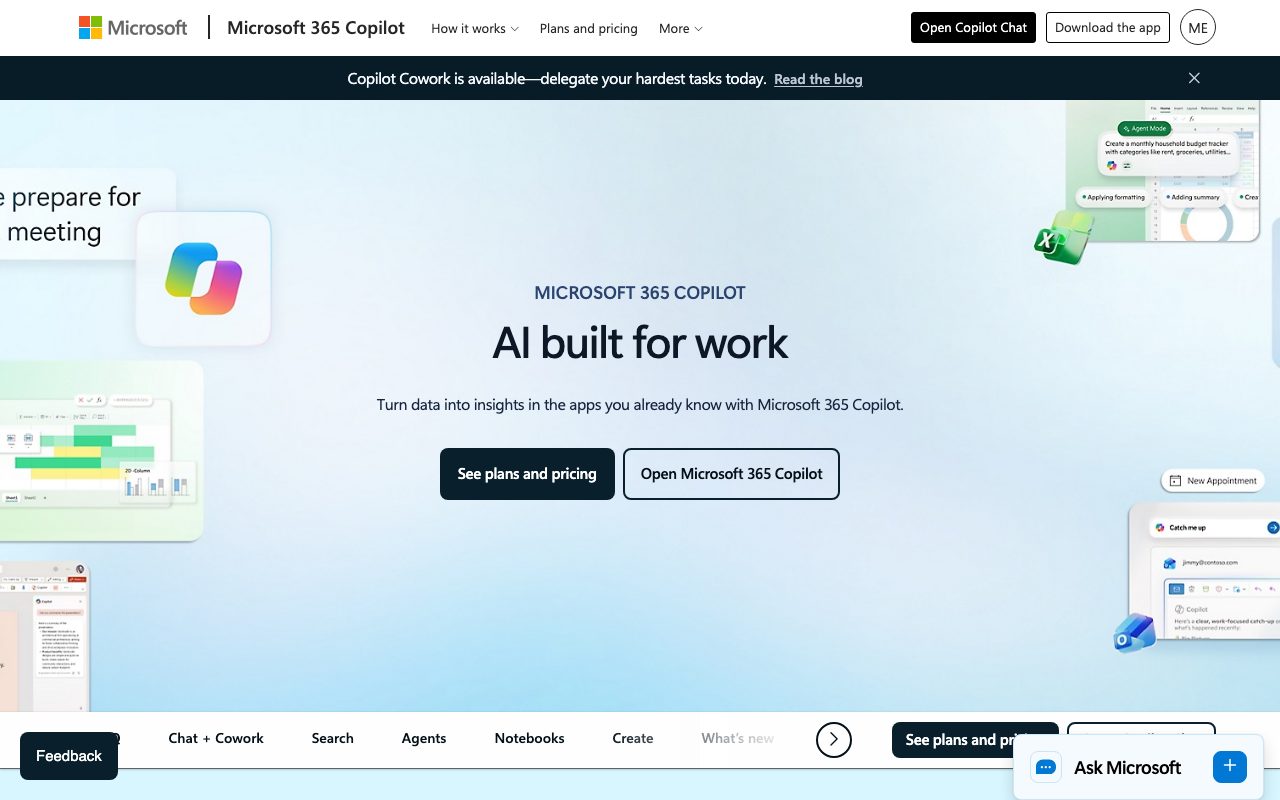
Microsoft 365 Copilot connects enterprise work data and reasoning AI directly inside Word, Excel, PowerPoint, Outlook, and Teams.
Microsoft 365 Copilot embeds generative AI capabilities into daily workplace tools, grounded in enterprise organizational data through Work IQ. Rather than functioning as an isolated chat interface, it operates directly inside desktop, mobile, and web versions of Word, Excel, PowerPoint, Outlook, OneNote, and Teams. The system relies on Work IQ, a workplace intelligence layer that unifies company content, metadata, semantic indexing, line-of-business connectors, and Copilot Memory. This enables users to query business files, synthesize meeting transcripts, generate slide decks, analyze spreadsheets, and draft emails without copying context across disparate tools. In addition to in-app assistants, Microsoft 365 Copilot provides collaborative features like Copilot Cowork for complex multi-step tasks, Copilot Notebooks for organizing and analyzing cross-project assets into podcast-style audio summaries, and ready-to-use agents like Researcher, Analyst, and Facilitator. Custom agents can also be deployed through Agent Builder and Copilot Studio. Security is aligned with Microsoft Purview, Entra ID, and Enterprise Data Protection standards. Prompts, organizational inputs, and outputs inherit existing tenant permissions, sensitivity labels, and retention rules, and are not used to train underlying AI foundation models.
Deep, native integration with Microsoft 365 applications, grounded in tenant-wide documents, emails, and meetings via Work IQ while preserving strict Microsoft Purview enterprise permissions.
Product capabilities
Key features
Work IQ Data Grounding
Connects Microsoft 365 content, metadata, line-of-business connectors, and semantic indexing to personalize context and responses.
In-App Assistants
Operates natively inside Word, Excel, PowerPoint, Outlook, OneNote, and Teams to draft text, analyze data, and summarize discussions.
Copilot Cowork
Delegates multi-step, complex workflows and tasks securely grounded in the context of daily work.
Copilot Notebooks
Consolidates chats, project materials, and notes to generate synthesized content and podcast-style audio summaries.
Pre-built and Custom Agents
Includes specialized agents such as Researcher, Analyst, and Facilitator, alongside custom agent creation via Agent Builder and Copilot Studio.
Enterprise Data Protection
Inherits tenant sensitivity labels, retention policies, and Entra permissions without training foundation models on customer prompts.
Practical fit
Who should use Microsoft 365 Copilot?
Meeting Summarization and Catch-Up
Summarize Teams meetings in real time or asynchronously, surfacing action items, decisions, and speaker points.
Executive Drafting and Presentation Building
Transform documents and notes into structured Word drafts, polished PowerPoint slide decks, and Outlook replies.
Data Analysis in Spreadsheets
Analyze complex tabular data in Excel using conversational prompts to extract trends and generate formulas.
Cross-App Enterprise Search
Locate files, conversations, and company resources using natural language questions backed by semantic work graph indexing.
Editorial assessment
Pros and limitations
Where it is strong
- Native in-app experience inside standard Microsoft 365 applications
- Inherits organizational permissions, data classification, and retention policies directly
- Customer prompts and data are never used to train foundation models
- Broad feature suite including pre-built agents, Copilot Cowork, and audio Notebook summaries
Where to be careful
- Requires existing eligible Microsoft 365 prerequisite licensing to purchase and deploy
- Annual commitments are required to access baseline advertised discounted rates
- Certain agent capabilities and Cowork actions are metered or depend on licensing tier
Commercial context
Microsoft 365 Copilot pricing
At the review date, the standalone Microsoft 365 Copilot Business add-on starts at a promotional $18.00 per user/month paid annually (originally $21.00; monthly billing is $25.20). Bundled plans like Microsoft 365 Business Standard with Copilot start at $23.50 per user/month paid annually. Copilot Chat is included at no extra cost for eligible commercial users. Check the official pricing page for up-to-date figures.
Pricing, limits, taxes, model access, and regional availability can change. Verify the purchase-critical details on the official pricing page linked under Sources.
Transparent ranking
Why Microsoft 365 Copilot scores 79.3
Each factor is scored on a 100-point scale, then combined using the public ToolsRank weights. Engagement and momentum stay at a neutral baseline until measured signals exist, so no tool can gain or lose position from numbers nobody recorded.
Compatibility
Languages, platforms, and integrations
Languages
- English
Integrations & surfaces
- Microsoft Teams
- Microsoft Word
- Microsoft Excel
- Microsoft PowerPoint
- Microsoft Outlook
- Microsoft OneNote
- Microsoft OneDrive
- Microsoft SharePoint
- Microsoft Loop
- Microsoft Purview
- Microsoft Entra ID
Community
Reviews and questions
No approved member reviews yet. Editorial factors above are the only rating on this page.
Reviews and questions come from Google-signed members and are checked by an editor before they appear.
Frequently asked
Microsoft 365 Copilot FAQ
What are the prerequisite licenses required to run Microsoft 365 Copilot?+
Microsoft 365 Copilot requires a qualifying base Microsoft 365 commercial license (such as Business Standard or Business Premium) before an add-on license can be assigned.
Is organizational data used to train the underlying models?+
No. Under Microsoft's enterprise data protection standards, customer prompts, inputs, and responses are kept private and are never used to train AI models.
What is the difference between Copilot Chat and the full Copilot license?+
Copilot Chat is a web-grounded assistant included with eligible Microsoft 365 plans for chat and Outlook. The full Microsoft 365 Copilot license unlocks Work IQ, deep integration across Teams, Word, Excel, and PowerPoint, and access to pre-built agents like Researcher and Analyst.
Can organizations build custom agents for Copilot?+
Yes. Organizations can deploy pre-built Microsoft agents or build custom agents using Agent Builder and Copilot Studio to automate tasks and connect to external data.

