Direct answer
What is Notta?
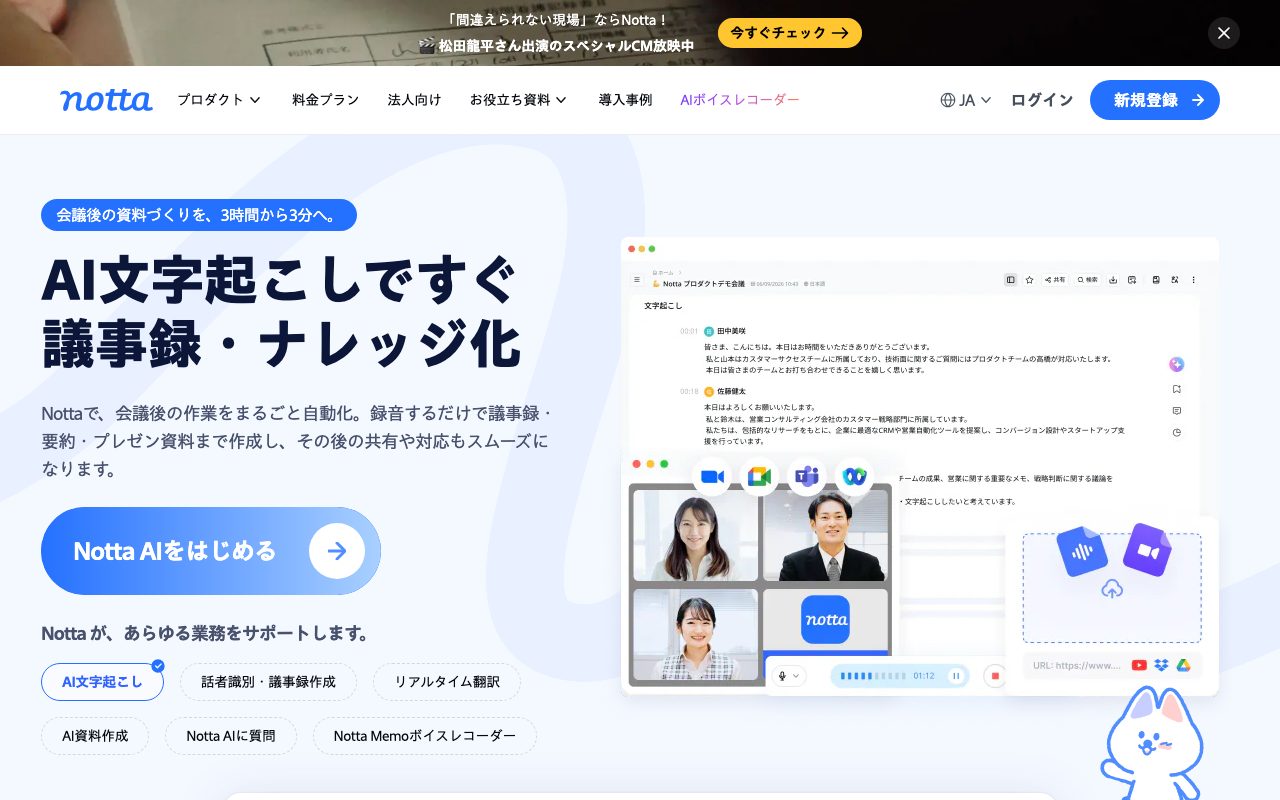
Notta is an AI transcription and meeting productivity workspace that records, transcribes, and summarizes conversations across web browsers, mobile apps, desktop clients, and dedicated recording hardware.
Notta converts spoken conversations into structured text, summaries, and action plans. Built with specialized recognition for Japanese alongside support for 58 languages, the system transcribes live speech, uploaded audio/video files, and web conferencing sessions on platforms including Zoom, Microsoft Teams, Google Meet, and Webex. The platform operates across multiple endpoints: a web application, iOS and Android mobile apps, desktop clients for background computer recording, a Google Chrome browser extension, and Notta Memo, a standalone physical AI voice recorder. Beyond raw speech-to-text, Notta incorporates AI agents such as Notta Brain to analyze transcripts across multiple meetings, create slide decks, draft follow-up emails, and generate formatted Word or Excel documents. For enterprise environments, Notta features workspace collaboration folders, role-based access controls, and direct synchronization with CRMs like Salesforce and HubSpot, as well as Notion and Zapier. Data processing is backed by SOC 2 Type 2 compliance, ISO 27001 certification, and domestic server hosting in Japan.
Unlike software-only meeting bots, Notta pairs cross-platform capture (web, mobile, desktop, Chrome extension) with its own dedicated Notta Memo hardware recorder, while offering specialized Japanese language modeling, cross-meeting multi-file analysis via Notta Brain, and domestic Japanese data residency.
Product capabilities
Key features
Multi-Platform Audio Capture
Records and transcribes speech through web browsers, desktop applications, iOS/Android mobile devices, a Chrome extension, or the Notta Memo physical voice recorder.
Web Conferencing Integration
Connects directly to Zoom, Google Meet, Microsoft Teams, and Webex meetings to transcribe discussions and identify distinct speakers in real time.
Notta Brain & Document Generation
Uses AI credits to perform cross-transcript queries, extract action items, and generate presentation slides, Word documents, and Excel spreadsheets from meeting text.
Multilingual Translation & Vocabulary
Supports 58 languages with optional add-ons for real-time single-language or bilingual transcription, alongside custom vocabulary dictionaries up to 1,000+ words.
Business Application Sync
Integrates transcripts and notes into Notion, Zapier, Slack, and major CRMs including Salesforce, HubSpot, Pipedrive, Zoho CRM, Zendesk Sell, and Freshsales.
Enterprise Security Controls
Features SOC 2 Type 2 reports, ISO 27001 certification, domestic data storage in Japan, SHA256 hashed password protection, SAML SSO, and optional exclusions from AI model training.
Workflow
How Notta works
- Capture live audio via web conferencing bot (Zoom, Teams, Meet, Webex), mobile app, desktop recorder, or Notta Memo hardware.
- Process speech into timestamped, speaker-labeled text using Notta's multilingual recognition engine.
- Generate meeting summaries, action items, or presentations using Notta Brain AI templates.
- Export or synchronize data directly to Notion, Slack, Zapier, or integrated CRMs like Salesforce and HubSpot.
Practical fit
Who should use Notta?
Sales Calls and CRM Updating
Record client meetings, transcribe customer needs, generate follow-up email drafts, and push key deal insights straight into Salesforce or HubSpot.
Internal Team Minutes and Task Tracking
Automate company meetings by having Notta extract key decisions, assignees, and summaries, syncing output to Notion and team calendars.
Field Interviews and Consultations
Capture on-site conversations using the mobile app or Notta Memo hardware without a PC, then automatically generate transcriptions once synced.
Legal and Medical Documentation
Document specialized consultations with dedicated legal or medical vocabularies and strict domestic data protection compliance.
Editorial assessment
Pros and limitations
Where it is strong
- Supports web, desktop, mobile, Chrome, and dedicated Notta Memo hardware recording.
- Certified with SOC 2 Type 2, ISO 27001, and domestic data storage in Japan.
- Native support for 58 languages with strong Japanese transcription accuracy (stated up to 98.86% in clear conditions).
- Notta Brain agent allows cross-file searching and document creation (PPT, Word, Excel).
- Extensive native integrations including Salesforce, HubSpot, Notion, Slack, and Zapier.
Where to be careful
- The Free tier limits continuous recording to 3 minutes per session.
- Advanced CRM sync and web conference video recording require the Business tier or higher.
- Real-time bilingual translation and extensive Notta Brain document generation consume paid add-ons or credit quotas.
Commercial context
Notta pricing
Prices checked on 2026-09-08 based on official Japanese pricing pages. Individual paid plans start at ¥1,185 per month billed annually (¥14,220 per year), with team plans starting at ¥2,508 per month billed annually. Academic discounts of 50% are available for eligible educational email addresses. Verify current rates on the vendor pricing page.
| Plan | Price | What it includes |
|---|---|---|
| Free | ¥0 / monthly / free forever limit 1 account, 120 min/mo, max 3 min per recording session, 50 file imports/mo, 10 AI summaries/mo, 1,000 Notta Brain credits trial, speaker identification, Zoom/Meet/Teams transcription. | |
| Premium | ¥1,185 / per month (billed annually at ¥14,220/year; 40% off monthly price) limit 1 account, 1,800 min/mo, max 5 hours per recording session, 100 file imports/mo, 100 AI summaries/mo, 200 custom vocabulary words, transcript downloads, text translation. | |
| Business | ¥2,508 / per account/month (billed annually at ¥30,096/year; 40% off monthly price) unlimited transcription minutes, max 5 hours per recording session, 200 file imports/mo, 200 AI summaries/mo, 1,000 custom words, meeting video recording, CRM and Zapier integrations, usage reports. | |
| Enterprise | Custom / contact sales custom accounts and transcription time, unlimited file imports and AI summaries, SAML SSO, no AI training guarantee, audit logs, IP restrictions, and dedicated support desk. |
Pricing, limits, taxes, model access, and regional availability can change. Verify the purchase-critical details on the official pricing page linked under Sources.
Transparent ranking
Why Notta scores 76.5
Each factor is scored on a 100-point scale, then combined using the public ToolsRank weights. Engagement and momentum stay at a neutral baseline until measured signals exist, so no tool can gain or lose position from numbers nobody recorded.
Compatibility
Languages, platforms, and integrations
Languages
- Japanese
- English
- German
- French
- Spanish
- Chinese
Platforms
- Web
- iOS
- Android
- macOS / Windows Desktop
- Chrome Extension
- Hardware (Notta Memo)
Integrations & surfaces
- Zoom
- Microsoft Teams
- Google Meet
- Webex
- Salesforce
- HubSpot
- Notion
- Slack
- Zapier
- Google Calendar
- Outlook Calendar
- Google Drive
Community
Reviews and questions
No approved member reviews yet. Editorial factors above are the only rating on this page.
Reviews and questions come from Google-signed members and are checked by an editor before they appear.
Frequently asked
Notta FAQ
What are the limitations of Notta's Free plan?+
The Free plan provides 120 minutes of transcription per month for a single account, but restricts continuous recording to 3 minutes per session. It also includes 50 file imports per month, 10 AI summaries per month, and a 1,000 credit trial for Notta Brain.
How accurate is Notta's speech-to-text engine?+
The vendor states that in formal, structured meetings with clear enunciation, speech recognition accuracy reaches 98.86% or higher. Accuracy can decrease in noisy acoustic environments or with poor microphone placement.
Where is user data stored and how is it secured?+
All user data is stored within domestic data centers in Japan and encrypted both in transit (HTTPS/TLS) and at rest. Notta holds SOC 2 Type 2 and ISO 27001 certifications and complies with APPI, GDPR, HIPAA, and CCPA requirements.
What is Notta Brain and how are AI Credits consumed?+
Notta Brain is an AI assistant that synthesizes information across meetings. It consumes AI Credits only when a task succeeds: 100 credits per knowledge Q&A query, 200 credits per generated image or Excel/Word document, and 300 credits per generated PowerPoint file.
Does Notta train AI models on user audio?+
According to Notta's privacy and pricing documentation, Notta uses third-party speech recognition APIs whose training policies depend on the plan. Enterprise and specialized professional plans include explicit 'No AI Learning' options to prevent audio from being used for model training.
Can I use Notta offline or without a computer?+
Yes. Notta offers smartphone mobile apps for iOS and Android, as well as a standalone hardware voice recorder called Notta Memo (¥25,500) capable of recording phone calls and in-person discussions without an active internet connection.
Record history
What changed in this dossier
- Jun 17, 2026 — Privacy policy revision date recorded by vendor.