Direct answer
What is Planable?
Planable is a social media collaboration and scheduling platform designed around team workflows, visual content previews, and multi-step approvals for agencies and brands.
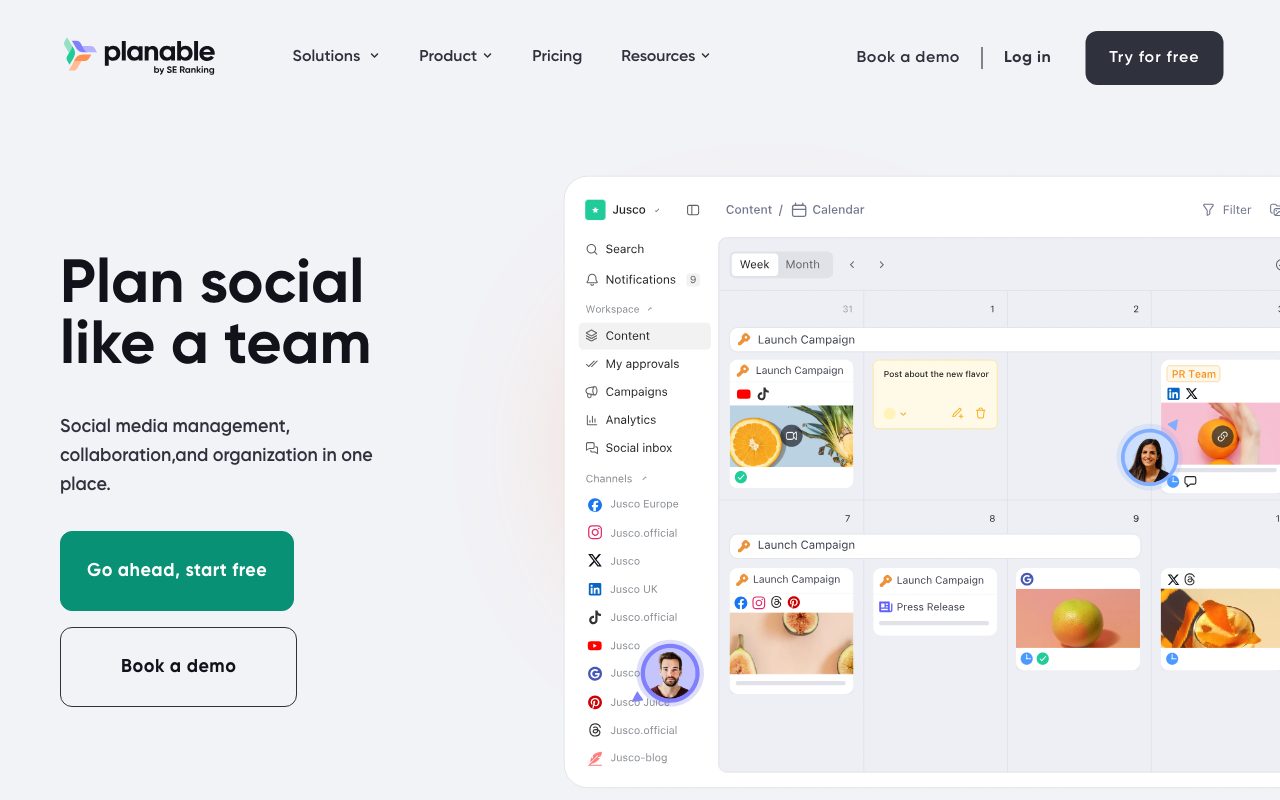
Planable is a social media management and planning suite built specifically for collaborative workflows. Rather than treating review and sign-off as an afterthought, the platform structures content production inside dedicated workspaces for each brand, location, or client. Within each workspace, teams can draft posts, preview them exactly as they appear natively across nine supported platforms, leave inline comments, annotate text, and move drafts through customized approval stages. Content can be visualized across four distinct views: Feed (native-style previews), Calendar (drag-and-drop monthly and weekly scheduling), Grid (aesthetic planning for Instagram profiles), and List (bulk editing and status reviews). In addition to social posts, Planable supports 'Universal Content' for drafting and reviewing non-social assets like newsletters, blog posts, and ad copy. Planable also provides an MCP Connector allowing external AI assistants to generate and manage content directly in workspaces, alongside native AI post-rewriting and caption generation tools. Operational add-ons expand the platform into social listening, comment and DM engagement, and multi-channel performance reporting.
Planable prices per workspace with unlimited user seats rather than charging per user, and provides pixel-accurate native post previews alongside granular multi-level approval workflows where internal drafts stay hidden until ready for client review.
Product capabilities
Key features
Contextual Approval Workflows
Configure approval requirements per workspace across four tiers: None, Optional, Required, or Multi-level chained approvals (e.g., internal lead to client to legal).
Four Visual Content Views
Plan and inspect content through native-style Feed views, drag-and-drop Calendar scheduling, visual Instagram Grid previews, or List views for bulk actions.
Multi-Platform Scheduling
Schedule content across 9 platforms: Facebook, Instagram, LinkedIn, X (Twitter), YouTube, TikTok, Pinterest, Google Business Profile, and Threads.
Collaboration and Annotations
Leave in-context comments, suggest edits, make text annotations, and maintain private internal notes that remain hidden from clients until ready.
Universal Marketing Content
Draft, collaborate on, and approve non-social marketing assets such as blog posts, newsletters, and ad copy in the same workspace.
MCP Connector & AI Utilities
Connect AI assistants via the Model Context Protocol (MCP) to plan content, and use native AI capabilities for post rewriting, generation, and response drafting.
Dedicated Brand Workspaces
Separate pages, campaigns, media libraries, time zones, and permissions by client or brand with unlimited team member and client invites per workspace.
Workflow
How Planable works
- Create a dedicated workspace for each client, brand, or regional location and connect social pages.
- Draft posts across 9 supported networks or create universal content briefs, using native-like visual previews.
- Collaborate privately with teammates using internal comments, notes, and text annotations.
- Route drafts through automated approval workflows (None, Optional, Required, or Multi-level chains).
- Schedule and auto-publish content via the calendar, feed, or grid view, and monitor engagement via the unified inbox add-on.
Practical fit
Who should use Planable?
Agency Client Approval Management
Present mockups in native feed and grid formats, collect client feedback directly next to post drafts, and enforce required approvals before publishing.
Multi-Brand and Franchise Operations
Keep regional teams and separate brand assets organized within isolated workspaces while executing localized campaigns and scheduled content.
Cross-Platform Social Scheduling
Compose, adjust, and schedule posts across nine major social channels from a central, drag-and-drop marketing calendar.
Community Engagement & Social Inbox
Triage comments and direct messages across connected accounts using sentiment filtering and AI-assisted replies with the optional social inbox add-on.
Editorial assessment
Pros and limitations
Where it is strong
- Workspace-based pricing includes unlimited collaborator seats, eliminating per-user license creep for agencies and clients.
- True-to-life feed, calendar, and Instagram grid previews display exact formatting before content goes live.
- Internal draft and commenting features allow private team iterations before approvers or external clients see the post.
- Supports 9 primary social networks along with non-social copy via Universal Content.
Where to be careful
- Key capabilities such as Analytics, Social Inbox, and Social Listening are separate paid add-ons rather than core inclusions.
- The free trial is limited to 50 total posts lifetime without X (Twitter) publishing, rather than a recurring free monthly tier.
- Post volume caps exist on Basic (60 posts/mo) and Pro (150 posts/mo) plans per workspace.
Commercial context
Planable pricing
At the review date (September 2026), Planable offers a free trial of 50 total created posts with no time limit and no credit card required. Paid plans start at $33/workspace/month (Basic) or $49/workspace/month (Pro) billed monthly, with optional add-ons for Analytics, Social inbox, and Social listening. Verify current pricing and annual discounts on the official pricing page.
| Plan | Price | What it includes |
|---|---|---|
| Basic | $33 / workspace/month (billed monthly or equivalent yearly discount) | |
| Pro | $49 / workspace/month (billed monthly or equivalent yearly discount) | |
| Enterprise | Custom / custom billing |
Pricing, limits, taxes, model access, and regional availability can change. Verify the purchase-critical details on the official pricing page linked under Sources.
Transparent ranking
Why Planable scores 73.9
Each factor is scored on a 100-point scale, then combined using the public ToolsRank weights. Engagement and momentum stay at a neutral baseline until measured signals exist, so no tool can gain or lose position from numbers nobody recorded.
Compatibility
Languages, platforms, and integrations
Languages
- English
Platforms
- Web
- iOS
- Android
Integrations & surfaces
- X (Twitter)
- YouTube
- TikTok
- Google Business Profile
- Threads
- Slack
- Canva
- Zapier
Community
Reviews and questions
No approved member reviews yet. Editorial factors above are the only rating on this page.
Reviews and questions come from Google-signed members and are checked by an editor before they appear.
Frequently asked
Planable FAQ
What is a workspace in Planable?+
A workspace is an isolated environment dedicated to a single brand, client, or location. It includes its own connected social pages, content calendar, asset media library, team members, timezones, and approval workflow settings.
Does Planable charge per user seat?+
No. Planable charges per workspace rather than per user seat. Every workspace includes unlimited users, allowing agencies to invite as many internal teammates, approvers, and client stakeholders as needed without extra seat licenses.
How does the Planable free trial work?+
The free trial gives you 50 total created posts with no time limit and no credit card required. These 50 posts do not reset monthly; once used, you must upgrade to a paid plan. Note that X (Twitter) publishing is excluded during the free trial.
Which social platforms can be scheduled through Planable?+
Planable supports scheduling for 9 platforms: Facebook, Instagram, LinkedIn, X (Twitter), YouTube, TikTok, Pinterest, Google Business Profile, and Threads.
What approval workflow types are supported?+
Planable supports four approval types depending on the plan: None (publish immediately), Optional (approvals allowed but not required), Required (must have at least one approver sign off), and Multi-level (sequential sign-offs down a chain such as lead, then client, then legal).
What add-ons are available in Planable?+
Planable offers three workspace-level add-ons: Analytics (cross-channel performance reports and audience insights), Social inbox (unified comment and DM triage with AI replies), and Social listening (tracking brands, topics, and competitor mentions).