Direct answer
What is Remove.bg?
Remove.bg is a dedicated image processing service that automatically isolates foreground subjects, eliminates backgrounds, and inserts synthetic backdrops through browser, desktop, and API interfaces.
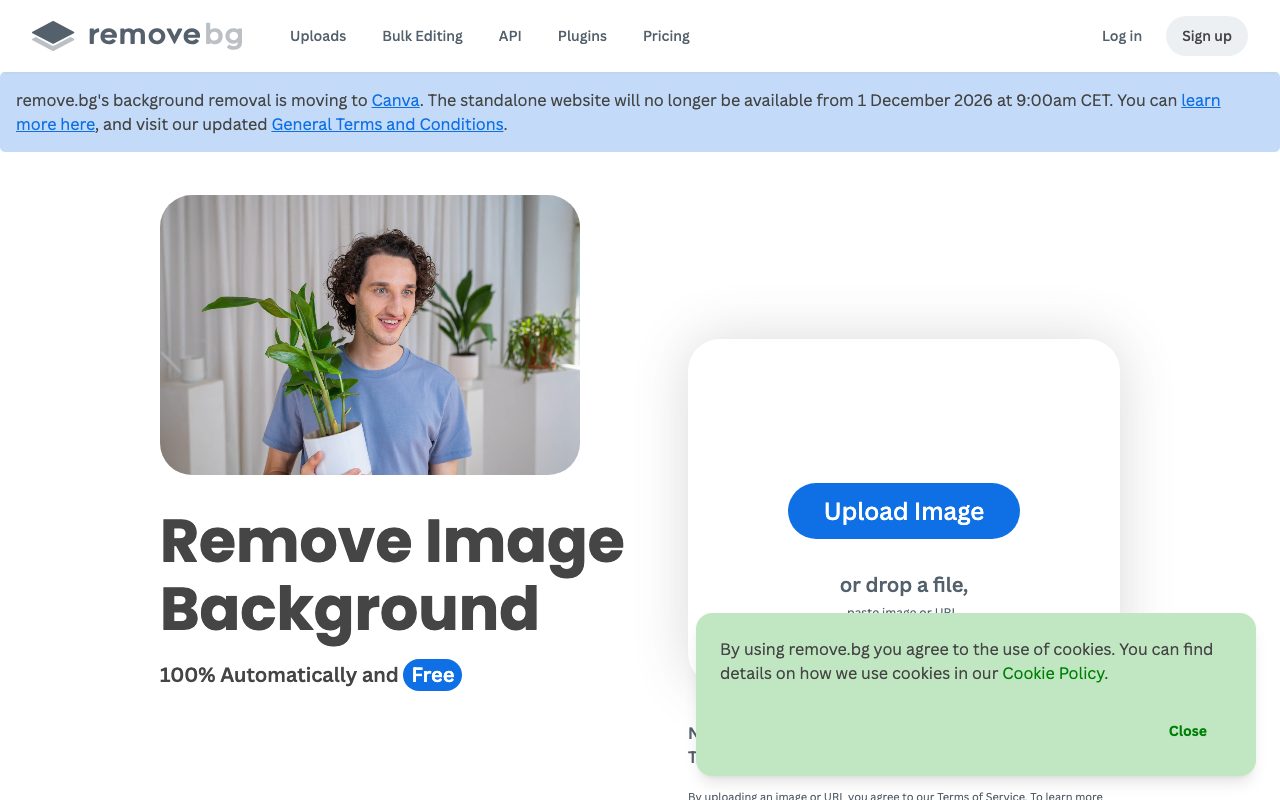
Remove.bg is an AI-powered visual tool focused on isolating subjects from photographic and graphic backgrounds. Operated by Canva Austria GmbH, the platform automates the tedious masking process commonly handled by manual pen tools in traditional photo editors. Beyond simple transparent PNG cutouts, the tool includes an AI background generator that places subjects against fresh synthetic backdrops without requiring prompt engineering. For commercial and catalog needs, users can batch-process images, swapping backgrounds to solid white or custom templates across e-commerce listings, vehicle inventories, or corporate headshots. Remove.bg fits into professional pipelines through native extensions for Figma and Adobe Photoshop, automation recipes on Zapier, dedicated desktop applications across Windows, macOS, and Linux, an Android app, and a developer REST API capable of processing up to 500 images per minute.
Remove.bg isolates subjects instantly with zero manual brushwork, scales up to 500 images per minute in bulk workflows, and connects directly into production software like Photoshop, Figma, and custom APIs.
Product capabilities
Key features
Automated background isolation
Detects subjects and separates foreground elements from complex photo backgrounds in seconds.
AI background generator
Generates new backdrops behind isolated subjects automatically without manual prompting.
Magic Brush refinement
Offers brush-based touch-up controls to restore or erase specific pixel regions after automated isolation.
High-volume bulk processing
Processes image batches at speeds reaching up to 500 images per minute for large inventories.
Workflow integrations
Embeds background removal directly inside Photoshop, Figma, and Zapier, alongside desktop and Android apps.
Developer REST API
Enables engineering teams to automate background cutouts within internal applications and publishing platforms.
Workflow
How Remove.bg works
- Upload an image via the web browser, desktop client, or API endpoint.
- The AI model isolates the foreground subject and removes the existing backdrop in seconds.
- Optionally touch up edges with Magic Brush or generate a synthetic background backdrop.
- Download the transparent PNG or composite image to your device or receive it via API response.
Practical fit
Who should use Remove.bg?
E-commerce product staging
Convert distracting product photo backgrounds into uniform white backdrops for retail marketplaces.
Professional headshots
Standardize team portraits and profile avatars with clean transparent or solid backgrounds.
Vehicle inventory merchandising
Isolate photographed cars from dealership lots and superimpose branded showroom backgrounds.
Design asset preparation
Export clean transparent PNG graphics and logos for slide decks, marketing layouts, and social media banners.
Editorial assessment
Pros and limitations
Where it is strong
- One-click subject detection requires no manual outlining
- High processing throughput of up to 500 images per minute for batch needs
- Native extensions available for tools like Photoshop and Figma
- Official developer API for programmatic pipeline automation
- Cross-platform desktop and mobile clients available
Where to be careful
- Limited to background editing rather than end-to-end photo manipulation
- Full-resolution and bulk downloads consume paid credits or subscription quotas
Commercial context
Remove.bg pricing
At the review date (September 2026), remove.bg provides free background removal directly in the browser, while high-volume bulk processing, high-resolution downloads, and API credits require paid subscriptions or credit packages. Check the official pricing page for current rates.
Pricing, limits, taxes, model access, and regional availability can change. Verify the purchase-critical details on the official pricing page linked under Sources.
Transparent ranking
Why Remove.bg scores 72.3
Each factor is scored on a 100-point scale, then combined using the public ToolsRank weights. Engagement and momentum stay at a neutral baseline until measured signals exist, so no tool can gain or lose position from numbers nobody recorded.
Compatibility
Languages, platforms, and integrations
Languages
- English
Platforms
- Web
- Windows
- macOS
- Linux
- Android
Integrations & surfaces
- Adobe Photoshop
- Figma
- Zapier
- GIMP
Community
Reviews and questions
No approved member reviews yet. Editorial factors above are the only rating on this page.
Reviews and questions come from Google-signed members and are checked by an editor before they appear.
Frequently asked
Remove.bg FAQ
Can I use Remove.bg for free?+
Yes. Remove.bg allows free background removal directly on its website. High-resolution exports, bulk processing, and API access typically require paid credits or subscriptions.
What platforms and operating systems does Remove.bg support?+
Remove.bg runs in modern web browsers, provides desktop clients for Windows, macOS, and Linux, offers an Android mobile app, and integrates with Adobe Photoshop and Figma.
How does Remove.bg handle uploaded image data?+
According to the official privacy policy, uploaded files are securely transferred, processed to provide the cutout result, and deleted shortly after processing. Users can also choose whether to opt in or out of contributing images to model training.
Does Remove.bg support API integration?+
Yes. Remove.bg provides a developer REST API that can process up to 500 images per minute for automated back-office and application pipelines.