
Direct answer
What is SocialBee?
SocialBee is a social media management and scheduling platform that pairs category-based posting queues and evergreen recycling with built-in AI strategy and content generation tools.
SocialBee is a social media management platform built to centralize content planning, creation, scheduling, analytics, and engagement. Operated by SocialBee LABS SRL (a WebPros group company), the software supports direct scheduling and automated publishing to 10 major networks: Facebook, Instagram, X (Twitter), LinkedIn, Pinterest, TikTok, YouTube, Threads, Bluesky, and Google Business Profile. For networks without direct API posting, SocialBee offers a Universal Posting workflow via its mobile app. The tool's architecture centers around content categories. Instead of slotting isolated posts on a calendar, users organize content into topical queues (such as blog promotions, curated links, or product updates) and define publishing schedules for each category. This supports evergreen content recycling, letting high-performing posts cycle back into publication automatically, as well as setting post expiration rules for time-sensitive launches. Content creation is supported by Copilot, an AI assistant that builds custom social media strategies, posting cadences, and draft posts after reviewing a company website or intake questions. An embedded AI Post Generator produces captions, hashtags, visual suggestions, and platform-specific variations. Additionally, SocialBee integrates directly with Canva, Unsplash, and GIPHY for visual assets. For team and client management, the platform includes separate workspaces, approval flows, internal post comments, and a unified social inbox handling comments, mentions, and direct messages.
SocialBee differentiates itself with category-based content queuing and automated evergreen post recycling, coupled with an AI Copilot that drafts entire multi-platform posting strategies rather than one-off captions.
Product capabilities
Key features
Category-Based Scheduling and Recycling
Organize posts into topical buckets, establish recurring weekly posting schedules, automatically recycle evergreen content, or set expiration limits based on date or share count.
AI Copilot and Content Generator
Create personalized social media strategies, content plans, and post templates from prompts or website URLs, alongside caption variations and generated AI images.
Unified Social Inbox
Monitor and respond to comments, mentions, and direct messages across Facebook, Instagram, Threads, LinkedIn, YouTube, and X from a single interface.
Visual Scheduler and Grid Preview
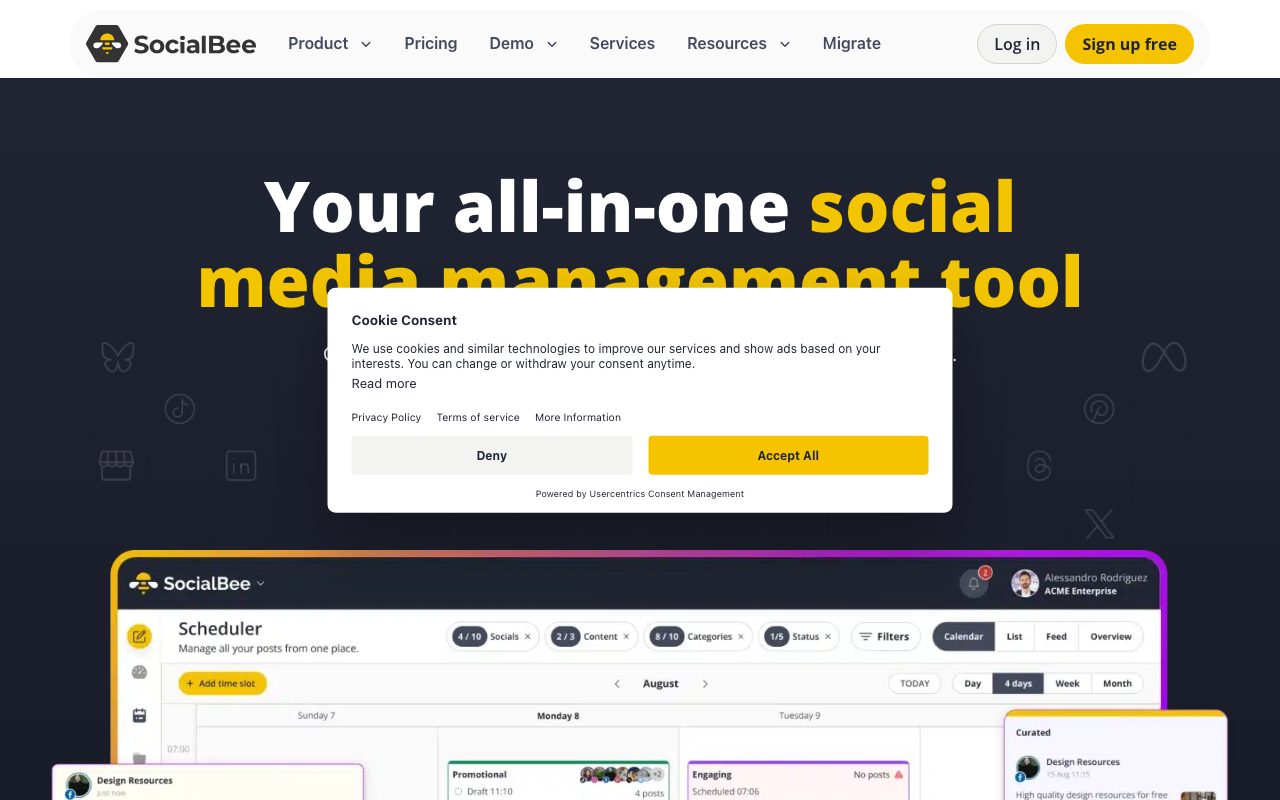
Plan posts across calendar, list, and overview views, with an Instagram grid preview showing scheduled posts and Reels up to 30 days ahead.
Multi-Client Workspaces and Approvals
Separate client data and social profiles into dedicated workspaces with role assignments, internal review notes, and draft approval workflows.
Analytics and Branded PDF Exports
Track follower growth, engagement rates, and top-performing formats with up to 2 years of historical data and exportable client-ready PDF reports.
Workflow
How SocialBee works
- Connect social accounts across supported platforms such as LinkedIn, Facebook, Instagram, Threads, Bluesky, and X.
- Set up content categories for different post types and assign recurring weekly posting time slots.
- Draft posts manually or generate captions, variations, and images using the AI generator and Copilot.
- Review drafts, add internal comments, and approve posts within team workspaces before publishing.
- Track engagement, profile growth, and audience demographics via built-in analytics and downloadable PDF reports.
Practical fit
Who should use SocialBee?
Evergreen Content Automation
Social media managers organize blog posts and tips into categories to ensure social feeds remain active on set schedules without manual daily intervention.
Multi-Brand Agency Management
Agencies isolate client profiles and assets into separate workspaces, managing team review cycles, client approvals, and branded PDF reporting from one portal.
Campaign Launch Scheduling
Marketing teams schedule time-sensitive launch posts with specific publication dates, first-comment scheduling, and automatic post-expiration dates.
Editorial assessment
Pros and limitations
Where it is strong
- Category-based queuing enables automated evergreen content recycling and balanced posting cadences
- Direct publishing support for 10 platforms, including newer networks like Threads and Bluesky
- Unlimited AI content generation is included across all subscription tiers
- Includes unified inbox capabilities for conversations and comments across key networks
Where to be careful
- No free-forever plan is offered once the 14-day trial period finishes
- Entry-level Bootstrap plan excludes post approvals, CSV uploads, bulk editing, internal notes, and PDF exports
- Certain channels like WhatsApp, Telegram, and Facebook Groups require the mobile app Universal Posting system
Commercial context
SocialBee pricing
At the review date in September 2026, standard monthly plans start at $29/month (or $24.20/month billed annually). A 14-day free trial of the Pro plan is offered with no credit card required. Verify current rates on the official pricing page.
| Plan | Price | What it includes |
|---|---|---|
| Bootstrap | $29 / month (or $24.20/month billed annually at $290/year) | |
| Accelerate | $49 / month (or $40.80/month billed annually at $490/year) | |
| Pro | $99 / month (or $82.50/month billed annually at $990/year) | |
| Pro50 | $179 / month (or $149.20/month billed annually at $1,804.32/year) | |
| Pro100 | $329 / month (or $274.20/month billed annually at $3,316.32/year) | |
| Pro150 | $449 / month (or $374.20/month billed annually at $4,525.92/year) |
Pricing, limits, taxes, model access, and regional availability can change. Verify the purchase-critical details on the official pricing page linked under Sources.
Transparent ranking
Why SocialBee scores 72.8
Each factor is scored on a 100-point scale, then combined using the public ToolsRank weights. Engagement and momentum stay at a neutral baseline until measured signals exist, so no tool can gain or lose position from numbers nobody recorded.
Compatibility
Languages, platforms, and integrations
Languages
- en
Platforms
- Web
- iOS
- Android
Integrations & surfaces
- Canva
- Unsplash
- GIPHY
- Zapier
- Make
- Pabbly
- Bitly
- Rebrandly
- BL.INK
- Bluesky
- Threads
- TikTok
Community
Reviews and questions
No approved member reviews yet. Editorial factors above are the only rating on this page.
Reviews and questions come from Google-signed members and are checked by an editor before they appear.
Frequently asked
SocialBee FAQ
Which social platforms does SocialBee support for direct posting?+
SocialBee supports direct scheduling and automated publishing to Facebook (profiles, pages, groups), Instagram (business and personal), Threads, X (Twitter), LinkedIn (profiles and company pages), Pinterest, TikTok, YouTube, Bluesky, and Google Business Profiles. Networks like WhatsApp, Telegram, and Mastodon can be reached through its Universal Posting mobile app workflow.
Is there a free plan for SocialBee?+
SocialBee does not offer a permanent free plan. It provides a 14-day free trial of its Pro tier with no credit card required, allowing access to core scheduling, AI, and collaboration features.
What is category-based scheduling?+
Instead of scheduling individual posts one by one onto specific calendar slots, SocialBee lets users group content by themes or types (content categories). Users assign calendar time slots to each category, and SocialBee automatically pulls and publishes posts from that category queue in order.
What happens when the 14-day free trial ends?+
Once the 14-day trial concludes, automated publishing pauses. Scheduled content, profile settings, and categories remain saved, and functionality resumes when upgrading to a paid subscription.
Does SocialBee support client approval workflows?+
Yes, but approval features, internal notes, and separate multi-client workspaces are restricted to Accelerate and Pro-level plans. The entry-level Bootstrap plan does not include the post approval system or internal notes.