Direct answer
What is Tactiq?
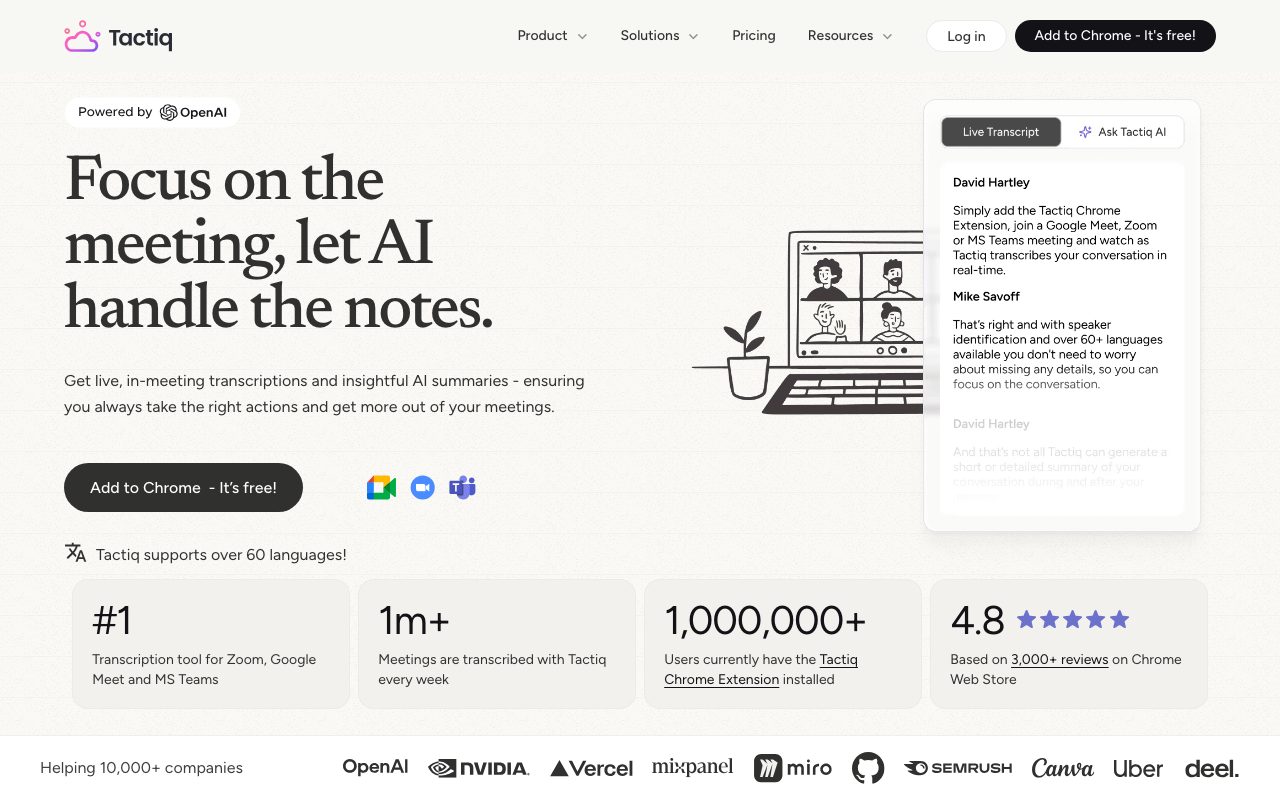
Tactiq is an AI meeting transcription and notes assistant that runs directly in your browser without sending a recording bot into your Google Meet, Zoom, or Microsoft Teams calls.
Tactiq provides live speech-to-text transcription and post-call summaries for remote meetings across Google Meet, Zoom, and Microsoft Teams. Operating through a browser extension, it captures conversations on the fly without introducing an external virtual recording bot into the call. The tool identifies speakers, lets participants tag or highlight crucial moments, and captures presentation screenshots directly into the transcript. After or during the call, Tactiq leverages OpenAI's enterprise API to produce concise or granular summaries, assign action items with participant names, and answer questions about the discussion. Transcripts and takeaways can be transformed into project briefs, tickets, or documentation and shared directly to tools like Slack, Notion, Linear, HubSpot, and Google Docs.
Unlike meeting assistants that insert a visible third-party recording bot into the call participant roster, Tactiq transcribes audio locally via a browser extension and does not record or store meeting audio files.
Product capabilities
Key features
Bot-Free Real-Time Transcription
Transcribes live conversations inside Google Meet, Zoom, and Microsoft Teams through a browser extension without adding a bot account to the call.
One-Click AI Summaries
Generates short overviews or comprehensive multi-topic meeting summaries with citations directly from transcribed discussions.
Custom AI Prompts and Meeting Kits
Enables users to query the transcript using custom questions and save reusable AI prompt libraries tailored to specific roles or workflows.
Speaker Identification and Analytics
Detects who spoke during the call, correlates action items to named individuals, and reports post-meeting speaker participation statistics.
Live In-Meeting Assistance
Provides an in-meeting interface allowing participants to ask AI questions, highlight moments, add tags, and review recent dialogue during the call.
Automated Workflow Exports
Transforms transcript snippets into Linear tickets, HubSpot updates, Slack messages, Notion pages, Google Docs, or PDF and text exports.
Workflow
How Tactiq works
- Install the Tactiq extension for Google Chrome or Microsoft Edge.
- Join a video conference on Google Meet, Zoom, or Microsoft Teams.
- Tactiq captures the dialogue live into a text transcript with speaker separation and custom tagging.
- Generate instant summaries, follow-up emails, and action items using pre-built or custom AI prompts.
- Push insights directly to connected workspaces like Slack, Notion, Linear, HubSpot, or export to PDF.
Practical fit
Who should use Tactiq?
Project Team Standups and Syncs
Automatically capture action items and task ownership without assigning manual note-taking duties to engineers or project managers.
Client and Customer Calls
Generate immediate recaps and follow-up emails while maintaining privacy by avoiding automated attendee bots on external calls.
Multilingual Team Collaboration
Transcribe conversations across international teams using multilingual detection supporting dozens of global languages.
Technical Documentation and Issue Creation
Directly turn discussed implementation requirements and bug reports into structured Linear issues or documentation pages.
Editorial assessment
Pros and limitations
Where it is strong
- Operates without a bot joining the meeting room or participant list
- Does not record or store raw audio files, improving participant privacy
- Supports live in-meeting querying alongside post-meeting summaries
- Enterprise data protections backed by SOC 2 Type II, ISO 27001, GDPR, and HIPAA compliance
- Direct integrations with productivity tools including Linear, Slack, Notion, and HubSpot
Where to be careful
- No audio or video playback since audio is processed strictly into text and not preserved
- Requires a browser extension (such as Chrome or Edge) to function during calls
- Exact pricing tiers beyond the initial 10 free meetings are not published on the reviewed landing pages
Commercial context
Tactiq pricing
At the review date in September 2026, Tactiq offers 10 free meeting transcriptions and summaries without requiring a credit card, alongside paid team and enterprise plans. Specific paid pricing tiers are not detailed on the supplied pages and should be verified on the official website.
Pricing, limits, taxes, model access, and regional availability can change. Verify the purchase-critical details on the official pricing page linked under Sources.
Transparent ranking
Why Tactiq scores 75.6
Each factor is scored on a 100-point scale, then combined using the public ToolsRank weights. Engagement and momentum stay at a neutral baseline until measured signals exist, so no tool can gain or lose position from numbers nobody recorded.
Compatibility
Languages, platforms, and integrations
Languages
- English
- Spanish
- French
- German
- Portuguese
Platforms
- Chrome
- Edge
- Web
Integrations & surfaces
- Google Meet
- Zoom
- Microsoft Teams
- Slack
- Notion
- Linear
- HubSpot
- Google Docs
Community
Reviews and questions
No approved member reviews yet. Editorial factors above are the only rating on this page.
Reviews and questions come from Google-signed members and are checked by an editor before they appear.
Frequently asked
Tactiq FAQ
Does Tactiq send a bot into my meetings?+
No. Tactiq transcribes meetings in real time using a browser extension without deploying an automated recording bot to your meeting room.
Does Tactiq record or store meeting audio?+
No. Tactiq does not record or store raw audio from your meetings. The transcription occurs live in real time and is saved solely as text.
Will other participants know I am transcribing the meeting?+
The live transcription panel is only visible to you by default, though you have the option to inform participants that you are transcribing the call.
Does OpenAI train on meeting transcripts processed by Tactiq?+
No. Tactiq uses OpenAI enterprise API endpoints, where data submitted through the API is not used to train or improve foundation models.
Which video meeting services work with Tactiq?+
Tactiq officially supports Google Meet, Zoom, and Microsoft Teams through its browser extensions.
Is there a free version of Tactiq?+
Yes. Tactiq provides a free start that includes the first 10 meeting transcriptions and summaries without requiring credit card details.