
Direct answer
What is Teal?
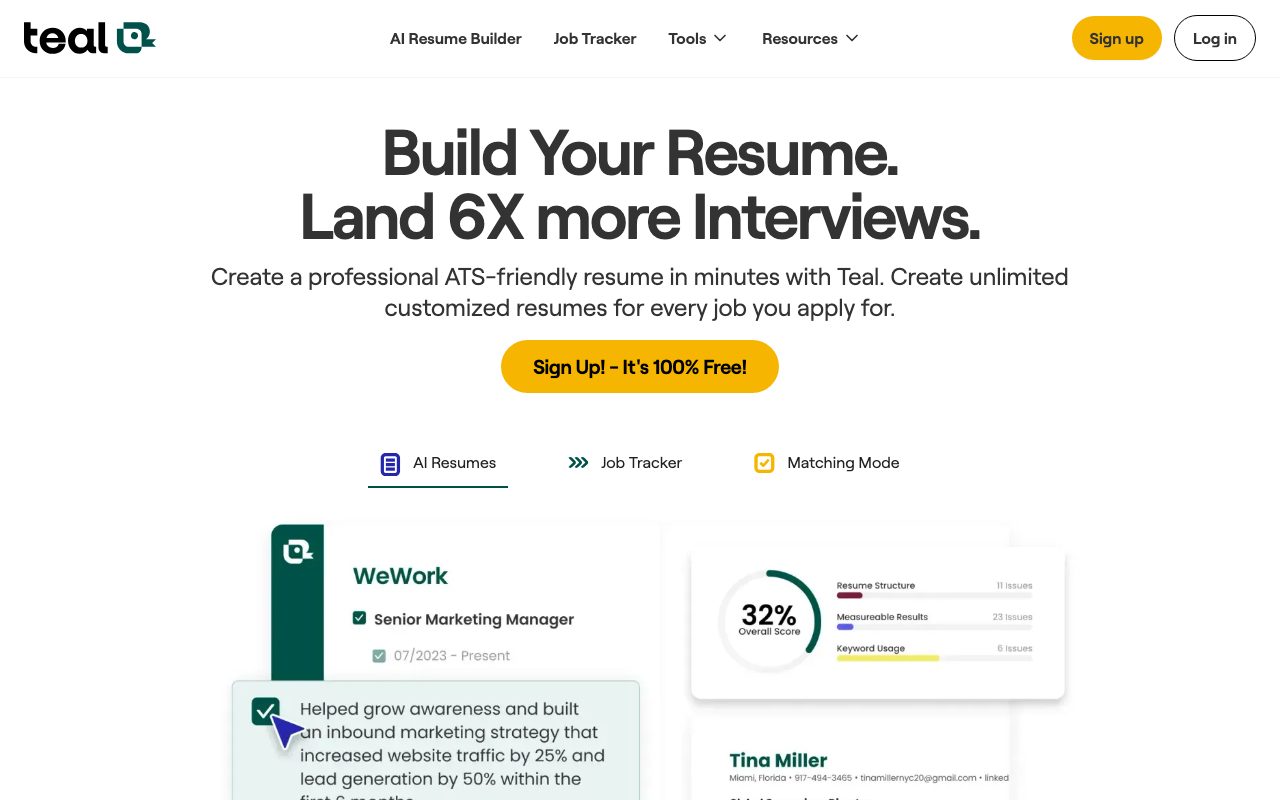
Teal is a career management platform that pairs an AI resume builder with an application tracking system and Chrome extension to tailor materials to job descriptions.
Teal provides an end-to-end toolkit designed to streamline the job hunt. Rather than maintaining static documents, users can create unlimited versions of their resume and customize them directly against target job descriptions. The platform parses role requirements to extract relevant keywords and hard or soft skills, generating a match score that helps users assess alignment before applying. Central to the workflow is the Job Application Tracker and a free Chrome extension that allows applicants to bookmark listings from more than 40 popular job boards. Users can log prospective opportunities, record notes, assign statuses, and monitor their application pipeline. When developing resumes, Teal offers AI-powered generation for professional summaries, metric-driven bullet points, and role-specific cover letters. Beyond basic creation, the platform includes an ATS resume checker that flags structural and formatting gaps. It also supports importing information directly from LinkedIn, crafting personalized application answers with an autofill tool, and synchronizing Google Contacts and Calendar context into a personal networking CRM.
Unlike standalone generative writing tools or basic resume builders, Teal couples AI content generation with a structured job tracker, side-by-side job description keyword scoring, and a browser extension that saves listings across 40+ job boards.
Product capabilities
Key features
AI Resume Builder & Rewriter
Builds and formats resumes with AI-generated metric-focused bullet points, career summaries, and role-specific content revisions.
Job Description Keyword Match
Scans job postings for critical hard and soft skills, providing a match score and actionable recommendations to align qualifications.
Job Application Tracker
Centralizes application management with pipeline stages, goals, follow-up notes, and status monitoring across the job search.
Chrome Extension for Job Bookmarking
Saves job listings directly from over 40 major job boards into the tracker with one click while capturing key posting information.
AI Cover Letter Generator
Produces targeted cover letters aligned with the user's work history and the specific requirements of the target position.
ATS Resume Checker
Evaluates resume formatting, structure, and keyword density to surface potential weaknesses before submission.
Networking CRM & Contact Sync
Maintains professional relationships, tracking interactions and optionally connecting with Google Contacts and Calendar context.
LinkedIn Resume Builder & Review
Imports career history from LinkedIn profiles into resume templates and provides recommendations to improve LinkedIn visibility.
Practical fit
Who should use Teal?
Tailoring Resumes for Applicant Tracking Systems
Compare your resume against a target job listing to extract missing keywords, optimize bullet points, and improve your match score.
Tracking High-Volume Applications
Bookmark opportunities from job boards using the browser extension and monitor application statuses from applied to interview stages.
Generating Targeted Cover Letters
Draft position-specific cover letters quickly by combining your saved career accomplishments with job posting details.
Organizing Follow-ups and Networking
Log communications with recruiters, schedule interview follow-ups, and organize professional contacts in one place.
Editorial assessment
Pros and limitations
Where it is strong
- Combines resume generation directly with job tracking and keyword matching
- Free Forever tier includes unlimited resumes and basic job tracking
- Chrome extension captures job listings across more than 40 job boards
- Side-by-side keyword matching shows explicit skill alignment
Where to be careful
- Free plan limits AI credits (10 bullet credits, 2 summary credits, 2 cover letter credits) and top 5 keywords
- Paid Teal+ tier relies on short-interval recurring billing schedules ($13/week or $29/month) which can accumulate quickly
- Requires manual review to ensure AI-generated bullet points accurately represent personal experience
Commercial context
Teal pricing
Pricing snapshot as of September 2026. Teal provides a Free Forever tier alongside Teal+, which costs $13 billed every 7 days, $29 every 30 days, or $79 every 90 days. Confirm current terms on the official pricing page.
| Plan | Price | What it includes |
|---|---|---|
| Free Forever | $0 |
|
| Teal+ (Weekly) | $13 / week | |
| Teal+ (Monthly) | $29 / month | |
| Teal+ (Quarterly) | $79 / quarter |
Pricing, limits, taxes, model access, and regional availability can change. Verify the purchase-critical details on the official pricing page linked under Sources.
Transparent ranking
Why Teal scores 71.5
Each factor is scored on a 100-point scale, then combined using the public ToolsRank weights. Engagement and momentum stay at a neutral baseline until measured signals exist, so no tool can gain or lose position from numbers nobody recorded.
Compatibility
Languages, platforms, and integrations
Languages
- English
Platforms
- Web
- Chrome Extension
Integrations & surfaces
- Google Contacts
- Google Calendar
- Google Chrome
Community
Reviews and questions
No approved member reviews yet. Editorial factors above are the only rating on this page.
Reviews and questions come from Google-signed members and are checked by an editor before they appear.
Frequently asked
Teal FAQ
What is included in Teal's free plan?+
Teal's Free Forever plan includes unlimited resumes, unlimited job tracking, access to 10 resume templates, basic design mode settings, analysis in the resume builder, 1 email template per job stage, the top 5 keywords from job listings, and limited AI credits (10 resume bullets, 2 summaries, and 2 cover letters).
What additional features are unlocked with Teal+?+
Teal+ unlocks unlimited resume templates, unlimited keyword matching (hard and soft skills), advanced resume analysis, full design mode customization, unlimited email templates, and unlimited AI credits for generating resume bullet points, professional summaries, and cover letters.
How does Teal handle job description matching?+
Teal scans the text of a saved job description to identify essential keywords and technical requirements, then compares them against your resume to provide a match score alongside recommendations for missing skills.
How does subscription cancellation and refund work?+
Subscriptions can be cancelled at any time through account settings, taking effect at the end of the current billing cycle. Refunds may be requested via email within each plan's specific eligibility timeframe as outlined in Teal's refund policy.
How does Teal interact with Google account data?+
If you connect a Google account, Teal uses read-only access to import contacts and review calendar timing to suggest relevant networking and career actions. Teal does not use Google Workspace API data to train generalized AI models.