Direct answer
What is Visme?
Visme is a cloud-based visual communication suite that blends template-based graphic design, interactive presentations, and data visualization with built-in AI generators for slides, documents, and images.
Visme is a multi-format design platform built to handle business collateral across presentations, documents, infographics, printables, and web forms. Users can start projects from thousands of pre-made templates or use the Visme AI Designer to generate structured drafts from natural-language text prompts. The platform pairs traditional slide and layout tools with interactive features, such as clickable hotspots, animated widgets, and embeddable media. Data visualization is a central focus of the software, supporting charts, maps, and customizable data widgets that turn metrics into visual assets. For team workflows, Visme offers brand kits to lock fonts, logos, and color palettes, as well as role-based permissions, project approval flows, and centralized asset management. Completed assets can be presented online, embedded via HTML/iFrame, tracked through engagement analytics, or exported into standard static and interactive formats including PDF, PPTX, HTML5, MP4, and SCORM.
Unlike slide-only tools or generic social-post graphic editors, Visme merges structured document design, interactive presentation delivery, dynamic charting, and form building into one workspace, supporting interactive exports like HTML5 and SCORM alongside standard formats.
Product capabilities
Key features
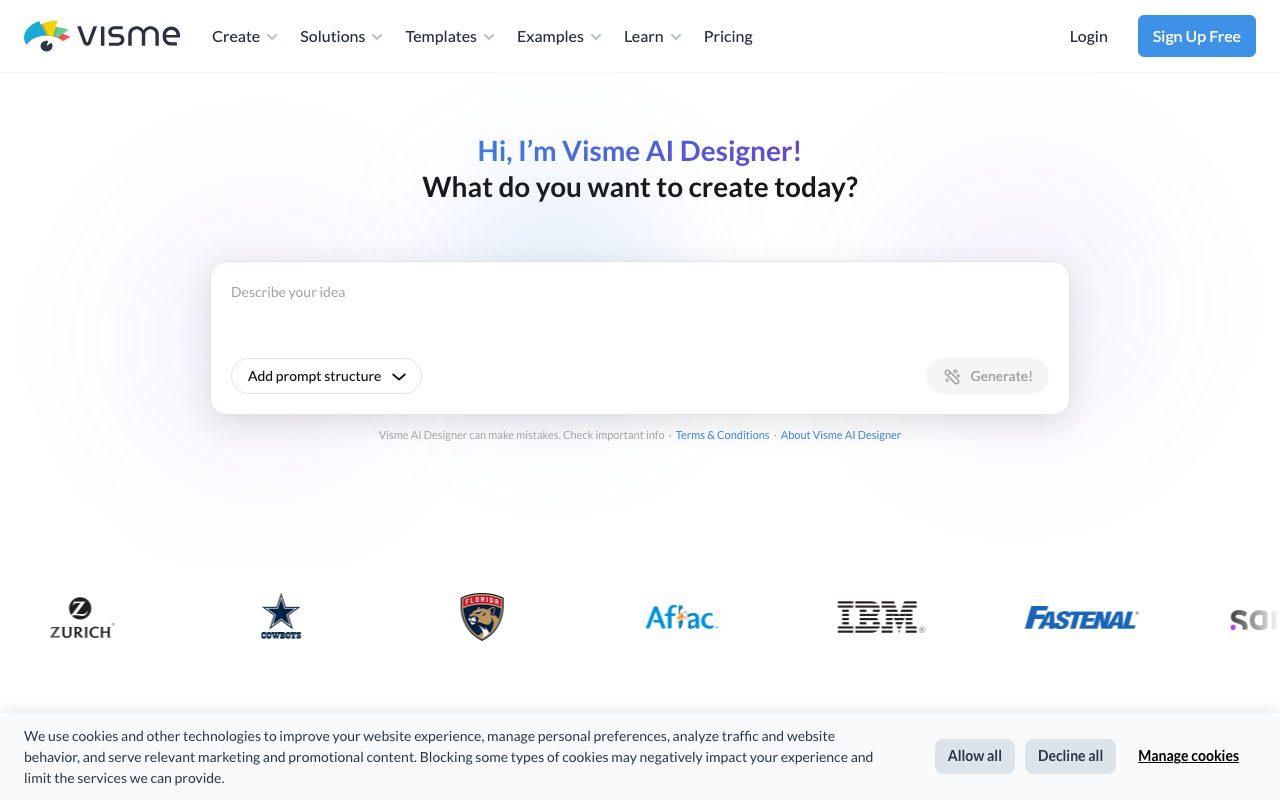
Visme AI Designer
Generates initial designs for presentations, documents, and visual layouts directly from descriptive text prompts.
Data Visualization & Charting
Transforms numerical datasets into interactive charts, graphs, maps, and specialized data widgets.
Interactive Content Tools
Adds clickable hotspots, hover effects, animation timelines, and audio/video embeds to digital assets.
Brand Kit & Brand Wizard
Pulls brand styling from a website URL and enforces company fonts, colors, and logos across project templates.
Multi-Format Exports
Supports project downloads across JPG, PNG, PDF, editable PPTX, MP4 video, animated GIF, HTML5, and SCORM/xAPI.
Interactive Forms and Surveys
Builds and embeds lead-capture forms, feedback widgets, and surveys directly inside visual materials.
Collaborative Workflows
Includes real-time commenting, slide-level locking, approval workflows, custom user roles, and centralized folder permissions.
Practical fit
Who should use Visme?
Interactive Sales Proposals
Building interactive decks and client proposals with embedded analytics, video elements, and view tracking.
Executive and Evaluation Reports
Converting raw business figures and survey results into clear, multipage visual reports and one-pagers.
Employee Onboarding and Training
Designing interactive training manuals, presentations, and SCORM-compliant instructional assets.
Marketing and Social Collateral
Planning, designing, and scheduling branded social media posts, banners, and infographics using consistent brand guidelines.
Editorial assessment
Pros and limitations
Where it is strong
- Broad content format coverage including decks, reports, infographics, and web forms
- Rich export options including HTML5, PPTX, MP4, and SCORM/xAPI on advanced tiers
- Centralized brand governance features such as font/palette locking and custom templates
- Generous free tier allowing unlimited projects with standard drag-and-drop tools
Where to be careful
- Free plan adds Visme watermarking and restricts downloads to JPG, PNG, and PDF
- Advanced export formats (PPTX, HTML5, video) and Brand Kit require Pro or Enterprise plans
- Storage on the Basic plan is capped at 500MB and slides are capped at 50 per project
Commercial context
Visme pricing
Pricing snapshot at review date (September 2026): Visme offers a free Basic tier (with watermarks and limited export formats), a Starter plan at $12.25/month ($147/year), and a Pro plan at $24.75/month ($297/year) when billed annually. Enterprise pricing requires contacting sales for teams of 10 or more. Verify current pricing and limits directly on Visme's official pricing page.
Pricing, limits, taxes, model access, and regional availability can change. Verify the purchase-critical details on the official pricing page linked under Sources.
Transparent ranking
Why Visme scores 76
Each factor is scored on a 100-point scale, then combined using the public ToolsRank weights. Engagement and momentum stay at a neutral baseline until measured signals exist, so no tool can gain or lose position from numbers nobody recorded.
Compatibility
Languages, platforms, and integrations
Languages
- English
- Español
- Français
- Deutsch
- Português
- Italiano
Integrations & surfaces
- Salesforce
- HubSpot
- Google Sheets
Community
Reviews and questions
No approved member reviews yet. Editorial factors above are the only rating on this page.
Reviews and questions come from Google-signed members and are checked by an editor before they appear.
Frequently asked
Visme FAQ
Does Visme have a completely free plan?+
Yes. Visme provides a free Basic plan that includes unlimited projects, access to basic charts, the drag-and-drop editor, and most template categories. However, projects exported on the Basic plan contain a Visme watermark and are limited to JPG, PNG, and PDF downloads.
Can I export presentations to PowerPoint format?+
Yes. Downloading projects as PPTX files is available on paid plans. Starter includes non-editable PPTX export, while Pro and Enterprise plans unlock full PPTX downloads and PowerPoint import capabilities.
How do AI credits work in Visme?+
AI tools consume monthly credits allocated by tier. The Basic plan includes 10 credits per month, Starter provides 200 credits, Pro provides 500 credits, and Enterprise offers unlimited credits. AI Designer generations typically cost 2 credits, while AI Writer, AI Resize, and AI Image tools cost 1 credit per generation.
Where is user data stored and handled?+
According to Visme's privacy policy, personal information and user files are stored on Amazon Web Services (AWS) servers located in the United States.
Are there discounted rates for education or nonprofits?+
Yes. Visme provides dedicated annual plans for Students ($48/year) and Educators ($96/year), as well as a 25% discount on business plans for verified non-profit organizations upon application.