Direct answer
What is Vyond?
Vyond is an enterprise video creation platform combining customizable 2D animation, AI avatar presenters, and text-to-video generation for corporate training and internal communication.
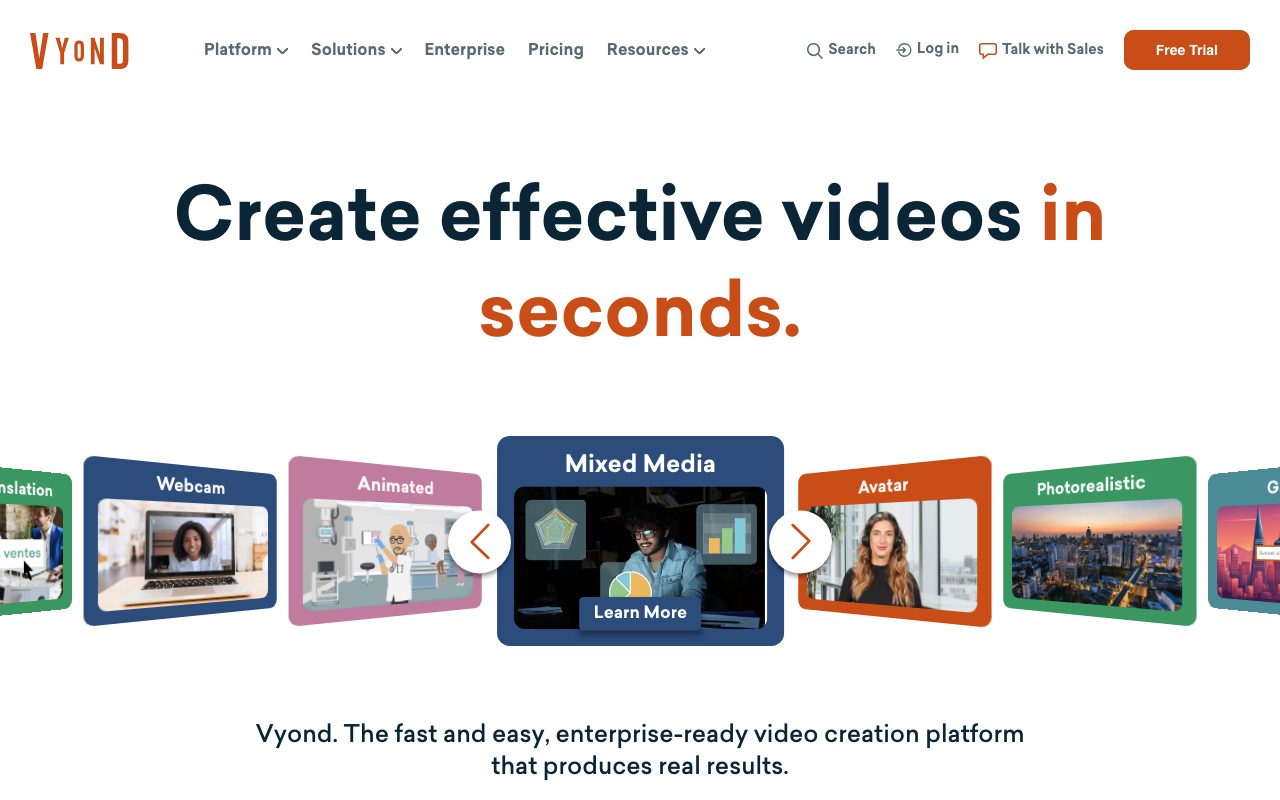
Vyond (operated by GoAnimate, Inc.) is a cloud-based video creation platform engineered for corporate teams producing instructional, compliance, sales enablement, and marketing media. The platform features two core production environments: Vyond Go, which utilizes generative AI to create complete video scripts and scenes directly from text prompts, uploaded documents (DOC, PDF, PPT, TXT), or URLs; and Vyond Studio, a comprehensive timeline-based editing suite for fine-tuning visual compositions, motion paths, character actions, and props. Users can build scenes in distinct animation styles—including Whiteboard, Contemporary, and Business Friendly—or utilize over 1,300 photorealistic and illustrated AI avatars paired with text-to-speech narration in more than 650 voices. Vyond also provides deep localization capabilities, allowing teams to instantly translate dialogue, on-screen text, and subtitles into 95 languages. For enterprise deployments, Vyond supports advanced governance tools via its Brand Management Suite, shared team workspaces, SCORM package exports for learning management systems (LMS), and the Vyond Secure Suite. IT compliance features include ISO/IEC 27001 certification, GDPR and CCPA adherence, Data Privacy Framework certification, SAML 2.0 Single Sign-On, SCIM provisioning, brute-force login protection, IP whitelisting, and custom video cache expiration.
Unlike realistic-only avatar platforms or basic screen recorders, Vyond pairs prompt-driven AI generation with an extensive 2D animation engine featuring customizable characters, Whiteboard and Business Friendly styles, and native SCORM package export for corporate LMS environments.
Product capabilities
Key features
Vyond Go AI Generation
Transforms plain text prompts, uploaded documents (.doc, .pdf, .ppt, .txt), or website URLs into complete video drafts with matching scripts and scene choreography.
Vyond Studio Timeline Editor
Provides timeline-based video editing with fine control over character actions, facial expressions, camera angles, motion paths, asset swaps, and audio layers.
Animation Styles and Asset Library
Offers Whiteboard, Contemporary, and Business Friendly animated styles alongside dynamic charts, infographics, props, and custom character builders.
AI Avatars and Voice Generation
Includes over 1,300 stock AI avatars, text-to-avatar generation, custom avatar creation, and over 650 high-quality and ultra-high-quality text-to-speech voices.
Instant Multilingual Translation
Translates on-screen text, dialogue scripts, and voiceover audio across 95 languages, with support for prompt generation in all supported languages.
Enterprise Security and Administration
Includes ISO 27001 certification, SAML SSO, SCIM provisioning, brute force protection, IP whitelisting, and configurable AWS video cache expiration.
Flexible LMS and Media Export
Exports completed videos as 1080p MP4 files, animated GIFs, transparent WebM clips, PNG scene slides, PPT decks, and SCORM packages for LMS systems.
Workflow
How Vyond works
- Select an authoring approach: launch Vyond Go to produce a drafted video from text, documents, or URLs, or enter Vyond Studio for direct timeline composition.
- Pick a visual style, choosing among Business Friendly, Contemporary, Whiteboard animations, stock footage, or over 1,300 realistic AI avatars.
- Customize scenes by tweaking character poses, expressions, dynamic charts, text, brand colors, and props on the timeline.
- Add audio through uploaded recordings, Dolby.io-enhanced speech, or text-to-speech in over 650 voices.
- Translate content into up to 95 languages with instant text, subtitle, and voice matching.
- Export the finalized project in 1080p MP4, SCORM package for LMS deployment, animated GIF, or transparent WebM format.
Practical fit
Who should use Vyond?
Compliance and Cybersecurity Training
Converting compliance policies, security manuals, and legal materials into engaging animated video modules that export directly to company LMS platforms.
HR Onboarding and Company Announcements
Producing standardized employee welcome videos, policy change notifications, and internal updates using brand colors and avatars.
Sales Enablement and Pitch Decks
Translating sales documents, feature briefs, or web pages into animated product walk-throughs and follow-up pitches.
Multilingual Global Training
Translating completed instructional videos into 95 languages with synchronized voiceover and localized text without remaking videos from scratch.
Editorial assessment
Pros and limitations
Where it is strong
- Native SCORM package export allows direct integration with learning management systems without third-party converters.
- Broad selection of production styles, spanning Business Friendly 2D animation, whiteboard sketches, photorealistic avatars, and screen capture.
- Vyond Go automates video and script ideation directly from URLs, PowerPoint decks, and PDF documents.
- Enterprise-grade security controls including ISO 27001 certification, SAML SSO, SCIM, and IP whitelisting.
Where to be careful
- Enterprise and Agency subscription plans do not offer monthly billing options and require upfront annual commitments.
- Starter tier is restricted to single users and excludes collaboration tools, instant translation, and stock media libraries.
- AI functionality relies on a monthly credit allocation that scales down quickly on intensive voice and avatar generation.
Commercial context
Vyond pricing
Pricing snapshot as of September 2026. Vyond offers Starter ($58/month billed annually or $99 billed monthly), Professional ($100/user/month billed annually or $199 monthly), Enterprise ($137/user/month billed annually), and Agency ($167/user/month billed annually). Enterprise and Agency plans require annual billing. Free trial is available.
| Plan | Price | What it includes |
|---|---|---|
| Starter | $58/mo billed annually ($699/year) or $99/mo billed monthly / monthly or annual billing (single user only, save 40% on annual billing). Includes 10,000 monthly credits, 100 video/GIF downloads, 25-minute max video duration, 650+ voices, screen/webcam recording, and text-to-video tools. | |
| Professional | $100/mo per user billed annually ($1,199/year) or $199/mo billed monthly / monthly or annual billing (save 50% on annual billing). Includes 20,000 monthly credits, 200 video/GIF downloads, 40-minute max video duration, team collaboration, 4M+ Shutterstock assets, instant translation into 95 languages, and text-to-avatar generation. | |
| Enterprise | $137/mo per user billed annually ($1,649/year) / annual billing only (contact for multi-seat pricing). Includes virtually unlimited credits, virtually unlimited video downloads, 90-minute max video duration, 200+ ultra high quality voices, Brand Management Suite, advanced collaboration, and Vyond Secure Suite. | |
| Agency | $167/mo per user billed annually ($1,999/year) / annual billing only (contact for multi-seat pricing). Tailored for creating client-facing content. Includes 400,000 monthly credits, virtually unlimited downloads, 90-minute max video duration, Brand Management Suite, and advanced collaboration. |
Pricing, limits, taxes, model access, and regional availability can change. Verify the purchase-critical details on the official pricing page linked under Sources.
Transparent ranking
Why Vyond scores 76.6
Each factor is scored on a 100-point scale, then combined using the public ToolsRank weights. Engagement and momentum stay at a neutral baseline until measured signals exist, so no tool can gain or lose position from numbers nobody recorded.
Compatibility
Languages, platforms, and integrations
Languages
- English
Platforms
- Web
- Mobile (iOS / Android)
Integrations & surfaces
- Google Docs
- Slack
- Zapier
- Shutterstock
- Google Workspace
- Microsoft 365
Community
Reviews and questions
No approved member reviews yet. Editorial factors above are the only rating on this page.
Reviews and questions come from Google-signed members and are checked by an editor before they appear.
Frequently asked
Vyond FAQ
Can Vyond convert PowerPoint presentations directly into videos?+
Yes. Vyond Go allows users to upload PowerPoint (.ppt) files, as well as .doc, .pdf, and .txt files, to instantly generate a scripted video draft based on the content of the presentation.
Does Vyond support LMS export standards like SCORM?+
Yes. Vyond allows users to export videos directly as SCORM packages, making it easy to upload learning content into learning management systems (LMS) alongside standard MP4, GIF, and WebM exports.
How do AI credits work on Vyond plans?+
Vyond allocates monthly AI credits based on the subscription tier: Starter provides 10,000 credits, Professional provides 20,000, Agency provides 400,000, and Enterprise offers virtually unlimited credits. Credits are consumed when generating speech, text-to-avatar models, text-to-image assets, full Vyond Go videos, video clips, or translations.
Does Vyond train AI models on user data?+
According to the official privacy policy, Vyond does not share user data with third-party AI models, and Google Workspace APIs are explicitly not used to develop, improve, or train generalized AI or machine learning models.
What security certifications does Vyond hold?+
Vyond is ISO/IEC 27001 certified for all locations and operations, compliant with GDPR and CCPA, and certified under the EU-U.S. and Swiss-U.S. Data Privacy Frameworks. Infrastructure is hosted on Amazon Web Services (AWS).