Direct answer
What is Wordly?
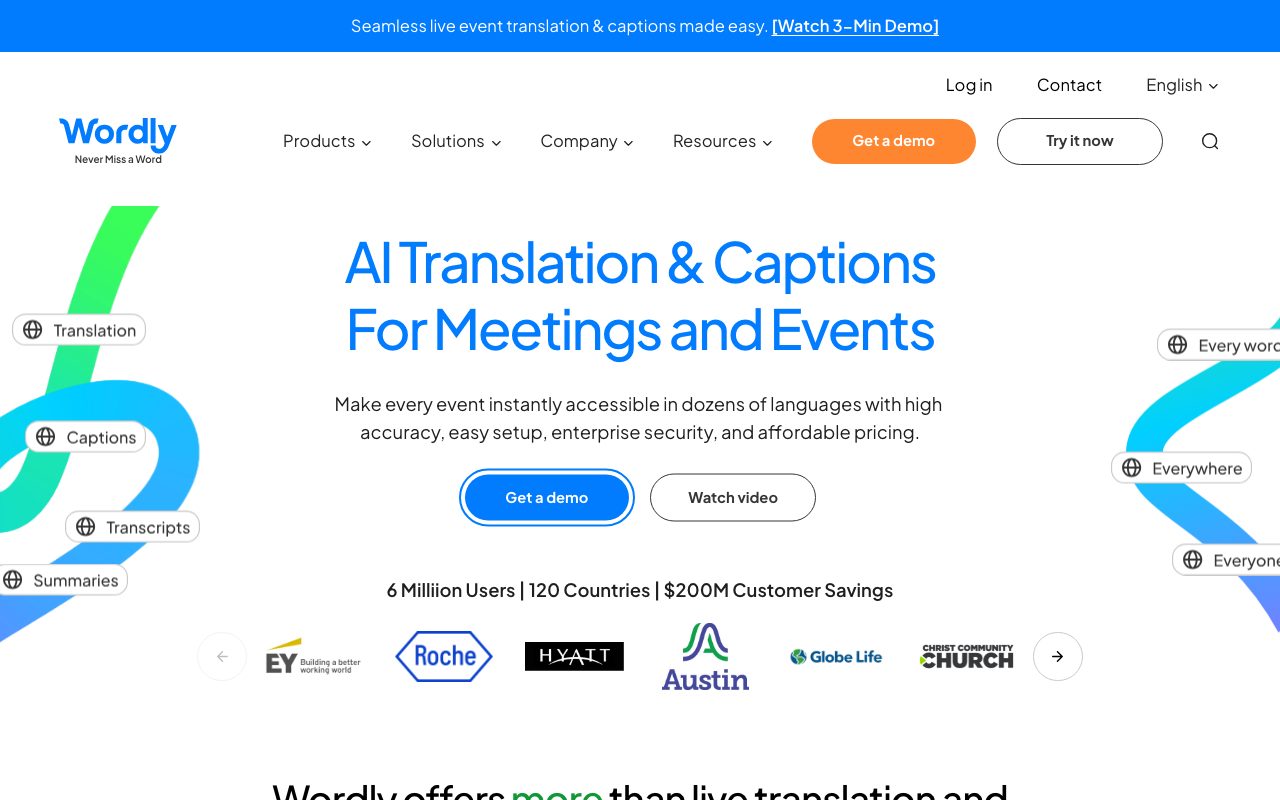
Wordly is an AI-powered translation and captioning platform that generates real-time audio interpretation, on-screen subtitles, searchable transcripts, and summaries for virtual, hybrid, and in-person events.
Wordly delivers real-time AI interpretation and captioning across dozens of languages for live meetings and events. Operating without traditional human interpreter booths or specialised hardware, the platform allows attendees to access translated audio and synchronized captions directly on their personal mobile devices, tablets, or computers by scanning a QR code or opening a URL. The system integrates with web conferencing and event software such as Zoom, Microsoft Teams, Google Meet, Cisco Webex, and Cvent, and can also route into on-stage audiovisual mixers to show captions on physical venue monitors. Administrators can customize terminology via specialized glossaries and blocklists to maintain phonetic and brand accuracy during presentations. After sessions end, organizers receive downloadable transcripts, AI-generated executive summaries, and audio files suitable for video dubbing. From a security and governance perspective, Wordly maintains SOC 2 Type II compliance, ISO 27001 certification, and adheres to GDPR, CCPA, and HIPAA requirements, alongside VPAT accessibility documentation.
Wordly bundles four distinct capabilities—live spoken translation, real-time captioning, post-event transcripts, and meeting summaries—into a single hour-based package that eliminates human interpreter booth logistics and per-language licensing.
Product capabilities
Key features
Two-Way Live Translation
Enables speakers and attendees to speak, listen, or read in their preferred languages across more than 3,000 language pairs.
Live Captioning and Display
Broadcasts synchronized captions to mobile devices via QR codes and web links or to in-room AV display monitors.
Custom Glossaries and Blocklists
Allows administrators to upload organization-specific vocabularies, product terms, and brand names to improve speech recognition and machine translation accuracy.
Post-Event Transcripts and Summaries
Generates searchable session transcripts and key-takeaway summaries in all supported languages once a session concludes.
Voice Transcripts for Dubbing
Supplies downloadable MP3 audio files in supported languages for post-event video dubbing and distribution.
Hardware-Free Attendee Access
Permits event attendees to listen to audio interpretation or read captions directly on personal devices without downloading native apps.
Workflow
How Wordly works
- Meeting organizers configure the event in Wordly, connect integrations (such as Zoom or Teams), and upload customized vocabulary glossaries.
- During the event, audio is processed in real time by Wordly's machine translation engine without requiring human interpreters.
- Attendees scan a QR code or use a shared link to read live translated subtitles or listen to synthetic audio in their chosen language.
- After the session, administrators access complete session transcripts, translation text, audio MP3 recordings, and structured AI summaries.
Practical fit
Who should use Wordly?
International Conferences
Provide thousands of on-site and remote attendees with localized audio and captions without sound booths or receiver headsets.
Corporate All-Hands & Training
Deliver company-wide presentations and workforce development sessions to distributed, multilingual teams over Zoom or Microsoft Teams.
Public & Municipal Meetings
Meet civic accessibility mandates by offering real-time translations and live transcripts during city council and government hearings.
Association Webinars
Expand global membership engagement by translating webcasts and generating post-event takeaway summaries for attendees.
Editorial assessment
Pros and limitations
Where it is strong
- No attendee downloads or dedicated translation hardware needed; access runs through a QR code or web link.
- Single fixed-price model covers translation, captions, transcripts, and summaries across all available languages.
- Certified compliance portfolio includes SOC 2 Type II, ISO 27001, HIPAA, and VPAT support.
- Direct integrations with major meeting suites including Zoom, Microsoft Teams, Webex, and Cvent.
- Custom glossaries ensure accurate interpretation of proprietary terminology and company names.
Where to be careful
- Entry-level annual package starts at roughly $1,500, making it inaccessible for individuals seeking low-cost tools.
- Higher tier and enterprise package pricing is not published transparently and requires sales outreach.
- Automated AI translation may not meet legal certification standards required for official court or formal legal proceedings.
Commercial context
Wordly pricing
At the review date, Wordly pricing starts at approximately $1,500 based on purchased hours allocated across a 12-month period, with four core outputs included in a single fee. Prospective buyers should check the official pricing page or contact sales to verify volume, non-profit, or education terms.
| Plan | Price | What it includes |
|---|---|---|
| Starter | Starts at ~$1,500 / annual |
Hours usable across multiple sessions over 12 months. |
| Pro / Pro+ / Corporate / Enterprise | Custom quote / annual |
Volume, non-profit, and education discounts are available upon contacting sales. |
Pricing, limits, taxes, model access, and regional availability can change. Verify the purchase-critical details on the official pricing page linked under Sources.
Transparent ranking
Why Wordly scores 76
Each factor is scored on a 100-point scale, then combined using the public ToolsRank weights. Engagement and momentum stay at a neutral baseline until measured signals exist, so no tool can gain or lose position from numbers nobody recorded.
Compatibility
Languages, platforms, and integrations
Languages
- English
- French
- Portuguese
- Spanish
- German
- Japanese
Platforms
- Web
- Zoom
- Microsoft Teams
- Google Meet
- Cisco Webex
Integrations & surfaces
- Zoom
- Microsoft Teams
- Google Meet
- Cisco Webex
- Cvent
- Encore
Community
Reviews and questions
No approved member reviews yet. Editorial factors above are the only rating on this page.
Reviews and questions come from Google-signed members and are checked by an editor before they appear.
Frequently asked
Wordly FAQ
How do attendees access translations during an event?+
Attendees scan a QR code or click a provided link on their smartphone, tablet, or laptop. They do not need to download an application or use dedicated headset equipment, and they can select whether to read captions or listen to translated audio.
How is Wordly billed?+
Wordly packages are sold based on the total number of hours purchased for a 12-month term. Hours can be split across multiple sessions throughout the year, and billing measures exact meeting duration rather than rounding up.
Can Wordly handle in-person events as well as webinars?+
Yes. Wordly supports virtual, hybrid, and fully in-person formats. For physical gatherings, organizers can feed stage audio into Wordly and project captions onto screens or let delegates listen via personal devices.
What security standards does Wordly meet?+
Wordly is ISO 27001 certified and SOC 2 Type II compliant. The platform supports GDPR, CCPA, and HIPAA compliance mandates, adheres to the EU-U.S. Data Privacy Framework, and provides VPAT accessibility documentation.