
Direct answer
What is Zero?
Zero is an open-source, client-side email application for Gmail that processes messages directly in the browser without retaining mail on central servers.
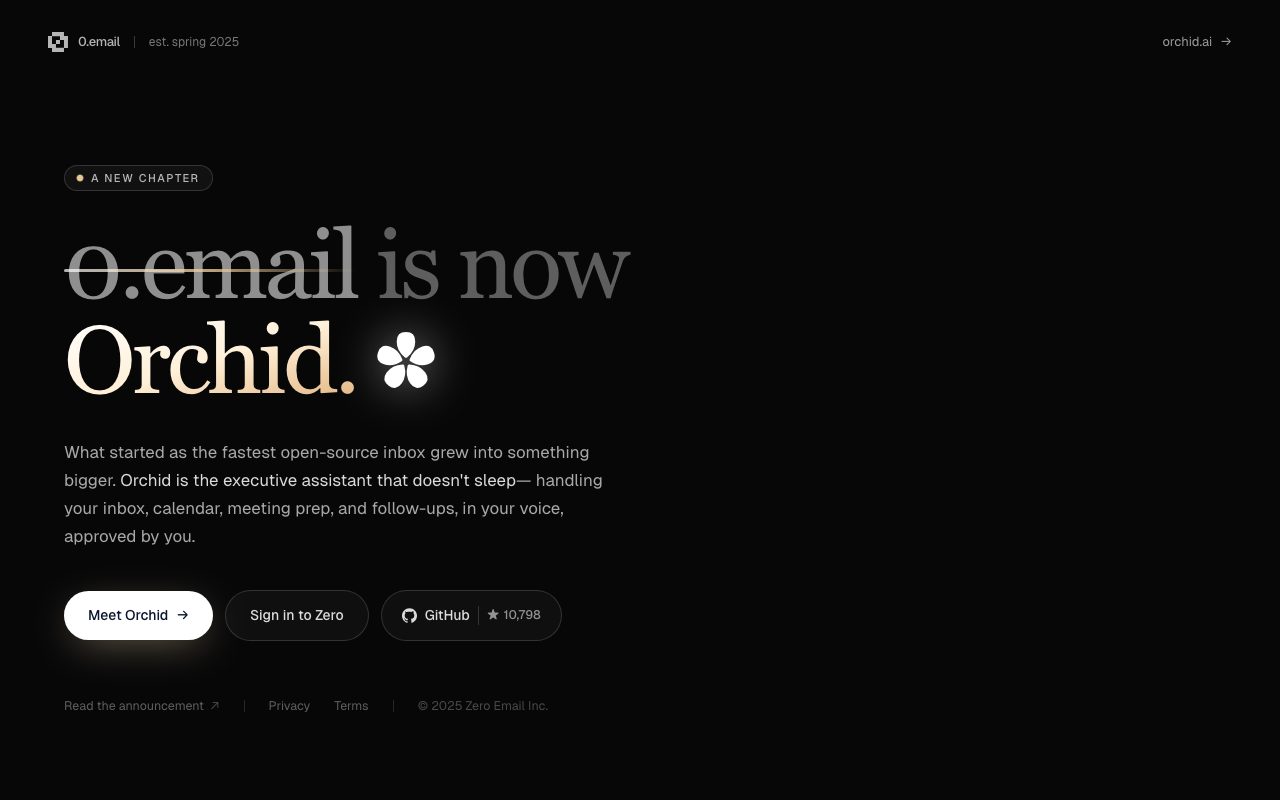
Zero (0.email) is an open-source email client engineered around speed, keyboard-driven navigation, and strict privacy guarantees. Operating as a client-only web interface for Gmail, Zero connects via Google OAuth 2.0 and executes email processing directly within the user's browser rather than passing message data through intermediary application servers. The service emphasizes architectural transparency. Its public codebase enables community security auditing and self-hosting, allowing technical teams to run independent instances where no telemetry or email data leaves their infrastructure without consent. In standard cloud usage, Zero limits server interaction to encrypted, temporary caches holding data for a maximum of 24 hours, encrypted at rest with AES-256 in SOC 2 Type II certified US data centers. Alongside core inbox workflows and keyboard shortcuts, the platform incorporates assistant functionality referenced as Zero AI and Chat with Zero. Note that the vendor announced a rebrand and platform expansion toward Orchid (orchid.ai), repositioning the project from an open-source inbox into an executive assistant handling email, scheduling, meeting prep, and follow-ups.
Zero processes Gmail data directly inside the client browser without permanent server-side email storage, backed by an auditable open-source codebase and self-hosting support.
Product capabilities
Key features
Client-Side Processing
Processes email content and attachments directly in the user's browser, preventing email data from residing permanently on external application servers.
Open-Source Architecture
Maintains an openly auditable codebase with over 10,000 GitHub stars, allowing public review of privacy and security claims.
Self-Hosting Capability
Supports self-hosted deployments where all data, backups, and optional telemetry remain entirely under the organization's control.
Google OAuth 2.0 Integration
Authenticates securely via Google OAuth with restricted scopes, complying with Google API Services User Data Policy limited-use requirements.
Zero AI and Chat with Zero
Includes conversational inbox features and assistant capabilities designed to accelerate message review and navigation.
Strict Data Isolation
Employs TLS 1.3 in transit and AES-256 for temporary local caches that purge automatically within 24 hours.
Practical fit
Who should use Zero?
Privacy-Preserving Gmail Triage
Process and respond to daily email volumes without exposing message bodies or attachments to third-party server databases.
Self-Hosted Mail Interface
Deploy an independent instance of the open-source client on private infrastructure to meet strict organizational data boundaries.
Fast Inbox Navigation
Use keyboard shortcuts and AI chat helpers to review incoming threads and accelerate routine email handling.
Editorial assessment
Pros and limitations
Where it is strong
- Zero email storage on vendor servers; communications remain directly between browser and Gmail
- Open-source codebase available for independent auditing on GitHub
- Option to self-host for complete data autonomy
- Complies with Google API Services User Data Policy limited use rules
- Free plan available with basic features requiring no credit card
Where to be careful
- Tied strictly to Gmail and Google accounts; no direct Outlook or generic IMAP support documented
- Project is undergoing a transition/rebrand toward Orchid (orchid.ai), which may alter the open-source inbox roadmap
- Specific monthly and annual subscription plan prices are not listed on the provided pages
Commercial context
Zero pricing
At the review date, the vendor offers a free plan with core capabilities and a 7-day trial for premium subscriptions billed monthly or annually, though specific dollar figures are not published on the provided pages. Zero has announced a transition to Orchid (orchid.ai); check official pages for current pricing and availability.
Pricing, limits, taxes, model access, and regional availability can change. Verify the purchase-critical details on the official pricing page linked under Sources.
Transparent ranking
Why Zero scores 66.8
Each factor is scored on a 100-point scale, then combined using the public ToolsRank weights. Engagement and momentum stay at a neutral baseline until measured signals exist, so no tool can gain or lose position from numbers nobody recorded.
Compatibility
Languages, platforms, and integrations
Languages
- English
Integrations & surfaces
- Gmail
- Google OAuth 2.0
- GitHub
Community
Reviews and questions
No approved member reviews yet. Editorial factors above are the only rating on this page.
Reviews and questions come from Google-signed members and are checked by an editor before they appear.
Frequently asked
Zero FAQ
Does Zero store email contents on its servers?+
No. Zero is designed as a client-only application. Email data is processed directly between the browser and Gmail API. The vendor does not store email messages on central servers, and any temporary functional caches are purged within 24 hours.
Can Zero be self-hosted?+
Yes. Zero's open-source codebase supports self-hosted instances. In a self-hosted configuration, no email data is transmitted to the vendor's infrastructure without explicit user permission.
What is the relationship between Zero and Orchid?+
According to the vendor's announcement on the 0.email homepage, 0.email has entered a new chapter as Orchid (orchid.ai). Orchid expands the core inbox into an AI executive assistant covering inboxes, calendars, meeting prep, and follow-ups.
What happens after the 7-day premium trial?+
If you sign up for a premium trial, a valid credit card is required. You can cancel during the 7-day window without charge. If not cancelled, the account automatically transitions into a paid monthly or annual subscription, which is non-refundable once billed.