
Direct answer
What is Captions?
Captions is an AI-driven video production platform that automates talking-head editing, auto-captioning, eye contact correction, and clip repurposing for web and mobile creators.
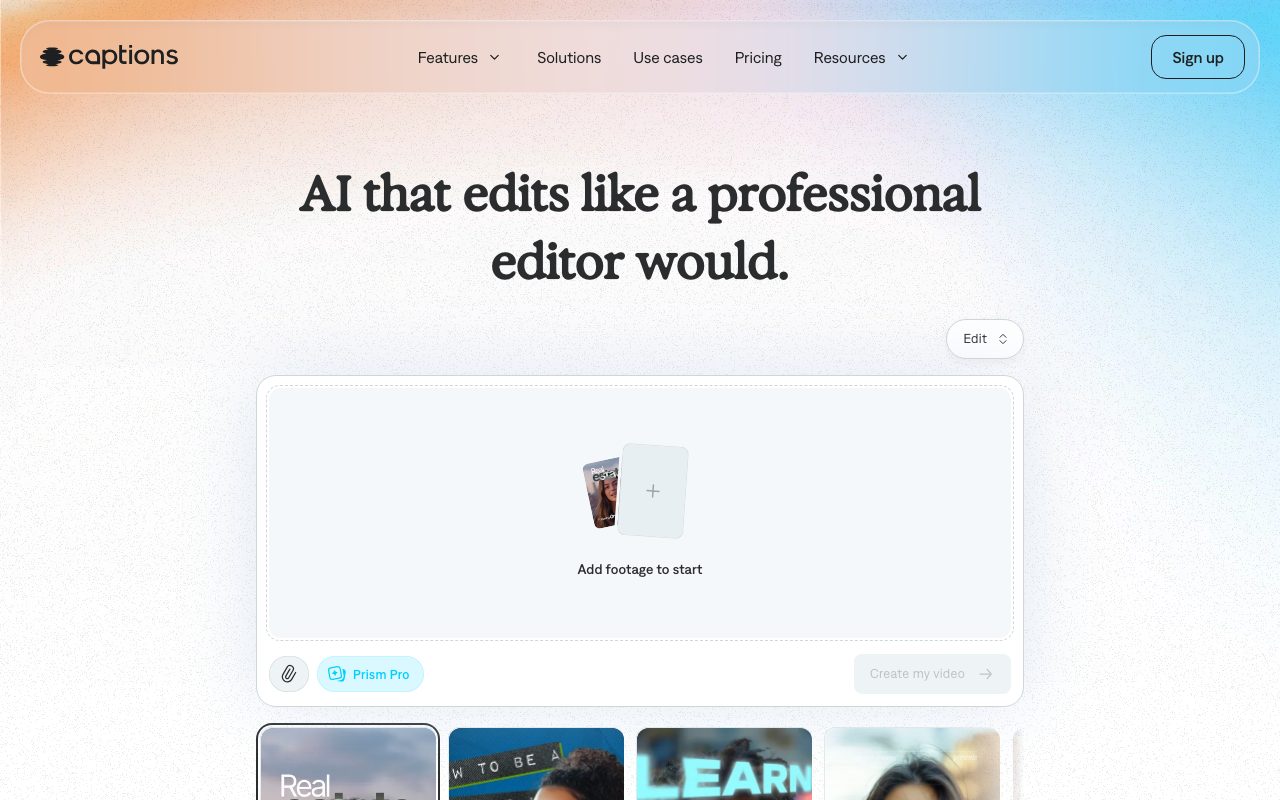
Captions, operated by NOCAP, Inc., is a creative video platform designed to automate the heavy lifting of post-production. Primarily focused on talking-head footage and short-form video, the platform combines standard timeline tools with automated generative enhancements. At its core is AI Edit, a feature that inspects uploaded raw footage and automatically applies scene cuts, B-roll overlays, zooms, background music, and transitions according to curated visual styles such as Paper II, Prism Pro, or Elevate. Creators can prompt revisions using a natural-language chat interface or carry out manual adjustments on the timeline. The tool automatically removes filler words and silences, denoises dialogue, and adjusts gaze via eye contact correction. Beyond automated assembly, Captions features a burned-in caption generator supporting over 100 languages with word-by-word stylized animations, automatic emojis, and brand customization. Generative tools include AI digital twins and customizable avatars, script-to-video generation, AI ads, AI skits, voice cloning, audio lip-dubbing, and long-to-short video repurposing into social clips. Captions runs in web browsers and across mobile apps on iOS and Android.
Captions analyzes spoken audio and video context to apply full aesthetic edits—including tailored pacing, dynamic zooms, contextual B-roll, denoise, and eye contact realignment—in one automated step rather than requiring manual timeline trimming.
Product capabilities
Key features
One-Tap AI Edit Styles
Applies holistic visual treatments—including auto-cuts, custom zooms, B-roll overlays, transitions, and royalty-free soundtracks—tailored to the footage.
Stylized Open Captions
Generates word-synced, burned-in subtitles in over 100 languages with customizable fonts, colors, animations, and automatic emojis.
Eye Contact Correction
Uses machine learning to realign the speaker's gaze toward the camera lens, smoothing over glances at teleprompters or notes.
Automated Audio Cleanup
Eliminates unwanted background noise with one-click denoise and automatically cuts out filler words and unnatural pauses.
Chat-Based Prompt Editing
Enables creators to request visual changes, sound effects, or additional B-roll insertions using conversational natural language.
AI Avatars and Digital Twins
Generates lifelike digital presenters and personalized clones for quick script delivery with customizable outfits, backgrounds, and product placements.
Multilingual Translation and Lipdub
Translates spoken audio and subtitles into more than 100 languages, with automated voiceovers and lip synchronization.
Short Clip Repurposing
Transforms long-form horizontal videos or podcasts into a batch of ready-to-publish short-form clips optimized for social channels.
Workflow
How Captions works
- Upload raw horizontal or vertical footage, or record directly using the integrated mobile teleprompter.
- Select an AI Edit style preset (such as Paper II, Elevate, or Prime) to automatically apply cuts, zooms, B-roll, and music.
- Auto-generate synchronized open captions and apply one of 100+ stylized, animated templates.
- Use conversational prompts or manual timeline controls to tweak pacing, denoise audio, or adjust eye contact.
- Export in the target social aspect ratio with burned-in subtitles and zero watermarks.
Practical fit
Who should use Captions?
Vertical Social Video Production
Recording speaking footage directly on mobile or web and letting the editor cut pauses, add animated captions, and export directly for TikTok, Reels, and YouTube Shorts.
Paid Social Ad Generation
Assembling high-converting UGC-style ads with automated dynamic zooms, punchy transitions, and generated B-roll from minimal raw footage.
Podcast and Interview Repurposing
Extracting highlight segments from recorded episodes into captioned vertical clips with clean audio and clear speaker focus.
Multilingual Video Localization
Subtitling and dubbing educational or promotional video assets across international languages using automated lip-dub and translation tools.
Editorial assessment
Pros and limitations
Where it is strong
- Exports videos with no watermarks across free and paid tiers
- Extensive caption styling and automated transcription in over 100 languages
- Automates audio cleanup, filler trimming, and eye gaze alignment in a few taps
- Unused credits roll over for up to two additional billing months (holding up to 3x monthly allocation)
- Available across web browsers, iOS, and Android ecosystems
Where to be careful
- Generative AI creation tools and advanced styles are credit-gated and restricted to paid tiers
- Free plan only includes one caption template and excludes AI credits
- Primarily designed for vertical and talking-head social formats rather than intricate documentary or cinema editing
Commercial context
Captions pricing
At the review date in September 2026, Captions offers a limited free tier alongside paid tiers starting at $24.99 per month for Max (500 credits) and $69.99 per month for Scale (1,400 credits). The vendor notes that published rates reflect iOS subscription plans in USD and that annual plans bill upfront at a discounted rate. Buyers should verify current web and platform pricing directly on the official pricing page.
| Plan | Price | What it includes |
|---|---|---|
| Free | $0 / monthly limits apply; basic features only, no AI credits included | |
| Max | $24.99/mo / monthly; 500 AI credits per month, curated AI edit styles, digital twins, and chat editor | |
| Scale | $69.99/mo / monthly; 1,400 credits per month with higher tiers at $139.99/mo (2,800 credits) and $279.99/mo (5,600 credits) | |
| Enterprise | Custom / custom billing with dedicated support, training data exclusion, and bulk credit discounts |
Pricing, limits, taxes, model access, and regional availability can change. Verify the purchase-critical details on the official pricing page linked under Sources.
Transparent ranking
Why Captions scores 73
Each factor is scored on a 100-point scale, then combined using the public ToolsRank weights. Engagement and momentum stay at a neutral baseline until measured signals exist, so no tool can gain or lose position from numbers nobody recorded.
Compatibility
Languages, platforms, and integrations
Languages
- English
Platforms
- Web
- iOS
- Android
Integrations & surfaces
- TikTok
- YouTube Shorts
- Apple App Store
- Google Play
Community
Reviews and questions
No approved member reviews yet. Editorial factors above are the only rating on this page.
Reviews and questions come from Google-signed members and are checked by an editor before they appear.
Frequently asked
Captions FAQ
Does Captions add a watermark to exported videos?+
No. The official documentation states that Captions does not add watermarks to exported videos, leaving finished projects clean for social sharing.
What is the difference between the Free tier and paid plans?+
The Free plan provides traditional editing tools such as trimming, zooms, transitions, sound effects, basic teleprompter support, and transcription with a single caption template. Paid tiers (Max and Scale) grant monthly AI usage credits, access to 100+ caption templates, one-tap generative video generation (AI Twins, skits, and ads), AI translation, lip-dubbing, and voice cloning.
Do unused AI credits expire at the end of each month?+
Unused credits roll over to following months. Accounts can save up to two extra months of unused credits, which allows credit balances to reach up to three times the regular monthly allowance.
Are Captions subtitles open or closed captions?+
Captions specializes in open captions that are permanently burned directly into the video file. This ensures consistent font styling, animation, and visibility across platforms like TikTok and Instagram Reels even when viewers have sound muted.
What happened to Mirage Studio?+
According to the vendor, Mirage Studio merged into Captions. Existing Mirage Studio subscribers can access their workspaces, actors, and prior projects directly through Captions online.

