
Direct answer
What is Happy Scribe?
Happy Scribe is an audio and video transcription, meeting notetaking, and subtitling platform supporting 150+ languages with optional human-verified proofreading.
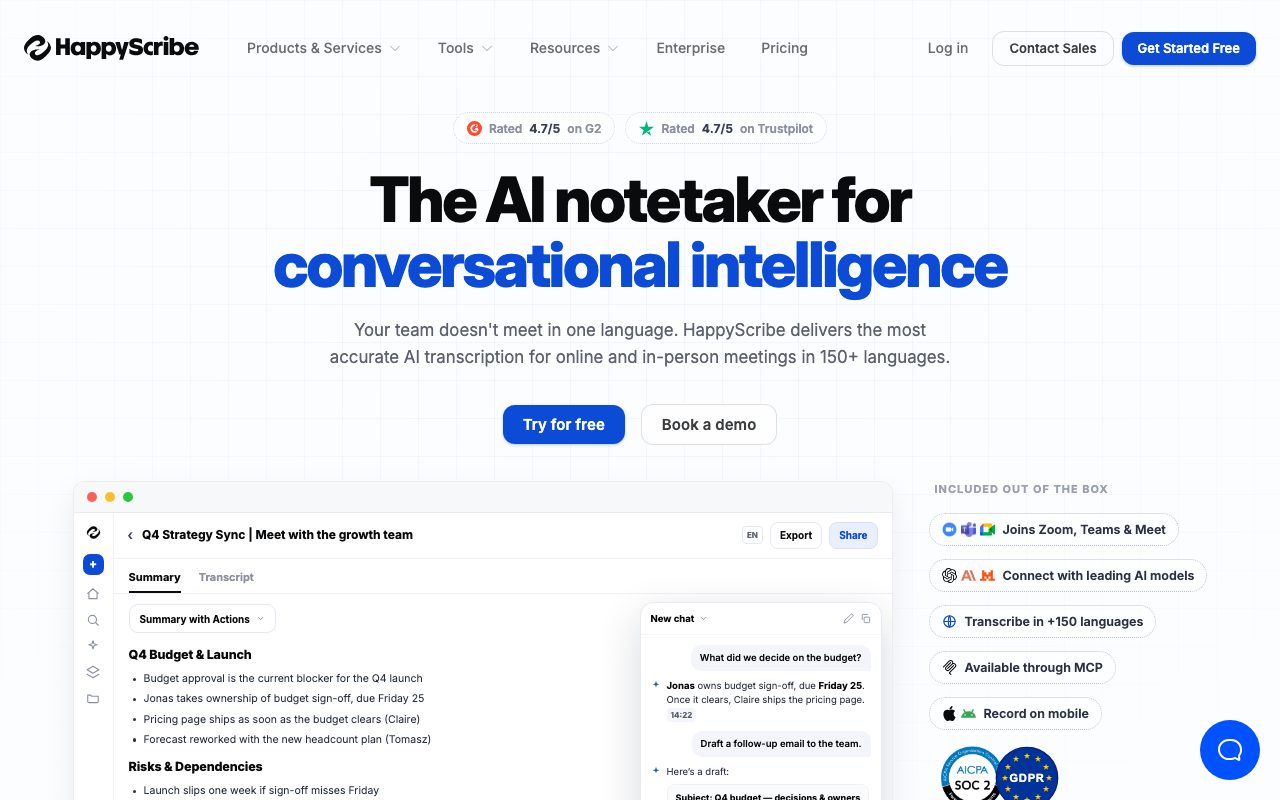
Happy Scribe provides automated transcription, subtitle generation, translation, and meeting intelligence for audio and video files across more than 150 languages. The platform pairs automated speech recognition with an interactive editor that syncs text with audio playback, speaker identification, and word-level timestamps. In addition to file uploads, Happy Scribe includes an AI Notetaker that integrates with Google Calendar and Outlook to automatically join, record, and transcribe meetings across Zoom, Microsoft Teams, and Google Meet. Meeting records include automated summaries, action items, and conversational search powered by AI models such as Claude, ChatGPT, and Mistral. For video creators and localization teams, Happy Scribe offers closed caption generation, translated subtitles, and hardcoded subtitle video exports across 15+ formats (including SRT, VTT, STL, and FCPXML). When automated transcription accuracy is not sufficient for high-stakes publications or complex audio, users can send files directly to professional linguists for guaranteed 99%+ accuracy. The service runs on EU-hosted infrastructure with AES-256 encryption at rest, TLS in transit, SOC 2 Type II compliance, and GDPR data processing agreements.
Happy Scribe blends automated speech recognition and calendar-connected AI meeting notes with access to professional human linguists and native EU data residency, letting teams switch between fast AI drafts and high-accuracy human proofreading in one platform.
Product capabilities
Key features
Multilingual AI Transcription
Converts uploaded audio and video files into editable text across 150+ languages and accents with automatic speaker detection and word-level timestamps.
Automated AI Meeting Notetaker
Connects to Google Calendar and Outlook to automatically join Google Meet, Microsoft Teams, and Zoom calls, generating transcripts, summaries, and action items.
Subtitle and Closed Caption Generator
Creates same-language captions and translated subtitles, featuring interactive timing adjustment and export to formats like SRT, VTT, STL, and burned-in MP4.
AI Conversational Intelligence
Enables users to query transcripts and meeting recordings using an AI chat interface powered by models like Claude, ChatGPT, and Mistral.
Human-Made Review Services
Offers optional pay-per-minute transcription, captioning, and translation verified by professional linguists for 99%+ guaranteed accuracy.
Security & EU Data Residency
Features SOC 2 Type II compliance, GDPR conformity, role-based access control, and data storage in EU data centers with opt-in-only AI training.
Practical fit
Who should use Happy Scribe?
Meeting Capture & Action Tracking
Auto-record and summarize cross-functional calls in Google Meet, Zoom, or Teams, delivering action items directly to attendees.
Video Localization & Subtitling
Generate multilingual captions and burn hardcoded subtitles directly into video exports for social channels, training courses, and media.
Interview Transcription for Research
Transcribe recorded field interviews and focus groups into searchable text with speaker tags and collaborative editing.
High-Accuracy Legal or Media Proofing
Escalate automated transcripts of critical interviews or technical discussions to professional human reviewers for broadcast-ready precision.
Editorial assessment
Pros and limitations
Where it is strong
- Supports over 150 languages and dialects for speech-to-text and subtitling
- Hybrid model allows ordering professional human transcription directly inside the app
- Broad export support across 15+ subtitle, audio, and text formats (SRT, VTT, DOCX, STL, FCPXML)
- Strong security credentials with EU data center residency and SOC 2 Type II certification
Where to be careful
- AI transcription credits are capped monthly and standard plan credits do not roll over
- Advanced subtitle formats and watermark-free video exports require paid plans
- Human proofreading services carry separate per-minute fees that vary widely by language
Commercial context
Happy Scribe pricing
Pricing snapshot as of September 2026. Self-serve subscription tiers start at $17/month ($8.50/month billed annually) for Basic, with additional AI minutes billed at $0.20/min. Professional human transcription and subtitling are billed separately starting from $2.00/min. Verify current pricing on the official vendor website.
Pricing, limits, taxes, model access, and regional availability can change. Verify the purchase-critical details on the official pricing page linked under Sources.
Transparent ranking
Why Happy Scribe scores 75.2
Each factor is scored on a 100-point scale, then combined using the public ToolsRank weights. Engagement and momentum stay at a neutral baseline until measured signals exist, so no tool can gain or lose position from numbers nobody recorded.
Compatibility
Languages, platforms, and integrations
Languages
- English
- Spanish
- French
- German
- Italian
- Portuguese
Integrations & surfaces
- Google Meet
- Zoom
- Microsoft Teams
- Google Calendar
- Outlook
- Google Drive
- Dropbox
- Box
- YouTube
- Vimeo
- Zapier
Community
Reviews and questions
No approved member reviews yet. Editorial factors above are the only rating on this page.
Reviews and questions come from Google-signed members and are checked by an editor before they appear.
Frequently asked
Happy Scribe FAQ
What is Happy Scribe?+
Happy Scribe is an AI-powered transcription and meeting-notes platform that converts audio and video into searchable text in 150+ languages, offering both automated tools and human proofreading services.
How does the AI Notetaker work?+
By connecting Google Calendar or Outlook, the AI Notetaker automatically joins scheduled Zoom, Google Meet, or Microsoft Teams calls, captures a full transcript, and produces summaries, highlights, and action items.
What is the difference between AI and human-made transcription?+
AI transcription uses automated speech recognition models for fast, cost-effective transcripts. Human transcription is handled by professional linguists who review and correct text to ensure 99%+ accuracy for complex audio and terminology.
Does Happy Scribe store data in the European Union?+
Yes, Happy Scribe processes and stores data in EU data centers, is GDPR compliant, SOC 2 Type II certified, and provides opt-in-only AI training controls.
What export formats are available?+
Depending on the plan, users can export transcripts and subtitles to DOCX, PDF, TXT, SRT, VTT, STL, XML, FCPXML, EDL, HTML, and hardcoded MP4 video files.