
Direct answer
What is Kapwing?
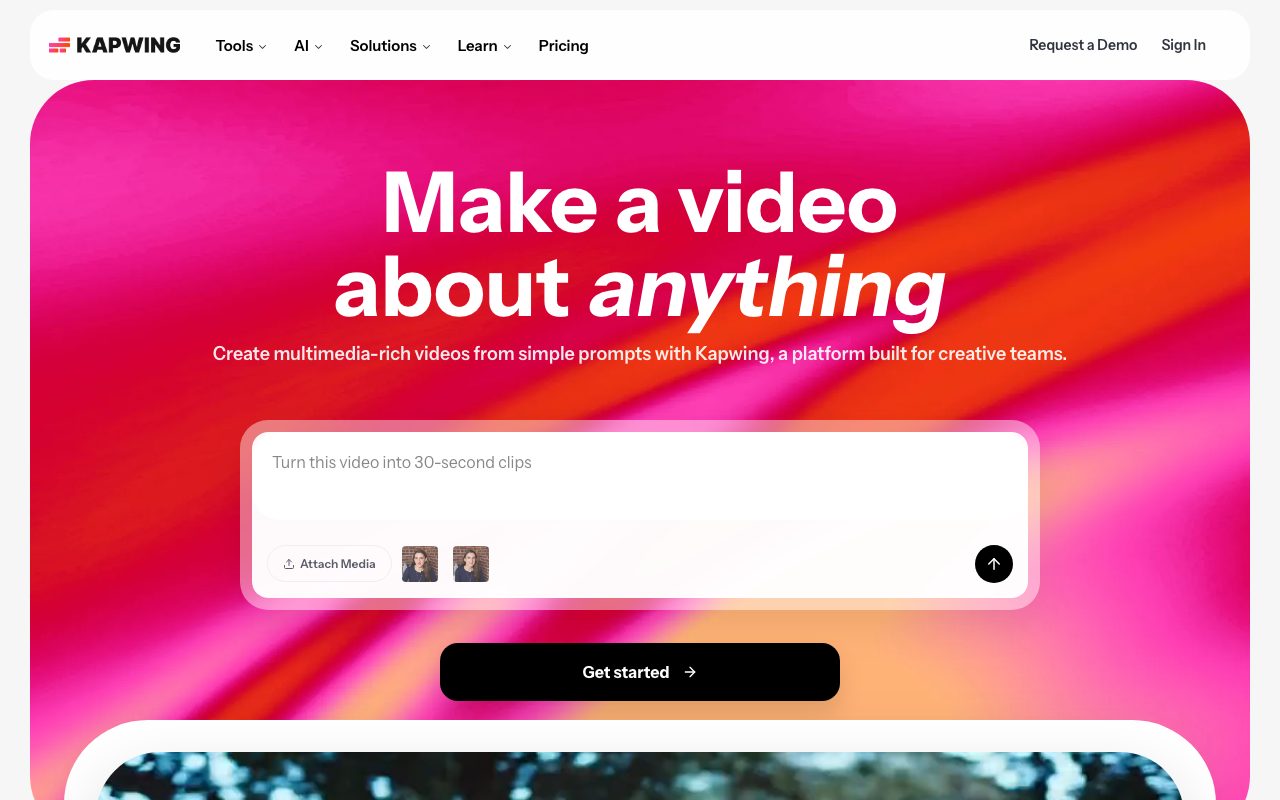
Kapwing is a browser-based multimedia editor and generative video platform designed to speed up clip editing, transcription, and repurposing.
Kapwing provides a browser-based creative suite that combines multi-track timeline editing with generative AI tools. Users can produce videos from text prompts, generate automated subtitles, translate dialogue into dozens of languages, and assemble social clips from long-form content. Because it runs entirely online, team members can collaborate in shared workspaces using real-time editing, commenting, and version tracking without installing local desktop software. The toolset includes practical automation for spoken content, such as transcript-based trimming, silence removal via Smart Cut, and background noise reduction with Clean Audio. Paid plans raise export resolution to 4K, remove watermarks, expand file upload limits to 6 GB, and provide monthly credit allowances for generative tasks, automated translation, voice cloning, and synthetic dubbing.
Kapwing integrates full-timeline drag-and-drop video editing with generative prompt-to-video tools, transcript-based trimming, and real-time team collaboration directly within web browsers.
Product capabilities
Key features
AI Video Generator
Transforms plain-text prompts into multi-layered video projects complete with voiceovers, visuals, subtitles, scripts, and background music.
Multi-Track Timeline Editor
Combines audio, video, text, and graphic overlays in a browser interface supporting transitions, effects, and screen recording.
Automatic Subtitling and Translation
Generates timed video captions automatically and translates subtitles across more than 60 languages with export support for SRT and VTT formats.
Smart Cut and Clean Audio
Detects and cuts silent gaps across footage while filtering background noise, balancing levels, and smoothing vocal tracks.
Trim with Transcript
Enables rough-cut video editing directly through the generated transcript text rather than scrubbing manual timeline playheads.
Repurpose Studio and Clip Maker
Extracts shorter, vertical, social-ready clips from longer videos, including automated speaker focus and dynamic resizing.
Dubbing and Lip Sync
Translates spoken dialogue into 40+ languages and synchronizes character lip movements using AI models.
Team Workspaces and Brand Kit
Provides shared cloud storage, folder access controls, commenting, custom brand fonts, and simultaneous real-time collaboration.
Workflow
How Kapwing works
- Upload raw footage, paste a media link, or generate a scene using a text prompt.
- Edit tracks on the timeline or edit dialogue directly using the auto-generated transcript.
- Apply automated tools such as Smart Cut, Clean Audio, or auto-subtitling in 60+ languages.
- Review edits collaboratively with workspace members via shared links and timestamped comments.
- Export in MP4, GIF, MP3, or image formats, up to 4K resolution on paid plans.
Practical fit
Who should use Kapwing?
Social Video Repurposing
Turn webinars, podcast recordings, or interviews into captioned vertical clips for TikTok, Instagram Reels, and YouTube Shorts.
Multilingual Video Localization
Translate captions and speech into foreign languages with dubbing and lip sync to serve global audiences.
Marketing and Ad Creation
Draft promo videos, testimonials, and video ads from scratch using text prompts, templates, and stock media assets.
Instructional and Training Content
Record screen, webcam, and audio simultaneously to deliver clear software tutorials and internal company updates.
Editorial assessment
Pros and limitations
Where it is strong
- Fully web-based with no desktop software or plugin installation required
- Direct transcript-based editing accelerates speech and podcast trimming
- Automated subtitling with support for SRT and VTT downloads
- Real-time multi-user collaboration and project commenting in shared workspaces
- Exports up to 4K resolution on paid subscription tiers
Where to be careful
- Free plan exports are capped at 720p resolution and include a Kapwing watermark
- Generative tools, subtitling, and dubbing are governed by monthly credit quotas
- Free workspace files and projects are deleted after three days of storage
Commercial context
Kapwing pricing
As of September 2026, Kapwing provides a free tier with watermarked exports and limited credits. Pro starts at $16 per member per month billed annually ($24 monthly), and Business starts at $50 per member per month billed annually ($64 monthly). An Enterprise tier requires custom pricing. Check the official pricing page for updates.
| Plan | Price | What it includes |
|---|---|---|
| Free | $0 / forever free tier with watermark, 10 credits, 720p export, max 4-minute export length, 3-day storage duration | |
| Pro | $16 / per member, per month, billed annually ($24 billed monthly), 1,000 credits/mo, 4K resolution, 2-hour export length, 100 GB storage | |
| Business | $50 / per member, per month, billed annually ($64 billed monthly), 4,000 credits/mo, voice cloning, lip sync, 500 GB storage | |
| Enterprise | Custom / contact sales, custom credits, dedicated account manager, SSO, custom cloud storage |
Pricing, limits, taxes, model access, and regional availability can change. Verify the purchase-critical details on the official pricing page linked under Sources.
Transparent ranking
Why Kapwing scores 74.6
Each factor is scored on a 100-point scale, then combined using the public ToolsRank weights. Engagement and momentum stay at a neutral baseline until measured signals exist, so no tool can gain or lose position from numbers nobody recorded.
Compatibility
Languages, platforms, and integrations
Languages
- English
Platforms
- Web
Integrations & surfaces
- YouTube
- TikTok
- Google OAuth
- Facebook OAuth
Community
Reviews and questions
No approved member reviews yet. Editorial factors above are the only rating on this page.
Reviews and questions come from Google-signed members and are checked by an editor before they appear.
Frequently asked
Kapwing FAQ
Can I use Kapwing for free?+
Yes. Kapwing offers a free tier that lets users test editing tools. However, free exports contain a Kapwing watermark, are limited to 4 minutes in duration and 720p resolution, and retain project files for only 3 days.
Does Kapwing offer free trials on paid plans?+
No. The vendor does not offer free trials for its Pro or Business plans because core tools can be tested on the free tier before upgrading.
What export formats are supported?+
Finished projects can be exported and downloaded in MP4 video, PNG and JPG images, MP3 audio, and animated GIF formats, with optional SRT/VTT subtitle downloads.
How do credits work in Kapwing?+
Credits are used for AI-driven operations such as auto-subtitling, translation, text-to-speech, dubbing, and lip syncing. Each plan includes a specific credit quota per month.
Does Kapwing support real-time team collaboration?+
Yes. Paid tiers provide collaborative shared workspaces where team members can edit projects simultaneously, view version histories, and leave direct feedback via timestamped comments.